ADAMS - problem 2 - Wheel and Ride Rates
steps:
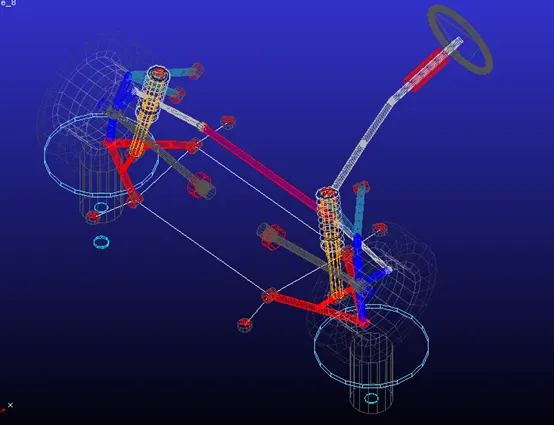
-First lca suspension was opened
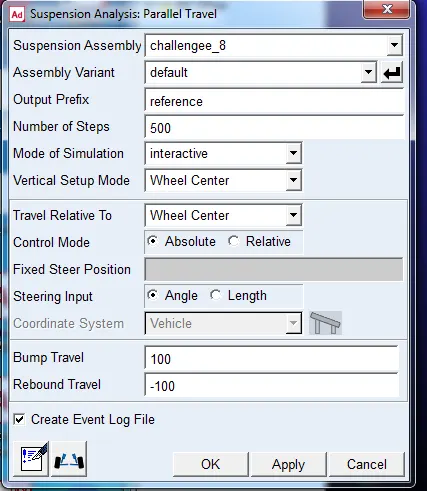
-then parallel wheel travel simulation is performed
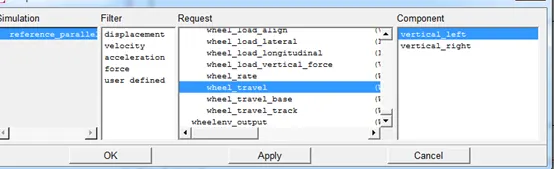
-then wheel travel x-variable is selected
-then y-variable was selected as wheel rate
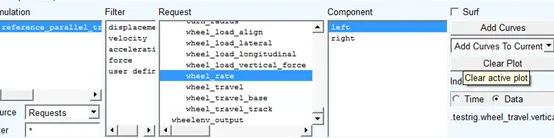
-then curve was plotted
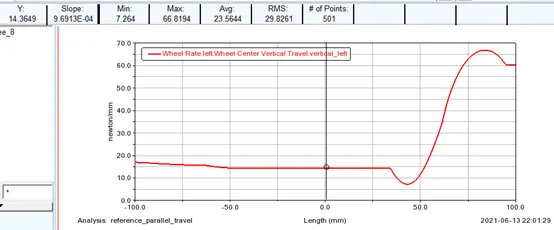
-it shows that wheel rate is 14.3649 n/mm
Wheel rate calculation:
|
Hpl_lca_front |
400 |
|
HPL_LCA_OUTER |
750 |
|
HPL_LWR_STRUT_MOUNT |
600 |
Spring stiffness 50 n/mm
Motion ratio=(600-400)/(750-400)=0.57
Wheel rate=ksp*(MR)^2=16.245 n/mm
There is a difference of 11.5% between calculation and adams
Reason for difference:
1-The lower control arm is inclined ,while in the approximated hand calculations it is assumed to be horizontal
2-bushing forces are neglected in hand calculations
-Modifying wheel rate to 20 N/MM:
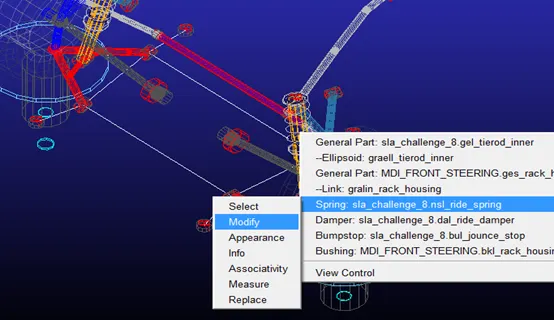
-modifying the spring stiffness:
-spring is modified from 50 n/mm to 75 n/mm
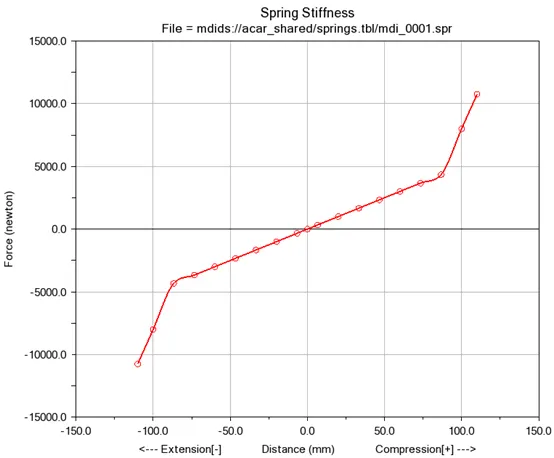
original spring curve
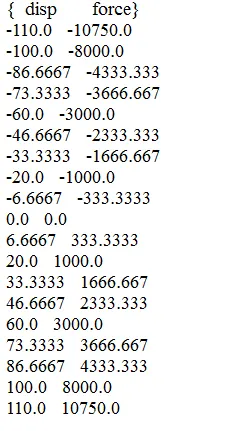
original spring table
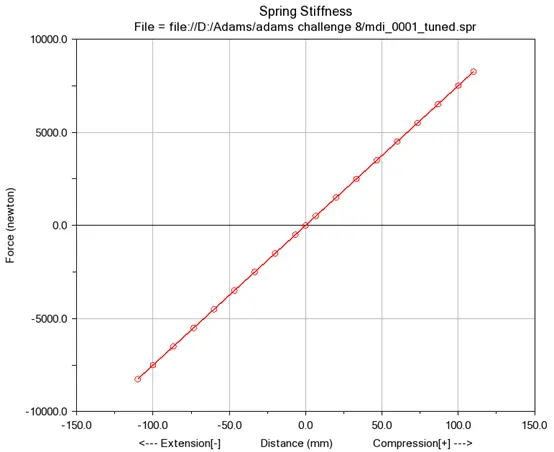
Modified spring curve
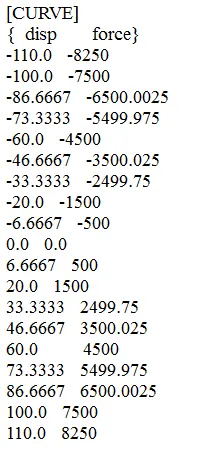
tuned spring table
-then spring was changed
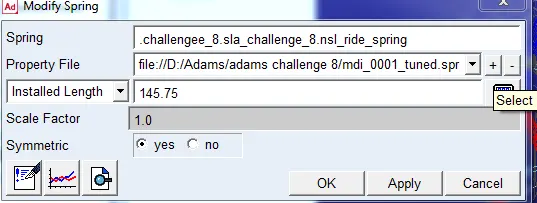
-then parallel wheel travel simulation was re-runned
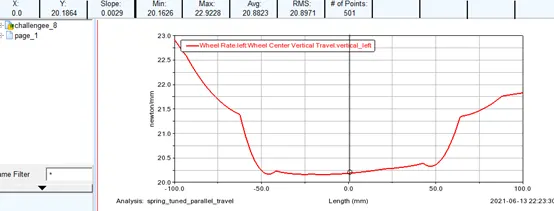
-then the wheel rate plot was drawn for the modified spring and it showed that the wheel rate has reached its target as the wheel rate is 20.18 n/mm
-then old spring was re-installed in the model
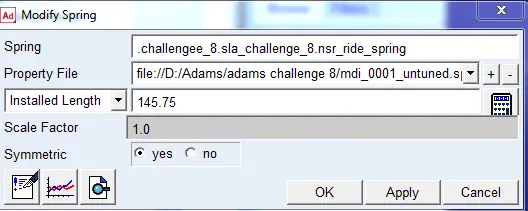
-then the hard points was modified
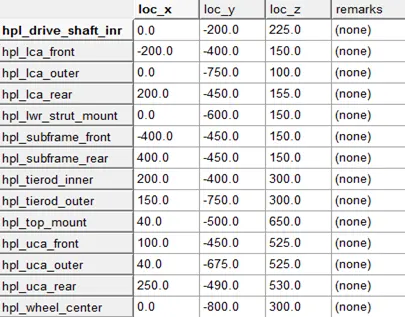
original hard points table
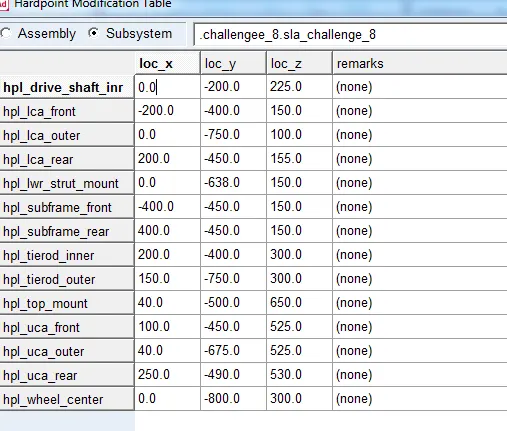
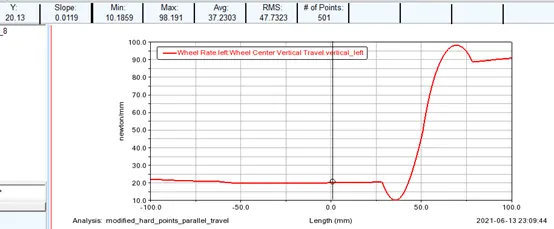
-then parallel wheel simulation was rerunned
-then the wheel rate curve was plotted which shows that the target was reached as the wheel rate is 20.13 n/mm
Motion ratio:
Old motion ratio :
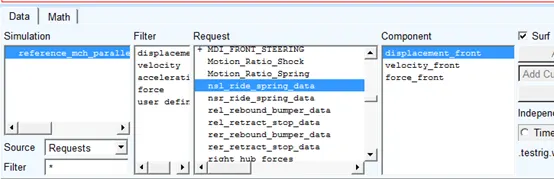
-In order to plot motion ratio ,y axis variable should be changed to nsl_ride spring data to plot the displacement of spring with wheel travel which is the slope of the curve
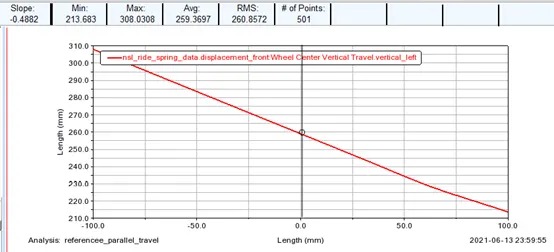
-the motion ratio calculated by adams was originally 0.48 n/mm
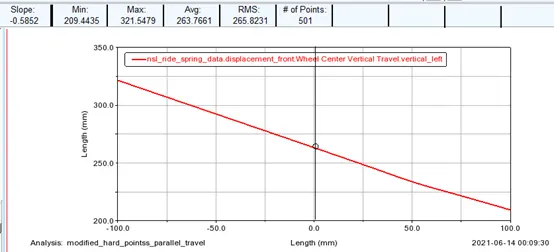
-then after modifying the hard points it became 0.5852 n/mm
Ride rate calculations for target wheel rate:
WR=20n/mm
Tyre stiffness:200 n/mm
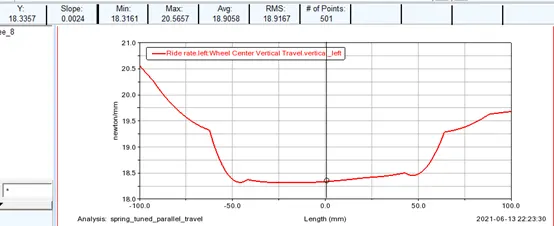
Ride rate=(WR*tyre stiffness)/(WR+tyre stiffness)=18.28 n/mm
-Ride rate through simulation:
-Y-axis variabl is chosen as ride rate
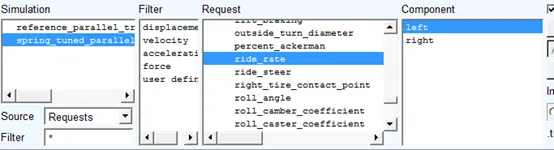
-then ride rate curve is plotted, it shows that the ride rate in 18.3357 n/mm which is very close to the calculations
-tuning for the ride rate:
-leaving the new modified hard points as it is for the wheel rate to be 20 n/mm ,inorder to tune the ride rate we will need to change the tyre stiffness:
-change the tyre stiffness from suspension parameters from 200 n/mm to 630 n/mm
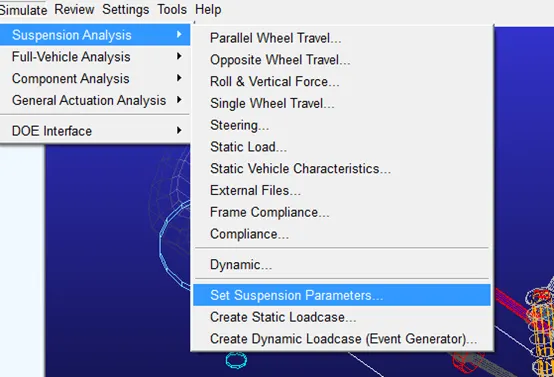
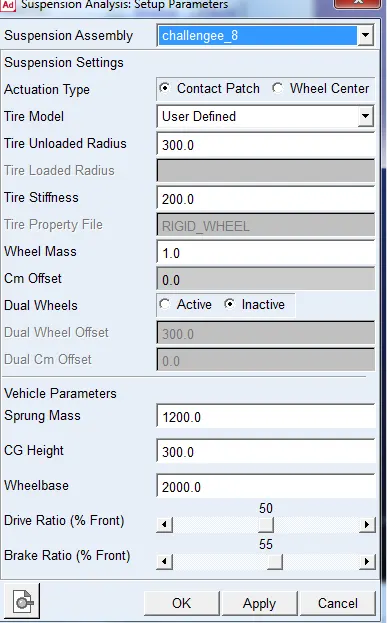
original tyre stiffness
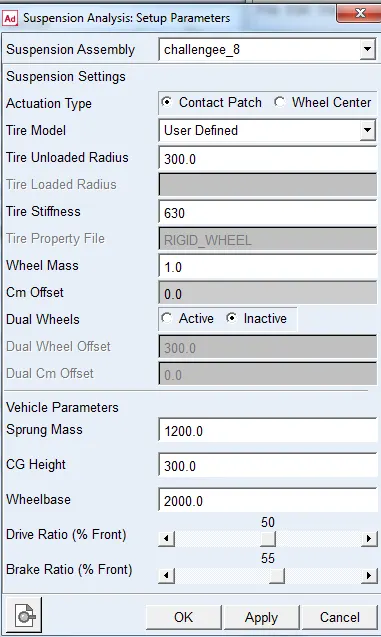
modified tyre stiffness
-then parallel wheel suspension analysis was rerunned
-then ride rate curve was replotted
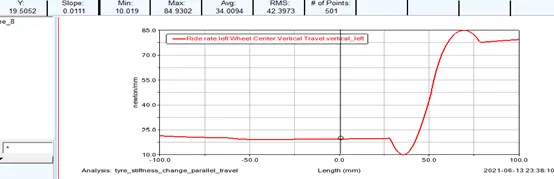
-the plot shows that the 19.5 n/mm target ride rate was reached
-Then in order to make the ride rate equal to the wheel rate which is 20 n/mm ,the tyre stifness was changed again to a large value of 900,000 n/mm
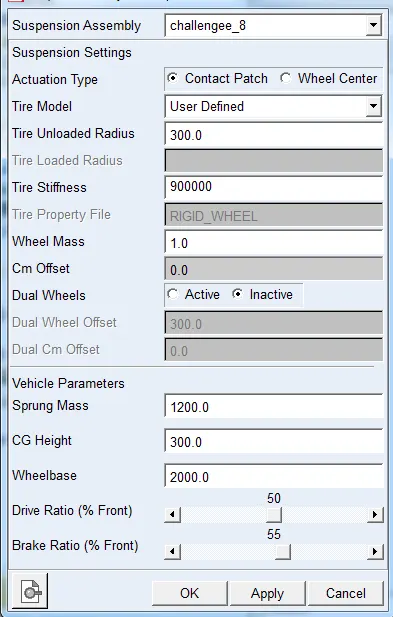
-then parallel wheel simulation was rerunned
-then the ride curve as replotted
-the plot shows that the ride stifness equivlant to wheel stiffness or 20 n/mm target was achieved
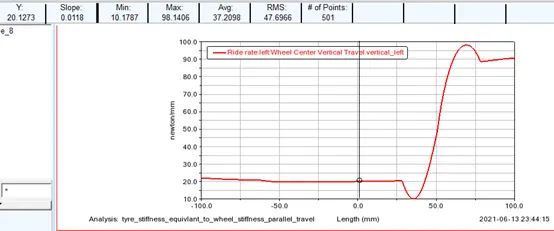
What needs to be done to make the wheel rate and ride rate the same? What do you understand from this?
The tyre stiffness needs to infinitely large which is inrealistic ,the tyre needs to be basically solid which is unrealistic and it will introduce a lot other problems, and from that it is deduced it is practically very hard to make ride rate same as wheel rate.
-Then mchperson suspension is opened
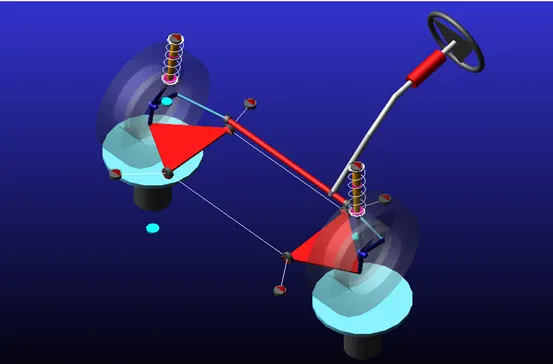
-Then parallel wheel travel simulation is performed
-then motion ratio is plotted with same steps as in the sla suspension,it shows a motion ratio of 0.93
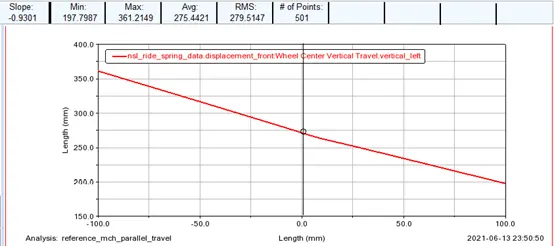
Why is the motion ratio of the McPherson strut much higher than that of the double wishbone suspension?
The reason is motion ratio depends on the distance between the strut mount and inner bushing and the inner bushing and outer ball joint
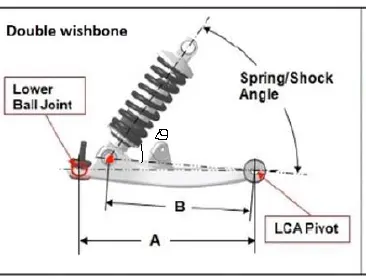
MR=B/A*sin (theta)
And because in the mcpherson suspension the spring and damper are integrated together on the same strut, so the motion ratio is only as it is only affected by the angle as B=A....MR=sin(theta)
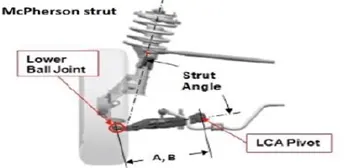
Files:
https://drive.google.com/drive/folders/1XyeDZI0EC0aGDfgmnN7I_93ewOkP3U-k?usp=sharing
- Vibin JacobFor changing spring stiffness Tools>Curve Manager File>Open select file Do necessary changes in slope and save as new file