DussehraFestive scholarship on Skill-Lync courses, this week onlyFestive scholarship is openOffer ends Wed, 21 Oct, 11:59 pm IST.

Dussehra 2026

Start your next chapter this Dussehra

Tell us where you want to work. A counsellor will match you to the right course and confirm the festive scholarship you qualify for.

  • Festive scholarship on course fees, confirmed on your call
  • Free 20-minute call to map the right course to your goal
  • Real industry projects and placement support with every course

Offer ends Wed, 21 Oct, 11:59 pm IST

3,905 engineers placed since 2019 · 1,277 hiring companies

By submitting you agree to our Terms and Privacy Policy.

You're on the list

Browse courses
Civil · Course

Analysis and Design of Buildings using STAAD.Pro - A Professional Approach

Master the theoretical concepts and get trained by industry experts to design and analyse building designs using the structural engineering software STAAD.Pro. Our mentor-led course on building structure design will impart key essential skills for developing RCC and industrial building designs.

Duration
12 weeks
Content
18 hours
Projects
2
Mode
Online
Overview

What you'll
be able to do.

STAAD.Pro is extensively used to automate, accelerate, and improve accuracy in the process of designing a variety of structures. Professionals use this tool in the industry to design and model structures according to design codes. On top of this, users can also perform structural analysis and mimic loading conditions that structures will experience in the real-world. Knowing how to work with STAAD.Pro when it comes to the design of buildings and other structures is a vital software skill for civil engineers and other professionals working in the industry.

To provide a comprehensive understanding of the ins and outs of STAAD.Pro from a professional and industrial perspective, Skill-Lync offers this course on the Analysis and Design of Buildings using STAAD.Pro.

By taking this course, learners will…

  • Understand how to work with the STAAD.Pro GUI.
  • Design and model RCC and steel structures according to IS Codes using STAAD.Pro.
  • Calculate different loads (dead load, live load, seismic load, wind loads) acting on a structure according to IS Codes.
  • Understand the parameters that go into the design of a building, and be able to interpret the output.
  • Be able to use STAAD Advanced Concrete Design for design calculations and documentation.
  • Complete projects that require hands-on use of STAAD.Pro to design buildings according to industry specifications.

Who can enrol in this course?

Students and working professionals with a background in civil engineering can take this course.

Tools you'll use
STAAD.Pro
Curriculum

12 modules,
built with industry.

  1. 01Analysis and Design of Buildings using STAAD.Pro - A Professional Approach12 modules
    1. Introduction to Basics W01

      STAAD.Pro is used to analyse structures made of a variety of materials, and simulate different loads that structures are subjected to. The STAAD.Pro user interface (UI) has a wide range of design parameters and tools for the development and analysis of both 2D and 3D models. To accurately design and model buildings, it is important for learners to understand the features of the STAAD.Pro UI.

      This week will cover

      • User interface (UI) of the software
      • Types of structures
      • Material specifications
      • Support conditions
      • Design parameters
      • Analysis and post processing options available in STAAD.Pro
    2. Modeling of RC BuildingW02

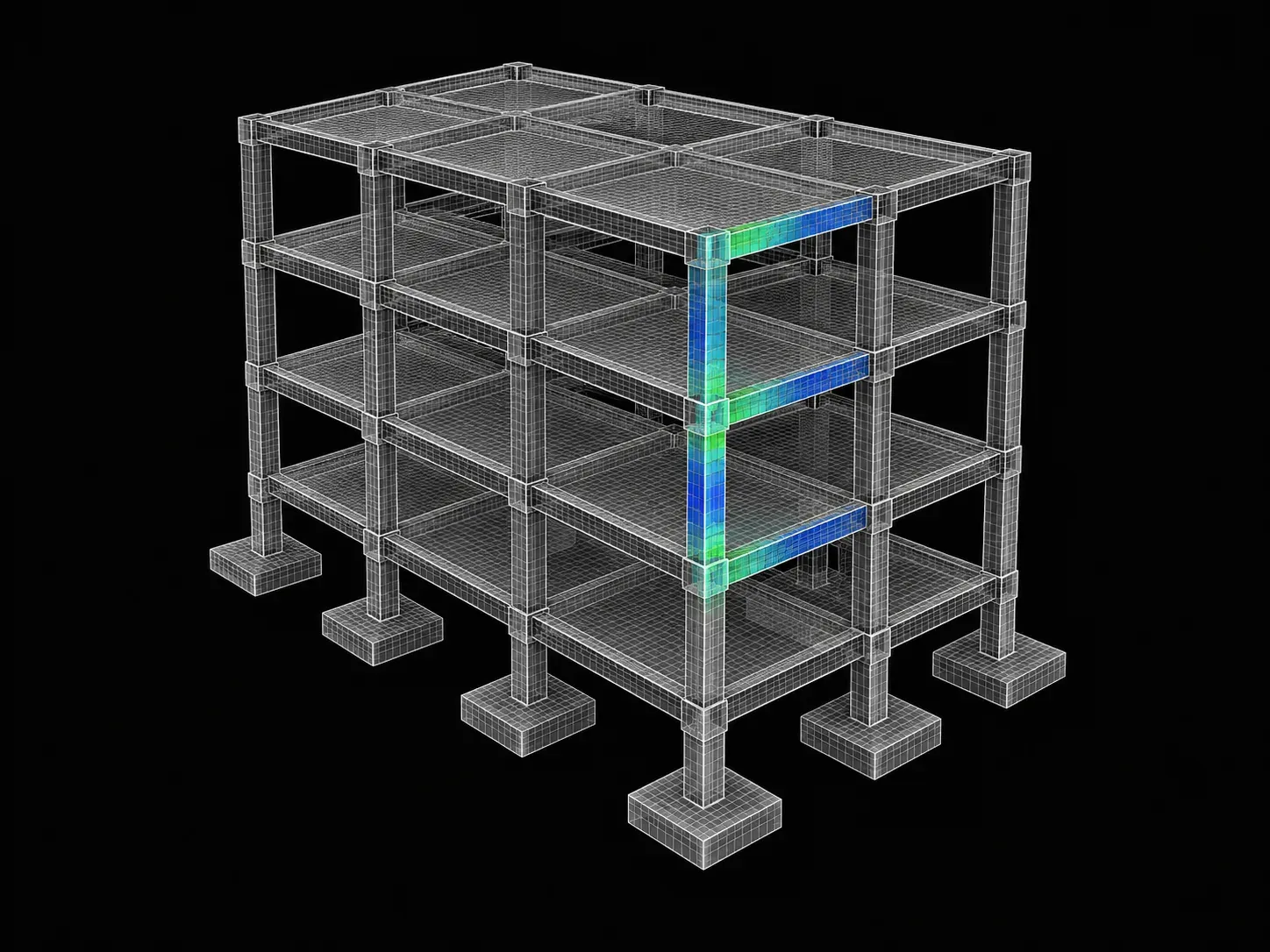
      Reinforced concrete (RC) is made of cement concrete, and steel bar reinforcements that maximise the tensile strength and ductility of the material. By modelling RC buildings, engineers can understand the components and materials needed, as well as errors in the design that can be reduced before the actual construction phase. As RC buildings are common in the industry, it is important for learners to understand the process of developing them using STAAD.Pro.

      This week will cover

      • Steps involved in modelling, designing, and analysing RC structures
      • Structure’s framework
      • Structural elements
    3. Input GenerationW03

      The materials, labour, design parameters, components, and other resources that go into the development of a building system are called inputs. These input parameters play a significant role in the behaviour of buildings, and are often specified by industry standards. It is important for learners to know how to input specific parameters on STAAD.Pro when designing a building.

      This week will cover

      • Material specifications
      • Assigning supports and constants
      • Design parameters of the model under study.
      • Analysis of buildings according to requirements
    4. Load Generation W04

      When designing a building or any structure, civil engineers consider all the possible loads that could act on a structure into considerations. This includes wind loads, seismic loads, dead loads, live loads, and more. Load combinations occur when there are more than one type of load acting on a building. As all buildings experience loads, it is important for learners to understand how distinct loads are calculated and can be simulated using STAAD.

      This week will cover

      • Load cases and load combinations
      • Load calculations
        • Dead load
        • Live load
        • Wind load
      • Applying calculated load to software models
    5. Analysis of the ModelW05

      After building models have been developed in the pre-processing step, the results from modelling and analysis can be studied and interpreted in the post-processing step using STAAD.Pro. As the post-processing step is crucial in the workflow of developing buildings, it is important for learners to understand how to interpret results in the post-processing step.

      This week will cover

      • Complete analysis of the structure
      • Post-processing results
      • Interpretation of results
      • Extracting shear force diagram (SFD), bending moment diagram (BMD), reactions, and displacements for design purposes
    6. Output InterpretationW06

      The resulting building model will have information regarding displacements, forces, loads, stresses, reactions, and other related factors. These factors can be confirmed using manual calculation sheets, and interpreted for further understanding of the building’s behaviour under different conditions. In addition to designing building models, STAAD.Pro can also be used in the design of individual structural elements that makeup a building. To effectively understand the behaviour of a building, it is important for learners to understand how to interpret output values.

      This week will cover

      • Design of structural elements (slab, beam, column, and foundation) using STAAD.Pro
      • Verifying results with manual calculation sheets
    7. Introduction to Steel StructuresW07

      Steel structures are common in the construction industry and are used in the design of buildings for their high tensile strength, ductility, stiffness, and toughness. These structures are made of different components connected together. It is important for learners to understand the individual steel components, and how they contribute to the strength and load-bearing capacities of the overall steel structure.

      This week will cover

      • Types of steel structures
      • Components in a steel building
        • Rafters
        • Purlins
        • Side wall and end wall girts
        • Column
        • Bay spacing
        • Cladding
    8. Modelling of Steel BuildingW08

      Steel structures can be modelled using individual steel components on STAAD.Pro. It is important to understand the tools and techniques used in the design and modelling of steel buildings.

      This week will cover

      • Study of a steel structure
      • Modelling the structure using the coordinate method
    9. Input Generation W09

      When designing steel buildings, there are input parameters added in the preprocessing stage according to specific standards. These parameters are used to calculate loads, displacements, forces, and other factors. It is important for learners to understand the input parameters that they need to provide when designing a steel building using STAAD.Pro.

      This week will cover

      • Input parameters according to specifications and standards.
      • Calculation of loads in a steel building using Microsoft Excel
      • Applying the calculated load on a model
    10. Analysis of the ModelW10

      There are different types of linear and nonlinear methods of analysis used to analyse a model on STAAD.Pro. It is important for learners to understand how the resulting steel structure is studied and interpreted for use by civil engineers.

      This week will cover

      • Input parameters
      • Design specifications
      • Analysis of structures
    11. Result Interpretation W11

      After post-processing is complete, information from the output file can be used to gain information on different parameters such as the BMD and SFD. It is important for learners to understand how results are extracted, interpreted, and used.

      This week will cover

      • Interpretation of the output file generated
      • Extraction of results for each element in the building
        • BMD
        • SFD
        • Serviceability check
    12. Documentation & Verification of the OutputW12

      Findings from results can be documented and verified by performing manual calculations. It is important for learners to know how to perform these manual calculations, and how to present their findings.

      This week will cover

      • Representing analysis in the form of documents and drawings
      • Factors to be considered when representing the design (Detailing drawing with cross section (C/S) and longitudinal section (L/S))
      • Cross-checking extracted results from software with manual calculations
Industry projects

2 projects
you'll ship.

Our projects are designed by experts in the industry to reflect industry standards. By working through our projects, Learners will gain a practical understanding of what they will take on at a larger-scale in the industry. In total, there are 2 Projects that are available in this program.

Design of Multistorey RCC Building according to Given Specifications using STAAD.Pro

Design of Multistorey RCC Building according to Given Specifications using STAAD.Pro

Learners are required to design a G+10 storey RCC residential building using STAAD.Pro. They are to create a project plan and elevation for the building by following the Design Req…

Design of an Industrial Building using STAAD.Pro

Design of an Industrial Building using STAAD.Pro

Learners are required to design an industrial building made of structural steel using STAAD.Pro. They are to create a project plan and elevation for the building by following the D…

Fee

One fee.
Everything included.

Become job ready with our comprehensive industry focused curriculum for freshers & early career professionals

Premium
₹40,000
Inclusive of all charges
  • 1 Year Access
  • Personalized Page
  • Live Individual & Group Sessions
  • Personalized & Hands-On
  • Job-Oriented Industry Relevant Curriculum
Check eligibility →
FAQ

Questions,
answered.

Which is the best platform to learn STAAD.Pro civil engineering software course?
Skill Lync is the best online platform to learn STAAD.Pro civil engineering software course.
What is the duration of this online learning program?
The duration of this learning program is three months.
Can I enrol for this online certification course for free?
No, you cannot enrol for this course for free.
Who can enrol for this online certification course?
Civil engineering students and graduates can register for this online course.
Will I get job support on the Skill Lync platform?
Yes, you will get job support on the Skill Lync platform.
Are there any projects or assignments in this online course?
Yes, students get various projects and assignments by enrolling for this certification course on Skill Lync.
Next step

Not sure it's
the right fit?

A counsellor will walk you through the syllabus, projects and fee options — and tell you honestly if another course suits you better.

Get the syllabus + a call back

We'll email the full syllabus and call within one working day.

By submitting you agree to our Terms and Privacy Policy.

Call usEnquire

Talk to a career counsellor

Free 20-minute call. We'll map the right course to where you want to work.

By submitting you agree to our Terms and Privacy Policy.