How to add Drive Cycle to the Driver Glider Model File in MATLAB?
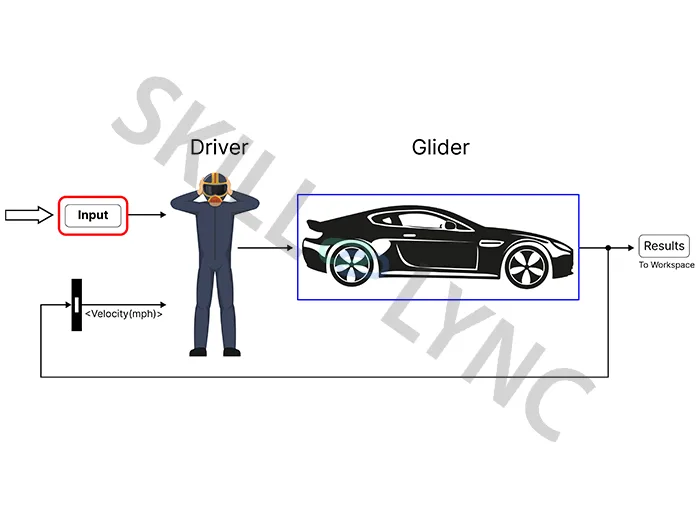
The Simulink models demonstrate how a power loss approach can be used to represent vehicle dynamics and certain components. A glider model demonstrates how to simulate vehicle dynamics to acquire detailed knowledge of the tractive force specifications for a specific weight and drive cycle.
 Navin Baskar·26 Oct 2022·1 min read
How to add Drive Cycle to the Driver Glider Model File in MATLAB?
The Simulink models demonstrate how a power loss approach can be used to represent vehicle dynamics and certain components. A glider model demonstrates how to simulate vehicle dynamics to acquire detailed knowledge of the tractive force specifications for a specific weight and drive cycle.
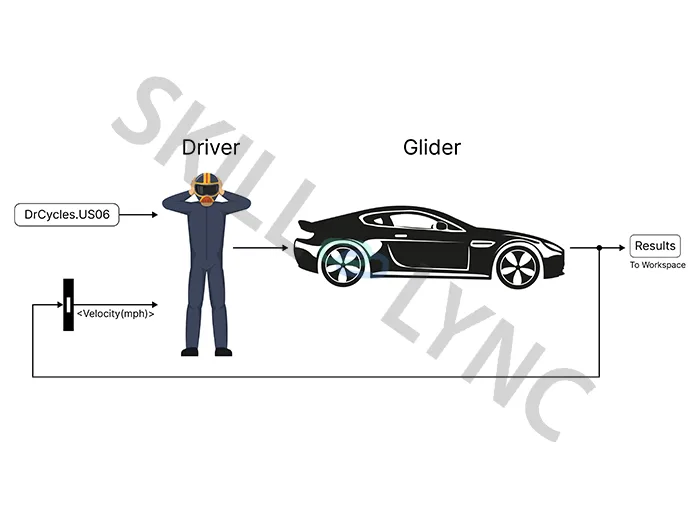
A battery electric vehicle (BEV) model demonstrates how to represent specific parts, such as the electric motor, using a power loss technique. For further reference, a model of a combustion engine vehicle is also provided.
Steps to Add Drive Cycle to the Driver Glider Model
If you are using the MATLAB trial version, you can get this block with Add on>> Get add-ons
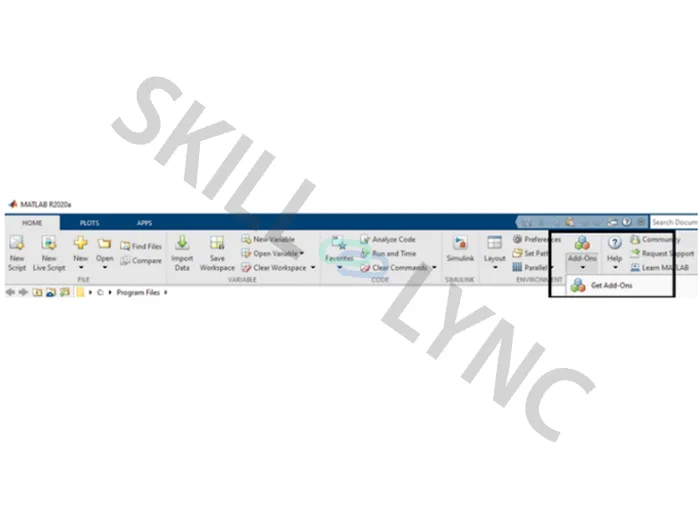
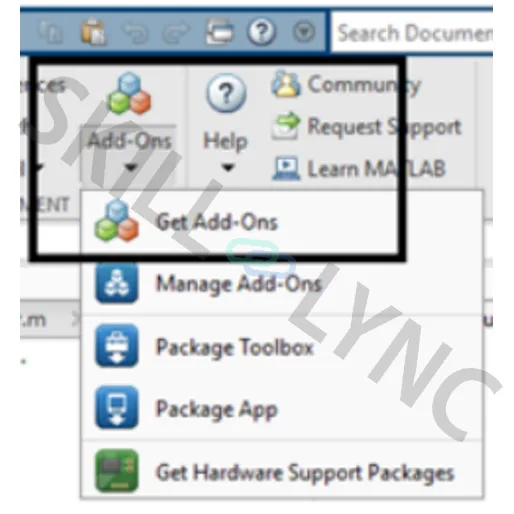
In the Add-on explorer page, type the driver glider model or scroll down to the Community Simulink model.
The following steps can be trailed to add the excel file drive cycle to the model:
- Create the drive cycle in an excel sheet
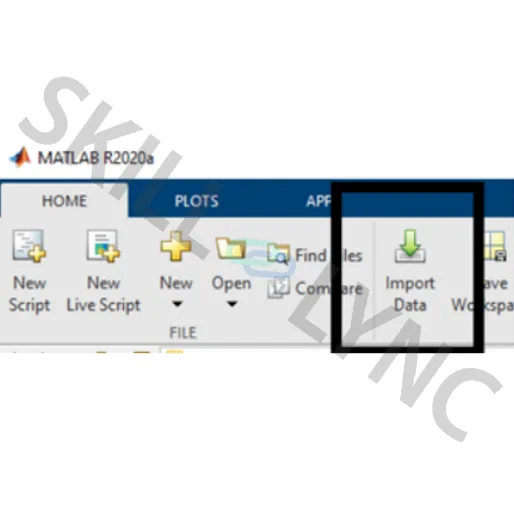
- Add the excel file using the Import data option
- Change the table properties to a numeric matrix
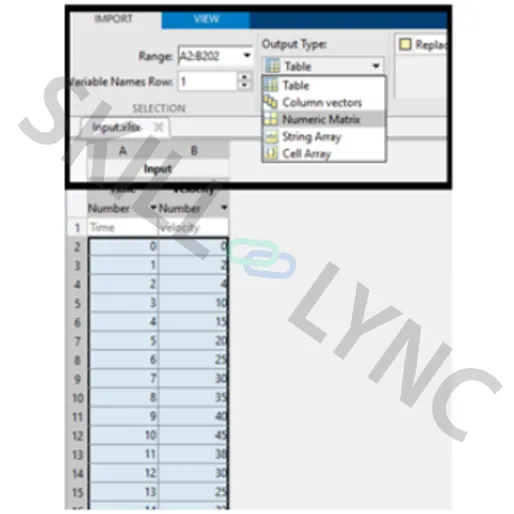
- Select the Import selection icon on the right-hand side of the same page taskbar
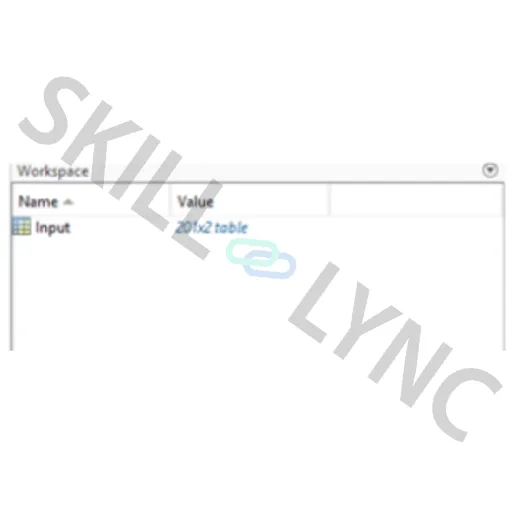
- Now the excel file will be saved in the workspace of MATLAB
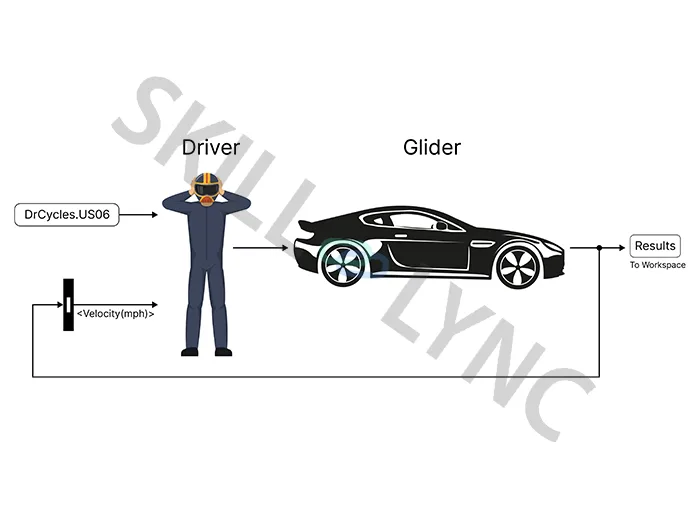
- Double click anywhere in the blank space of the model (This is a shortcut to access the Simulink blocks from the Library )
- Type “from workspace “
The "from workspace" block is named simin
- Double click the simin block and open it. Type your file name. A dropdown will show the files saved in the workspace.
- Choose your file and add it.
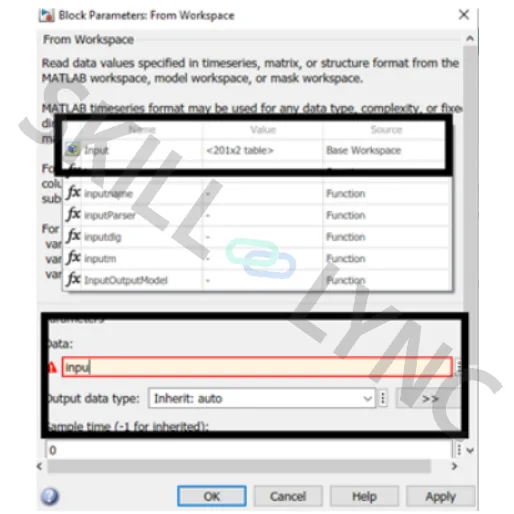
- Click on Apply >OK
- Connect the block to the model instead of the default US06 Drive cycle block