What is Cloud Computing: Benefits, Types, and Challenges
Booking movie tickets, ordering food, browsing social media, or even replying to a text message. All of them would not be possible without the cloud.
 Skill-Lync·20 Mar 2023·5 min read
What is Cloud Computing: Benefits, Types, and Challenges
Booking movie tickets, ordering food, browsing social media, or even replying to a text message. All of them would not be possible without the cloud. But close, actually, is it? If you curious about cloud computing and its potential to revolutionize how we store and access data? This blog is just for you; join us as we dive into the world of cloud computing, from its benefits and types to its challenges.
What is Cloud Computing?
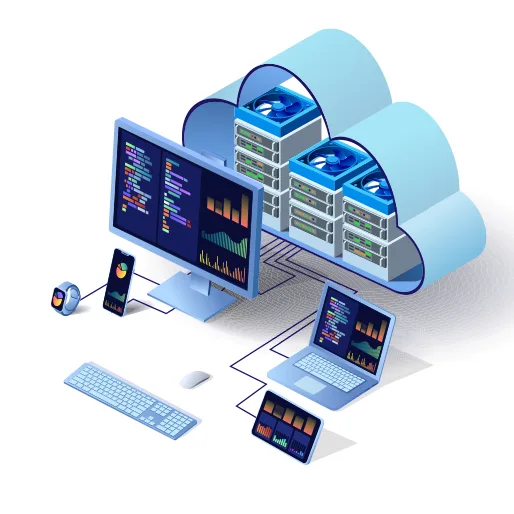
You can think of cloud computing as your personal computer that exists everywhere with limitless storage and computational power.
Cloud computing relies on sharing computing resources over the internet, such as,
- Storage
- Processing power
- Applications
It is a model of computing where resources are provided as a service over the internet rather than being owned and managed by a single organization.
Types of Cloud Computing Based on Deployment Model
Cloud computing has enabled businesses to store and access data from any device, anywhere in the world. It has also enabled businesses to scale their operations quickly and easily.
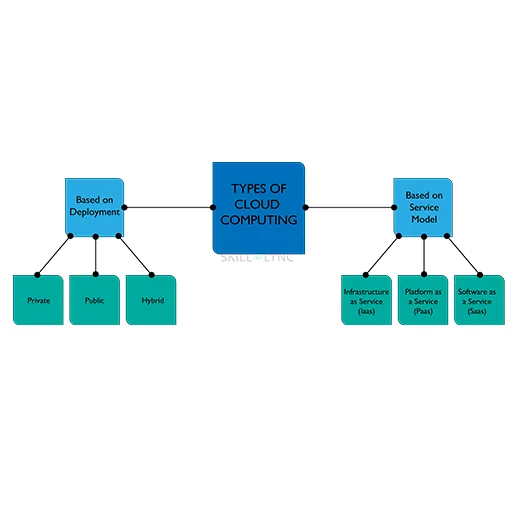
Based on the deployment model, cloud computing is divided into three main types:
- Public
- Private
- Hybrid
Public Cloud
- A public cloud is a cloud computing platform available to the public.
- It is owned and operated by a third-party provider, such as,
- Amazon Web Services
- Microsoft Azure
- Google Cloud Platform
- Public cloud services are typically cheaper than private cloud services and are often used for web hosting, software development, and data storage.
- For example: when you use a public website like Google or Skill-Lync, hosted on a cloud service provider, you are accessing the public cloud.
Private Cloud
- A private cloud is a cloud computing platform owned and operated by a single organization.
- It is typically used for sensitive data and applications that require high security.
- Private clouds are more expensive than public clouds but offer more control and customization options.
- For example, your college or university might have its website hosted on a server that they have built.
Hybrid Cloud
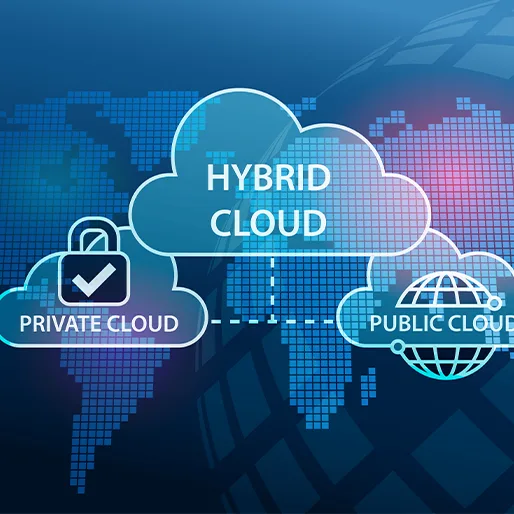
- A hybrid cloud combines public and private cloud services.
- It allows organizations to take advantage of the cost savings of a public cloud while still maintaining the security and control of a private cloud.
- Hybrid clouds are often used for large-scale applications that require a mix of public and private cloud services.
- For example, all Google applications like Drive, Sheets, Docs, and Gmail use the hybrid cloud model.
Types of Cloud Computing Based on Service
Cloud computing enables ubiquitous, on-demand access to a shared pool of configurable computing resources, such as
- Networks
- Servers
- Storage
- Applications
- Services
It can be quickly provisioned and released with minimal management effort or service provider interaction.
There are three categories of cloud computing based on the service offers.
- Infrastructure-as-a-Service (IaaS)
- Platform-as-a-Service (PaaS)
- Software-as-a-Service (SaaS)
Each cloud computing service provides users with different levels of control and flexibility.
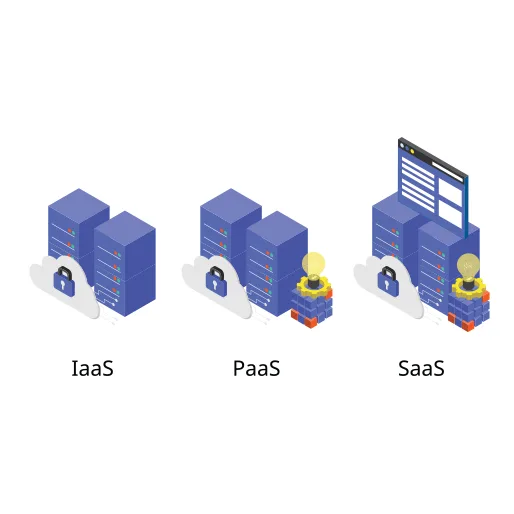
Infrastructure-as-a-Service (IaaS)
IaaS is a form of cloud computing that provides virtualized computing resources over the internet. The pay-as-you-go service lets users quickly provision and release computing resources, such as virtual machines, storage, and networks. IaaS is a great option for businesses that need to scale up or down their computing resources quickly.
Platform-as-a-Service (PaaS)
PaaS allows users to develop, run, and manage applications without managing the underlying infrastructure. It is a great option for businesses that need to quickly develop and deploy applications without worrying about building and managing an infrastructure typically associated with development and deployment.
Software-as-a-Service (SaaS)
This service enables consumers to subscribe to utilize a vendor's cloud-based software. Users don't need to install or download software on their local devices when using this form of cloud computing. The programs are instead found on a distant cloud network that is directly reachable via the web or an API.
The service provider oversees all the hardware, middleware, application software, and security under the SaaS model. SaaS, often called "hosted software" or "on-demand software", enables businesses to simplify maintenance and support.
Benefits of Cloud Computing
- Cost Savings
Using cloud services, businesses can reduce their IT costs by eliminating the need for expensive hardware and software.
Furthermore, cloud services are often billed on a pay-as-you-go basis, meaning businesses only pay for the services they need.
- Increased Efficiency
With cloud services, businesses can access data and applications from any device with an internet connection, allowing them to work from anywhere.
This can help businesses become more productive and efficient.
- Scalability
Cloud computing is highly scalable, meaning businesses can quickly and easily scale up or down their cloud services as needed.
- Security
Cloud providers use advanced security measures to protect their customers’ data, making it difficult for hackers to access.
- Reliability
Cloud providers use redundant systems to ensure their services are always available, even if one server goes down.
This helps businesses ensure their data is always accessible.
Challenges of Cloud Computing
- Data Loss
Companies must ensure their data is backed up regularly to avoid potential data loss.
- Integration
Companies must ensure that their cloud computing environment can integrate with their existing systems and applications.
- Interoperability
It implies that an application running on one platform should be able to use services from other platforms.
Web services enable it; however, creating such web services is difficult.
- Portability
Applications already running on one cloud platform can be migrated to another and should continue to function properly without any modifications to the design or coding. Because each cloud provider uses a different set of industry standards for its platform, portability is not possible.
Companies must be aware of these challenges and take steps to ensure that their cloud computing environment is secure, compliant, reliable, and cost-effective.
Conclusion
As the technology continues to evolve, the benefits of cloud computing will become more apparent, and more businesses will be able to take advantage of its many advantages. We at Skill-Lync offer individual courses in cloud computing. We also offer a wide range of PG Programs in data science, full-stack web development, etc. Whether a beginner or an expert, you can learn at your own pace, from the basics to the advanced. Book a free demo session to know more about the courses!