The Basics Of HTML Programming: What You Need To Know
Today's world runs on the internet; if you want to know how something works, you open Google instead of an encyclopedia. Websites make up most of the internet, and HTML is the language that is the backbone.
 Skill-Lync·29 Mar 2023·5 min read
The Basics Of HTML Programming: What You Need To Know
Today's world runs on the internet; if you want to know how something works, you open Google instead of an encyclopedia. Websites make up the majority of the internet, and HTML is the language that is the backbone of it, enabling us to create interactive websites and intuitive user interfaces that can be enjoyed by millions of people. In this blog article, we’ll look at what HTML is, why it’s important, and how you can start learning the basics of HTML programming in no time!
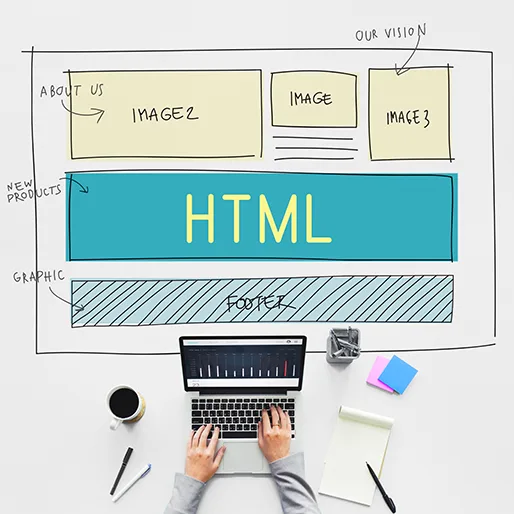
What is HTML?
HTML, or HyperText Markup Language, is the standard markup language for creating web pages and web applications. HTML is used to structure and present content on the World Wide Web (WWW). HTML is written with HTML elements called tags enclosed in angle brackets.
HTML tags are the building blocks of HTML pages. They define how different parts of the website are displayed. Most HTML tags have an opening tag and a closing tag. The closing tag has the same text as the opening tag but with a forward slash before the text.
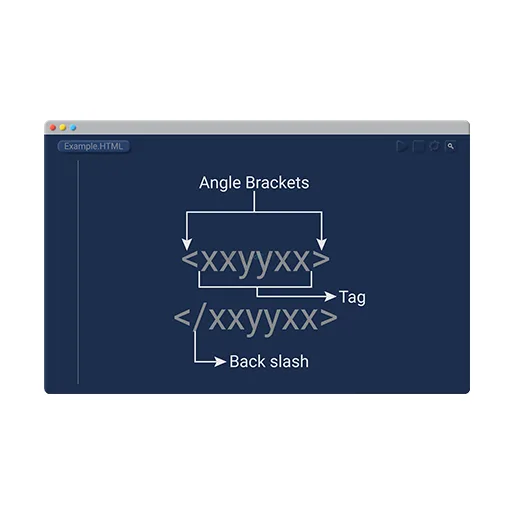
Some HTML tags, such as the tag for adding images, don't have a closing tag. Others, such as the tag for adding paragraphs, can be self-closing.
HTML documents are typically saved with a .html or .htm file extension.
How To Use HTML?
HTML5 is the latest version of HTML and XHTML. HTML5 includes new features like,
- Video
- Audio elements
- Local storage
- Offline applications support
- Semantic elements
To use HTML, you will need a text editor. There are many free and paid text editors available. Some popular text editors include,
- Microsoft Word
- Adobe Dreamweaver
- Notepad++
- Notepad
- Sublime Text
- Atom
- Brackets
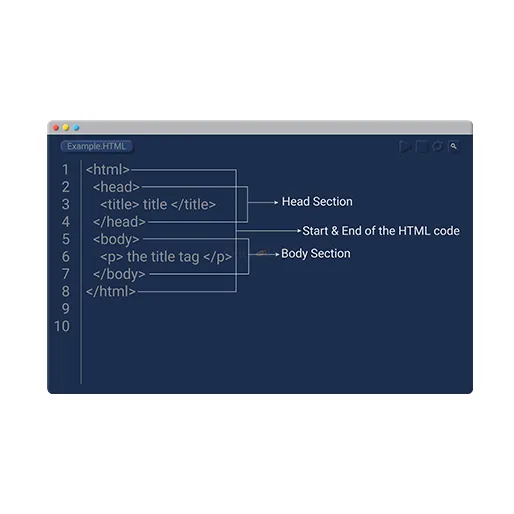
Once you have a text editor set up, you can begin writing your HTML code. A basic HTML document consists of 2 elements.
- The Head
The head contains information about the document, such as,
- Title
- Charset
- The Body
The body contains the actual content of the document.
Elements of HTML Programming
HTML programming is based on a few key elements:
- Tags
- Attributes
- Values
Tags
- Tags are the basic building blocks of HTML programming. They are used to mark up content so that it can be read and interpreted by web browsers.
- Tags are usually enclosed in angle brackets
- There are 2 types of tags:
- Opening tags
- These are used to open or initiate the tag
- Closing tags
- These are used to close or terminate the tag
Common Tags in HTML
Many different tags are used in HTML programming, but some of the most common ones include the following:
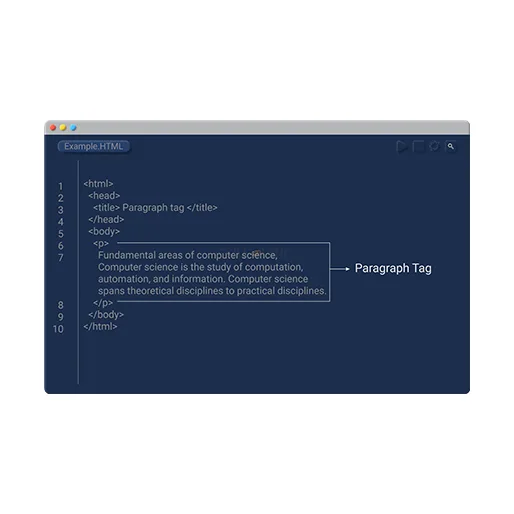
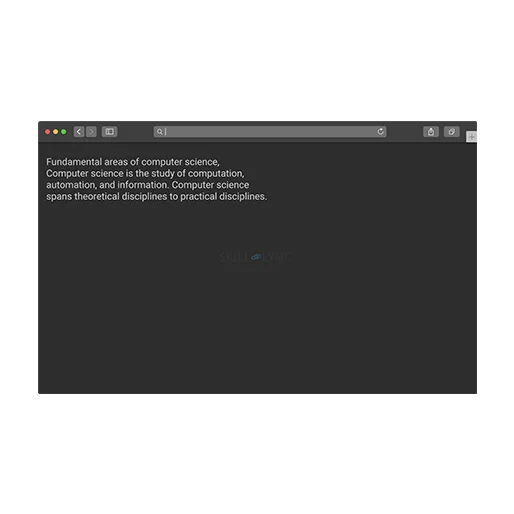
- The paragraph tag
- It is used within the body tag.
- It is used to create a new paragraph.
- The paragraph tag does not need to be closed as it is a self-closing tag.
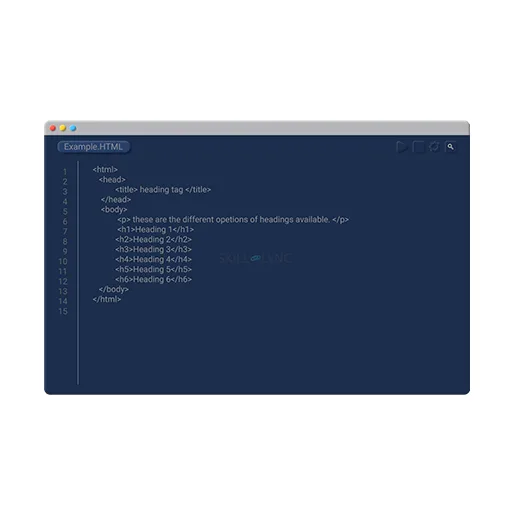
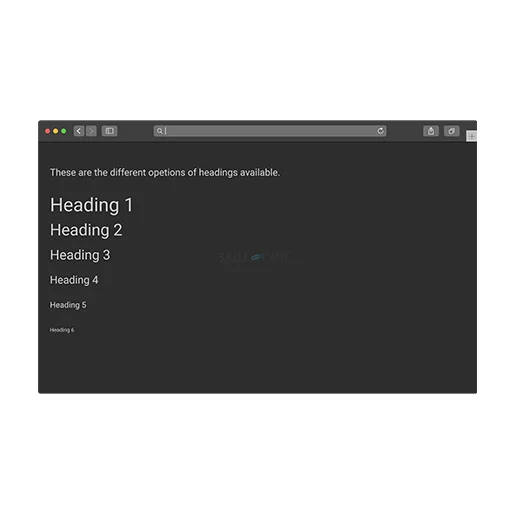
- The heading tag
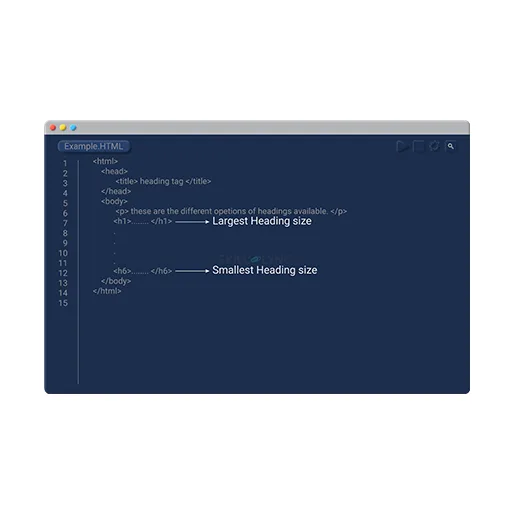
- It is used within the body tag.
- It is used to create headings and subheadings.
- There are six headings available ranging from h1- h6
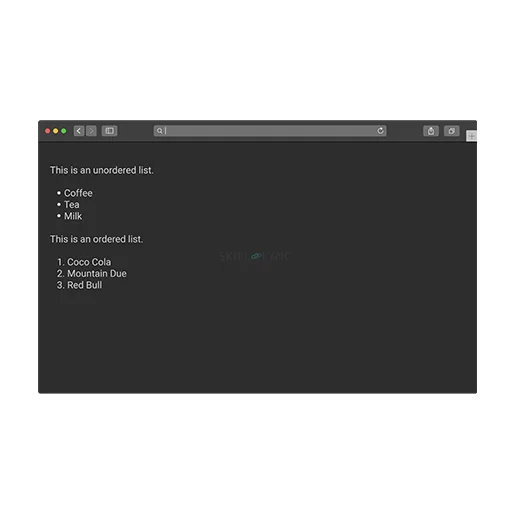
- The list tag
- It is used within the body tag.
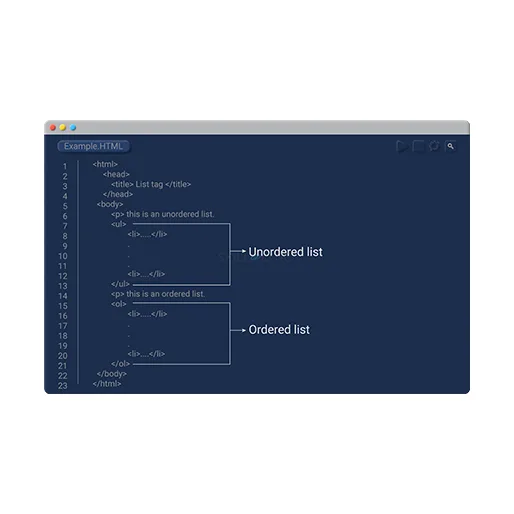
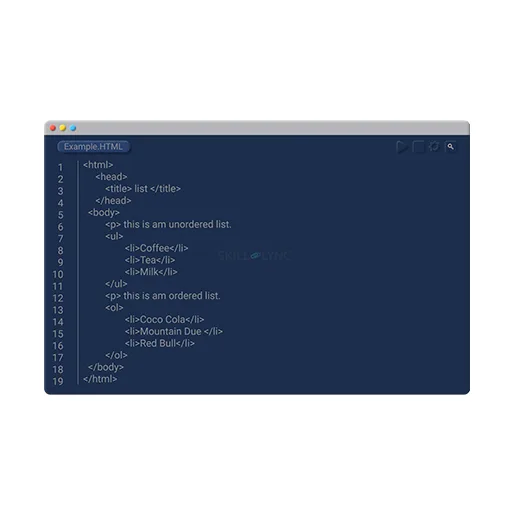
- It is used to create lists. Two kinds of lists can be created.
- Ordered list
- It orders the items in a numerical order
- Unordered list
- It uses bullet points to list the items
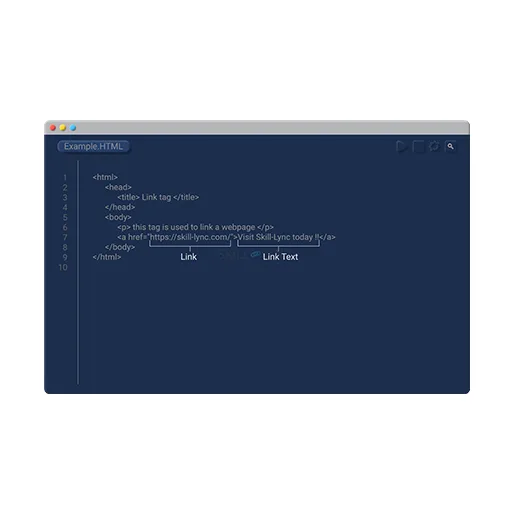
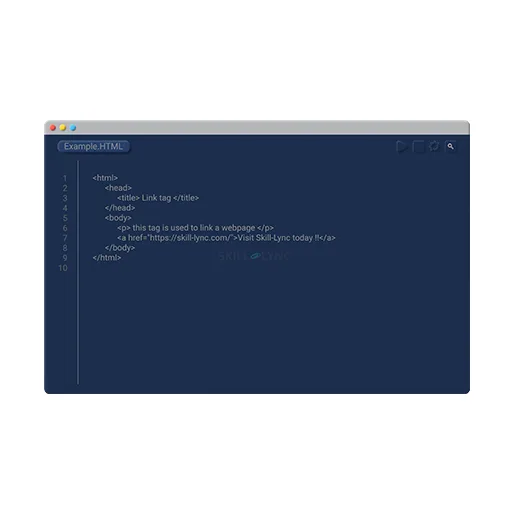
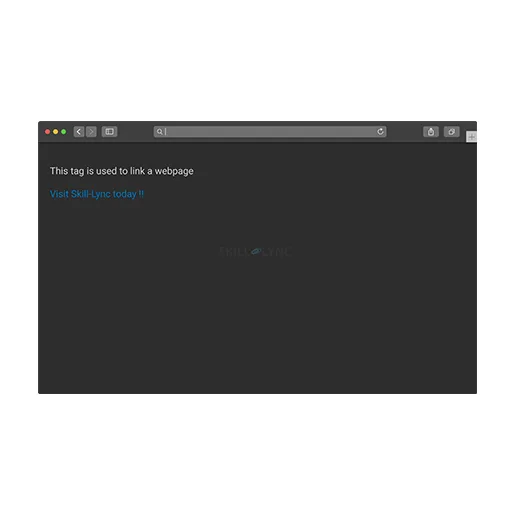
- The link tag
- It is used to create links between pages.
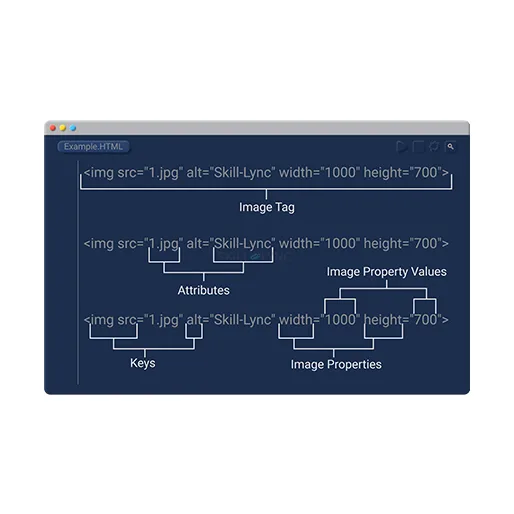
- The image tag
- It is used to insert images into a page.
Attributes
- Attributes are used to provide additional information about HTML elements.
- They typically specify how an element should be displayed on a web page.
- Attributes are usually name-value pairs declared within an element's opening tag.
- For example, while using the image tag, the source and the type of image can be specified.
Values
- Values are used to specify the content of HTML elements. Values can be either text or numerical data.
- Text values must be enclosed in quotation marks, while numerical data does not need to be enclosed in quotation marks.
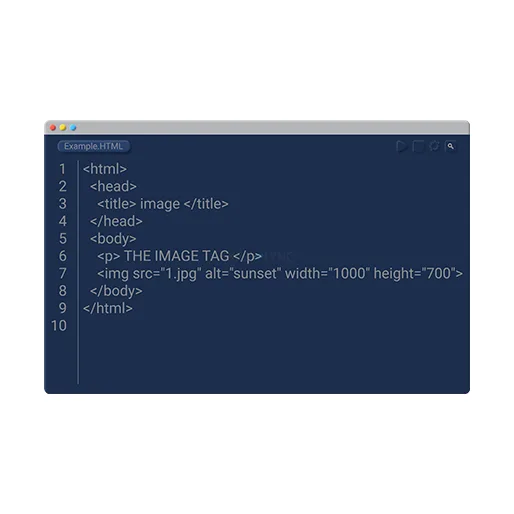

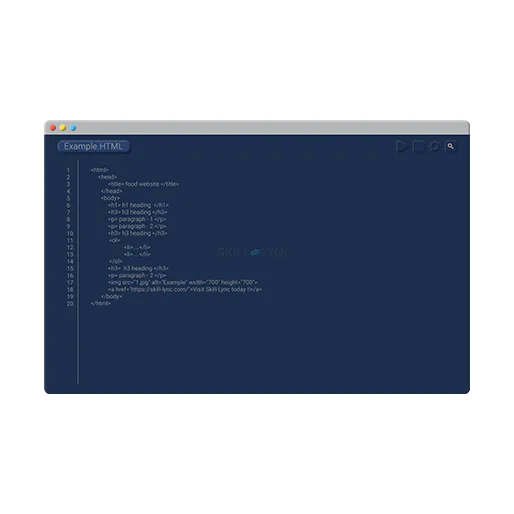
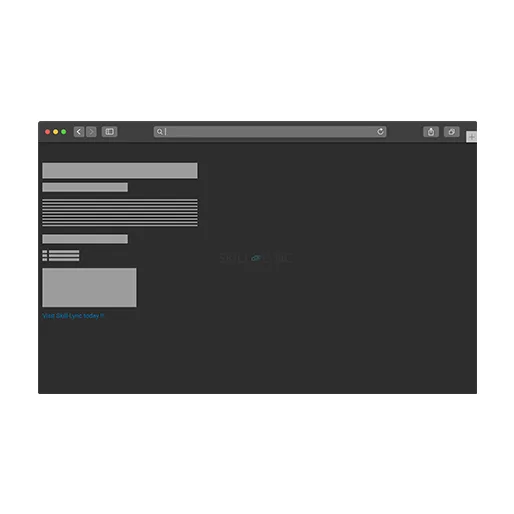
Here is a basic example of an HTML document:
Advantages of HTML
The advantages of HTML include the following:
- It is easy to learn and use.
- It is the standard markup language for creating websites.
- It can be used to create web applications.
- All browsers support it.
Tips for Learning HTML Programming
A few tips can help you start on the right foot when learning HTML programming.
- First and foremost, finding a good resource that can teach you the basics of HTML programming is important. Several excellent books and online tutorials can help you get started.
- Another great tip for learning HTML programming is to practice coding as often as possible. The more you code, the better you will understand how HTML works. You can also find several online challenges and exercises that can help you hone your skills.
- Finally, don’t be afraid to ask for help when needed. There are several forums and online communities where people are happy to help newcomers learn HTML programming.
With a little effort and perseverance, you’ll be able to master the basics of HTML programming quickly!
Alternatives to HTML Programming
There are a few alternatives to HTML programming that are worth considering. Firstly, there is CSS (Cascading Style Sheets). CSS is used to style the content on a web page. It can be used to change the properties of elements such as,
- Font
- Colour
- Size
- Position
Secondly, there is JavaScript. JavaScript is a scripting language that can add interactivity to a web page. Finally, there is XML (Extensible Markup Language). XML is a markup language that can store data in a structured way.
Conclusion
With the right resources and guidance, anyone can learn the basics of HTML and create their websites. Skill-Lync is an online learning platform that helps you to learn more about programming. We also offer PG Program in Full-stack web development where you can learn all the languages needed to develop a website from basics to advanced. It offers various courses and tutorials covering the basics to advanced concepts. Good luck with your coding journey!