How Can Matlab Create Automated Driving Systems
MATLAB and Simulink advance the design of automated driving system perception, planning, and control systems. MATLAB and Simulink enable engineers to realise these engineering processes.
 Anup KumarH S·2 Oct 2022·4 min read

MATLAB and Simulink advance the design of automated driving system perception, planning, and control systems.
MATLAB and Simulink enable engineers to realise these engineering processes:
- Access, view, and label data
- Simulate driving scenarios
- Create planning and control algorithmic systems.
- Develop algorithms for perceptual processing
- Implement algorithms with the use of code generation.
- Integrate after testing
Get Access to the Data, Display It, and Name It
MATLAB interfaces for CAN and ROS make it possible to retrieve live and recorded driving data. You can visualise imported data and label it by using the tools built-in. The ground truth labeller software offers a graphical user interface (GUI) that lets users visualise and label various signals interactively. Alternatively, users can export the identified data to their workspace.
Simulate Driving Scenarios
MATLAB, in conjunction with simulation environments such as cuboid and Unreal Engine®, allows for the creation of systems in virtual settings.
The environment (cuboid) calculates the probability of the sensor models and depicts actors through clear visuals. Sensor fusion, controls, and motion planning are possible within this context.
Create Algorithms for Planning and Controlling Systems
You can design algorithms for path planning and control using MATLAB and Simulink. It is possible to create vehicle control systems that enable autonomous cars to follow a predetermined path using lateral and longitudinal controllers.
You can also do synthetic testing of your algorithms using sensor models, vehicle dynamics models, and 2D and 3D simulation settings.
Create Algorithms for Perception Design
You can construct perception algorithms using data collected from a camera, LIDAR, and RADAR. Applications such as autonomous braking, steering, map construction, and odometry use perception algorithms such as detection, tracking, and localisation.
Users can integrate these algorithms into ADAS applications, such as emergency braking and steering, to improve their performance.
Using MATLAB, you can create algorithms for sensor fusion, Simultaneous Localization And Mapping (SLAM), map construction, and odometry.
Embed Algorithms
It is possible to implement algorithms for the perception, planning, and control of hardware by leveraging workflows for code generation. C, C++, CUDA®, Verilog®, and VHDL® are some languages supported for code generation.
Several deployment targets can be used, including hardware from NVIDIA, Intel®, ARM®, and other manufacturers.
Incorporate and Perform Tests
You can combine and test your brain's control, planning, and perceptual systems. Using Needs Toolbox™, you can capture and manage your requirements. In addition, you can simultaneously utilise Simulink TestTM to run and automate a self-driving vehicle system's automated testing.
Instrument Box for Automated Driving
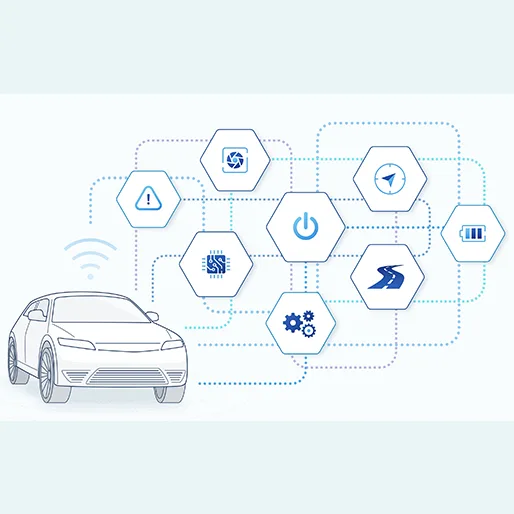
Automated Driving ToolboxTM is a collection of tools and algorithms used during development, simulation, and testing. You can create and test perception systems using vision, LIDAR, path planning, sensor fusion and vehicle controllers. The visualisation capabilities include scope and plot for the sensor coverage, detections, and tracks and displays for video, lidar, and maps. The plot provides a bird's-eye view of the data. You can import and interact with data from HD Live Map and ASAM OpenDRIVE® road networks using the toolbox.
By automating ground truth labelling, you can train and assess perception algorithms. You can develop and simulate driving situations. You can replicate the output of the camera, radar, and lidar sensors in a photorealistic 3D world. You can simulate the detection of objects and lane borders by sensors.
Get Started
Acquaint yourself with the fundamentals and how to open an automated driving system toolbox in MATLAB.
File I/O
Analyse and visualise information about automobiles taken from outside sources.
Labelling Based on Ground Truth
Ground truth classification of numerous signals in an interactive fashion
Scenario Simulation
Create settings, populate sensors with data, and evaluate algorithmic performance in virtual worlds.
Detection and Monitoring of Movements
Some topics include visual perceptions, camera sensor configuration, lidar processing, tracking, and sensor fusion.
The Processes of Localization and Mapping
Data analysis and map rendering provided by SLAM and HERE HD Live Map
Planning and Taking Charge
Cost maps for vehicles, optimal RRT route planning, and lateral and longitudinal controllers
Applications
Examples for the design and testing of applications about automated driving and how to find range from an automated driving toolbox in MATLAB
You can register for the Simulink course offered at Skill-Lync if you are interested in acquiring additional knowledge on Simulink. Skill-Lync allows you to become knowledgeable in several cutting-edge technologies.
Conclusion
The MATLAB automated driving toolbox provides reference application examples for standard advanced driver assistance systems (ADAS) and automated driving test system features. These features include forward collision warning, autonomous emergency braking, adaptive cruise control, lane-keeping assist, and parking valet. The toolkit assists sensor fusion, tracking, path planning, vehicle controller algorithm development, and C/C++ code creation for rapid prototyping and HIL testing.
Skill-Lync's industry-oriented programs in Electric Vehicle Design and Development help students develop industry-ready skills. Our programs help learners develop core competencies and help them become industry-ready. Our projects are simulations of real-world problems and help learners understand the expectations from the industry. We help our learners build and improve their expertise in industry-relevant skills. Learners can resolve their questions with help from our on-demand technical support team. Our mentor-led learning model emphasises a continuous learning process.
Book a demo today to learn how we can help you realise your dream goals.