Wiring harness routing & packaging Rules Week 3 Challenge
Q1:- Download following cad data & define it as Electrical support using Electrical Part design Workbench. Define all the necessary properties.
Ans :-
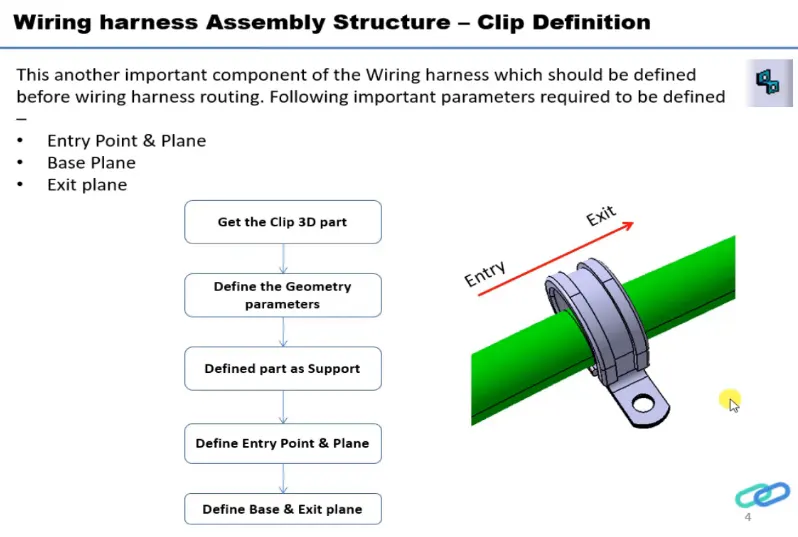
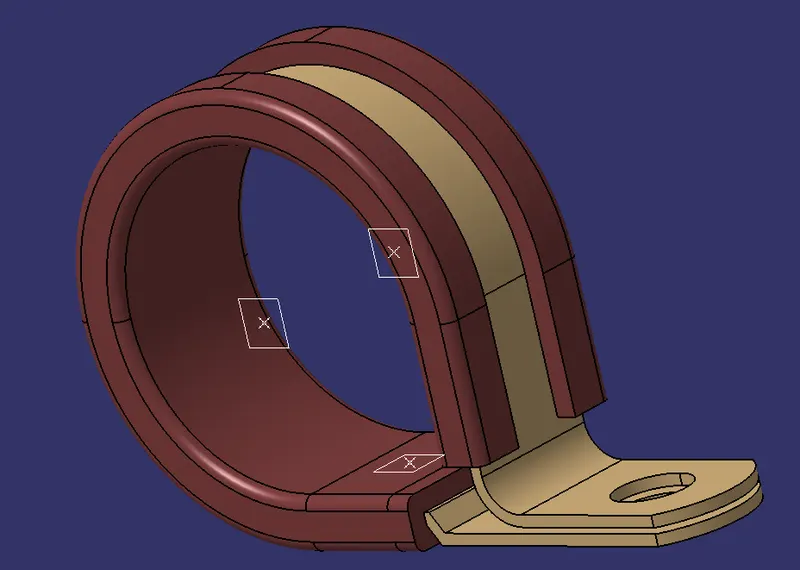
Clip/Clamp Definition :-
- Get the clip 3D part,
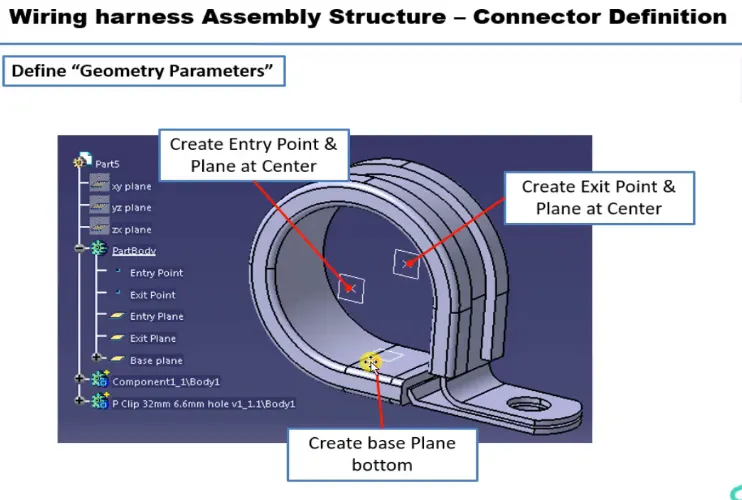
- Define the Geometry Parameters,
- Define part as support,
- Define the entry point & plane,
- Define the exit part & plane
Mechanical Part Design Workbench :-
- Define the Geometry Parameters
- Creating closed surface
Points and Planes :-
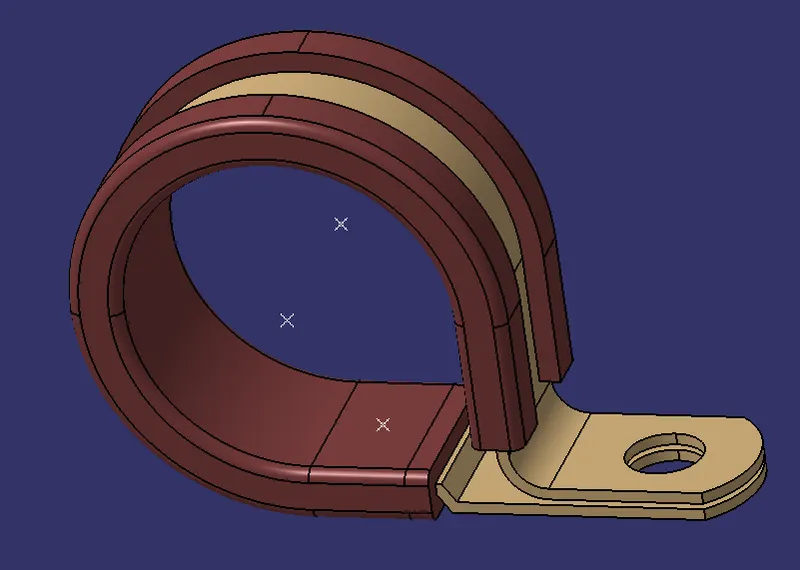
- Create two points one as entry and another as exit point.
- Creating entry, exit, and base planes through plane definition.
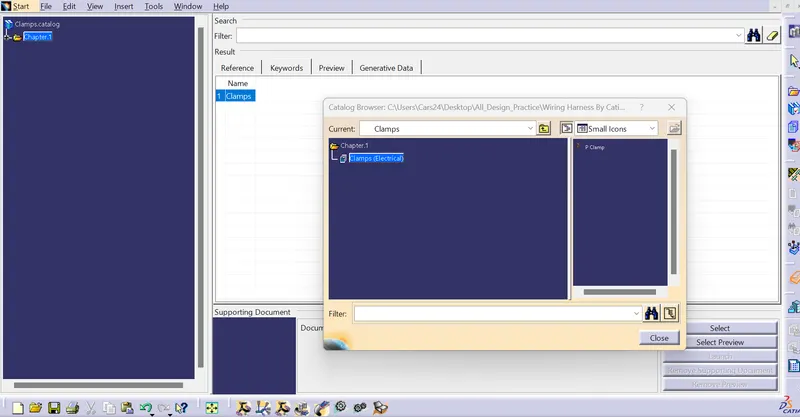
Catalog :-
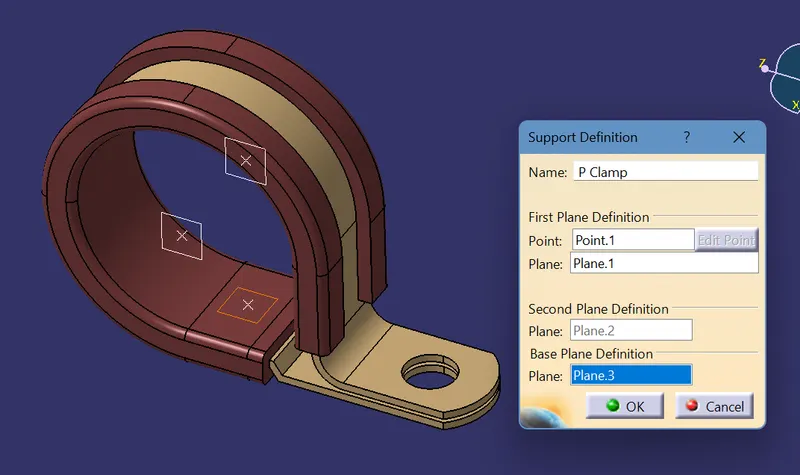
Electrical Part Design Workbench :-
Define part as support :- The support definition for the p clamp is defined twice to make bilateral connectivity. The point selected for the side will be the entry side of the bundle, which is done for both sides. The entry point & plane, Base & Exit plane is defined in the support definition.
Q2:- Download following Back shell cad data & define it as Electrical back shell using Electrical Part design Workbench. Define all the necessary properties.
Ans :-
Defining the Backshell :-
- Get the Backshell 3D part
- Define the Geometry Parameters
- Define part as Backshell
- Backshell connection point
- Define Bundle connection point
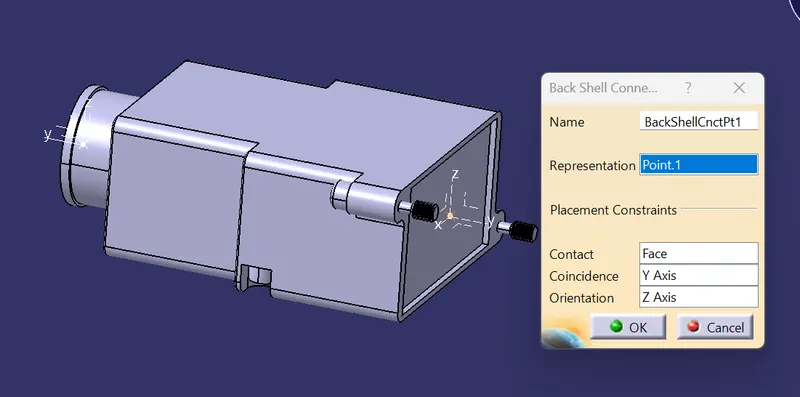
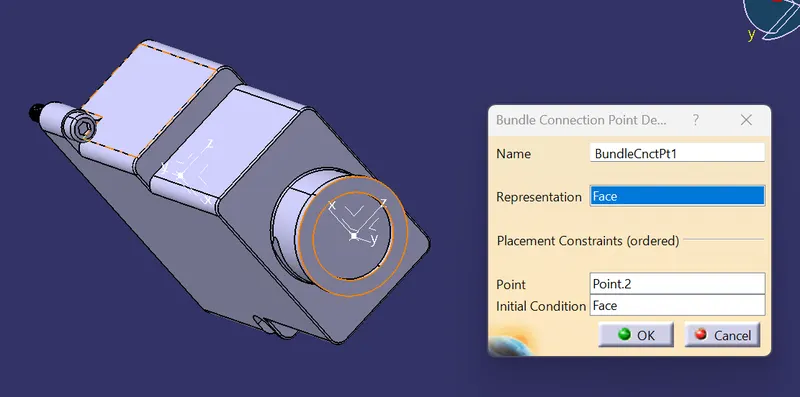
Mechanical Part Design Workbench :-
- Define the Geometry Parameters
Points and Axis system :-
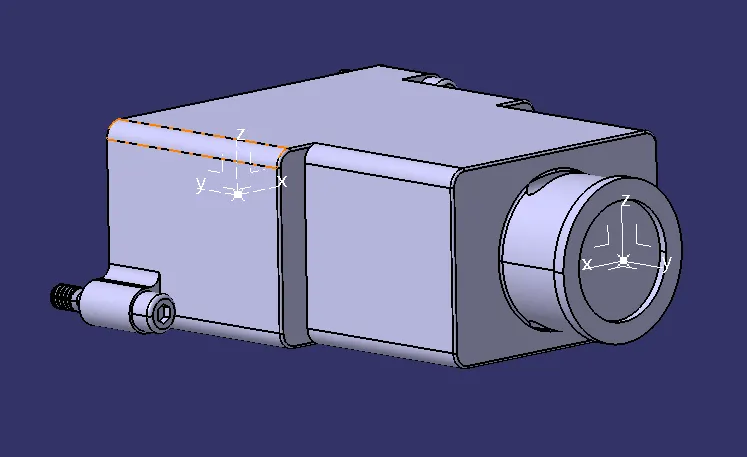
- Defining the points through point definition for bundle entry and mating sides.
- Defining the axis system for the mating side, where the y-axis is in the mating direction, the x-axis to the side, and the z-axis is directed upward.
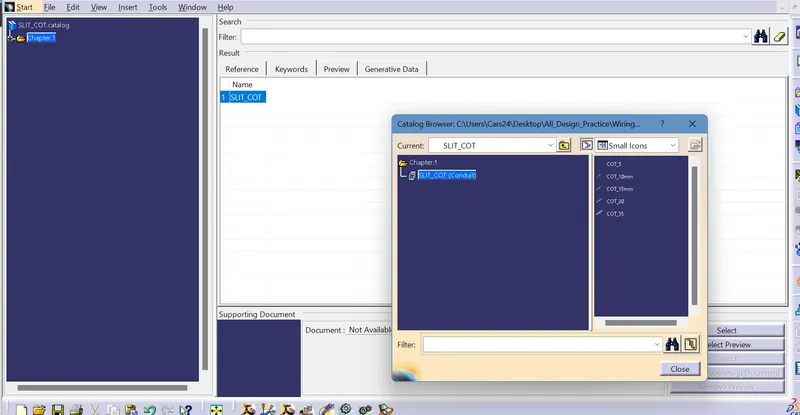
Q3:- Create Following Corrugated tubes & Add them in Catalogue under “Slit COT” family.
|
Name |
ID (mm) |
OD (mm) |
Thickness (mm) |
|
15mm COT |
12 |
15 |
1.5 |
|
20mm COT |
17 |
20 |
1.5 |
|
35mm COT |
32 |
35 |
1.5 |
|
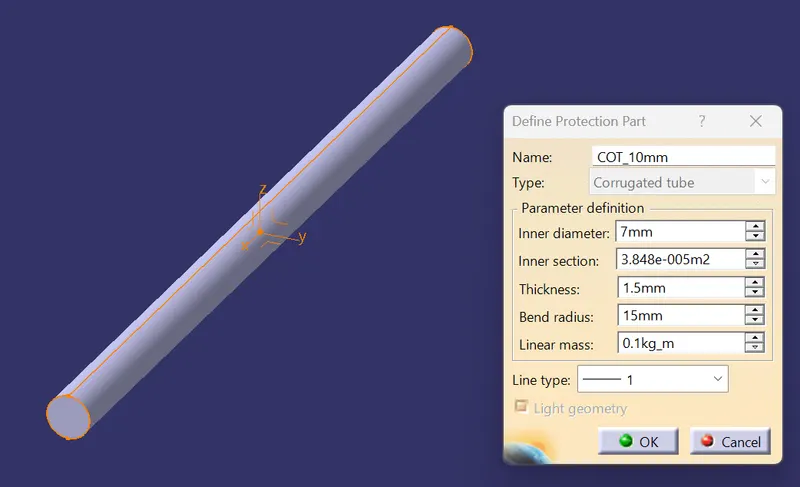
10mm COT |
7 |
10 |
1.5 |
|
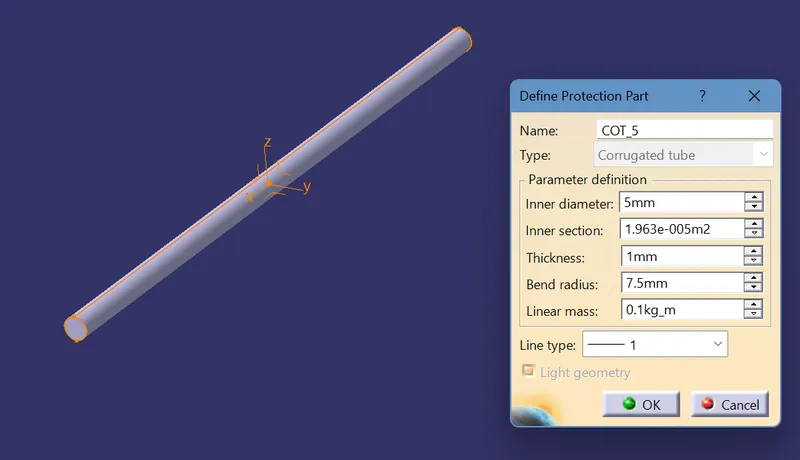
5mm COT |
3 |
5 |
1 |
Ans :- Step to creat Corrugated Tubes-
- Open the electric part workbench.
- To define click protection part and click axis to define parameters.
- It is noted that ideal bend radius is 1.5 X OD.
- After creat corrugated tubes add them one by one using store device command creat catalog named SLIT COT.
5mm COT :-
10mm COT :-
15mm COT :-
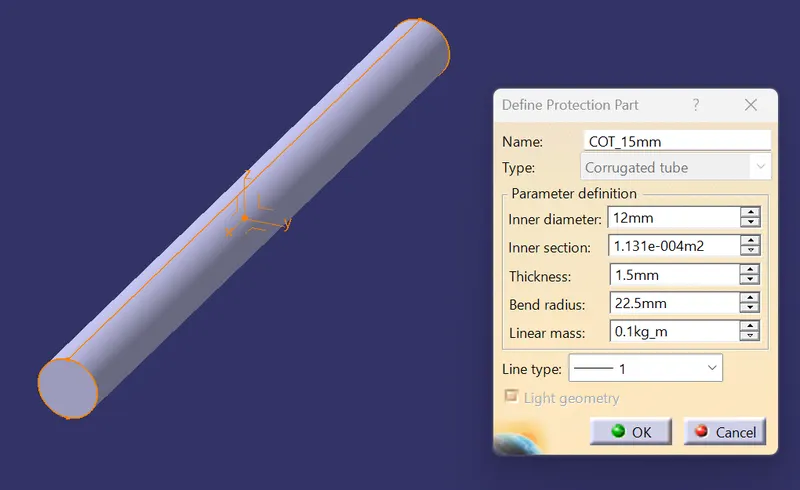
20mm COT :-
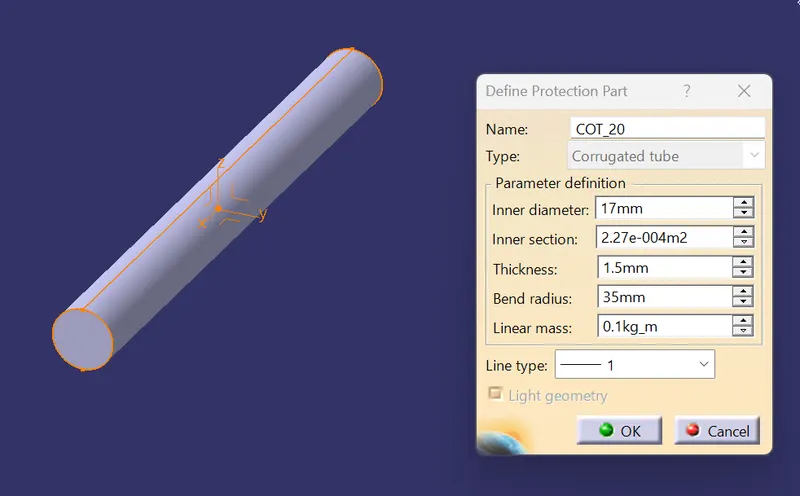
35mm COT :-
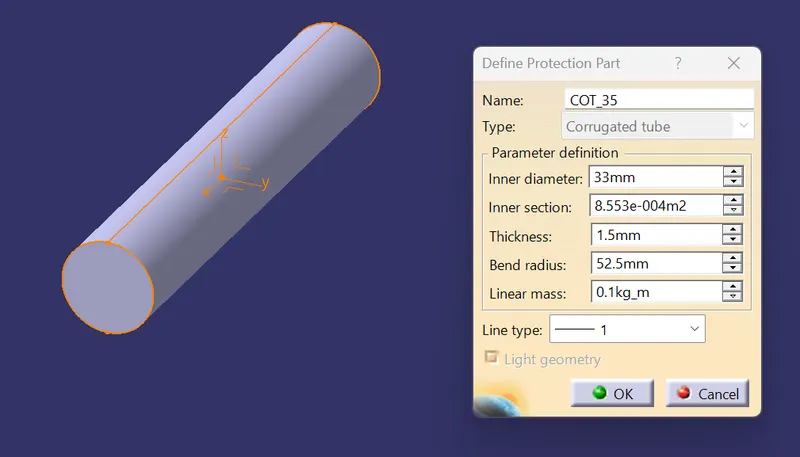
Catalog :-