Wiring harness routing & packaging Rules Week 3 Challenge
1. P_ClAMP :-
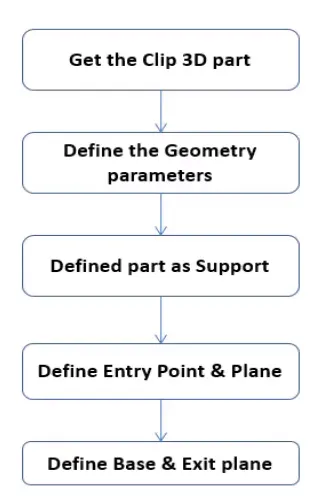
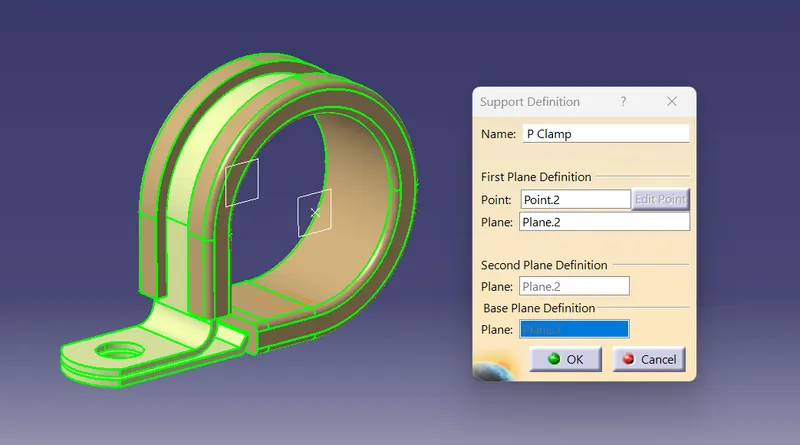
- For the Creation of P Clamp. Three parameter is needed to define the p clamp.
i) Entry point & Plane
ii) Base Plane
iii) exit Plane
To define the p clamp as a electrical parameter. First i downloaded the parameter from the website.
-Then 1st define the bundle entry point, Exit point in normal part design workbench.
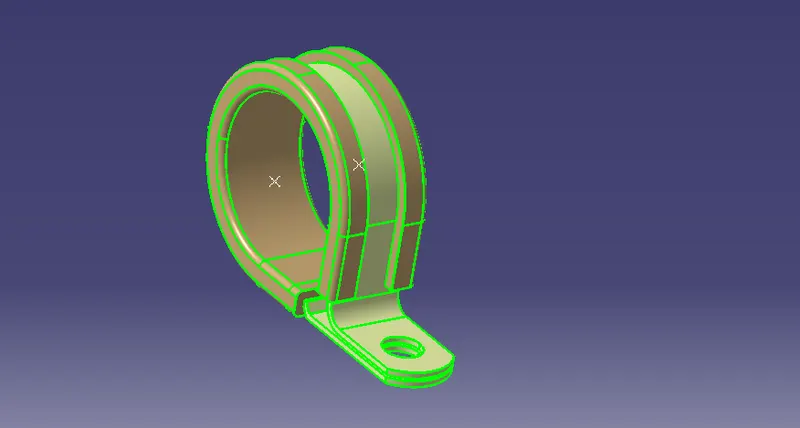
After that i created the plane at entry point & exit point & base plane at 2 to 3 mm offset from the base surface.
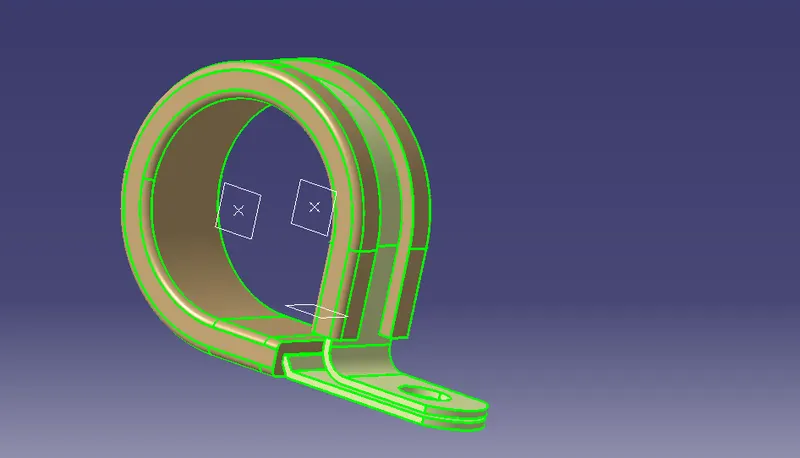
Now switch to the Electrical part design to define the properties of the P_Clamp.
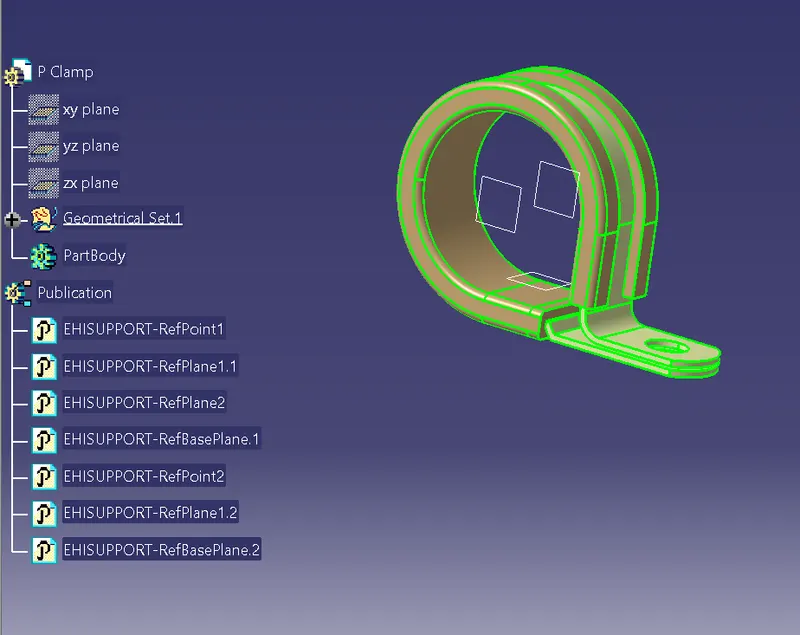
To define the p clamps command called define support is used to define it as electrical part.
Also define it as two times. 1st taking 1st point and plane as entry point and Secondly 2nd point and plane as entry point.
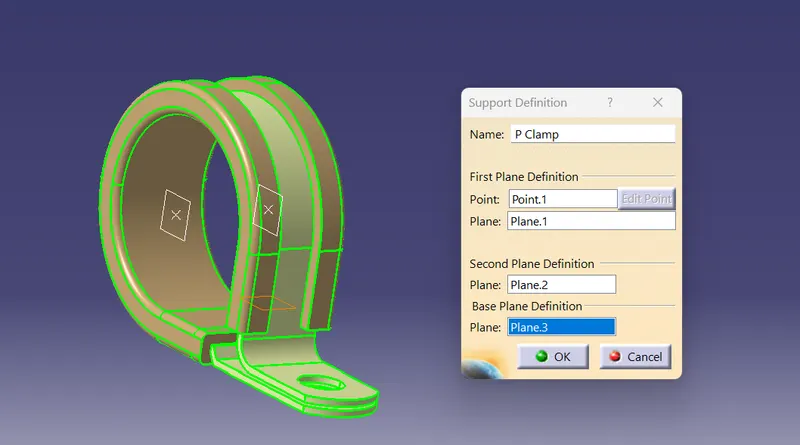
2nd times
2. Backshell :-
Backshell are the plastic molded parts that are used at wire entry side of connectors either for protection or to improve asethetic/appearance of the harness.
Now;
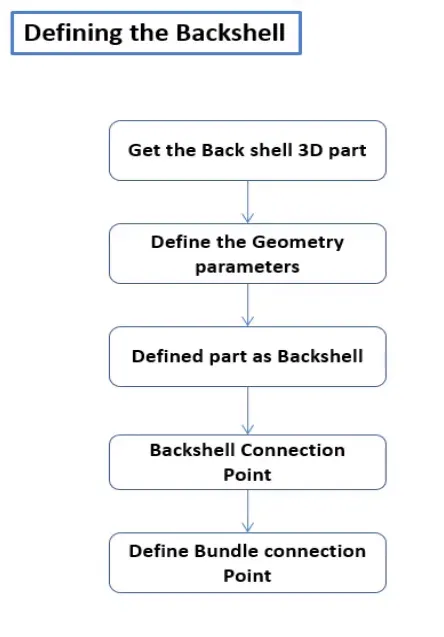
- First I downloaded the backshell data from the website.
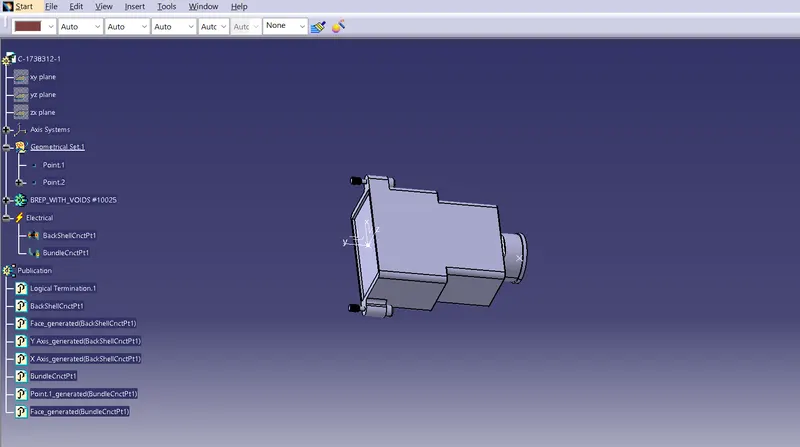
- Then I define the points for Bundle entry & Backshell connection in the part workbench.
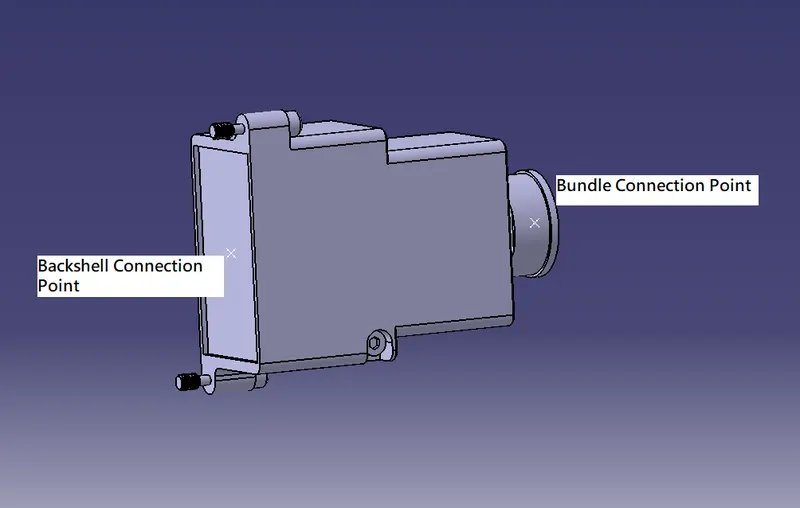
- An Axis system with the correct axis orientation is placed at the backshell connection point.
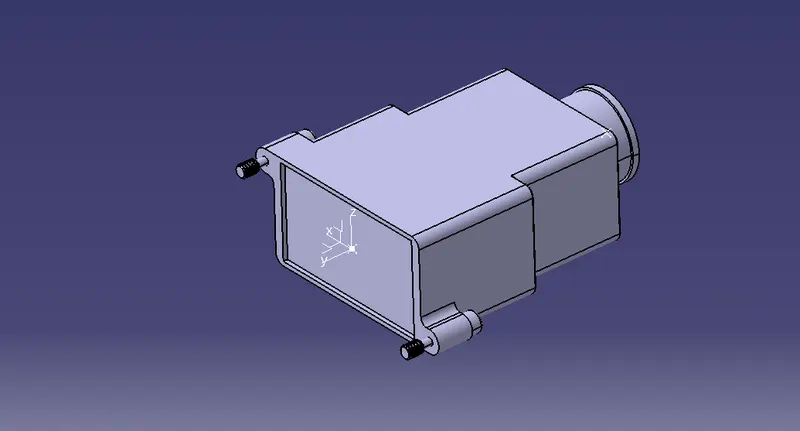
- Finally I defined the points and Axis as the backshell connection and bundle connection points in Electrical Assembly design.
Q3. Corrugated tubes :-
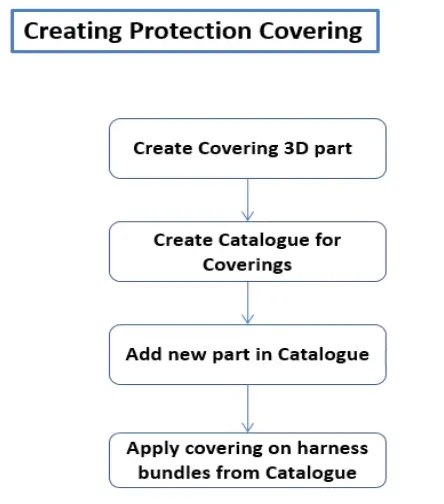
- To create the different size protection coverings First I create a new part and then define it in a Electrical part design and named it as Cot_20mm.
- Then by clicking on command Define Protection Part i defined the properties of the corrugated tubes with puting the different parameters in the dialouge box.
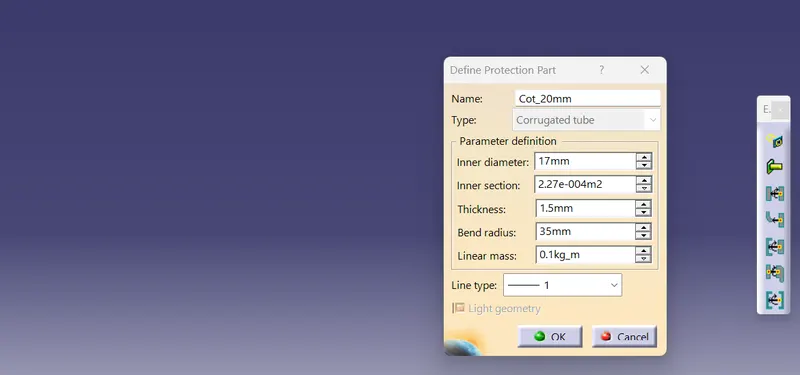
- With the help of inputes I defined the corrugated tube here.
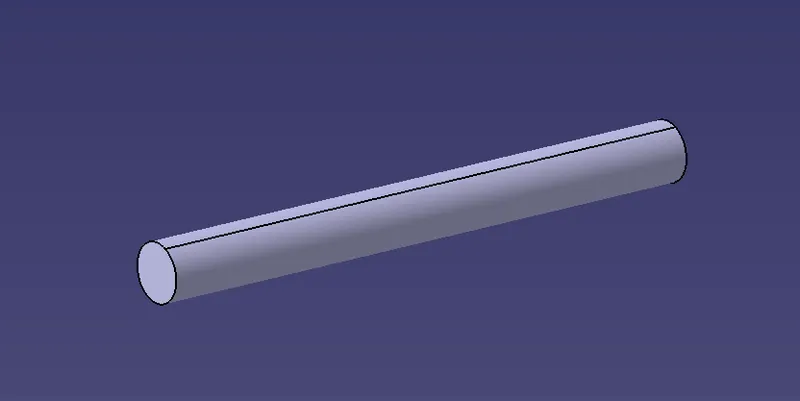
- the inner dia is 17mm & thickness is 1.5mm are given as the inputs.
- Then i created a catalog for the cot tubes named as Slit_Cot_Tubes & Placed the the given cot tubes in that catalog.
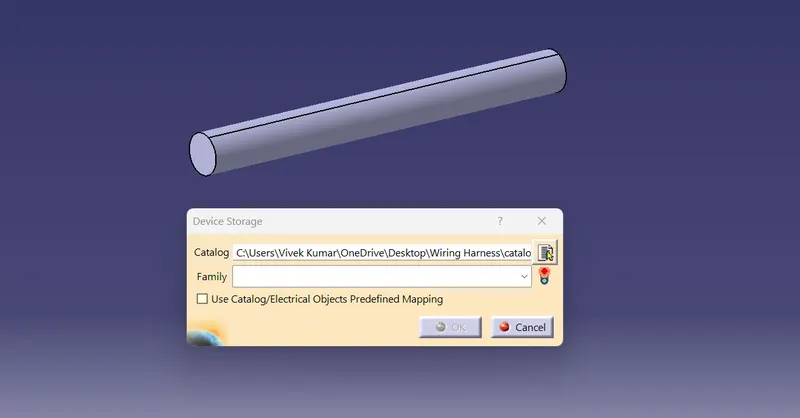
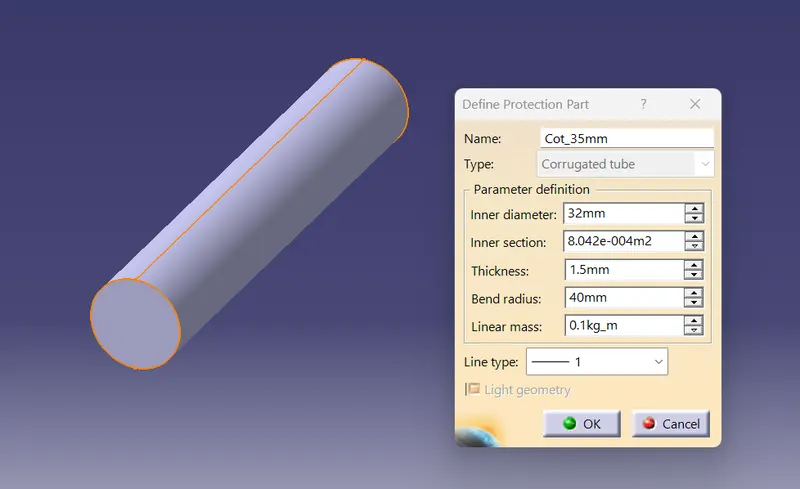
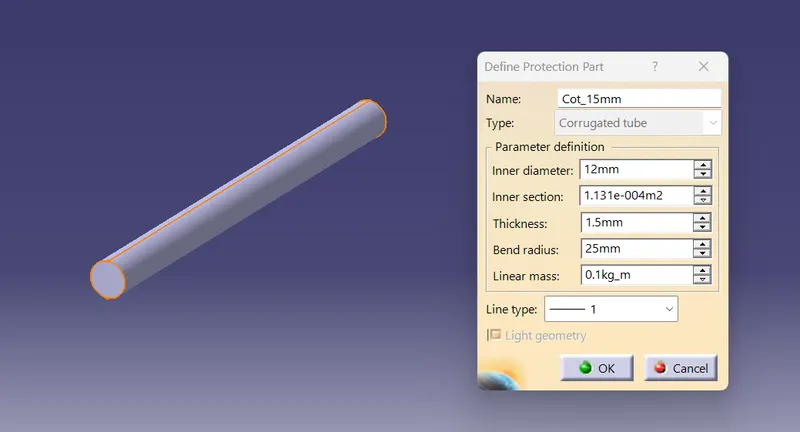
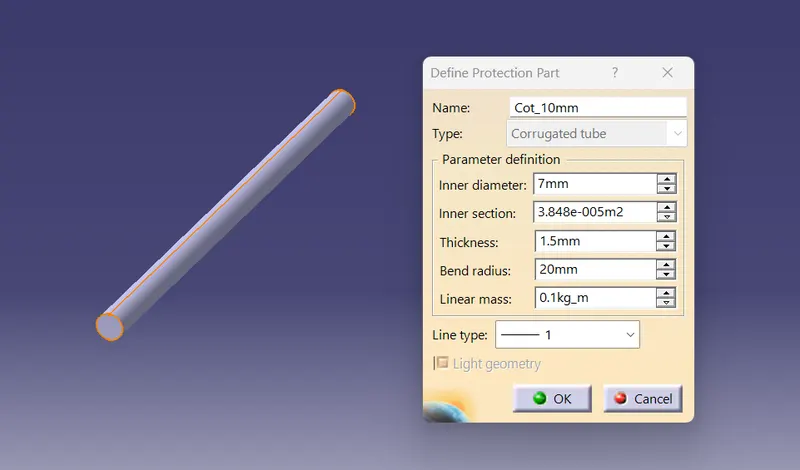
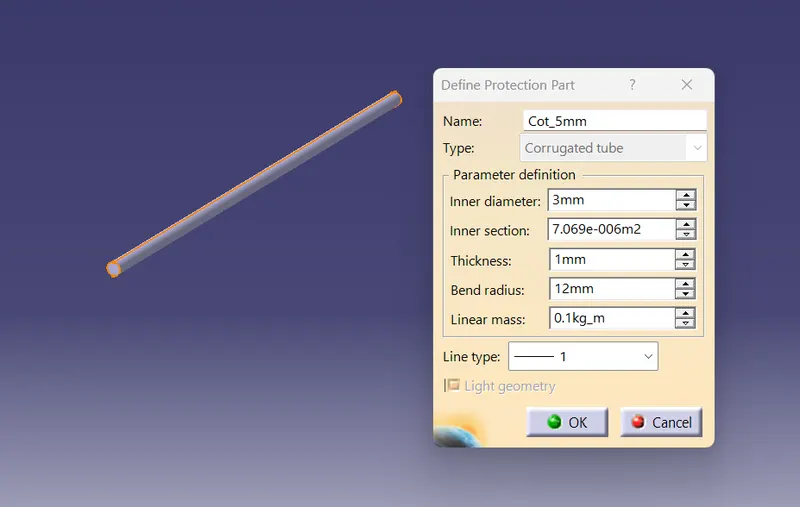
Note- All the corrugated tubes where save in the catalog Cot_tubes and family Slit_Cot_Tubes.