Wiring harness routing & packaging Rules Week 3 Challenge
Solution
Q1
- Make a plane entry point.
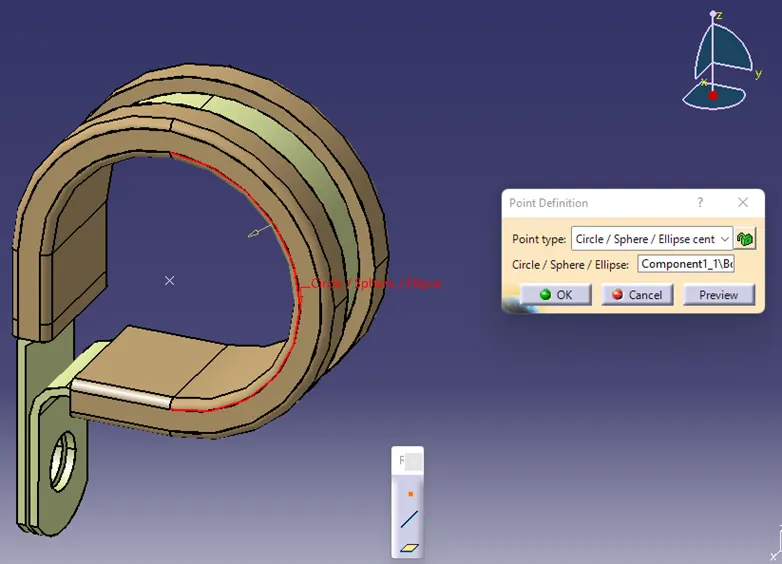
- Make a point for the exit plane.
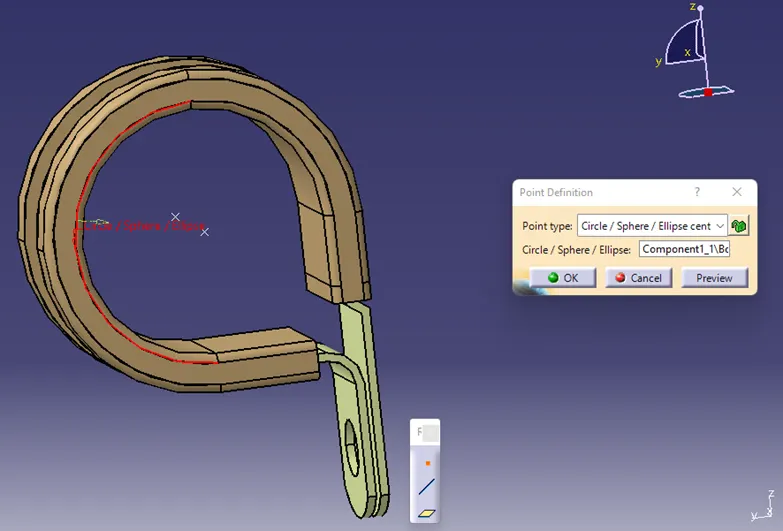
- Create a plane
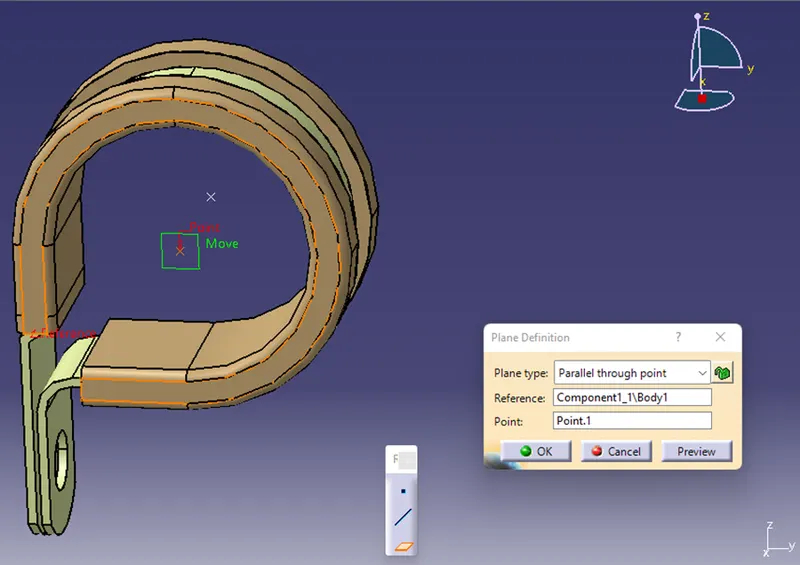
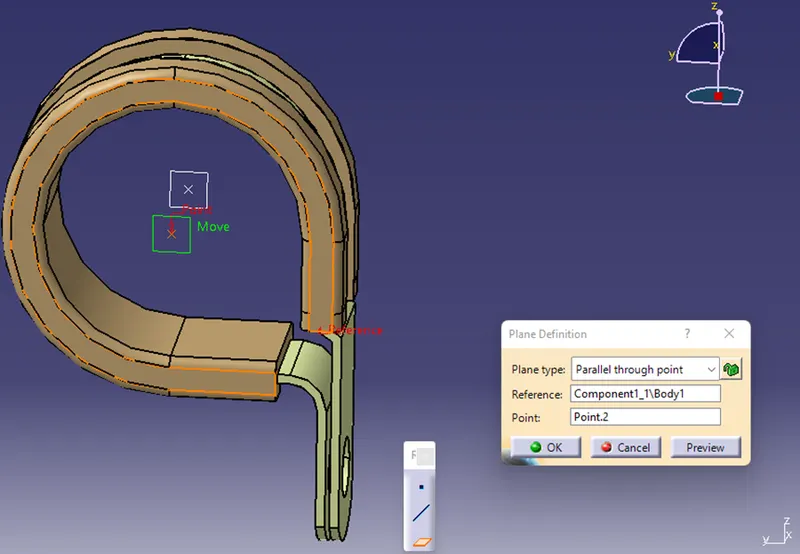
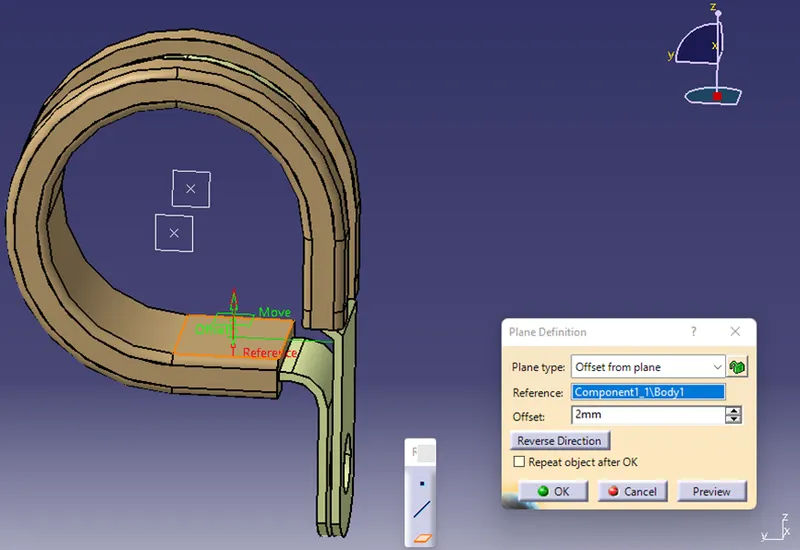
- Make a base plane
- Define the clip as an electrical support after switching to the 'Electrical Part Design' workbench. Click on define support, then select the clip.
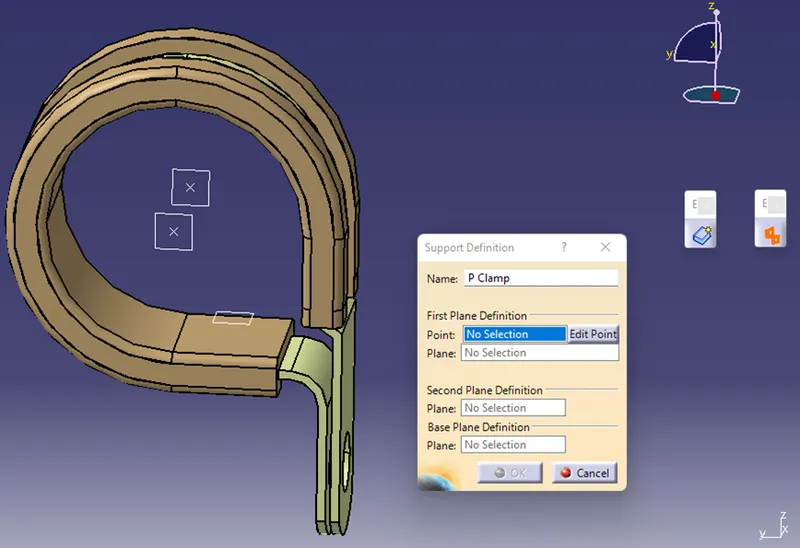
- Definitions of the clip's entry, exit, and base
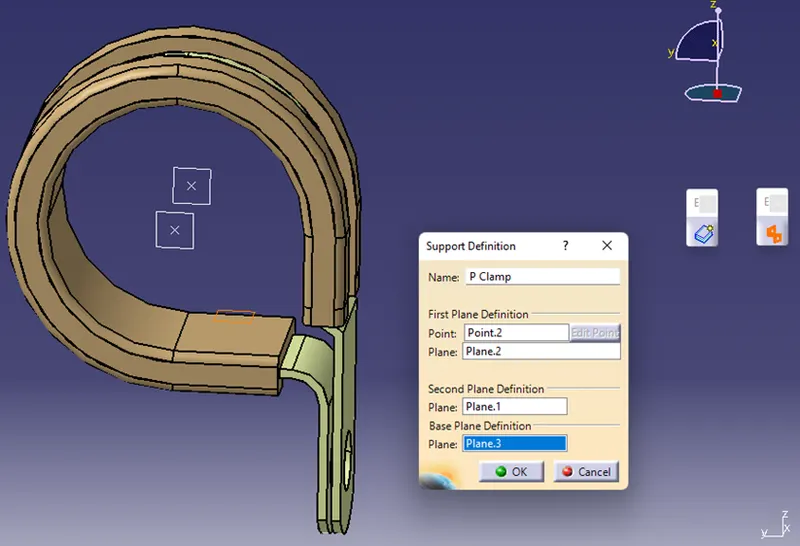
- Two entries and exits should be available. Therefore, define the second entry and exit
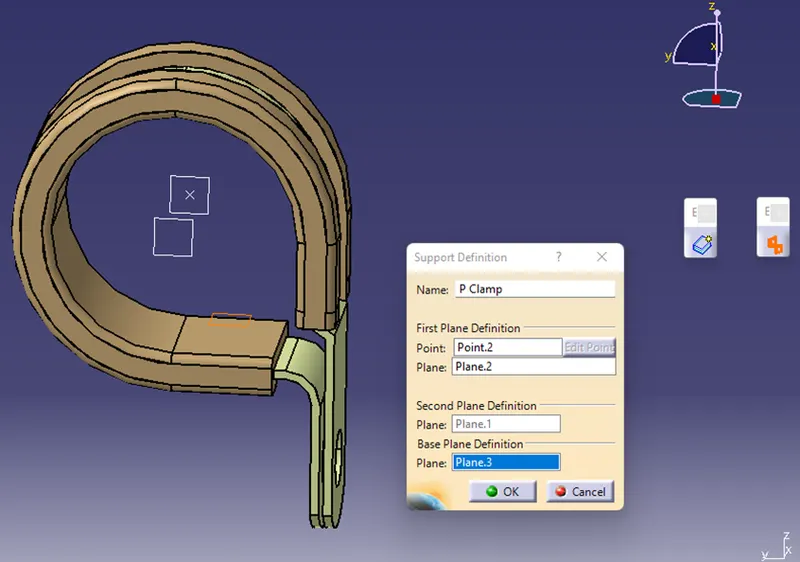
- Hide all the existing planes
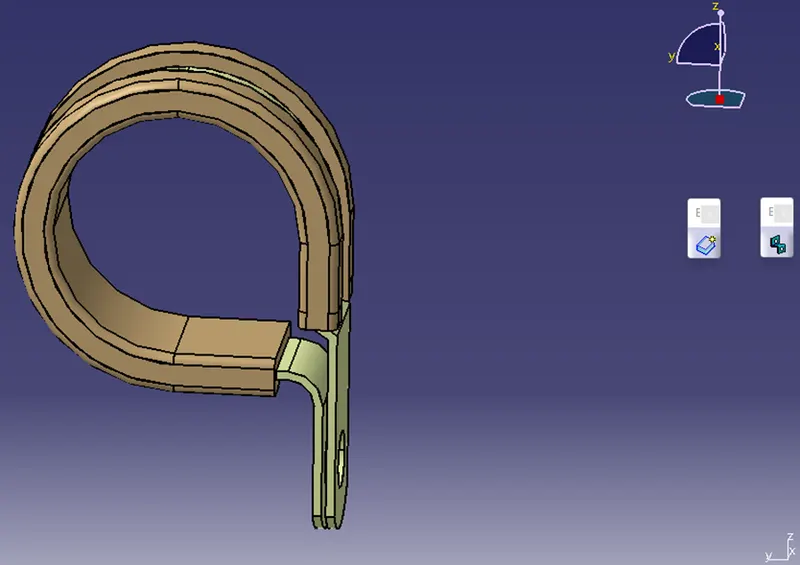
The clip is prepared for usage, as seen in the below figure, and the properties have been saved
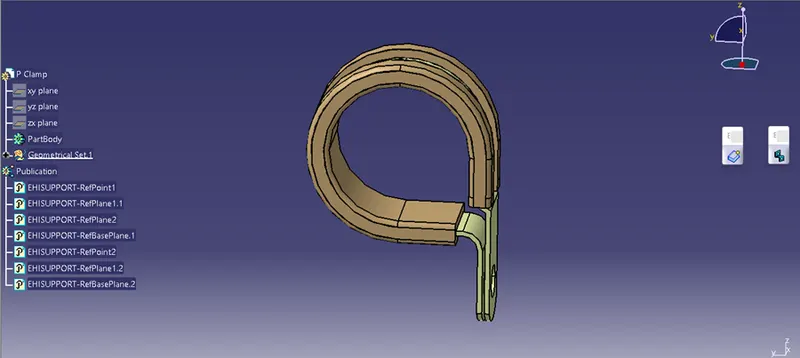
Q2
- Define point and axis for bundle and backshell connection point
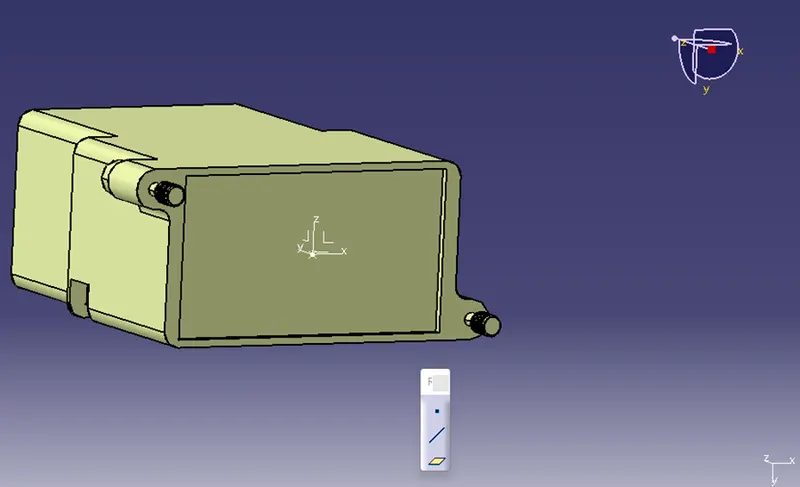
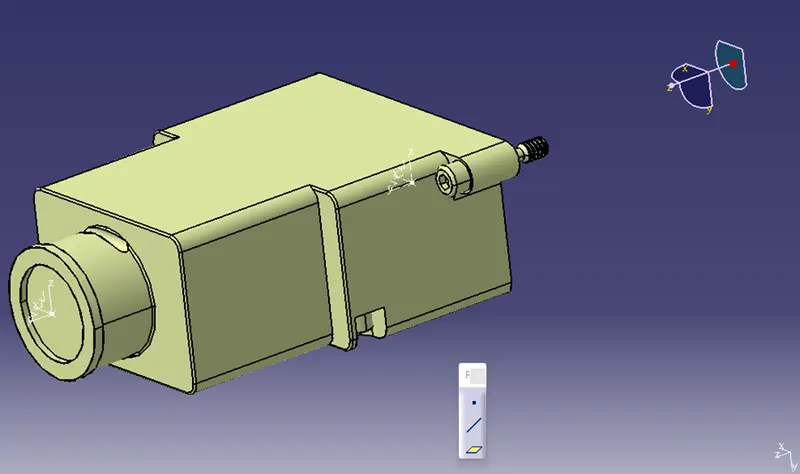
- Switch to ‘Electric Part Design’ workbench and define the part as a backshell
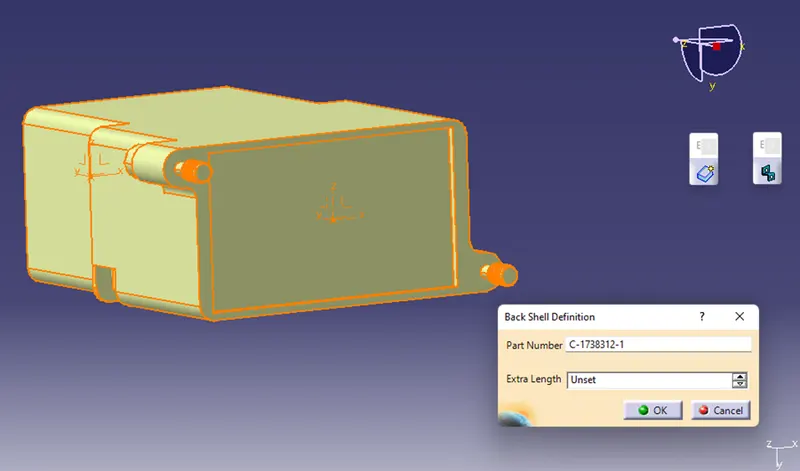
- Define backshell connection point
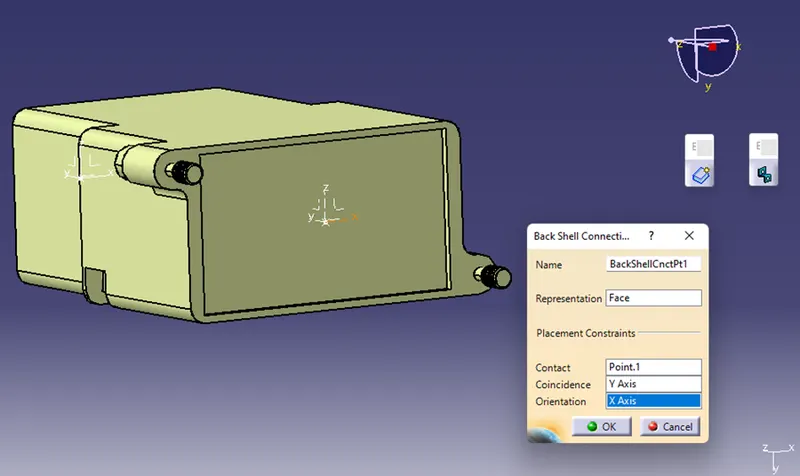
- Define bundle connection point
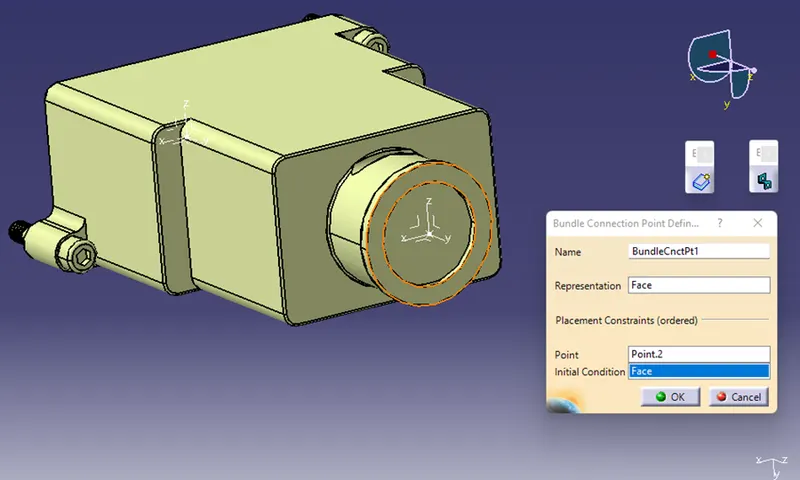
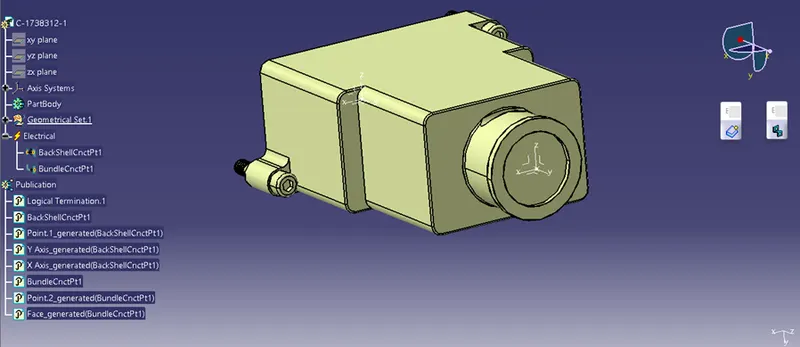
The backshell is prepared for usage, as seen in the below figure, and the properties have been saved
Q3
Create corrugated tubes by:
File New Part Switch to ‘Electric Part Design’ Workbench
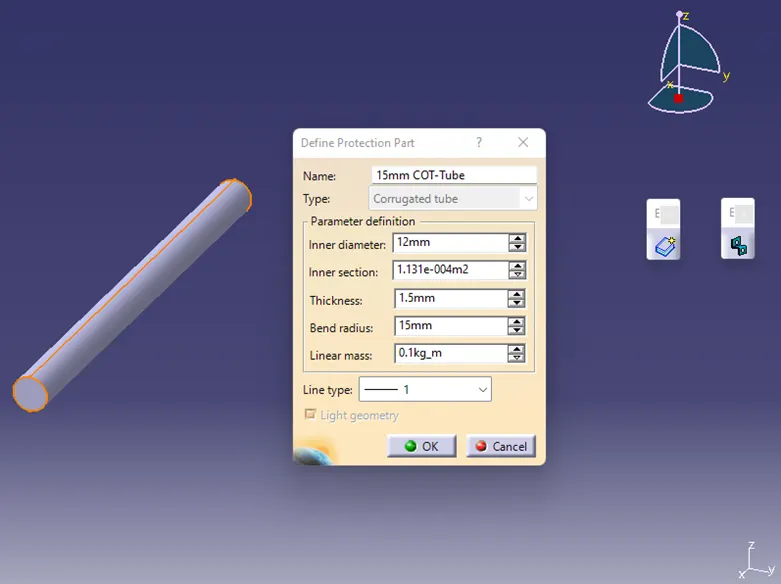
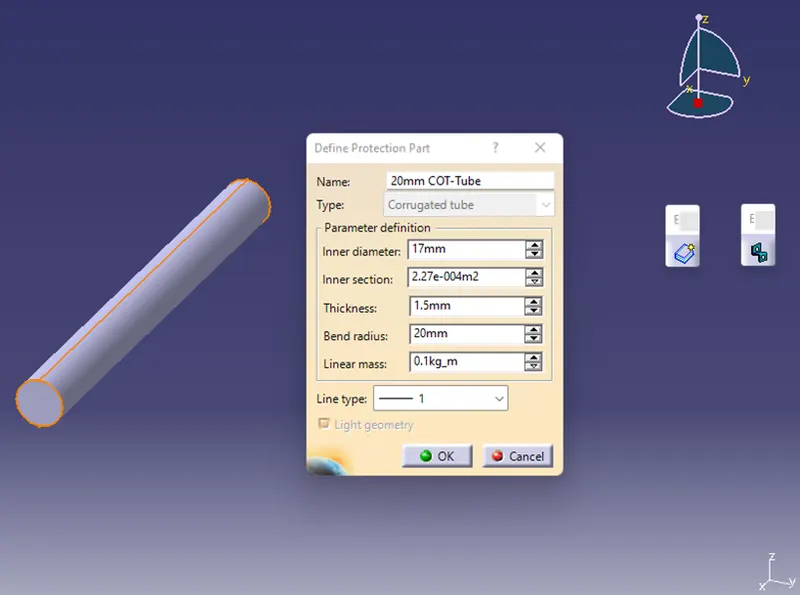
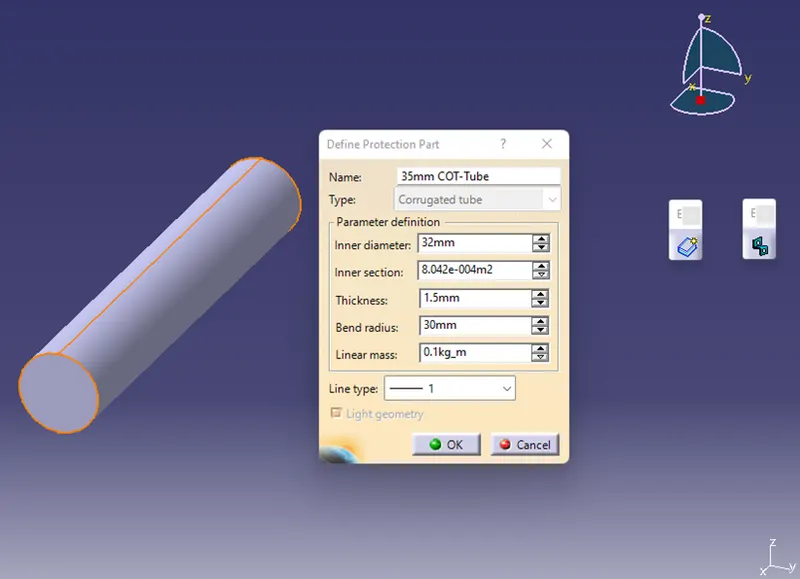
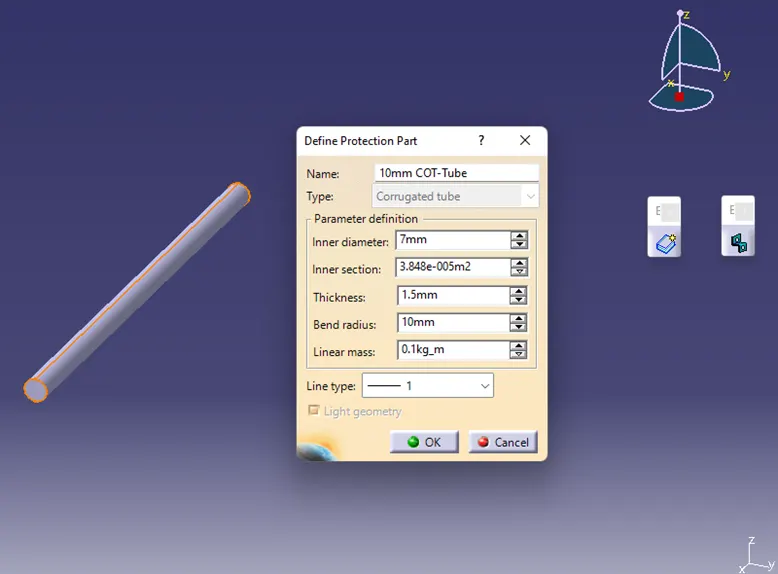
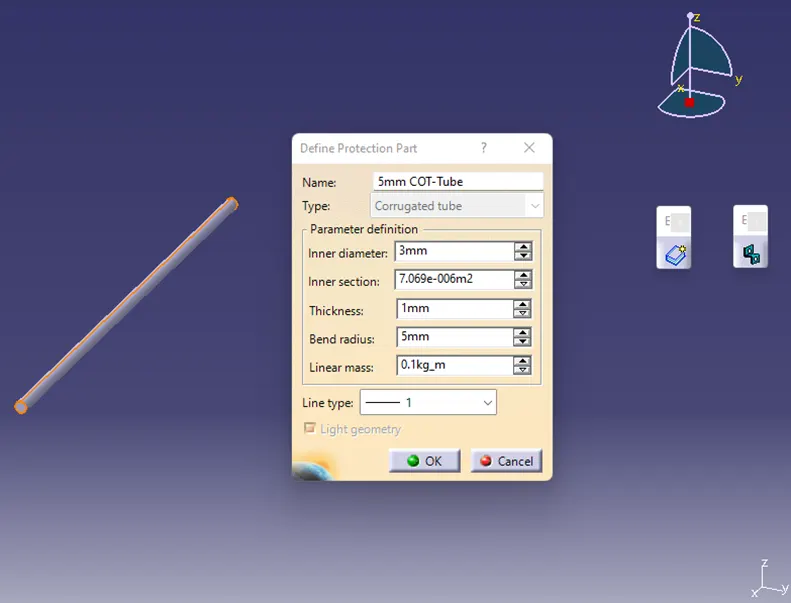
Define Protection Part Create the below COT Tubes
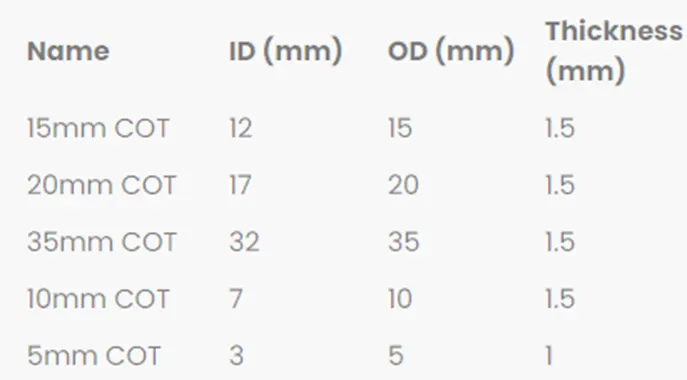
15mm COT-Tube
20mm COT-Tube
35mm COT-Tube
10mm COT-Tube
5mm COT-Tube
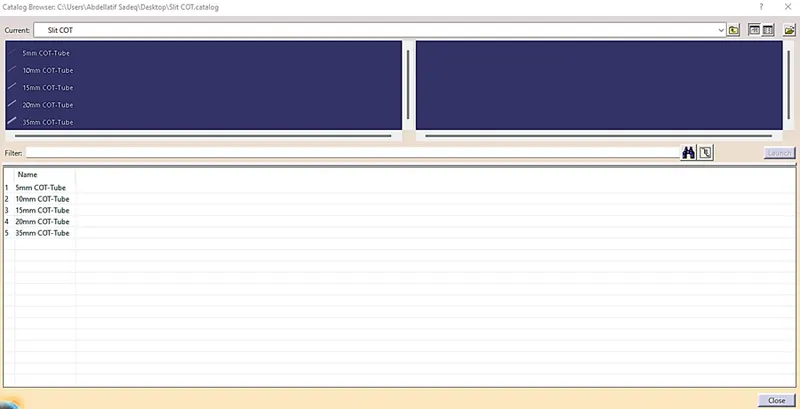
The corrugated tubes should be added to the catalogue under the "Slit COT" family.
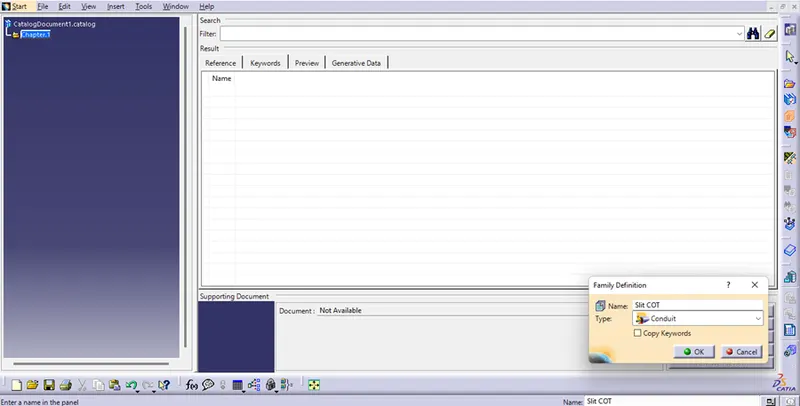
Include every corrugated tube in the catalogue that was already prepared.