Wiring harness routing & packaging Rules Week 3 Challenge
Question 1:
Download following cad data & define it as Electrical support using Electrical Part design Workbench. Define all the necessary properties.
Solution:
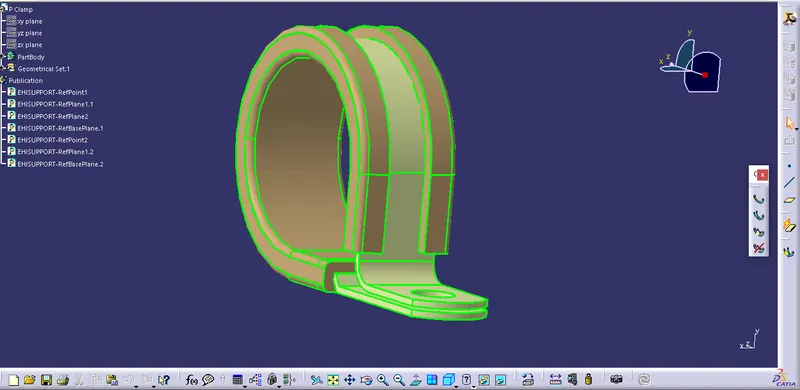
Create center points on entry and exit section of p clip . wrt the the rubber casing that is used to protect the wire.
Create 3 planes : basepalne , entry and exit point plane
use Electrical part Design
use support definition
Question 2:
Download following Back shell cad data & define it as Electrical back shell using Electrical Part design Workbench. Define all the necessary properties.
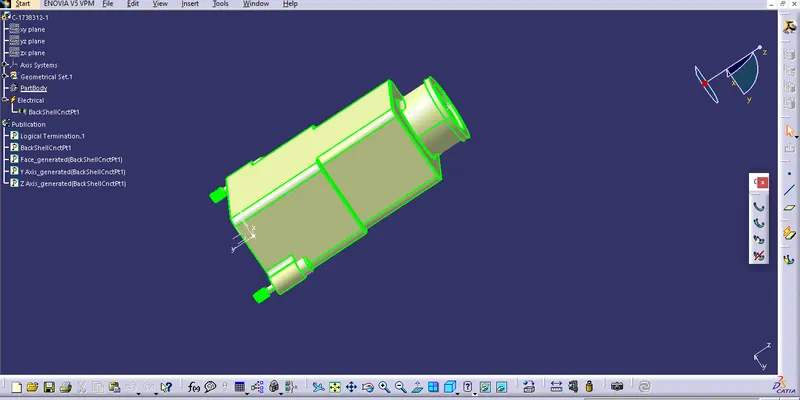
create center point
mid point reference to mating surface
creating axis system
use electrical part design
define given part as backshell
define bundle connection point
Question 3:
Create Following Corrugated tubes & Add them in Catalogue under “Slit COT” family.
|
Name |
ID (mm) |
OD (mm) |
Thickness (mm) |
|
15mm COT |
12 |
15 |
1.5 |
|
20mm COT |
17 |
20 |
1.5 |
|
35mm COT |
32 |
35 |
1.5 |
|
10mm COT |
7 |
10 |
1.5 |
|
5mm COT |
3 |
5 |
1 |
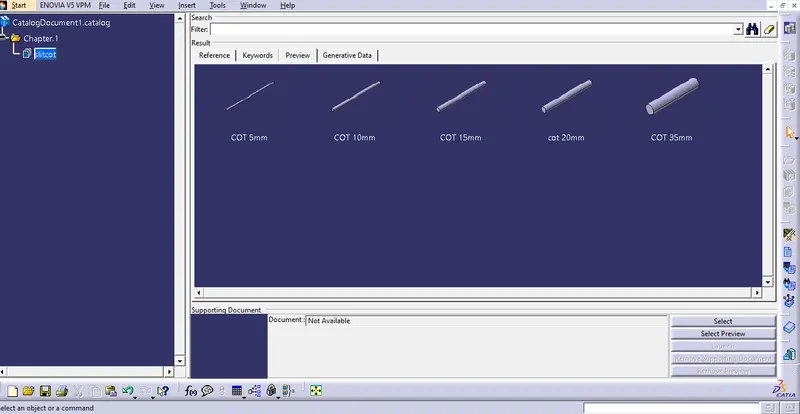
- new part - catalogue document - add family - give name - type - select Conduit - save.
Process:
- Switch to Electrical part design
- Select Define protection Part
- Click on part (on file name in specification tree)
- Provide given parameters and bend radius.
Repeat the same process for all the other parameters shown on the above.
And then open part to add catalogue - store device command - select catalogue - family - Slit_cot_tube - ok
And finally all the Corrugated tubes are added to the Catalogue which has the Slit COT family.
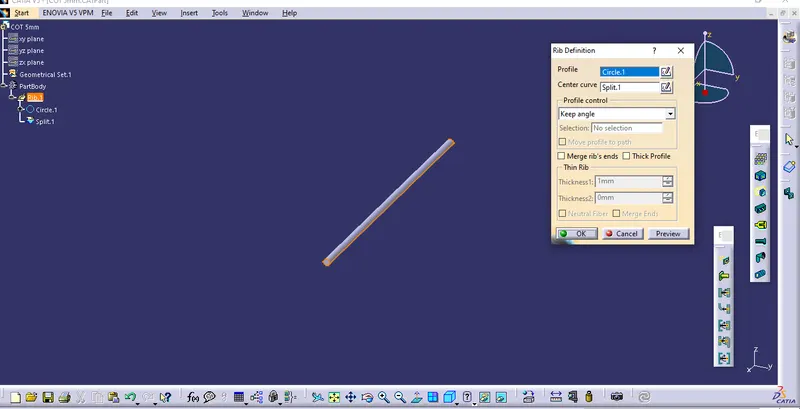
remainind all cot shoud be same process