Wiring harness routing & packaging Rules Week 3 Challenge
AIM:
- To solve the above assignment questions and define the necessary electrical properties in the respective workbench.
OBJECTIVE:
- To download the P-Clamp CAD data and define it as Electrical Support in the Electrical Part design workbench and also define the necessary electrical properties.
- To download the Backshell CAD data and define it as Electrical Back shell in the Electrical Part design workbench and also define the necessary electrical properties.
- To create Following Corrugated tubes and add them in Catalogue under “Slit COT” family.
P - CLAMP:
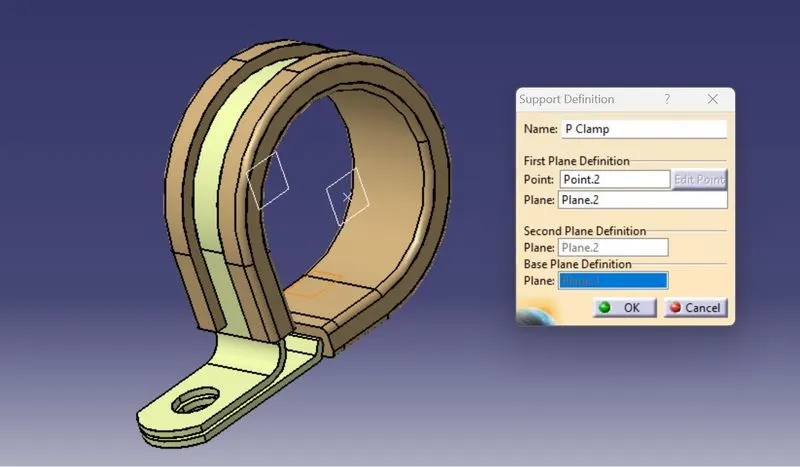
- P-Clamp is an Electrical Support equipment which provides support to the wire bundle to remain fixed to the automobile or any components or parts.
- The wire bundle can enter and exit from any side as it is a bi-directional equipment.
- So, we need to specify the Entry and Exit points from both the sides.
- To define the P-Clamp as Electrical Support equipment we need to follow the below steps:
STEP 1
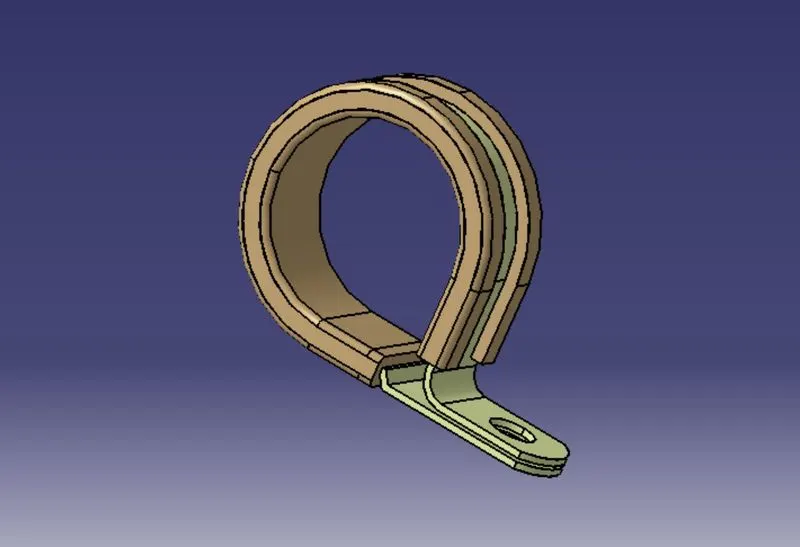
- First download the CAD part and open it using the CATIA V5 software.
STEP 2
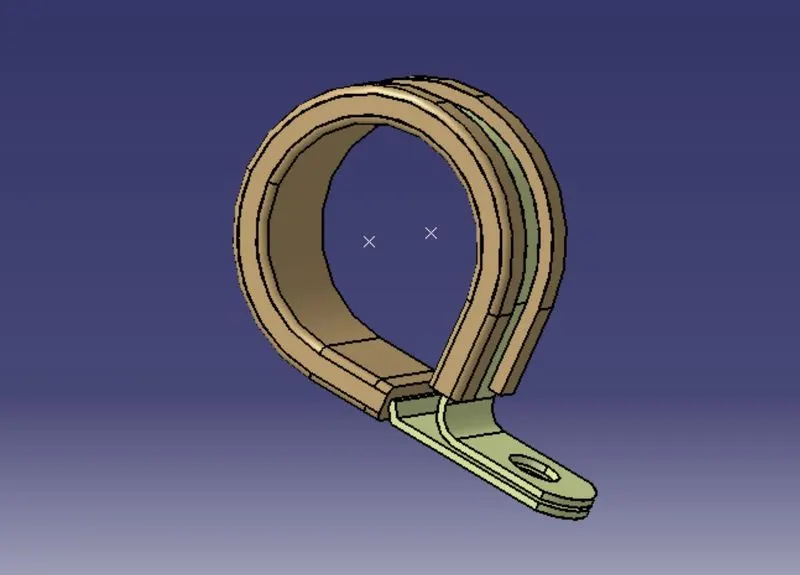
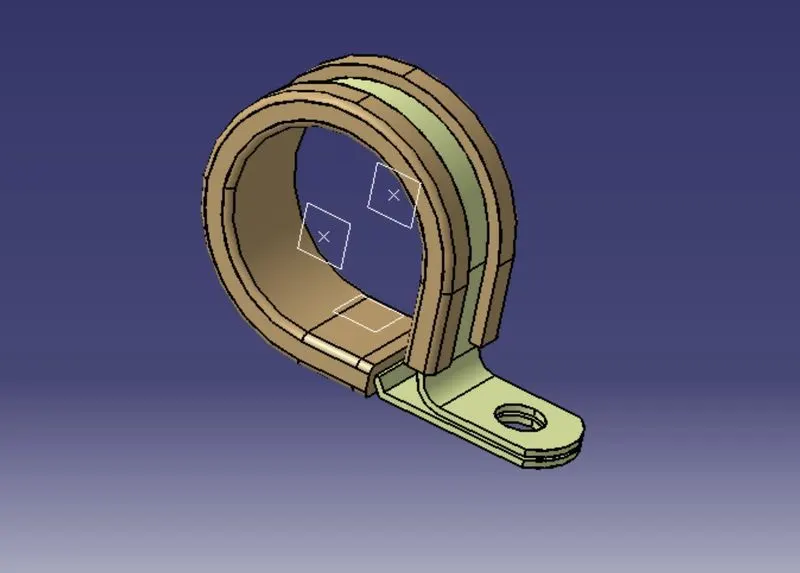
- Now we have to define the geometry parameters.
- In order to define the geometry parameters, we need to navigate to the Part Workbench.
- Then we need to create points and plains at the entry and exit points.
STEP 3
- Now in order to define the P-Clamp as a Electrical support we have to navigate to the Electrical Part design Workbench.
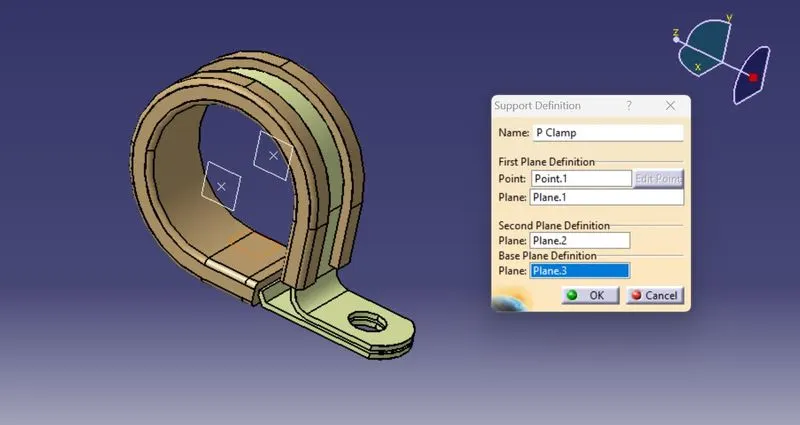
- Now using the 'Define support part' option we can define the P-Clamp Entry and Exit points.
- As the P-Clamp is Bi-directional so we need to define the support two times.
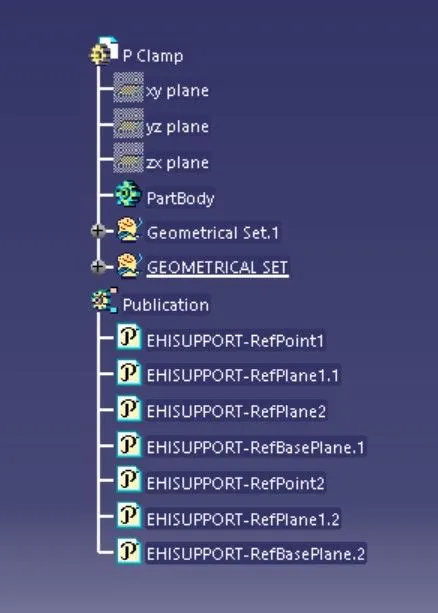
TREE STRUCTURE:
BACKSHELL
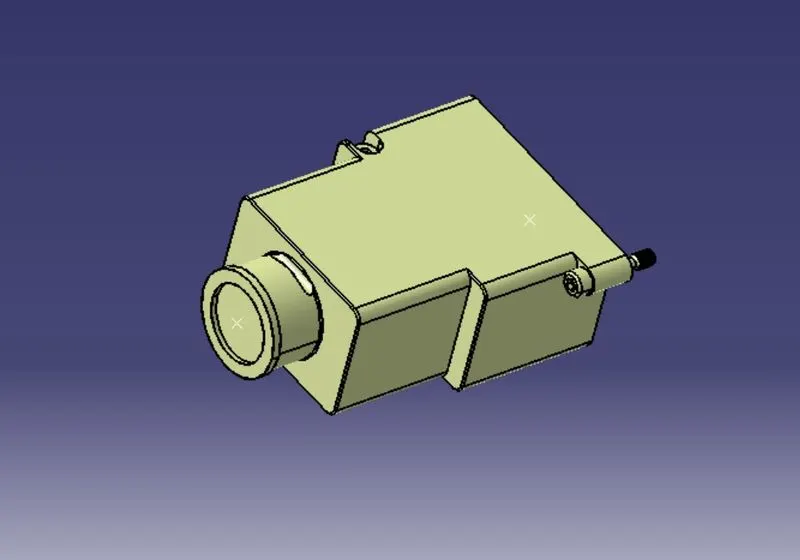
- A backshell is an accessory that mounts to the rear threads of a connector to enhance its operational characteristics. The primary function of a backshell is to provide strain relief, which minimizes stress from the cable, on the junction where the wires terminate to the contacts.
- Backshells come in a variety of finishes, materials, and angle configurations. For material compatibility and aesthetics, backshells and connectors should have a matching material and finish. And to provide simple cable management, most backshells may be ordered in 45º and 90º angles.
- To define the Electrical properties of the backshell we need to follow the below steps:
STEP 1
- First download the 3-D CAD part of the backshell and open it using the CATIA V5 software.
STEP 2
- Create mid-point at the bundle entry side.
- Create mid-point at the connector mating side.
STEP 3
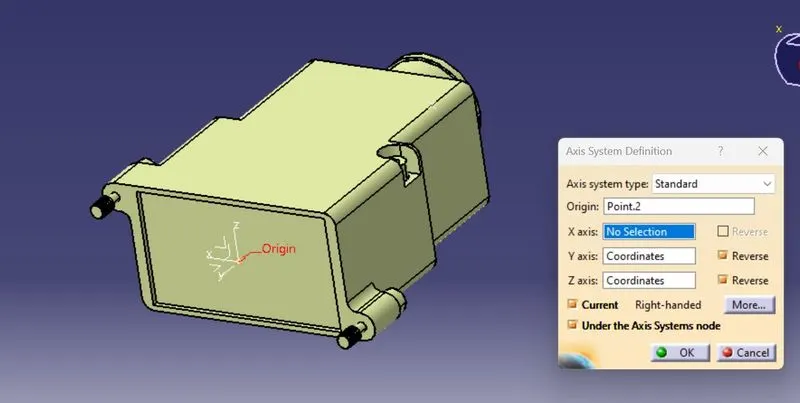
- Create an Axis system at the Connector mating side.
- The axis system should be created at the center of the mating surface.
- The axis must be defined as defined for the connectors show that it will connect easily.
- Y- axis: Normal to the mating surface
- X-axis: Normal to the locking side
STEP 4
- To define the Electrical properties, we need to navigate to the Electrical Part design workbench.
- There we need to define the component as the Backshell.
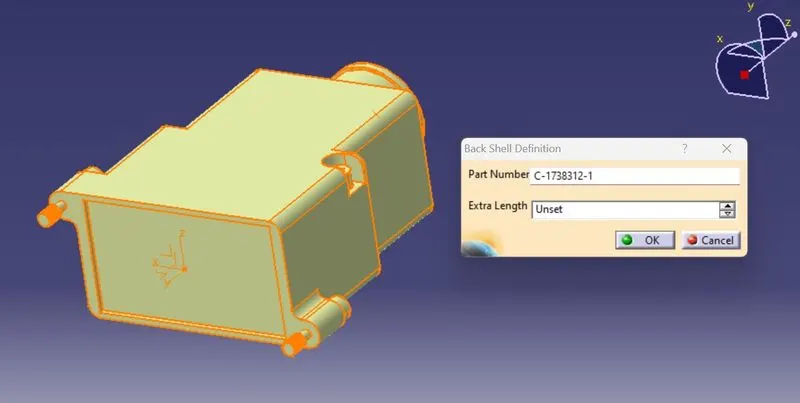
STEP 5
- Define the Backshell connection point.
- Then define the Bundle connection point.
Backshell Connection Point:
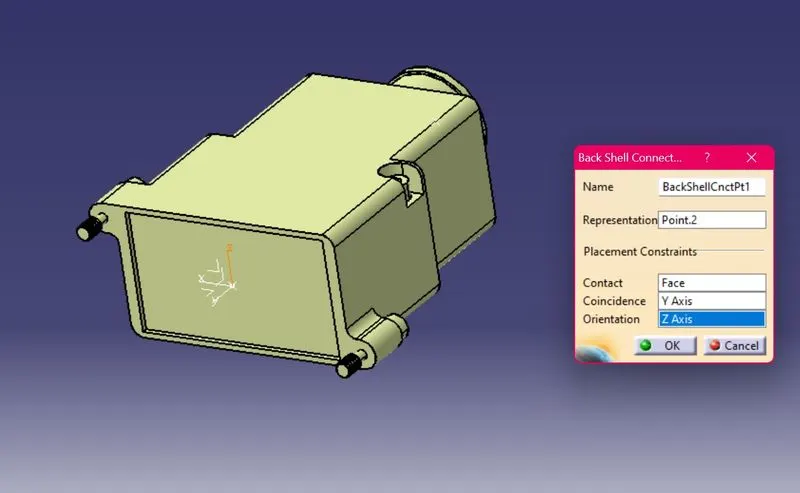
Bundle Connection Point:
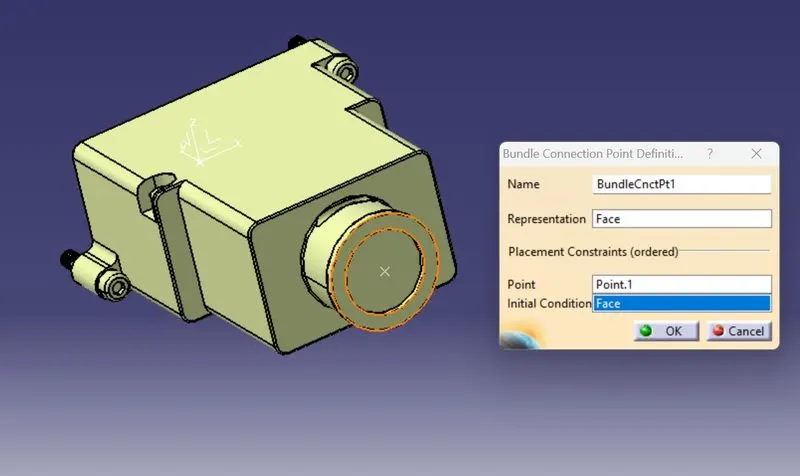
TREE STRUCTURE:
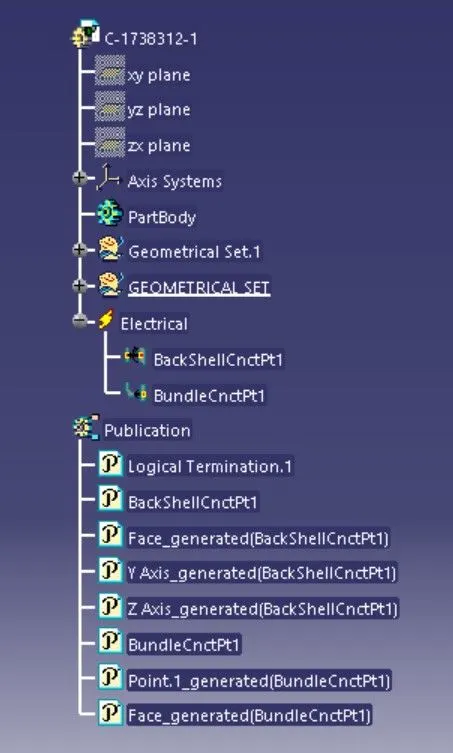
CORRUGATED TUBES:
- Corrugated Tubes are used as protection coverings for the wire bundle from any type of damages.
STEP 1
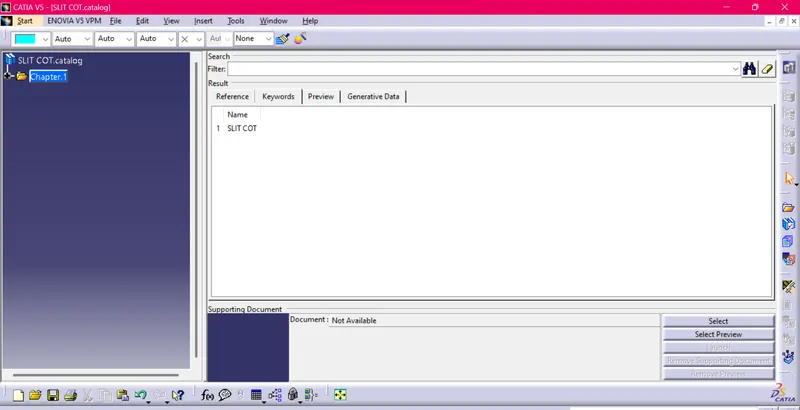
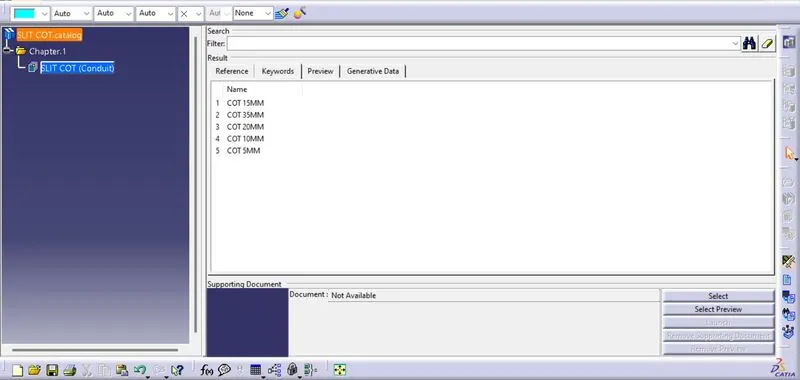
- Create a Catalogue document and adding Slit COT as a family and saving the document in our desired folder.
STEP 2
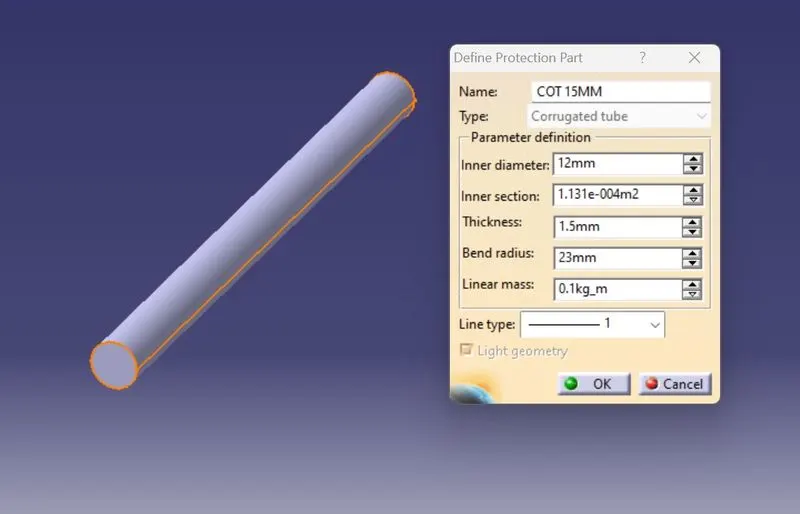
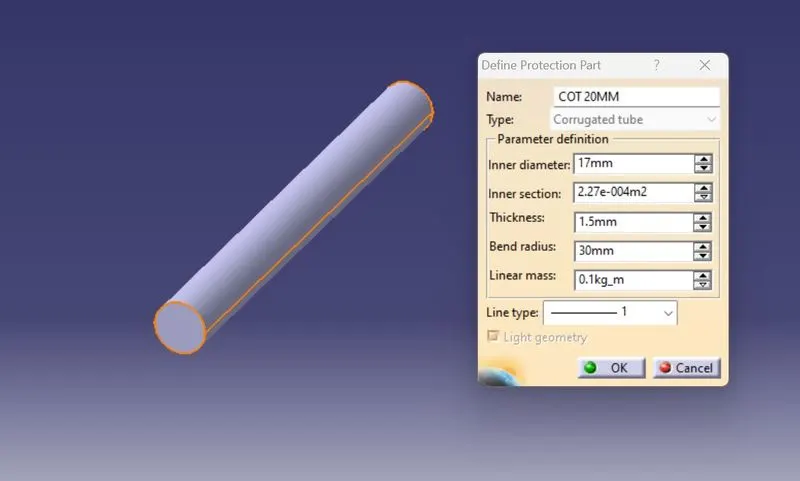
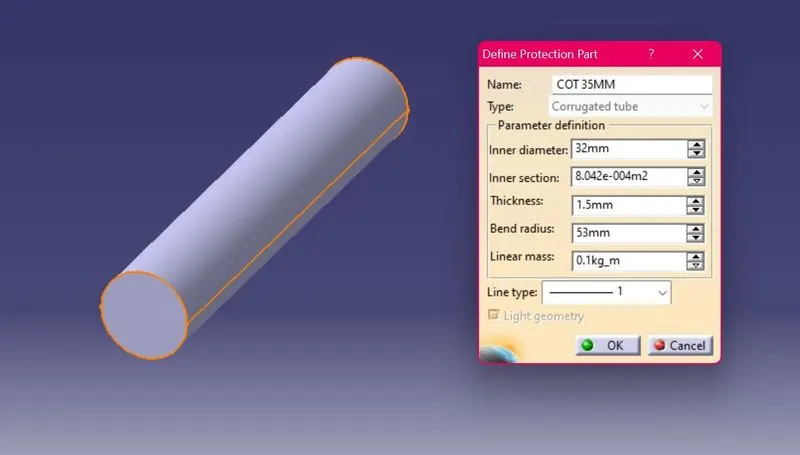
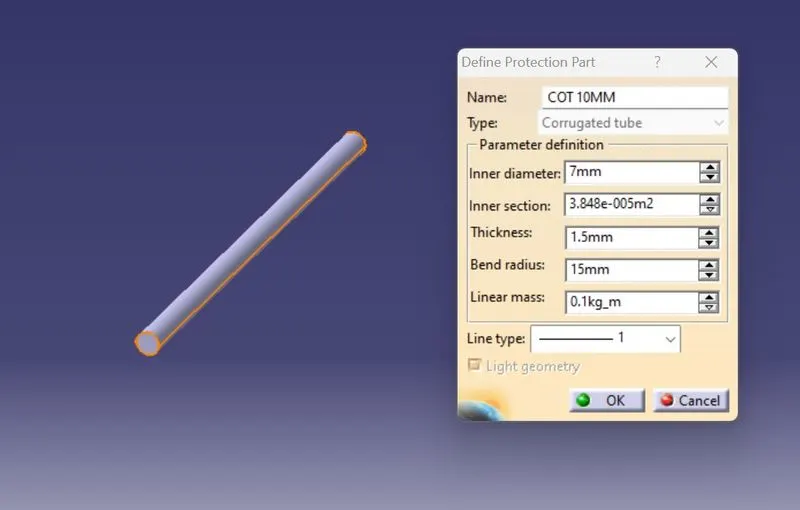
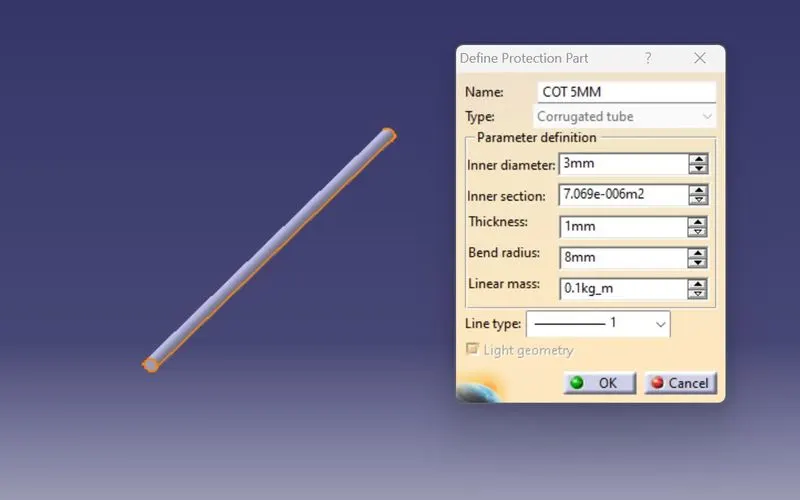
- Creating the following corrugated tubes as per the dimensions given in the table and storing in the Slit COT family catalogue document.
|
Name |
ID (mm) |
OD (mm) |
Thickness (mm) |
|
15mm COT |
12 |
15 |
1.5 |
|
20mm COT |
17 |
20 |
1.5 |
|
35mm COT |
32 |
35 |
1.5 |
|
10mm COT |
7 |
10 |
1.5 |
|
5mm COT |
3 |
5 |
1 |
15 mm COT TUBE:
20 mm COT TUBE:
35 mm COT TUBE:
10 mm COT TUBE:
5 mm COT TUBE:
CORRUGATED TUBE CATALOGUE
CONCLUSION:
- From the above assignment I learnt how to define the Electrical support for a P-Clamp and also define its Electrical properties.
- I also learnt how to Electrical Backshell for a Backshell component and also define its Electrical properties.
- I also learnt how to make Corrugated Tubes of different diameters and also save them in the respective families in the Corrugated Tubes catalogues.