Wiring harness routing & packaging Rules Week 3 Challenge
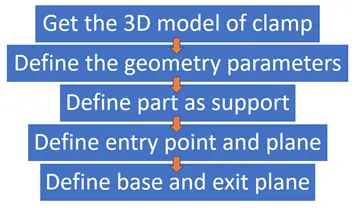
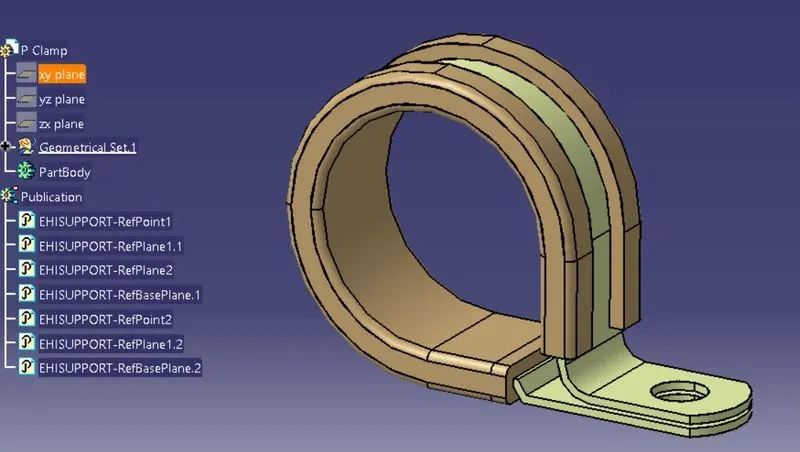
P-Clamp: This is another important component of the wiring harness which should be defined before wiring harness routing. Following are the important parameters that are required to be defined: Entry point and plane, Base plane and Exit plane.
 |
|
Defining clamp as support part. |
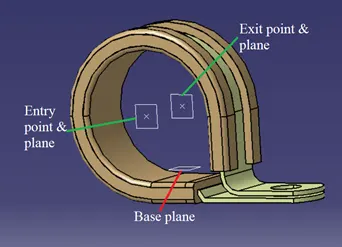
Clip has two entry points and two exit points. Create points and planes at the entry, exit and base of the clip using point and plane definition commands.
 |
|
Creating entry, exit and base points and planes. |
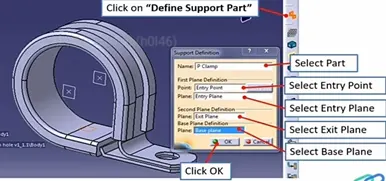
Now convert the part into electrical part using the define support command in electrical part design workbench and give all the details as shown in the Fig 24.
 |
|
Creating entry, exit and base points and planes. |
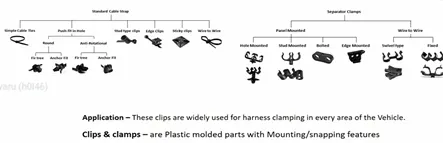
The different types of clamps are shown in Fig. 25
 |
|
Creating entry, exit and base points and planes. |
Back shells
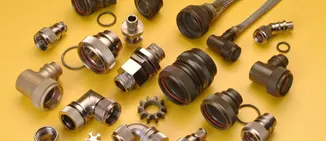
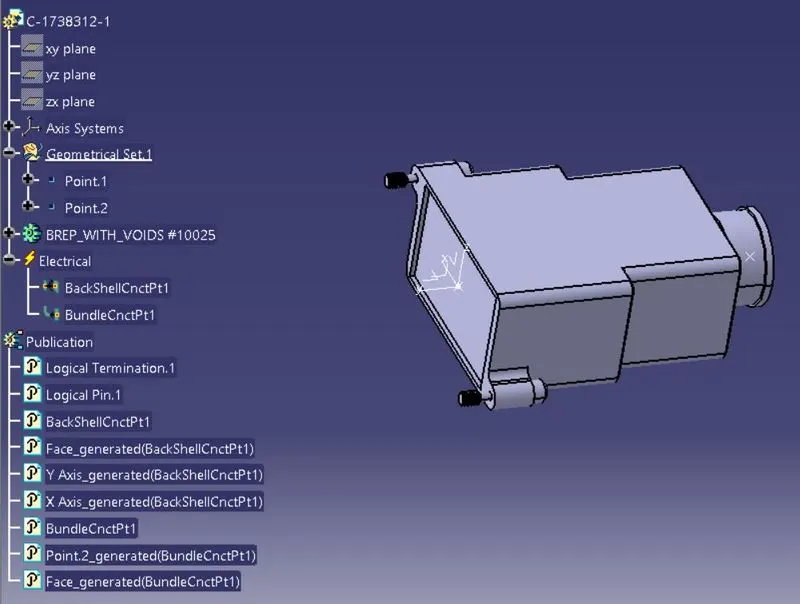
Back shells are plastic moulded parts used at wire entry side of connectors either for protection or to improve aesthetics/appearance of harness. These are not mandatory parts of wiring harness. Are always optional and driven by cost.
 |
|
Types of Backshell. |
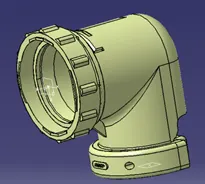
Download the 3D model of the backshell from the internet. Give the axis system in the same orientation of the connector connection point.
 |
|
Creating axis system at the entry of the bundle in backshell. |
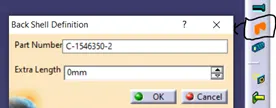
Switch to electrical part design workbench. Select the define backshell command and select the component. In the extra length option the required extra length can be provided.
 |
|
Creating axis system at the entry of the bundle in backshell. |
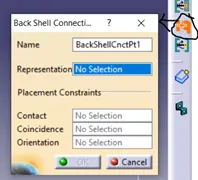
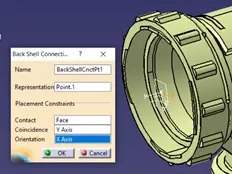
Define bundle entry connection point from connector in backshell.
 |
 |
|
Creating axis system at the entry of the bundle in backshell. |
|
Save the backshell into the catalogue so it can be used when ever it is required in wiring harness routing.
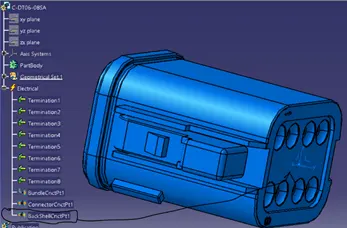
To add the backshell to the connector, define the backshell connection point to the connector at the bundle entry point of the connector same as mentioned in the Fig. 30.
 |
|
Creating backshell connection at connector bundle entry. |
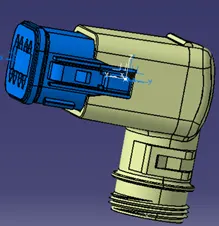
Switch to the electrical assembly design workbench. Create a product, copy and paste both the connector and backshell. In the electrical design workbench click on connect electrical devices command and select the backshell, the backshell point is highlighted when the backshell is connected. Now select the connector, automatically backshell point is highlighted. The connector and backshell are connected.
 |
|
Creating backshell connection at connector bundle entry. |
Protective covering:
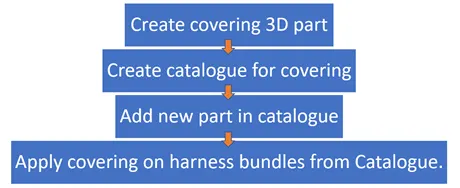
Corrugated tubes, Convolutes, Sleeves and many other types of coverings are used to protect the wiring harness. Graphical representation of coverings are applied on bundles.
 |
|
Creating Corrugated tubes. |
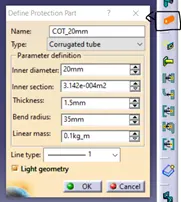
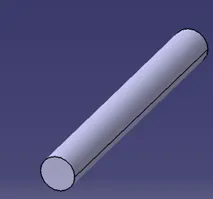
For creating corrugated tubes, switch to electrical part design workbench, click on protective covering definition and then select the plane where the corrugated tubes are to be created. A popup opens as shown in Fig. 34. Give the inner diameter, thickness and bend radius (generally 1.5 times the outer diameter) and click ok. The corrugated tube will be appeared on the screen. Save the part.
 |
 |
|
Defining the protective covering. |
|
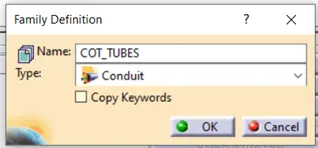
Now create a catalogue for COT tubes, so they can be used anytime it is required. In the family of catalogue select the conduit type as shown in Fig. 35.
 |
|
Creating Corrugated tubes. |
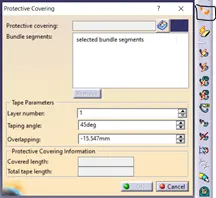
To add the protective covering to the bundle, switch to electrical assembly design, select the protective covering definition. Now select the bundle that requires the covering a pop up will open up as shown in Fig. 34. In protective covering tab, click on catalogue box and select the required COT tube.
 |
|
Protective covering. |
After selecting the bundle, the length of the tube can be changed by adjusting the start and end extremities point. This helps in fixing the COT tubes at a certain distance from the connector ends.
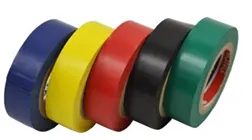
Insulations: are adhesive/non-adhesive tapes and sleeves. They are made from PVC or cotton/polymer materials.
 |
|
Tapings. |
 |
|
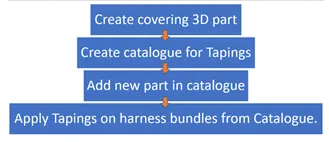
Creating insulation taping. |
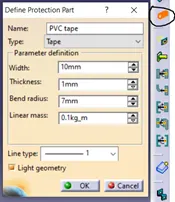
Creating the insulation tape is same as that of the corrugated tubes.
 |
|
Creating insulation tapes. |
Create catalogue same as corrugated tubes for PVC and cotton tapes and name it as insulations. Insulations are also added to the branches same as corrugated tubes by protective covering definition in electrical harness assembly workbench.
OUTPUT
P CLAMP
BACKSHELL
COT TUBES