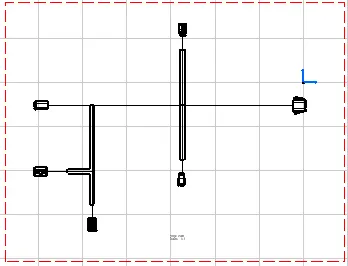
Wiring harness design in CATIA V5 - 3D modeling Week 7 Challenge
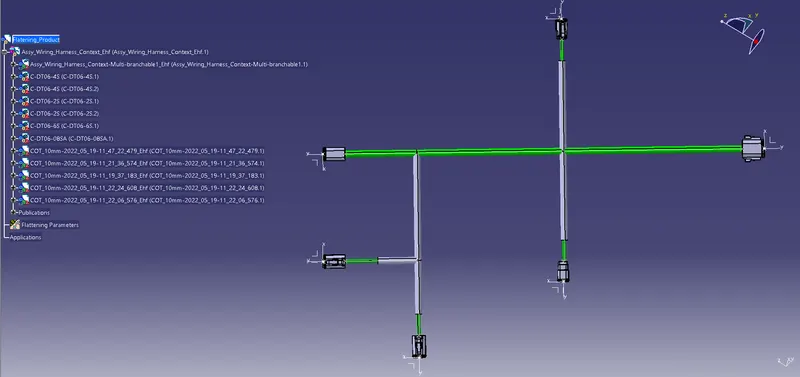
-Open week 4 challenge file.
-Open a new product file with name Faltening product.
-Select Harness flatening parameters.plane as face of the connector,minimum angle between two branches as 20deg,angle mode as regular.
-In drawing tab set type of repersentation for bundle segment as single.
-Select on Extrat on the flatten toolbar.
-Select the product from the design tree.
-Select the Flatten in the flatten toolbar.
-Select the face of the product as plane and one of the branches and select all branches.
-Save the file.
-Open a new drawing window and select the standard as ISO and sheet style as A0 ISO
-Select the front view in the views toolbar
-Open the flatening product and select the face of connector as face.
-Drafting in appear in window.click on the page to fix the drawing.
- Save the file as Harness_Drawing.