Wiring harness design in CATIA V5 - 3D modeling Week 7 Challenge
WEEK-7 CHALLENGE
WIRING HARNESS DESIGN IN WIRING HARNESS FLATTNESS WORKBENCH- 3D MODELING USING CATIA V5
AIM:
To Flatten the Wiring Harness and Draft the Wiring Harness Assembly.
GIVEN:
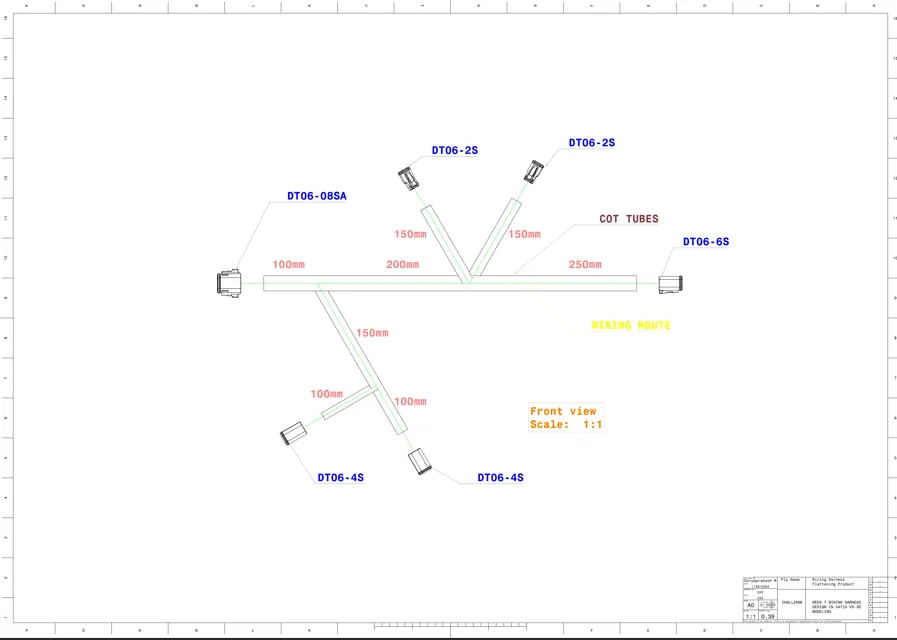
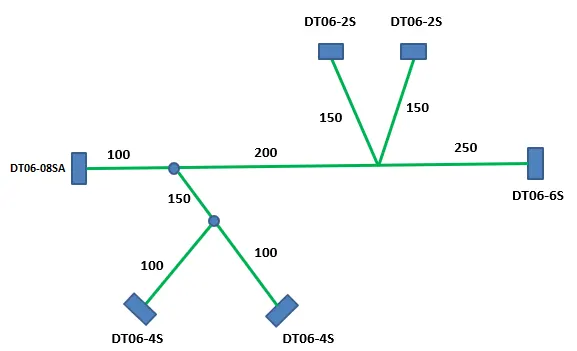
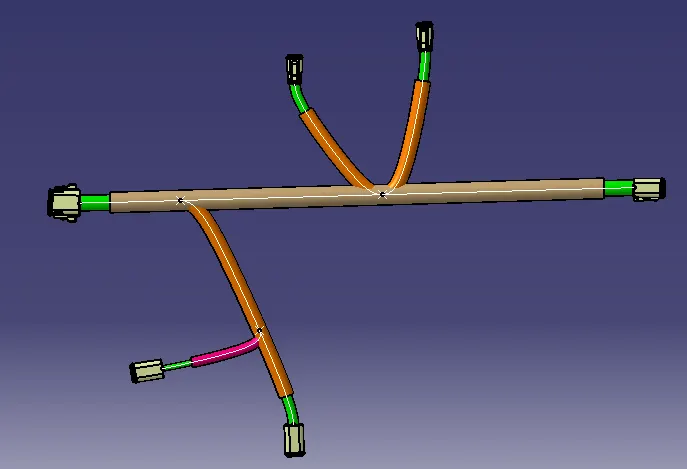
Flatten the Harness Assembly completed in “Week 4 challenge”. Place the Flattened View on Drawing Sheet. Ensure Bundles with Protective Coverings has different visuals on Drawing View.
HARNESS ASSEMBLY:
HARNESS FLATTENING:
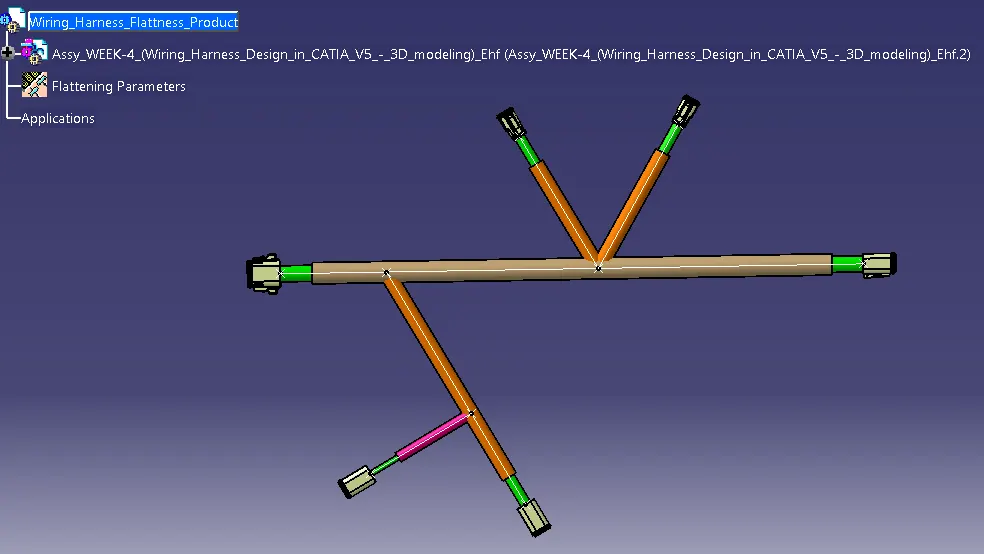
· We go to the Harness Flattening Workbench and define the Flattening Parameters.
· We use the Extract Command to bring the Harness Assembly to the Flattening Workbench here.
· Choosing a Suitable Plane, we flatten the Harness Assembly.
· Bundle Segments are rotated at the required Angles. The Harness Assembly is then drafted.
· Flattening Parameters are defined in order to make the bundle and the Corrugated Tubes Visible in the 3D Drawings.
DRAFTING REPRESENTATION: