Wiring harness design in CATIA V5 - 3D modeling Week 7 Challenge
REPORT:
AIM: TO FLATTEN THE HARNESS
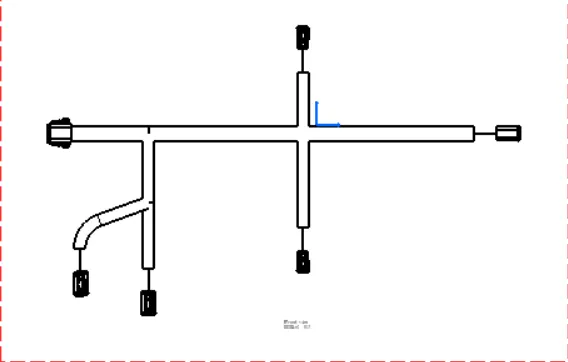
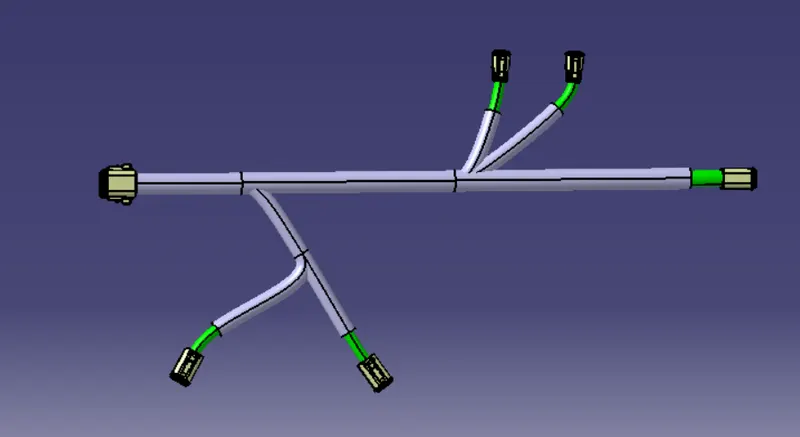
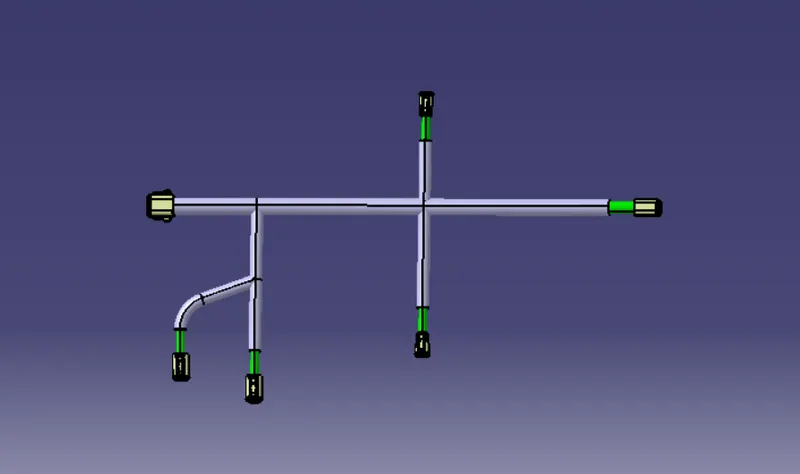
for the routing of harness first downloaded the connectors which are required for the harness. the connectors are downloaded from the te.com website. the connectors are checked for the compaptibility. after that the parameters are given for the connectors int the part workbench. and jumped into the electric part design workbnech for defining the connectors . all the connectors are defined as electrical part in the workbench. after that a new product file is created and added all the connectors into it. after that the product file is defined as electrial in electrcal assembly workbench. and the connectors are placed accordingly as per the shematic representation and done the bundle. for that used the multibranchable option and connected two connectors. which is the main branch of the harness. after that branch points are given for giving the sub branches for the harness.and connected the remaining connectors. after that protection covers are given for the harness according to their lenth and diameter of the bundle. after that jumped into the electrical flattning workbench to flatten the harness.and the harness is converted into electrical harness flattening file by difining the parameters .after that by using the extract command the file is extracted from the harness assembly. used the flattening command to flatten the harness and used the rotate ,roll commands to bend the harness. after that a new drawing file is created and by using front view opyion created the drwaing for the harness. the pictures are given below
harness before flattening
harness after flattening
drawing