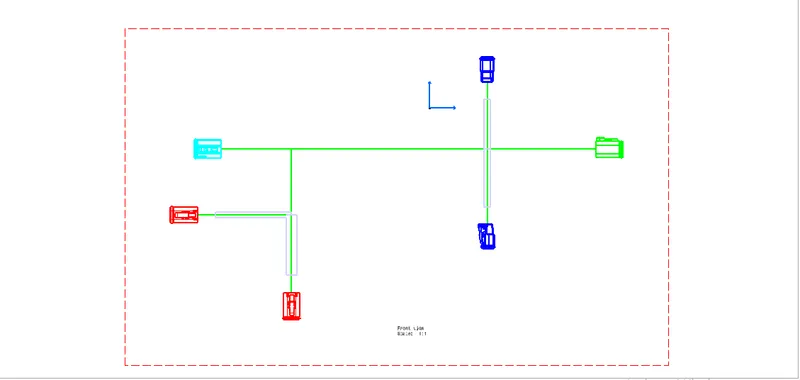
Wiring harness design in CATIA V5 - 3D modeling Week 7 Challenge
AIM:
. To flatten the wire Harness assembly is taken from Week 4 assignment and placed on a flattened view on a drawing sheet.
OBJECTIVE :
. To flatten the wire harness assembly completed in week 4 assignment.
. To orient the wire bundle as shown in the layout.
. A 2D sketch is created for this model.
. Bill of Materials is add in the sketch.
. To Place the flattened View On a Drawing sheet.
. To ensure bundles with Protective Coverings has different Visuals On drawing View.
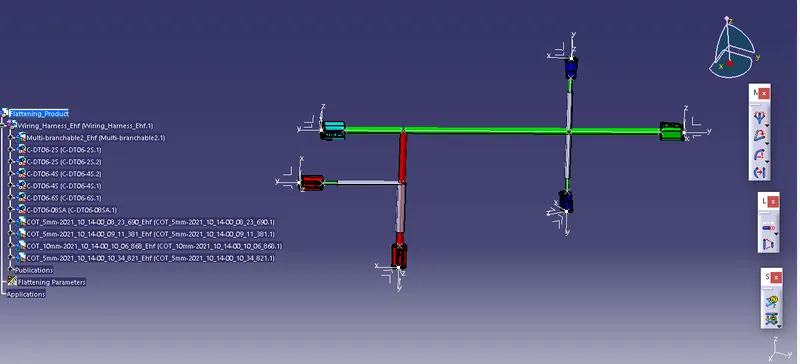
Flattening Parameters is Created for our requirment and shown below.
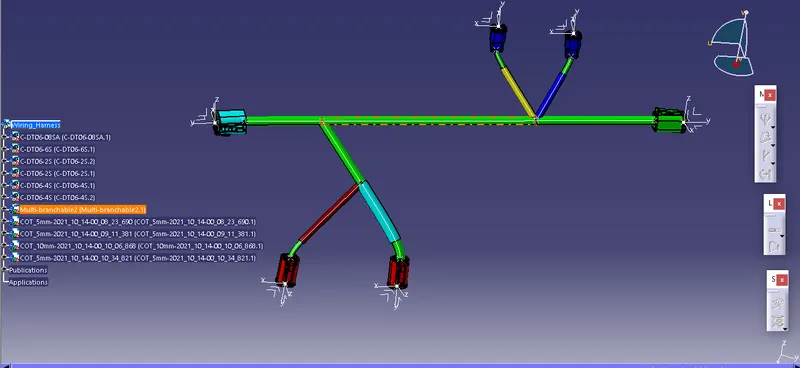
Select the 'Extract' option from the Electrical Harness flattening workbench and select the Geometric Bundle Product in the Wire Harness Assembly Product file.
Then wire Harness assembly is Imported to the Wire Flattening product file with 'EHF' extension added to the geometric bundle assembly name.
For Drafting :
. Create a new drawing file and save the file in the same location.
. Insert the title block and fill in the required details.
. Add the front view of the harness by selecting any one flat faces of the connector.
. And orienting the view as per the requirment.
. Finally, Bill of Material is added.