Wiring harness design in CATIA V5 - 3D modeling Week 7 Challenge
AIM
To flatten the wiring harness and draft the wiring harness assembly.
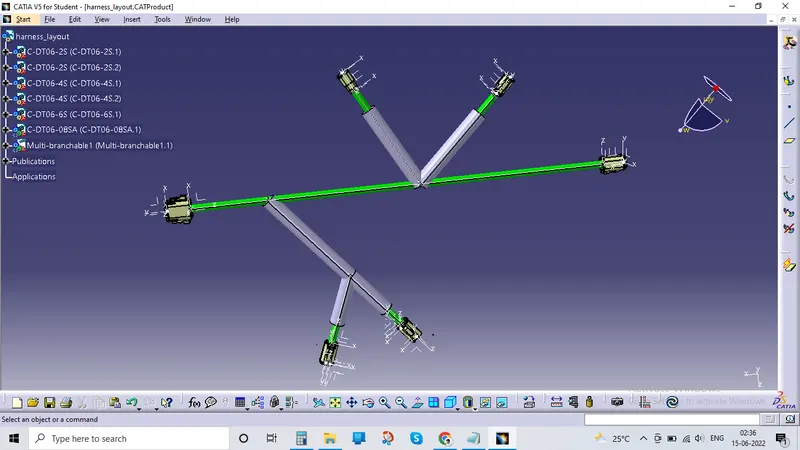
HARNESS FLATTENING
- We go to the harness flattening workbench and define the flattening parameters.
- We use the extract command to bring the harness assembly to the flattening workbenchhere.
- choosing a suitable plane we flatten the harness assembly.
- bundle segment are rotated at the required angles the harness assembly is then draften.
- flattening parmeters are defined in order to make the bundle and the corrugated tubes usible in the 3D drawings.
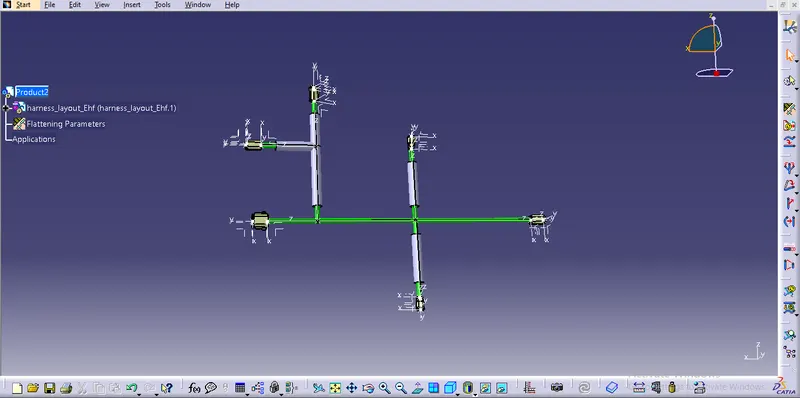
After that the cat product fule of harness assembly is exracted to flattening workbench where all the flattening properties are defined and once the CAT product is extracted the file now is saved as.EHF[Electrical Harness Flattening Assembly] file and now the flattening file is saved in the location weher wering harness assembly is seved .Now the harness assembly is flattend using flattedn command as per the image show below.
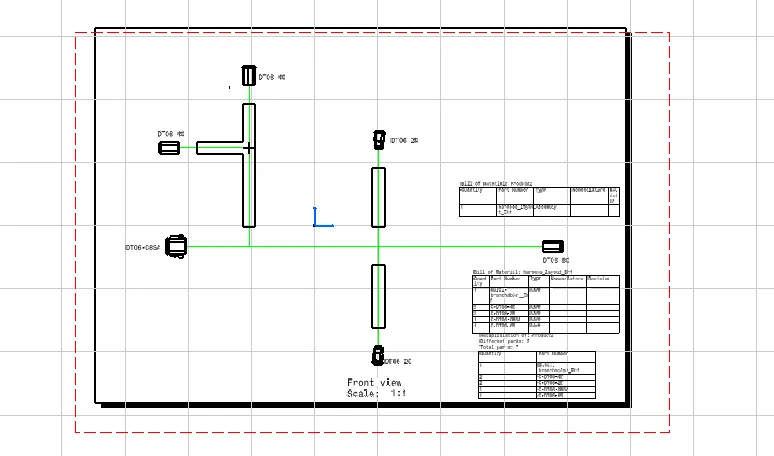
Once the flattened product is obtained make all the necessary changed like scaling rolling rotating, straightening etc.Now transfer the flattened assembly on the 2D drawing sheed by creating new drawing sheet and save the drawing sheed in the same location as all the files seved before.
Now select the front view option and select the plane of the flattened which as selected earlier in the flattening properties.
Now the 2D diagram of flattened model is displayed on the drawing sheed now to go the that drawing properties and in the view section make sure 3D wire fram is always visible which represent the bundles and makes sure the graphic for device is 3D projection and single line for bundle and double line for protective coverings and 3D colors can be addes for better look as per the image.