Wiring harness design in CATIA V5 - 3D modeling Week 7 Challenge
Step 1:
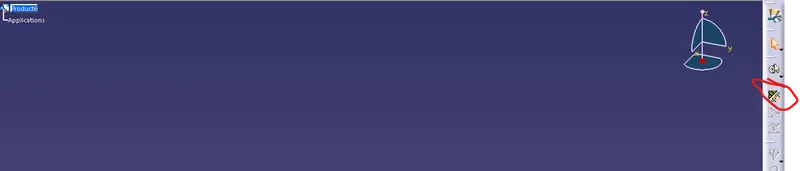
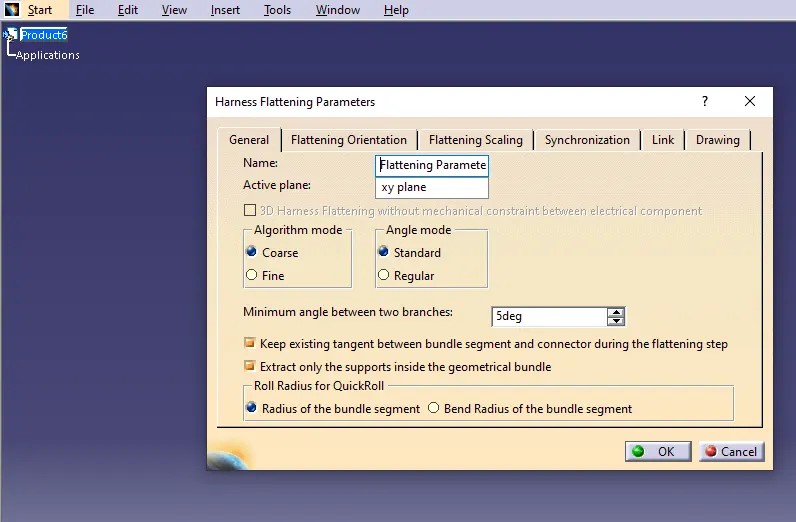
Create a Product File and define the Flatening Parameter by clicking on the Flatening Parameter Icon.
Step 2:
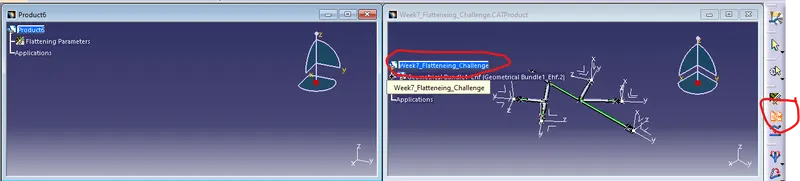
Click Extract Icon to extract the wiring harness assembly that we want to flatten.
Step 3:
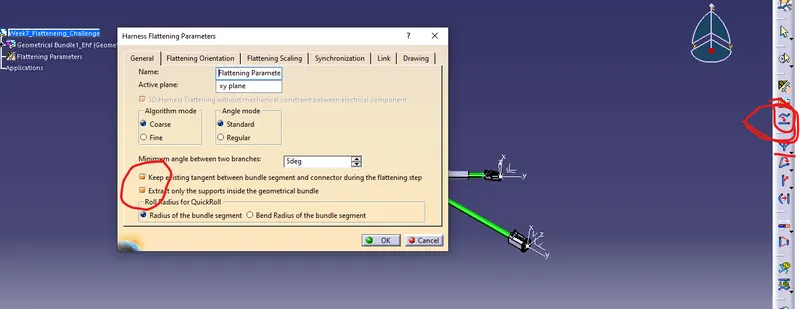
Once the file is inserted, selct flatten command and click the branches to flatten. Make sure to turn on the following options in flatening parameters. This makes sure the geomentric bundle stays tangentially connected durring the flatening.
Step 4:
Finaly, once the flatening is done open the drawing workbench, and place the flatened view as the front view in the drawing sheet. Generate Bill of materials and ballons for the drawing.
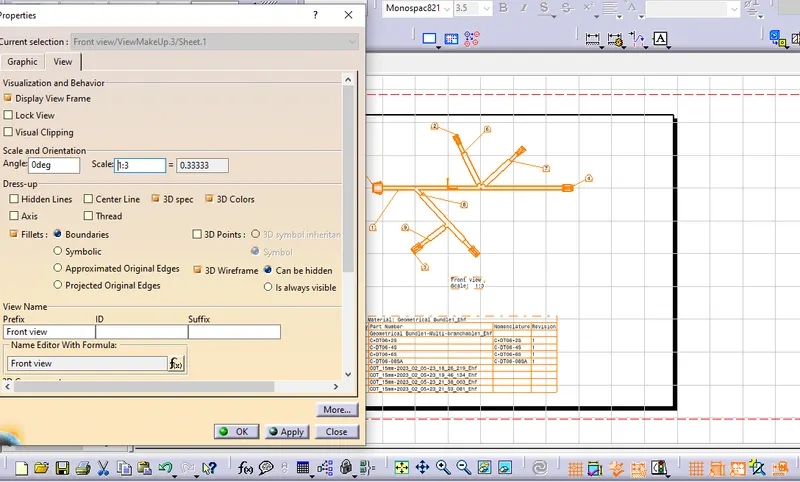
Turn on the 3D colors and check box, this will display the color of the bundle segment and connectors.