Wiring harness design in CATIA V5 - 3D modeling Week 7 Challenge
WIRING HARNESS FLATTENING
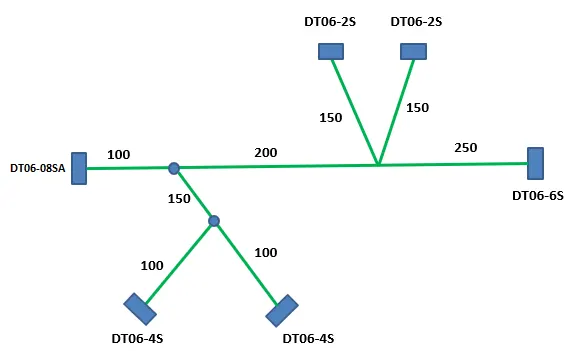
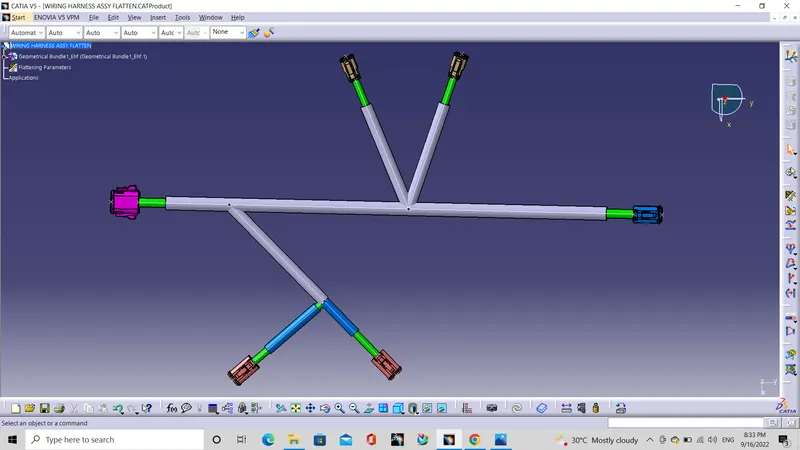
CATIA – Electrical Wire Harness Flattening provides automatic and complete flattening of 3D Electrical Harnesses for manufacturing documentation in a concurrent engineering environment. After the wiring harness routing, the assmebly is should flatten for send the design to manufacturing department.
PROCESS FOR FLATTENING AND DRAFTING
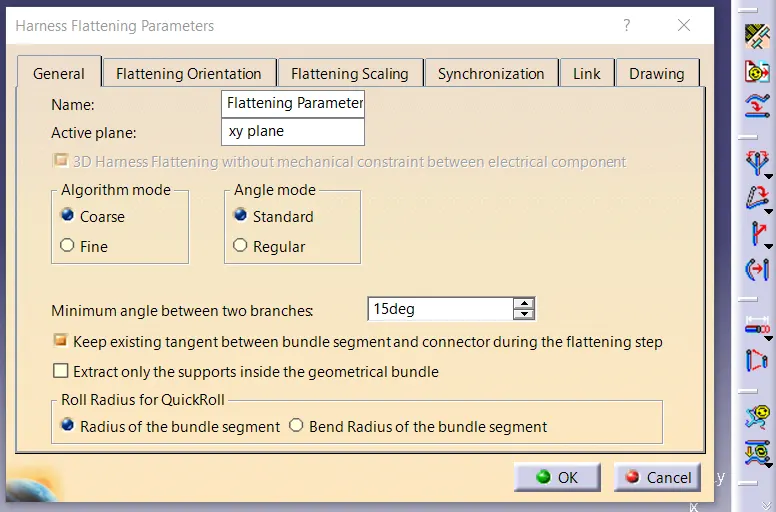
Step-1: Define the Harness Flattening Parameters and select the required options for this design.
Step-2: Extract design from the routed design which created before and click the flatten tool for flatten the harness routing which we extracted.
Step-3: For flatten the design, select the referance surface and select the bundle we need to flatten. Select whole bundle by Select all bundle button and click OK.
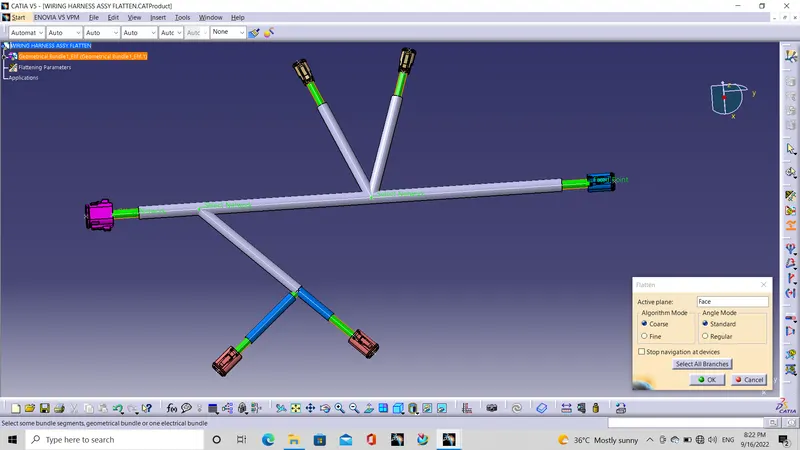
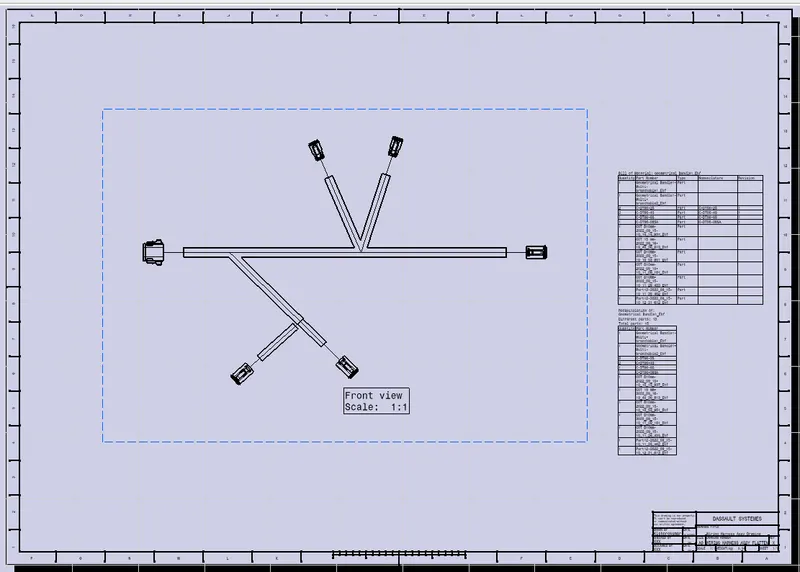
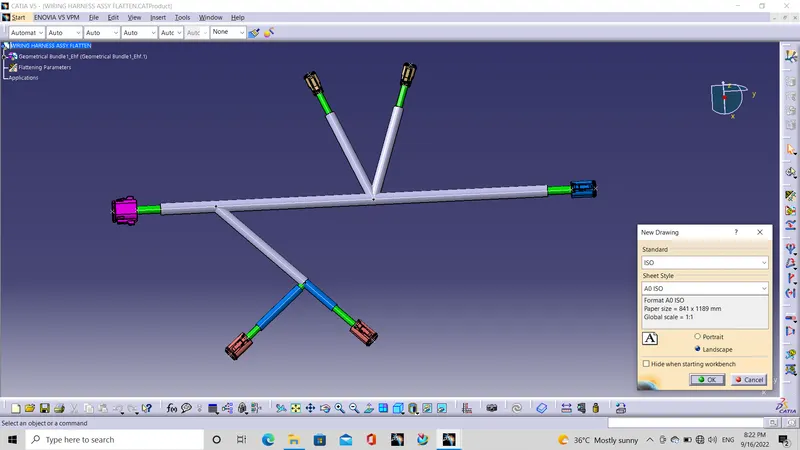
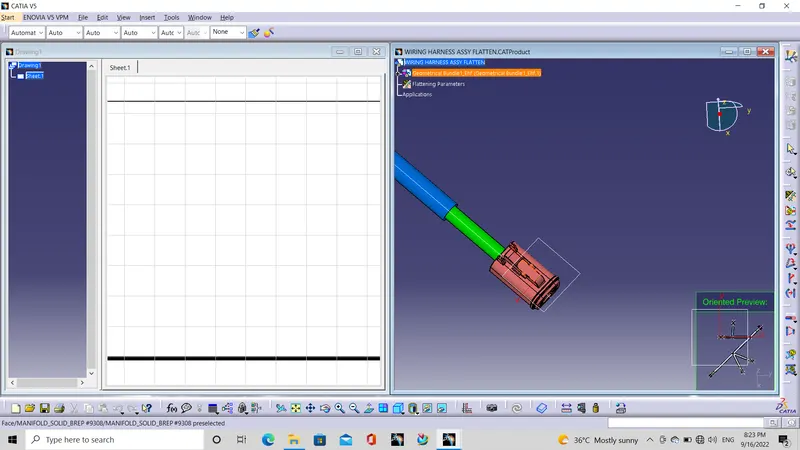
Step-4: After fletten the design, the drafting is need to made for manufacturing. Create new drawing and define all the parameters for drafting.
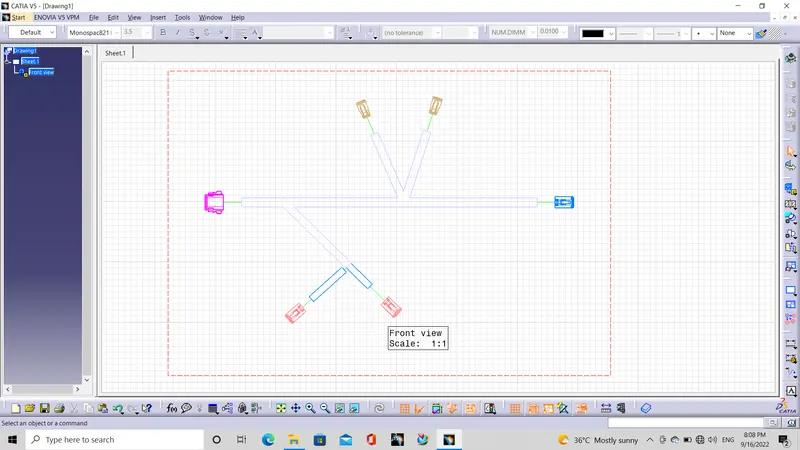
Step-5: Select Tile Vertically mode for select the design easily and select the front view and locate it with space for BOM, Title box, etc,.
Step-6: Bundle is not shown, because it is 3D part. So modify the properties of the draft by select 3D Wireframe for show the 3D parts and also select other option which we need to create parper drafting.
Step-7: Title box added from select title block option from Insert- Drawing- Frame and Title Block and select formet of block which we need then edit it.
Step-8: BOM material also so in the same drawing option, By clicking the design part from the product file and click on the drafting worbench, the Bill of Materail will created automatically on the drafting sheet.