Wiring harness design in CATIA V5 - 3D modeling Week 7 Challenge
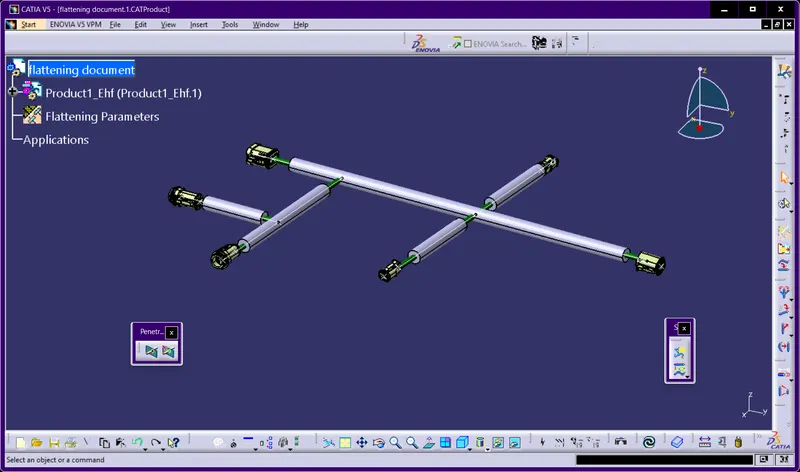
1) HOW TO CREATE ROUTING BETWEEN THE CONNECTORS ?
Draw the sketch in the part work bench like as same in design and then go to assembly workbench and the sketch can be copy in the assembly workbench , import all connector in the assembly workbench , and by using snap tool i arrenged all connector in proper positions and then open electrical harness assembly workbench and click on create bundle between connectors and go to normal view and it can appear very clear.
2)HOW TO ADD PROTECTIVE COVERING TO THE BUNDLES ?
in electrical harness assembly workbench ,click on the protective covering tool and select the corragated tube and select bundle,select and maintain end and start extremity and then ok.
3)HOW TO CREATE FLATTENING?
go to file and select new and select product , in the product workbench ,open the harness flattening ,above window option can click tiles vertically option can be select ,double click on the new assembly workbench and click on the extract tool and click on workbench which multiple branches can be created and on the flatten command and select all bundles and it flattening position will be definitely will occur in proper position.
4)HOW DO WE DO CHANGES IN FLATTENING ?
if we go to intially created assembly workbench , and then add corrgated tube to the created assembly workbench and then open to the flatten workbench click on synchromize tool and it can easily updated in the flatten workbench.
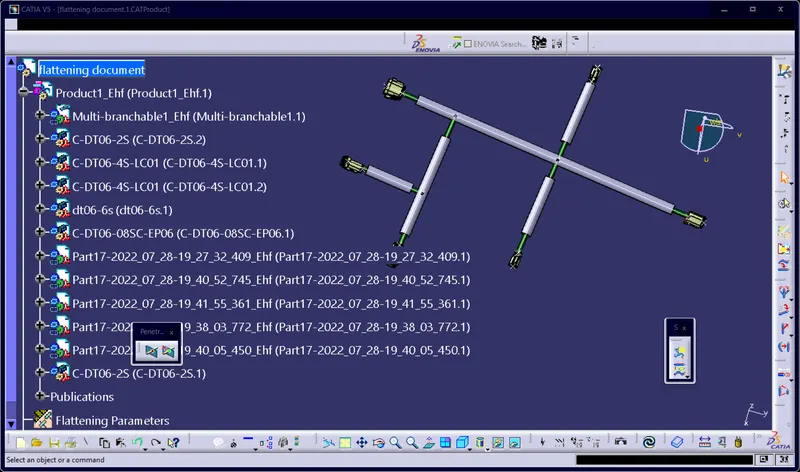
THE ABOVE PIC SHOWS THAT I APPLIED NORMAL VIEW.