Wiring harness design in CATIA V5 - 3D modeling Week 7 Challenge
REPORT:
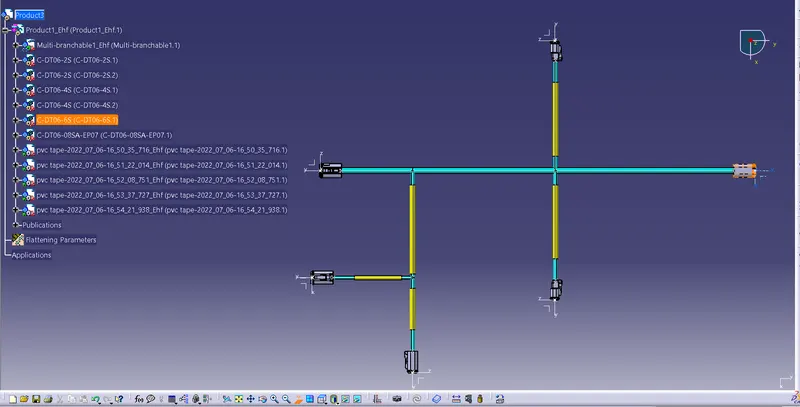
1.First assigned as Electrical harness flattening on given drawing view and created flattening parameters then click front view and click on product as shown as normal view
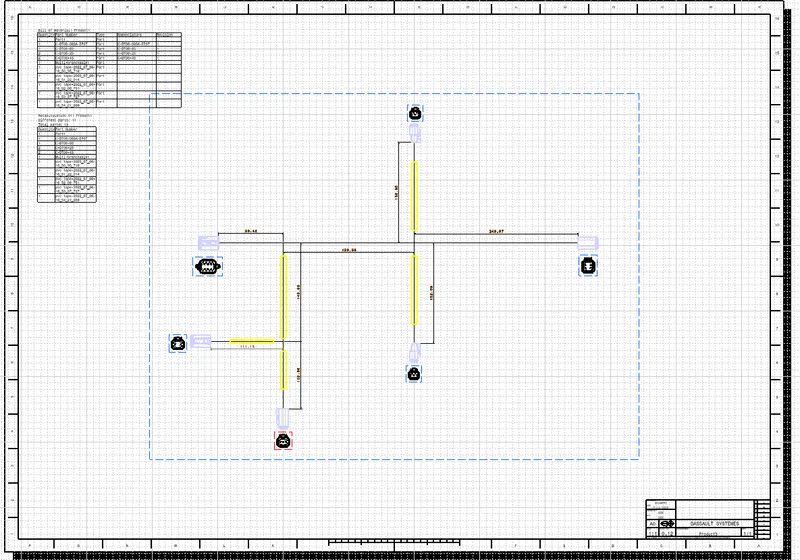
2.Then created new drawing file used as Extract option to click on previous window product and it came to view as drawing product file and click properties to change 3d wireframe click as always visible
3. Select edit choose as sheet background and then choose frame and title block
4. Every connectors showns as front view and callout dimensions
5. Represents as colour coding for bundle with protective covering
6. Finally shown as product of Bill of material