Wiring harness design in CATIA V5 - 3D modeling Week 5 & 6 Challenge
Wiring harness design in CATIA V5 - 3D modelling Weeks 5 and 6 Challenge
Aim:
- Route two electrical harnesses per the given layout and interconnect them as a single harness assembly
- check for bundle continuity, and bundle warnings, and then provide annotations for the final harness assembly.
Objective:
- The purpose of this project is to first route the two Harness A and Harness B according to the given harness configuration.
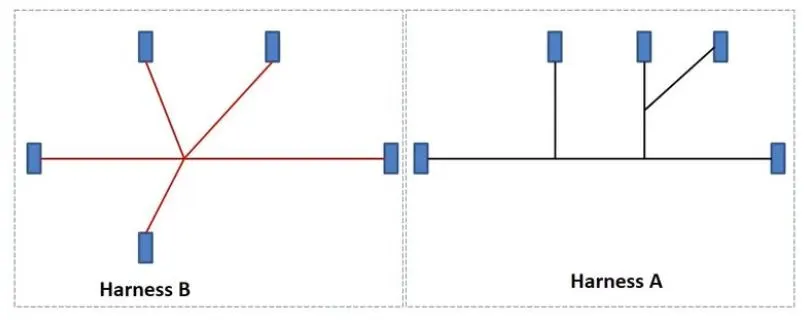
Shows the arrangement of two Harnesses A and B.
1.In the diagram above, numbers denote the electrical connections. There are eight distinct types of connections at ten different sites.
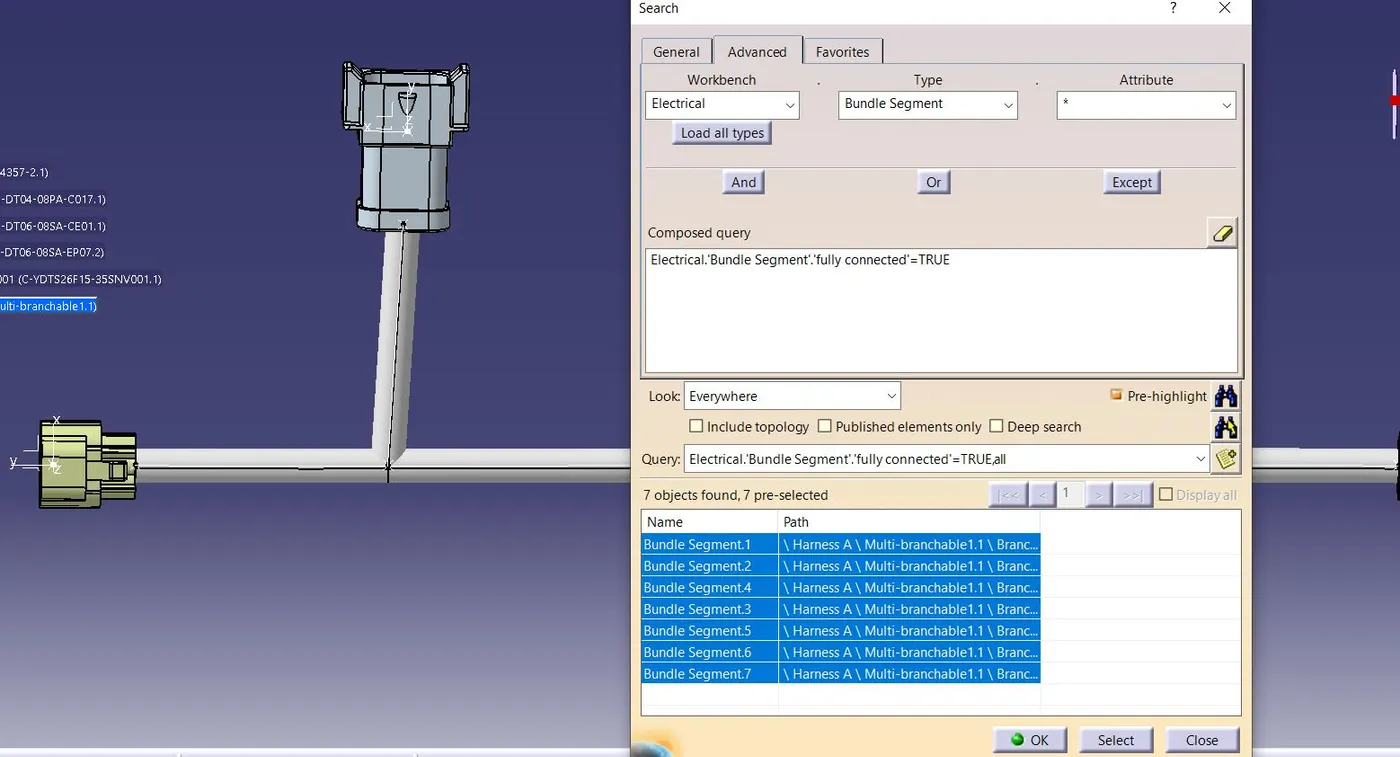
2. Check bundle continuity for the two harnesses that have been generated.
3. After the two harnesses have been made, the following step is to link them electrically.
4. Look for bundle warnings in Harnesses A and B.
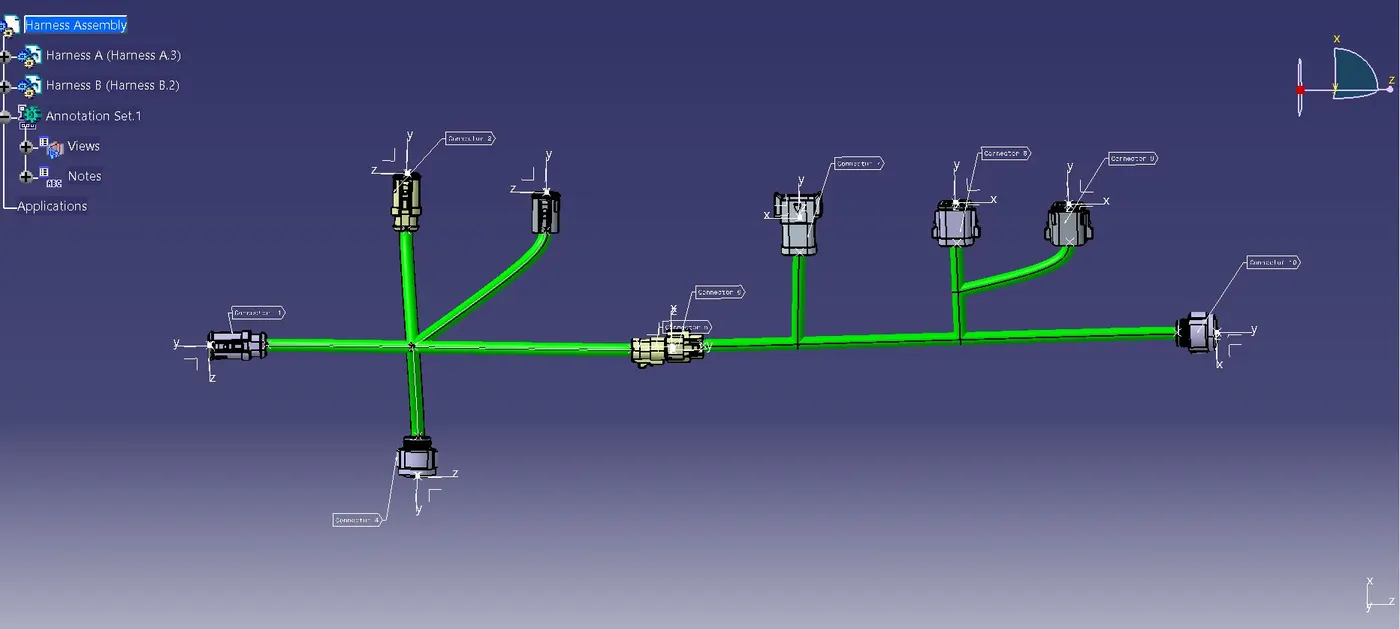
5. Add annotations to all of the connectors in Harness A and Harness B.
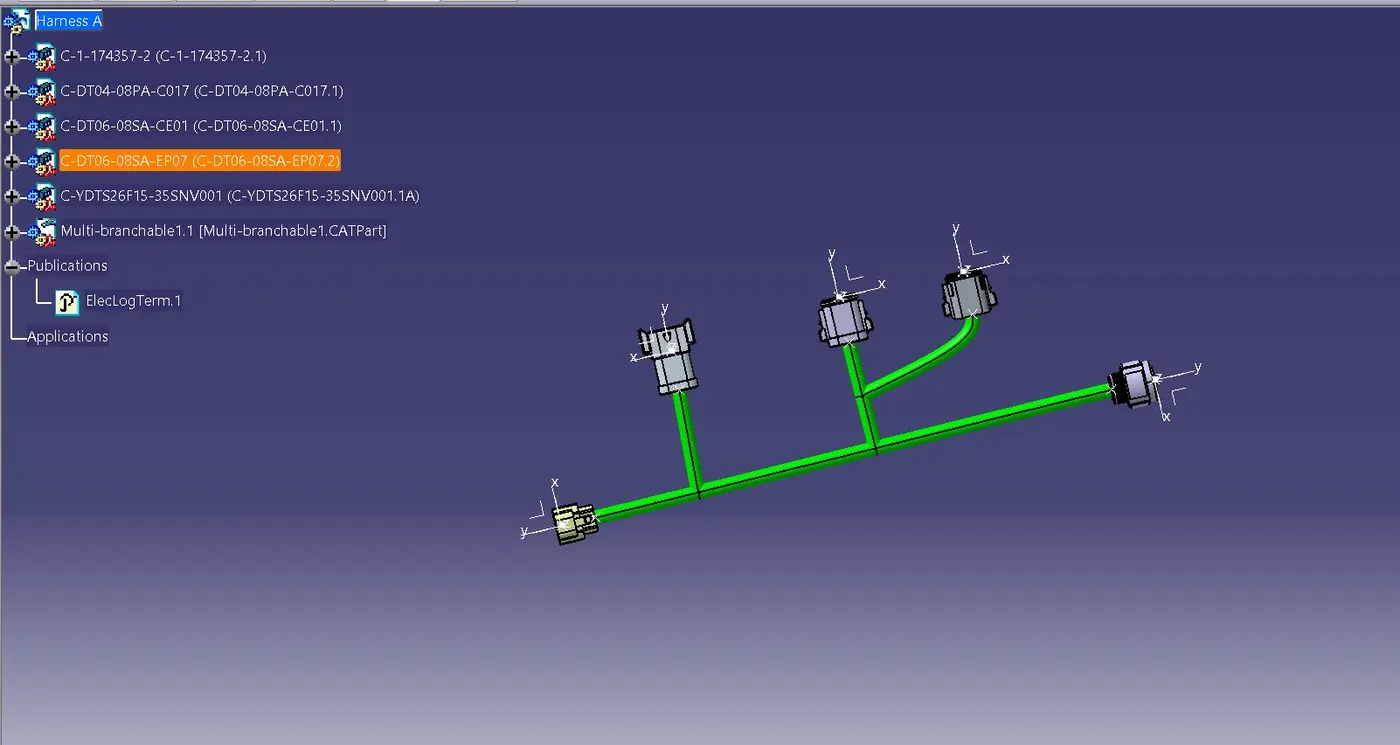
HARNESS A.
After all of the connectors were defined, the workbench was switched to Electrical Harness Assembly, and Geometrical Bundle was activated. All connectors were routed using the Multi-Branchable Document command.
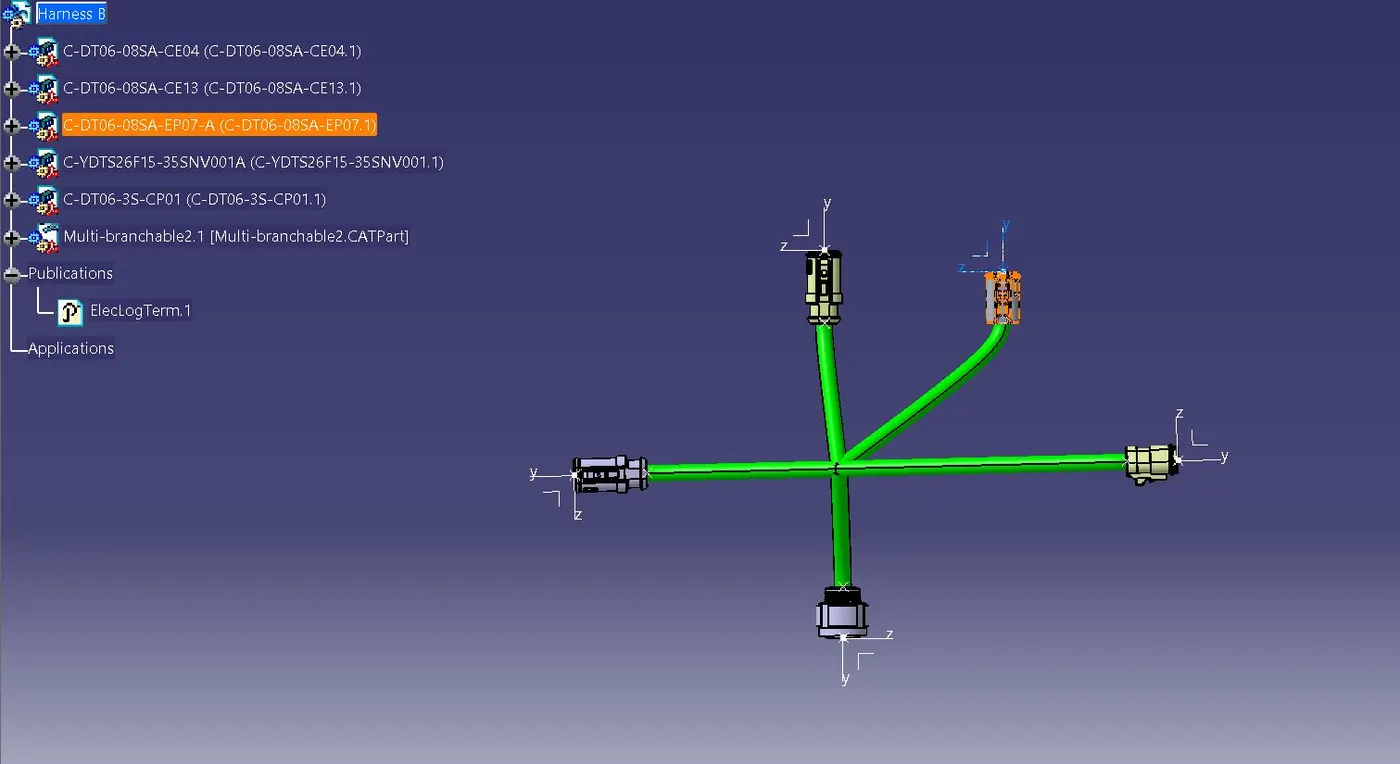
HARNESS B.
After all of the connectors were defined, the workbench was switched to Electrical Harness Assembly, and Geometrical Bundle was activated. All connectors were routed using the Multi-Branchable Document command
HARNESS ASSEMBLY and ANNOTATION:
CONNECTIVITY CHECK :