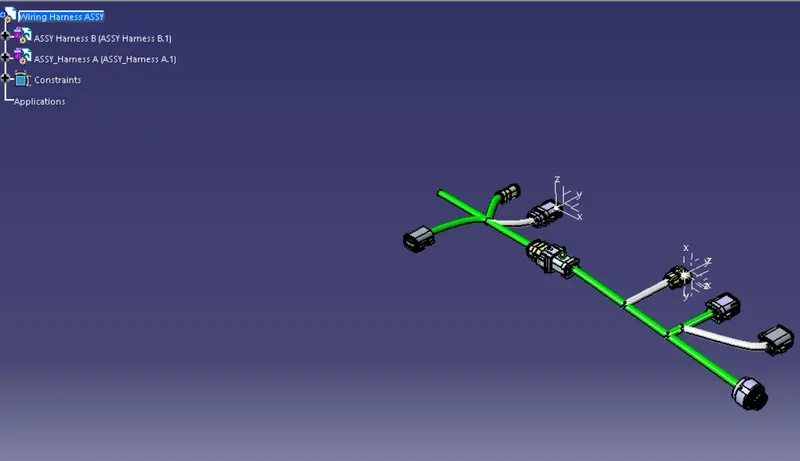
Wiring harness design in CATIA V5 - 3D modeling Week 5 & 6 Challenge
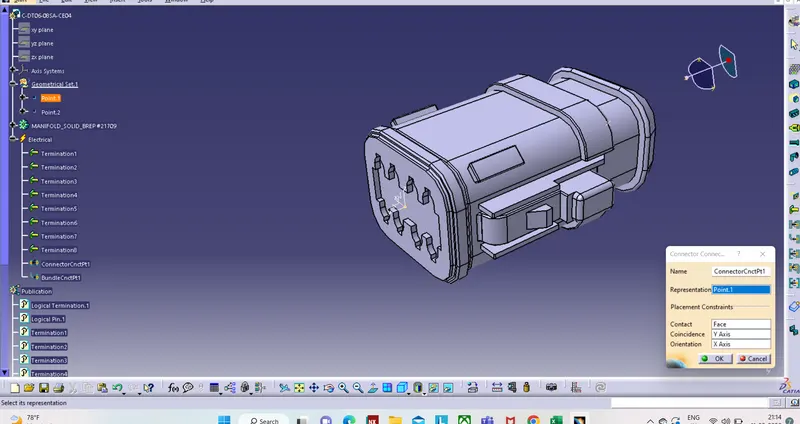
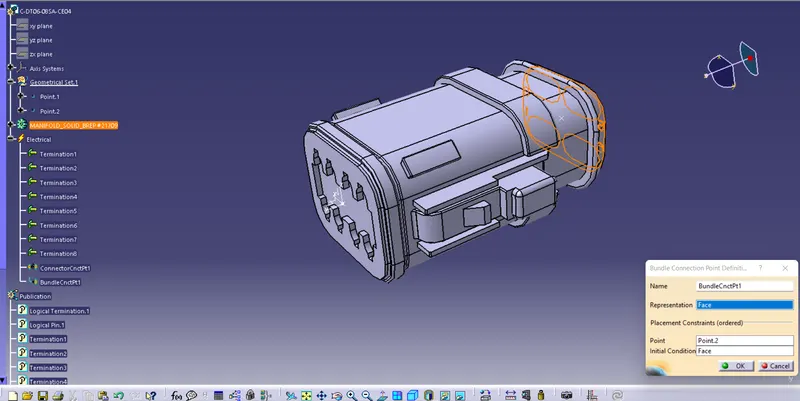
1. Firstly, Download all the connector files and Define the connector connection point and bundle points in all the connectors in Electrical part design.
2. Create a seperate product file for Harness A and Harness B, and place the connectors according to the given layout.
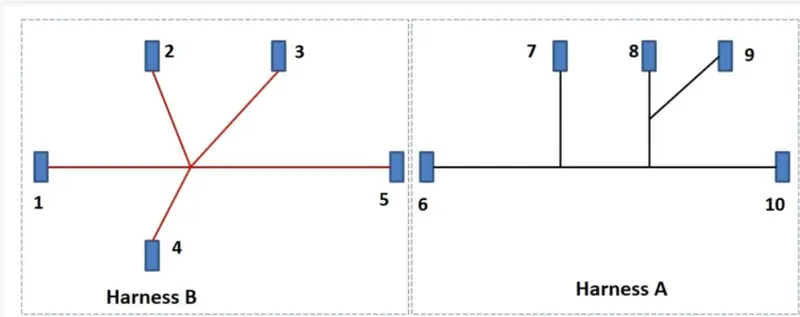
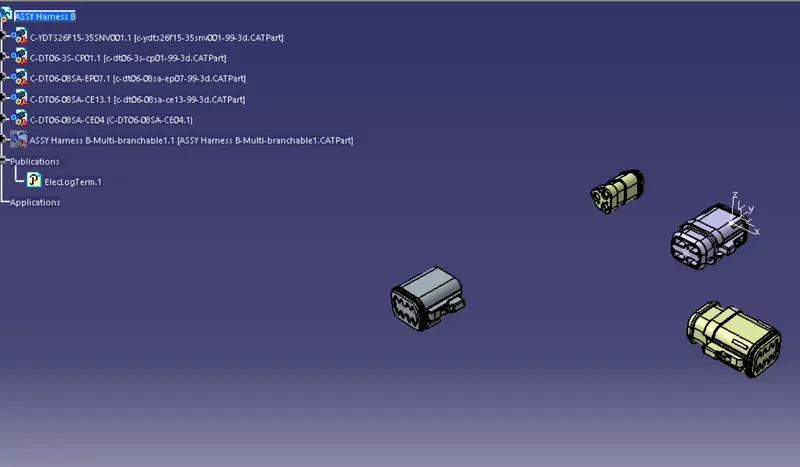
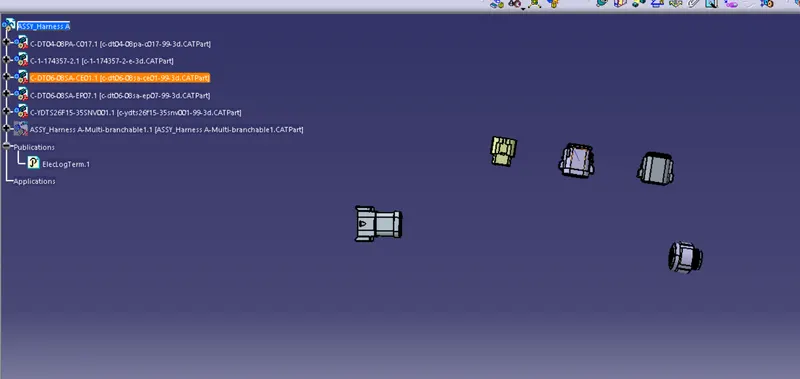
3. Define the ASM A and B as Geomentric Bundle and start routing the connectors according to the layout. Create branch points and route them accordingly,
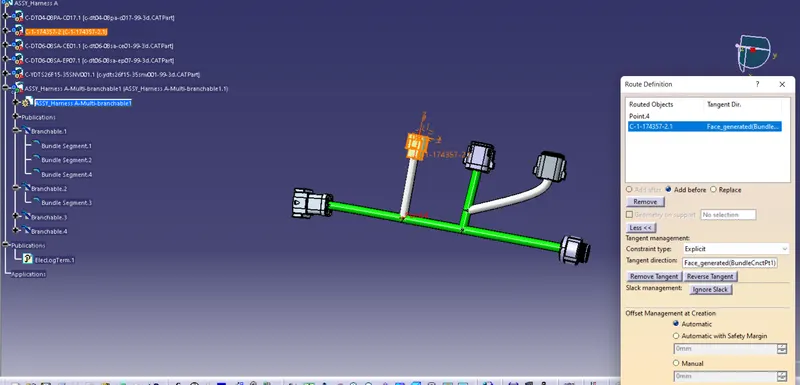
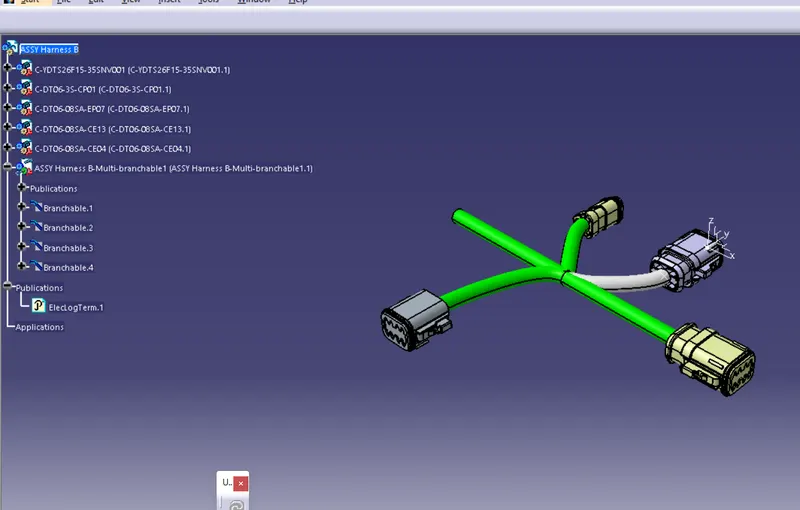
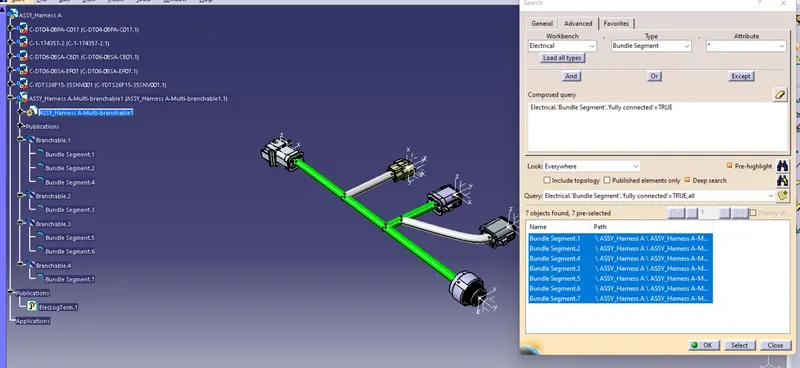
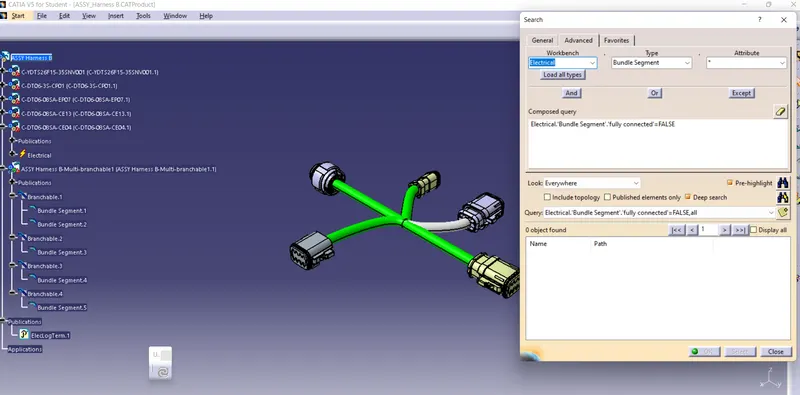
4. Finally, Check for any bundle warnings and bundle contiunity by clicking on Edit>Search> Electrical>BUndle Segment> Fully connected and set the condition to be true. This means all the bundle segments are connected together. If u give false condition and nthng shows up, this is also a true condition which means there are no disconnected bundles in the assembly.
5. Create another product file and insert Harness A and Harness B. Inter connect them in electrical asm workbench and select connect electrical devices command. This will create a interconnection bw Harness A and B