Wiring harness design in CATIA V5 - 3D modeling Week 4 Challenge
Q.1.Ans:
Aim:Route the harness layout in Electrical workbench. Make assumption for harness bundle diameters. Use Following connectors as shown in layout diagram.
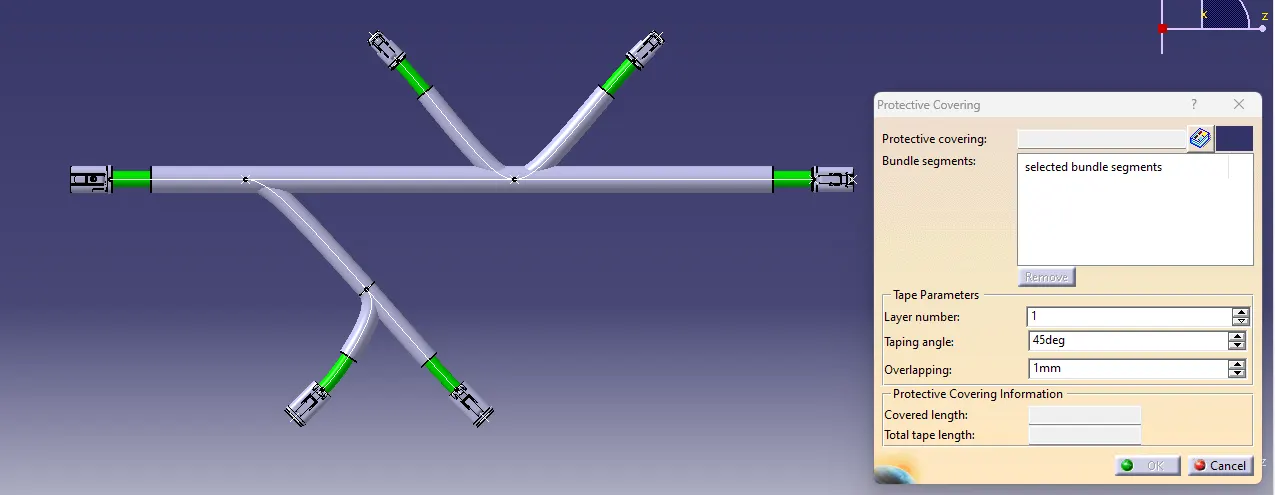
Add protective covering on all branches connected to DT06-2S & DT06-4S connectors. Keep end extremity at 30mm (from connectors end)
Harness Layout:
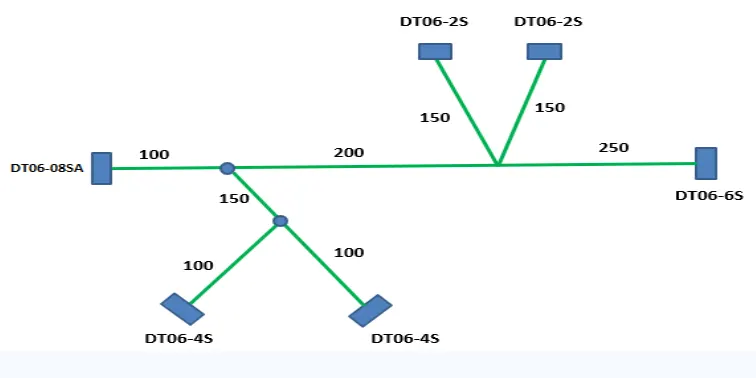
Wiring Harnness assembly contains:
1.The Harness Context assembly:This is the top level product file that contains harness geometrical bundle and electrical bundle asssembly.
2.Geomterical Bundle:This sublevel product file is the wire harness product it contains electrical harness components like clips,connectors,grommets and supports.
3.Electrical BUndle:This Sub level file contains all of the electrical circuit information.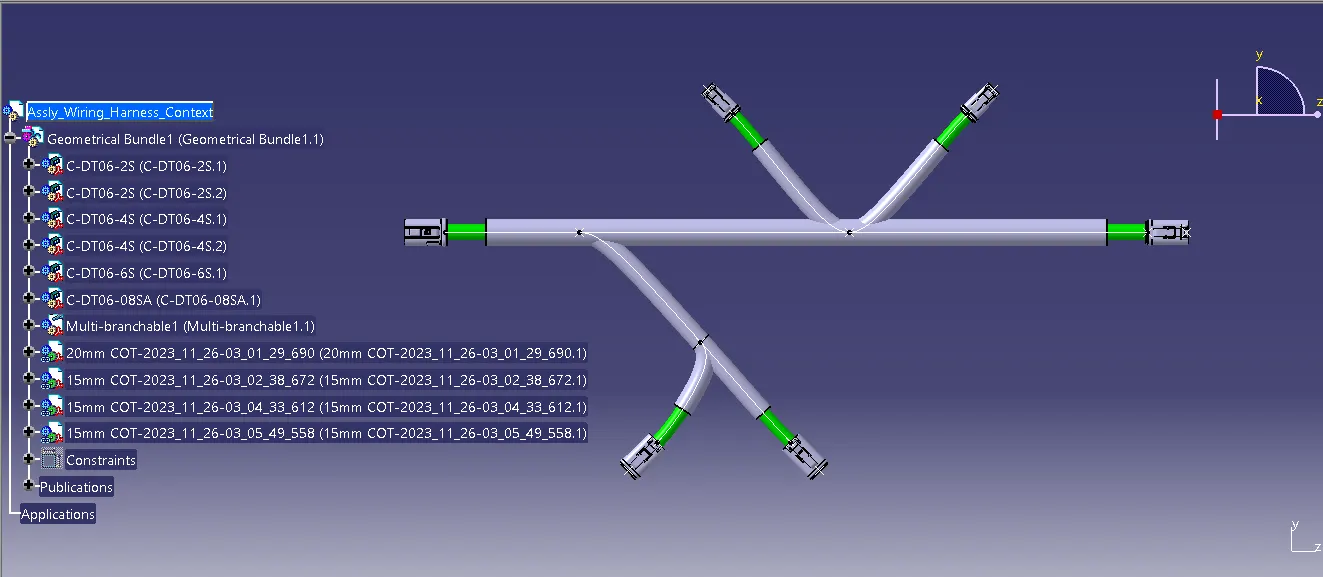
All given connectors are positioned as per given routing.
1.Steps to create the routing.
a.Click on the multibrachable icon and select diamter as per required and pot the 1.4 bend radius.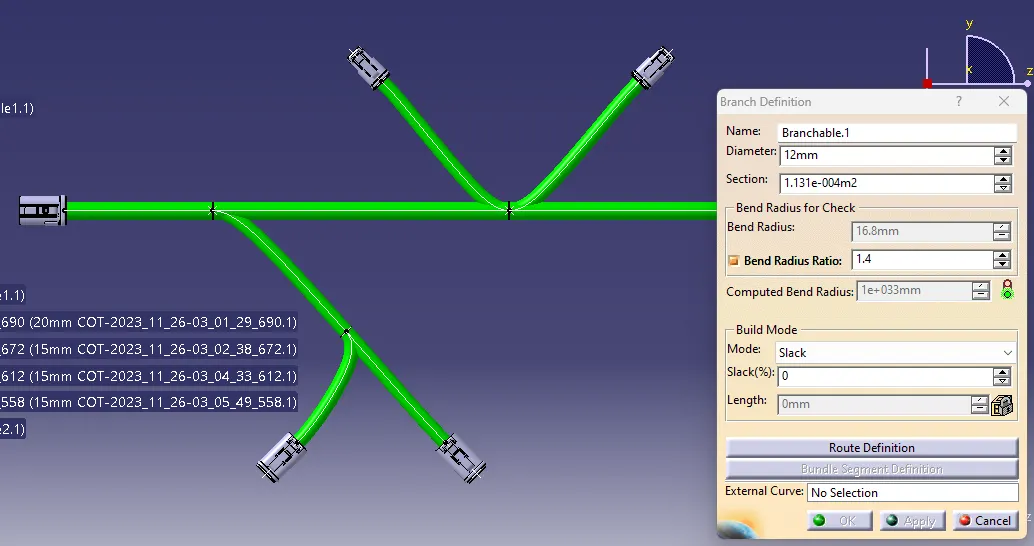
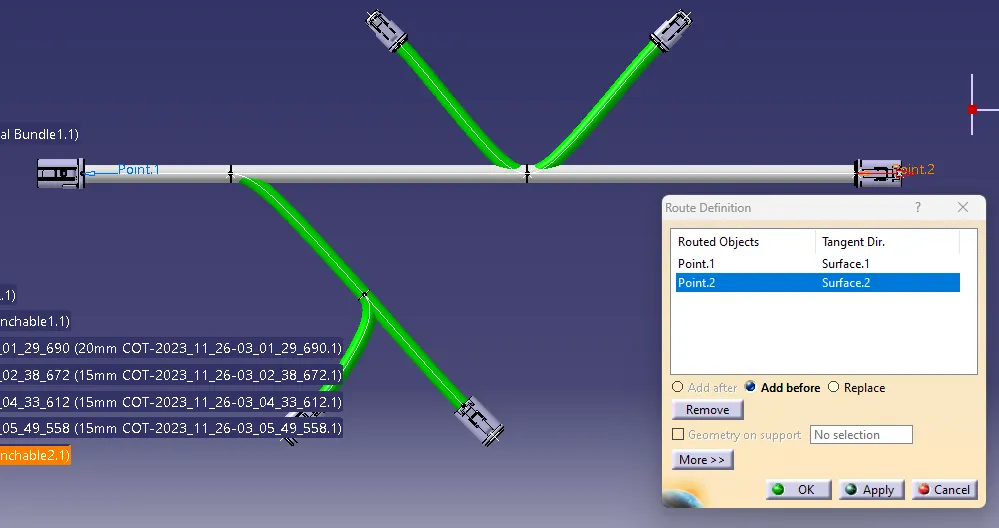
b.Click on route definition and select the first object and second object.
3.To add the branch point click on add branch point command select the routing and put the required length.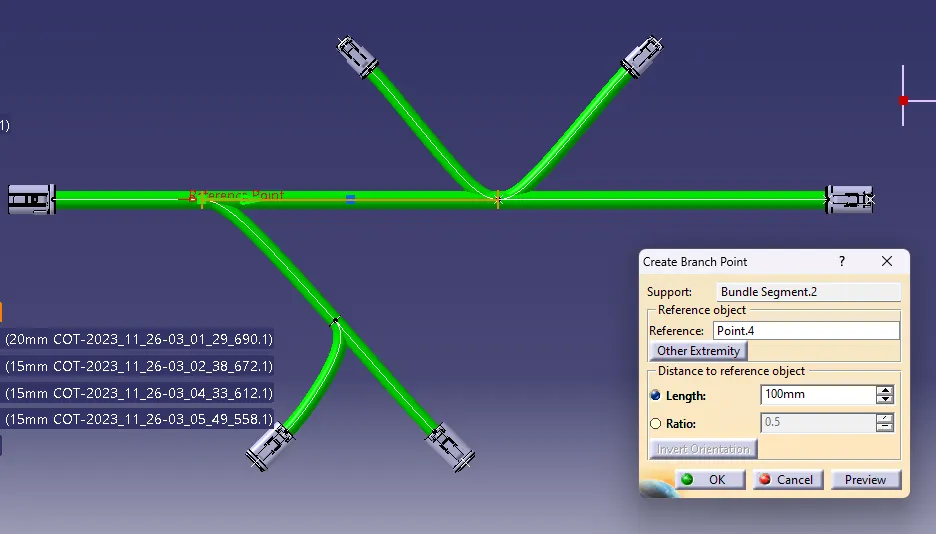
Finally added the coverings of required diamter by protective covering command and selected from the catalogue document and provided the 30mm offset value to the coverings as below.