Wiring harness design in CATIA V5 - 3D modeling Week 2 Challenge
1.Deutsch DT06
step 1: ater downloading the file given we have to extract it
step 2 : add the extracted cad file into tot the CATIA work bench
step 3: we have define it as an MECHANICAL PART by using PART DESIGN
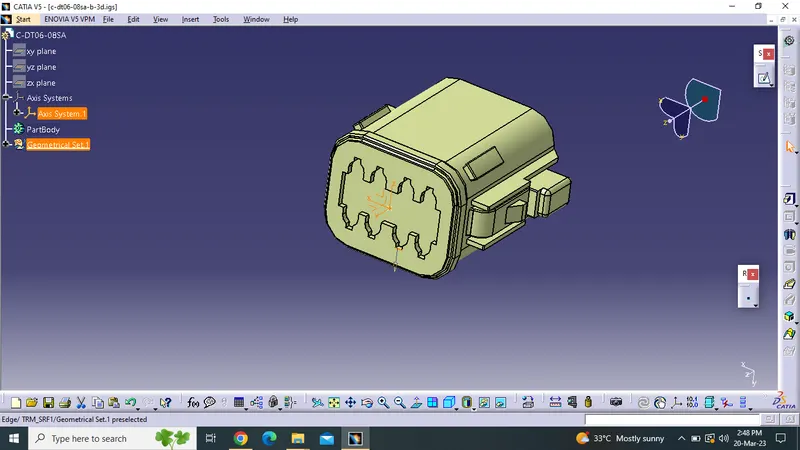
STEP 4 :we have to name the apart and initilize the POINT and AXIS on it mating and bundle entry regions
step 5 : define the element as CONNECTOR
step 6 : Define the bundle entry and connection point
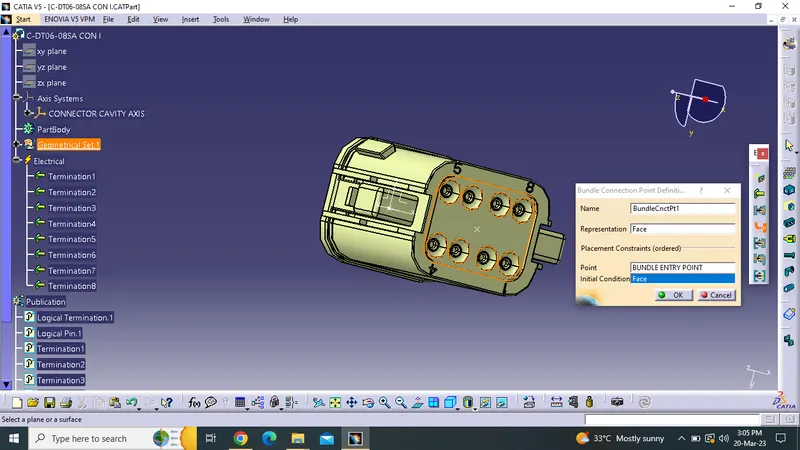
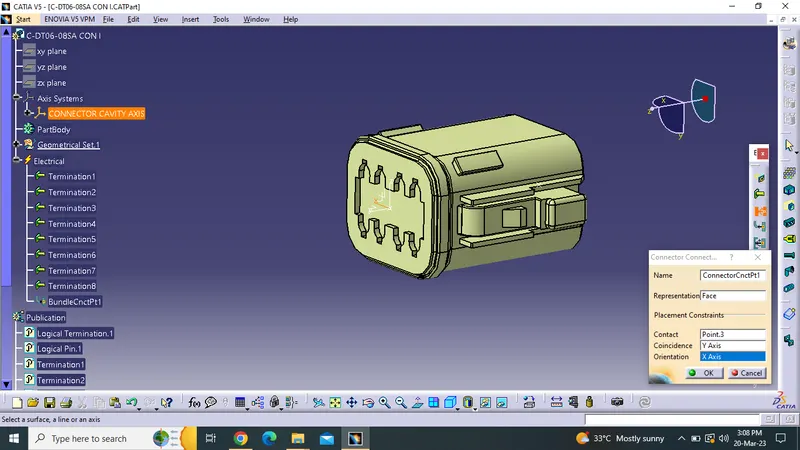
step 6: we could save theabove element as an CONNECTOR and use for the furtther use in design
2.Tyco 174357
repeated the same process and placed the output file below also we have another thing to do which is adding an CAVITY CONNECTOR POINT in it
3.Tyco 85229-1
here the clip is designed with the matting face with above connecter we have designed