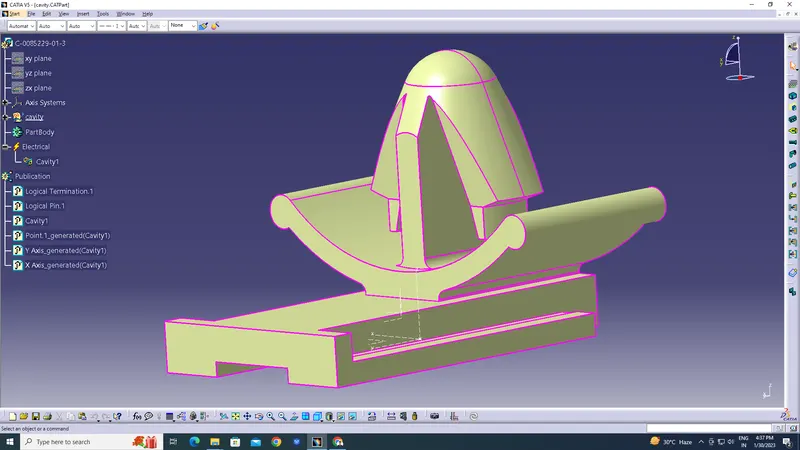
Wiring harness design in CATIA V5 - 3D modeling Week 2 Challenge
Wiring harness design
AIM:
Download following connectors & Connector clip cad data from given link & define it as Electrical Connector using Electrical Part design Workbench. Define all the necessary properties to Connectors & Clip.
INTRODUCTION TO WIRE HARNESS
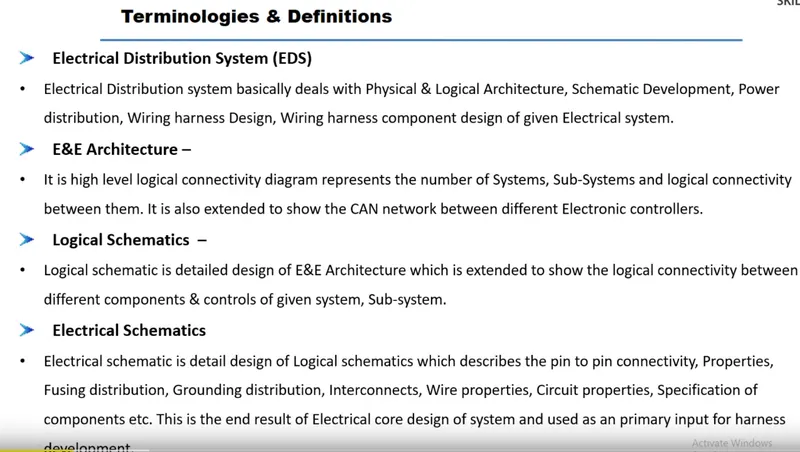
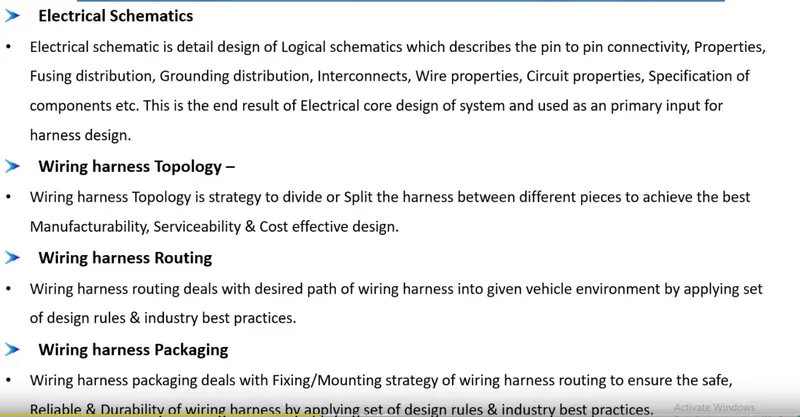
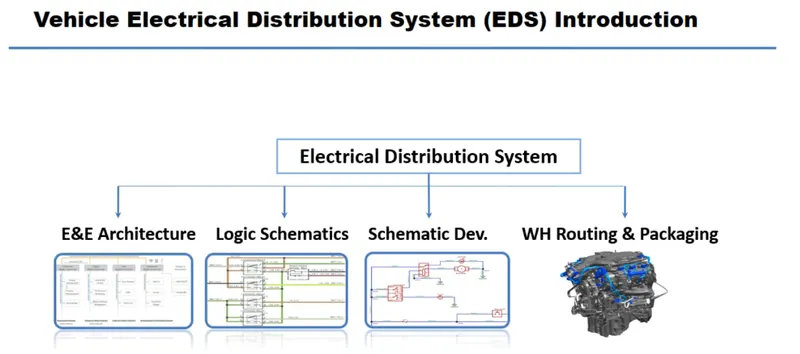
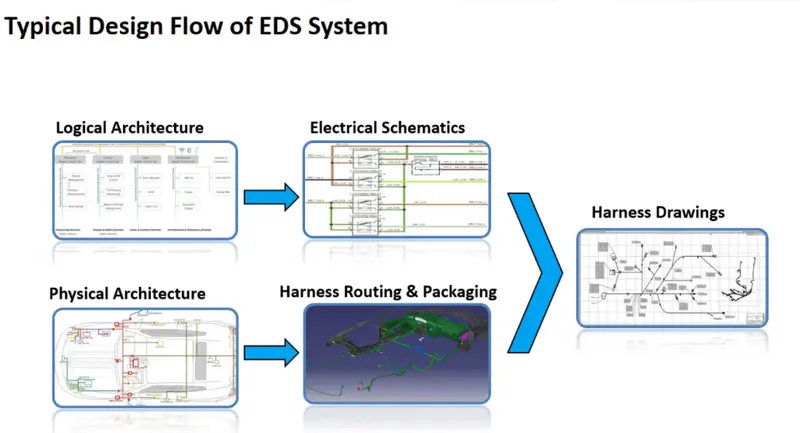
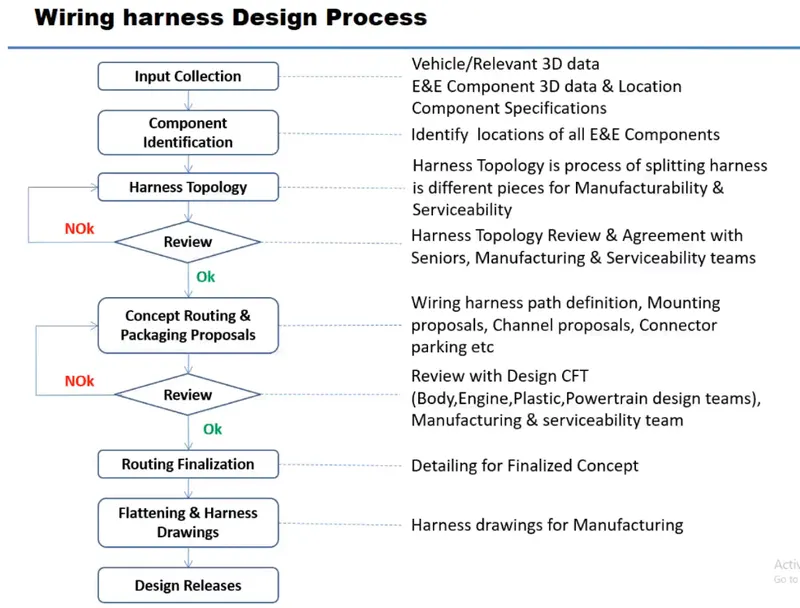
DEFINIG ELECTRIC PARAMETER FLOW CHART
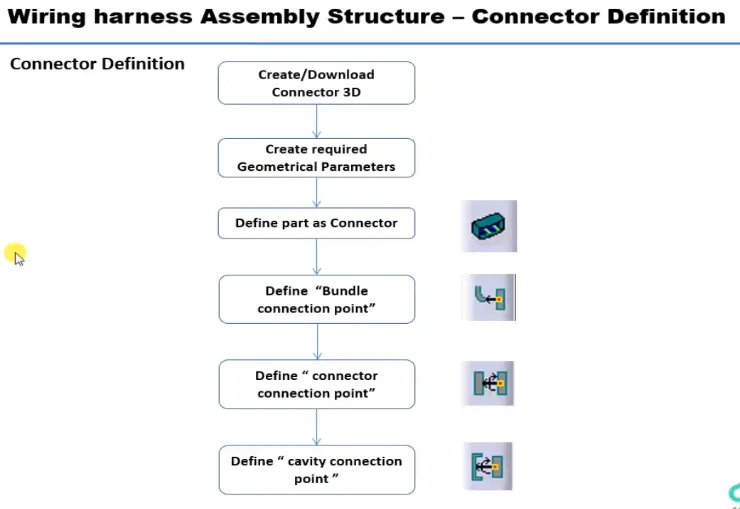
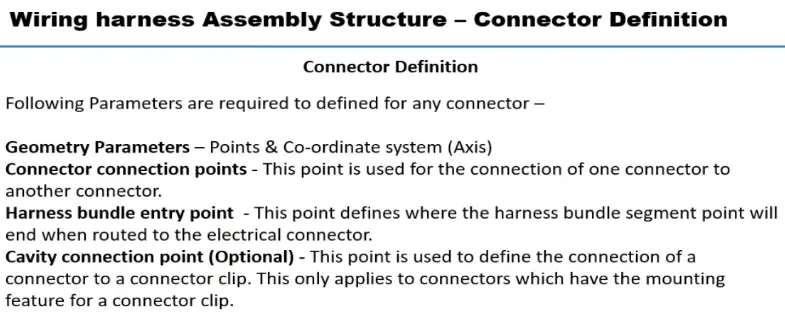
CONNECTOR DEFINATIONS IN CATIA V5
1. Deutsch DT06 – 08SA
Connector connection point:
Create midpoint on the contact face which will be normal to wire bunddle insertion.
Craete Axis System with respect to the point which we have created and defining the axis direction as shown below,
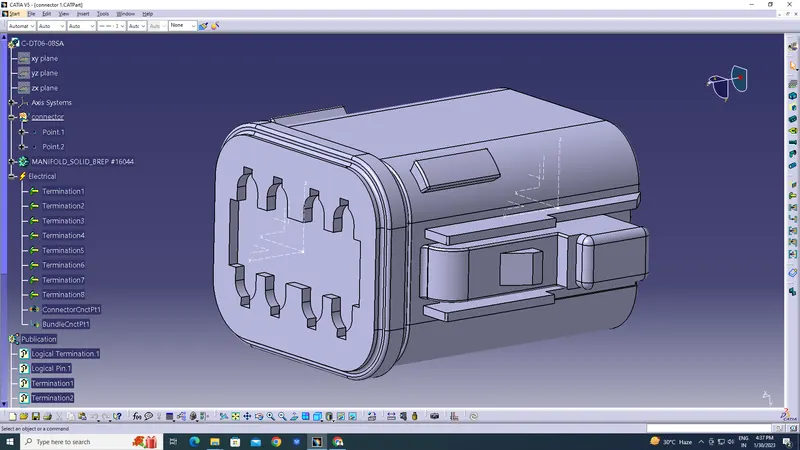
Bundle connection point:
Switch to 'Electric Part Design'
Define the part as connector in catia, give no. of termination as 8 because we have 8 entry points for wire.
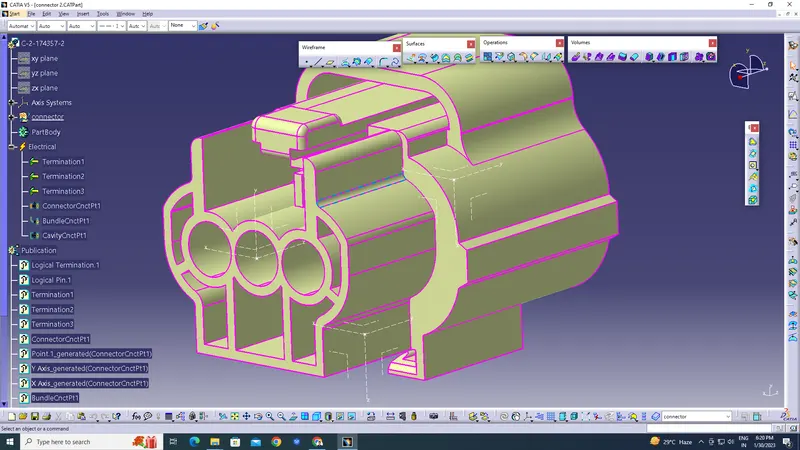
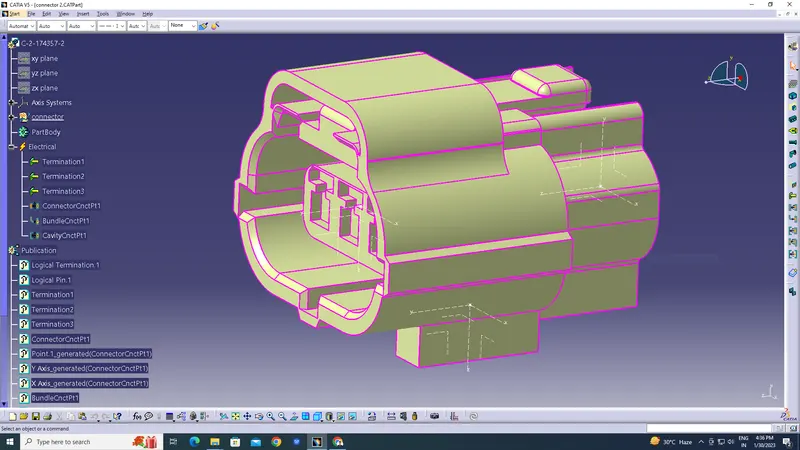
clip :