Week - 9 Material Modeling from Raw Data
Aim-
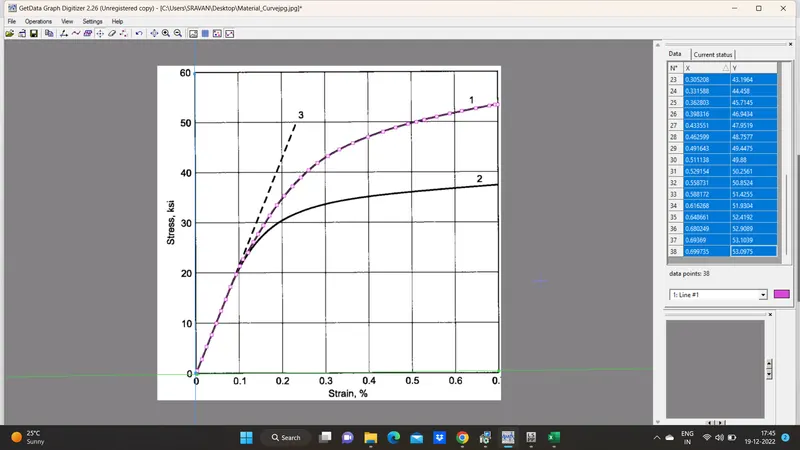
By using the diagram of the true stress-strain curve of graphite iron casting. Two curves are there for different material structures. We need to pick any one of them and use the data to create either a MAT_024 or MAT_018 material model and then validate it.
Objective-
- To extract the data from the diagram.
- Clean the data and visually confirm that it matches the original data and the elastic modulus is 20.9E+06 psi.
- Convert the data to (kg-mm-ms) unit system.
- Process the data and create the material as demonstrated.
- Use the material model with a dogbone specimen and validate the same.
Procedure-
- As mentioned above we have to download the GetData Graph Digitizer software and then have to install it.
- Then we have to save the above image from .png to .jpg format, as it is only acceptable file format in graph digitizer.
- Now we have to create the co-ordinate axes and then set the data as per graph then we have to start selecting the point accoringly.
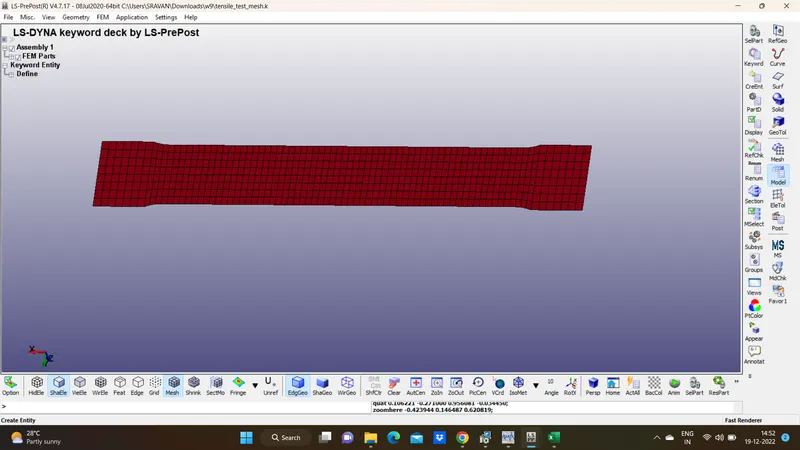
- The dogbone specimen is defined with shell elements of thickness 2mm and ELFORM 16.
- Now we will go to the Define>>curve and input the value of curve data to get the curve.
-
The LCSS contains the load curve of effective plastic strain EPS vs effective (true) stress ES.
The effective plastic strain is calculated in the excel sheet from the true stress value using the relation
Effective plastic strain = True strain - (True stress/ Young's modulus)
The region of the curve after the yield point (144 Gpa) is the plastic part of the curve. Therefore the values in the excel sheet after this stress point, and the corresponding EPS values are input into LS Dyna and the curve is generated as shown below.
Material Definition
The MAT 24 piecewise linear card is defined with the following parameters. The unit system used is kg-mm-ms. The Young's modulus (E) is 20.9 e+6 psi which is 144.100 Gpa. The value of density (RO) and poisson's ratio (PR) are given accordingly
Part Creat:-
Finally we have to assign the section and material to the part.
BOUNDARY_SPC_SET:
To fix one end of the specimen as test procedure we will constraint all the degree of freedom for edge nodes on one end of the specimen.
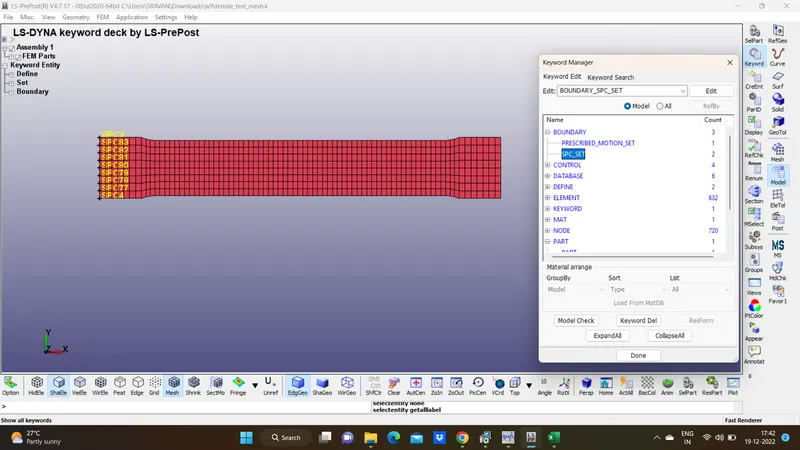
Control cards: ENDTIME:1.0
1.*CONTROL_IMPLICIT_GENERAL
2.*CONTROL_IMPLICIT_SOLUTION
3.*CONTROL_IMPLICIT_SOLVER
4.*CONTROL_IMPLICIT_AUTO card has been defined to adjusts the time step size automatically.
DataBase:-
- Now we will create the database file.
- BINARY_D3PLOT - It defines the frequency at which the animation file is to be created and is set to 0.1ms.
- Extent Bianry database card.
The output request in ASCII format, The following keyword are activated
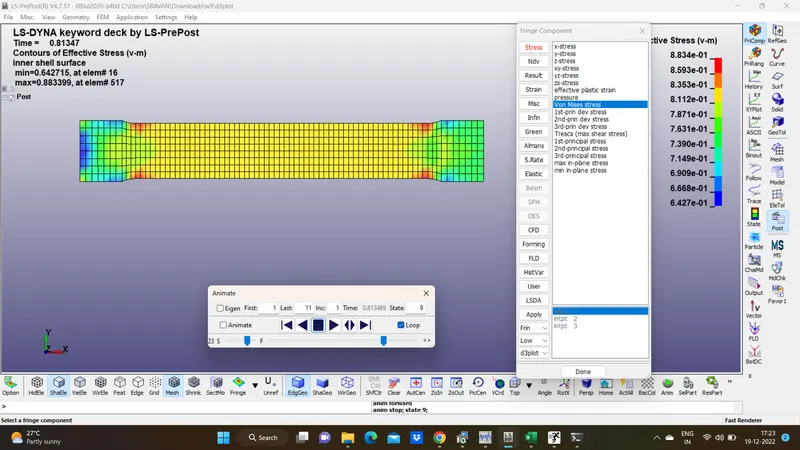
Results:
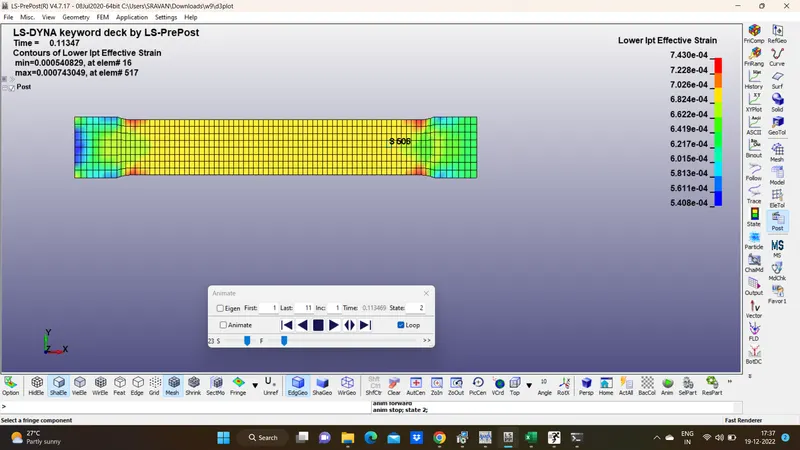
Conclusion:-
- The stress-strain data extracted from the image is validated with the MAT_024(Piecewise linear plasticity) material model.
- The stress-strain behaviour after yielding is considered by a hardening curve which is given as an input through the MAT_024 card.
- The MAT_024 material model captures the actual stress-strain behaviour similarly and almost matched the defined stress-strain curve in the material model.
- Also we have seen little variation in the simulation data, which can due to the lack of information like density and Poisson’s ratio for the raw data, Mesh Size of the model or defining proper strain rate. These variations can be fine-tuned by trying different values of these properties and by selecting more data points to better capture the curve feature.