Week 9 Machining with Planer Challenge
Aim-
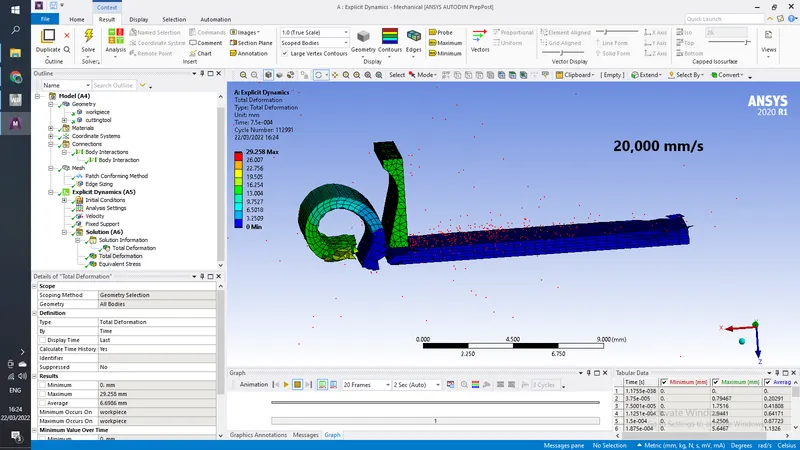
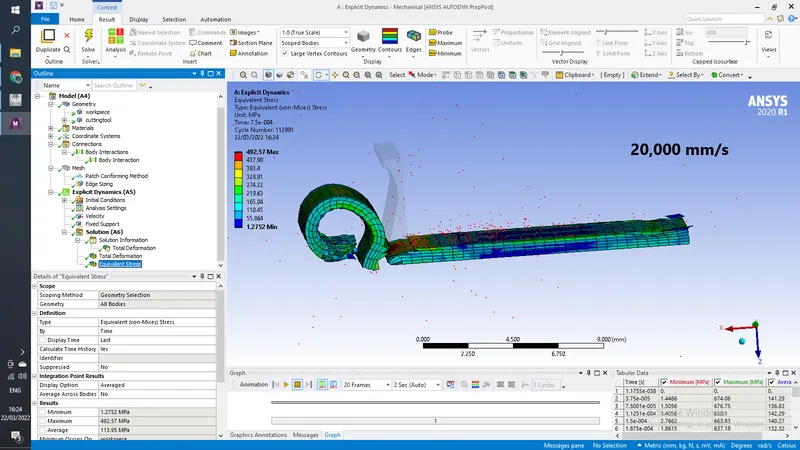
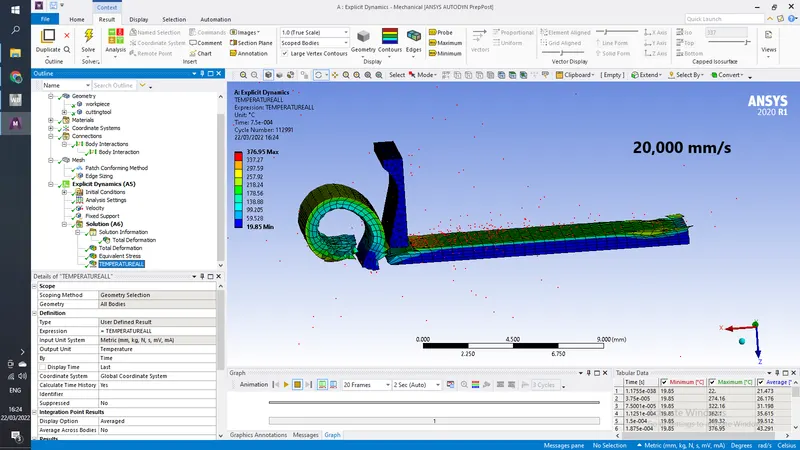
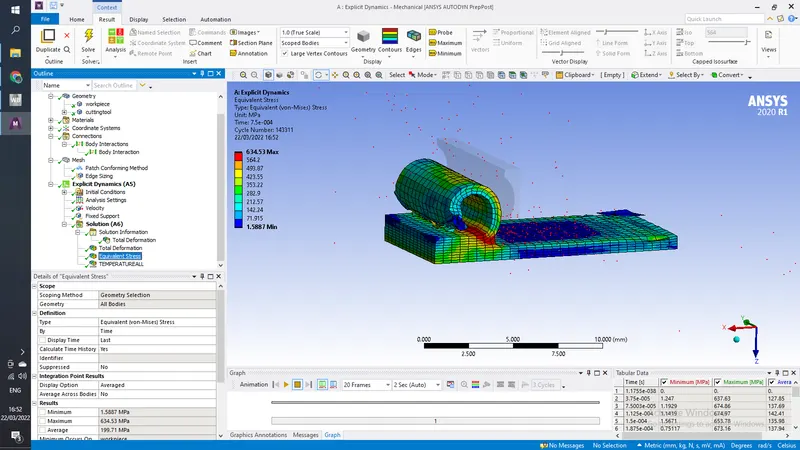
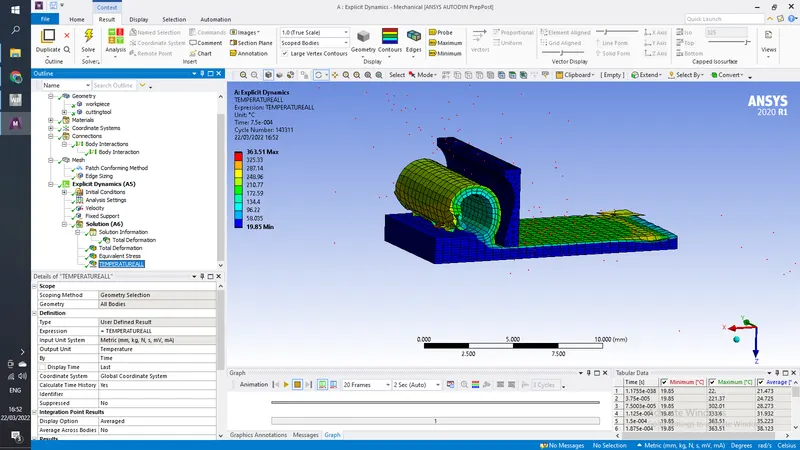
You will have to perform an explicit dynamics simulation to find out the Equivalent Stress, Total Deformation and also insert a User defined result to calculate the temperature of the body. You need to perform this for 2 cases. One will be with a cutting velocity of 20000mm/s and the other will be with a cutting velocity of 15000mm/s.
Procedure-
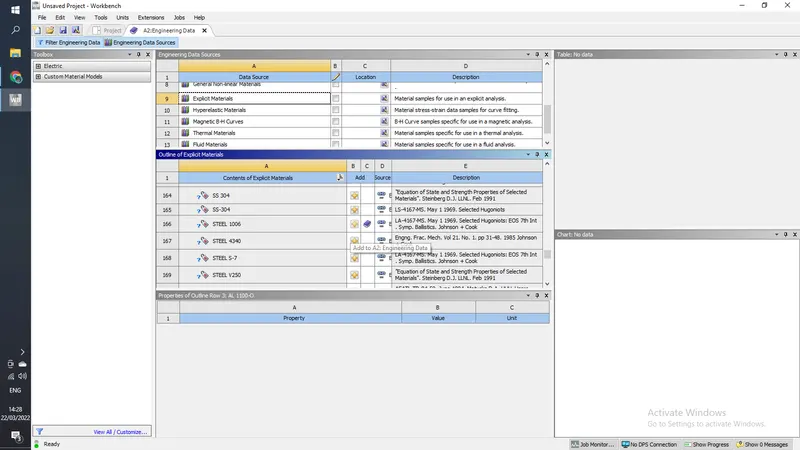
1) Open ansys workbench and drag explicit dynamics into the project schematics, open engineering data sources and select steel 1006 form explicit materials
2) now import the model into space claim, open the geometry and look for any abnoramality in the model,if everything is okay then close the space claim
3) open model and rename the parts as below
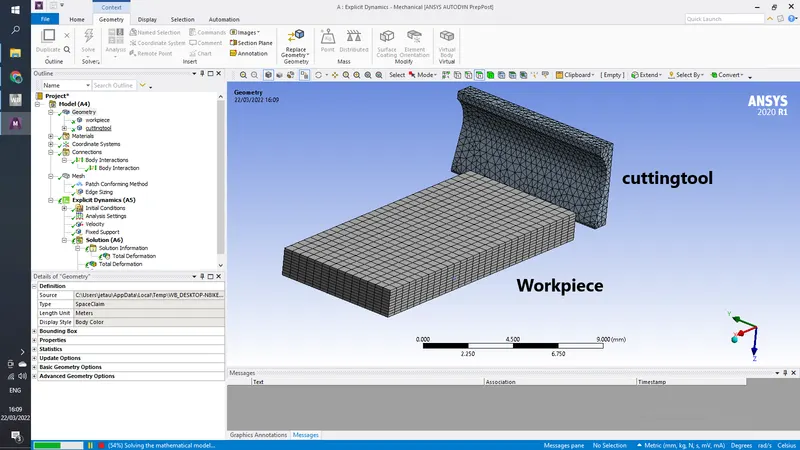
Now give workpiece material as steel 1006 and make cutting tool a rigid body as we are not intrested in know results on cuttingtool
in connection delete pre existing bonded connection and let body interaction of frictionless be there.
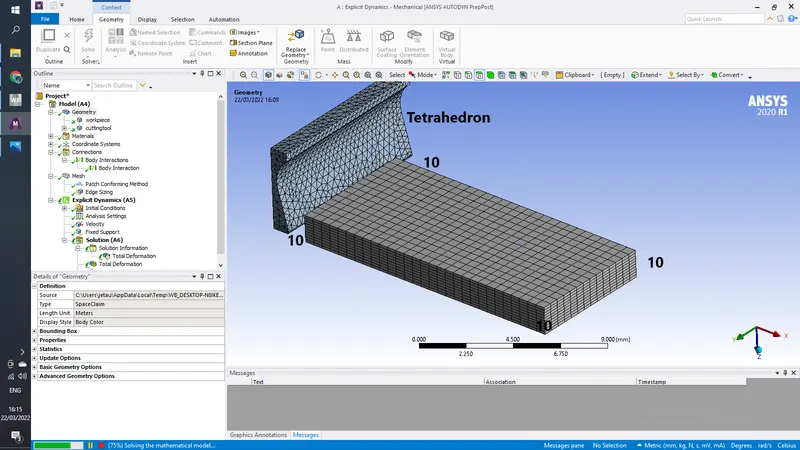
in mesh add
method- tetrahedron to the cutting tool
sizing- edge sizing- no. of elements - 10 to all the vertical edges of workpiece
In analysis settings give step end time as 7.5e-4
now for CASE 1
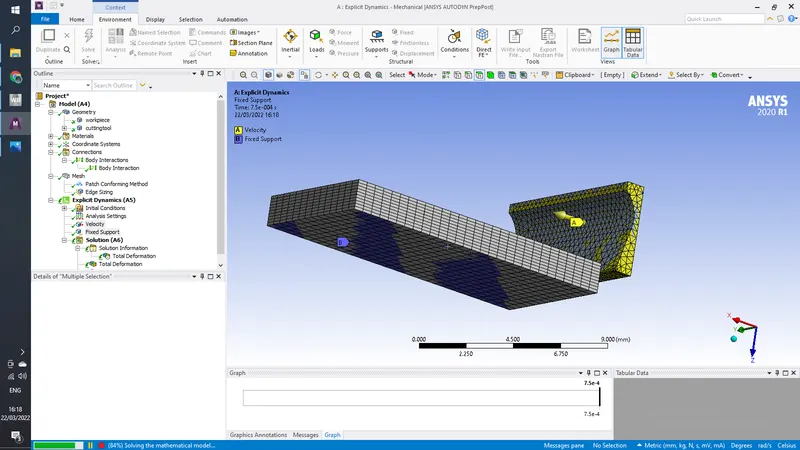
Give velocity to whole cuttingtool as 20,000mm/s and fix the workpiece by its base
In solutions add Equivalent Stress, Total Deformation and temprature
CASE 2
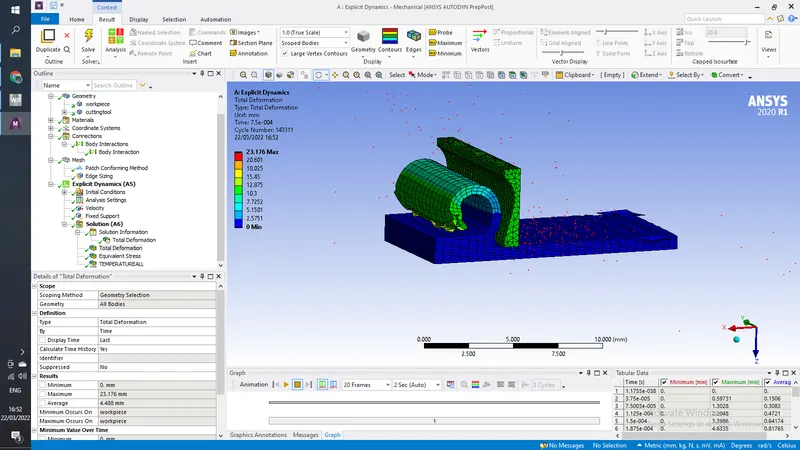
Here only change the maximum energy error from 0.1 t0 0.2 and velocity from case 1 to 15,000mm/s
before hitting solve, clear previously generated data and solve
Conclusion-
in 15,000 mm/s the step end time is not sufficient for the cutting tool to completely remove the material, to completely cut the piece either we have to inrease speed of tool or give more step end time so that it can travel further.