Week 9 Machining with Planer Challenge
AIM
- To perform the explicit dynamics simulation on the cutting tool using the workpiece as the steel 1006 material.
OBJECTIVE
- The objective of this challenge is to perform the explicit dynamic analysis to find equivalent stress, total deformation, and temperature of the body using user-defined results for two cases.
- Case 1: Cutting Velocity of 20,000m/s and
- Case 2: 15,000m/s.
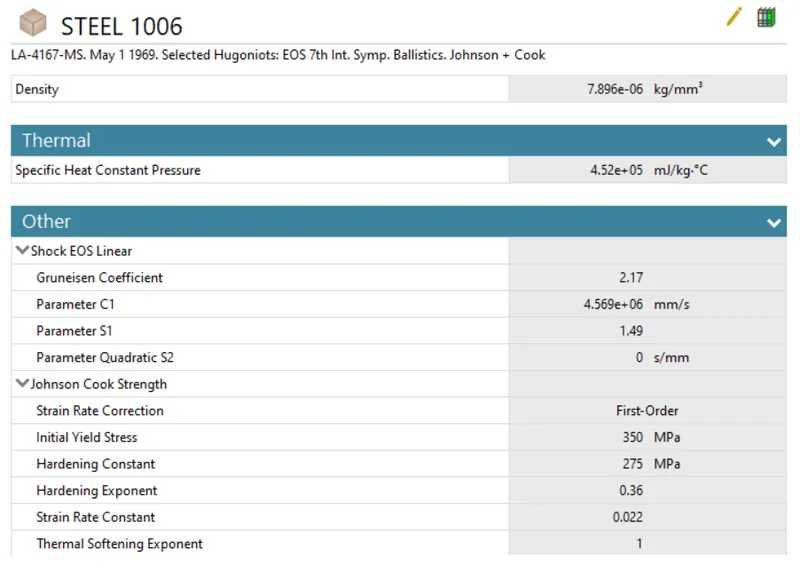
MATERIAL PROPERTIES
Steel 1006
PROCEDURE
Setup
- Import the geometry in the space claim to check the geometry and the surface if any of them is damaged to ensure the geometry perfection.
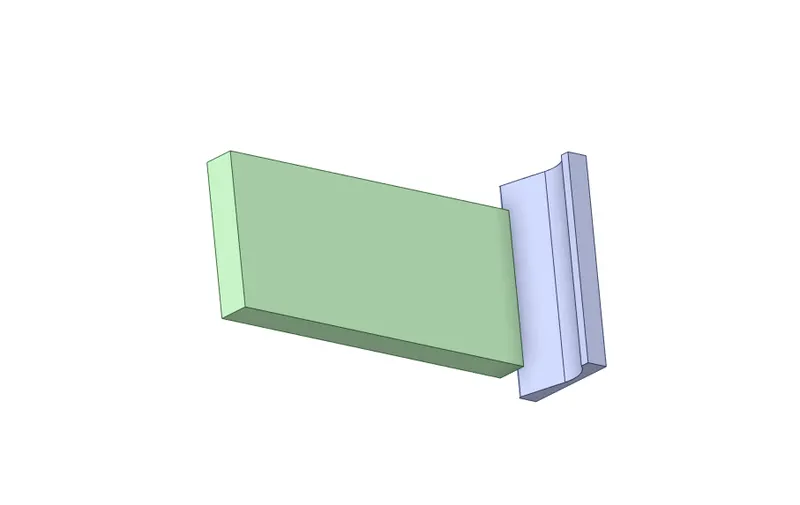
- After checking the geometry open the file in the mechanical module and rename the part as a workpiece and cutting tool.
- Make Cutting tool as a rigid body
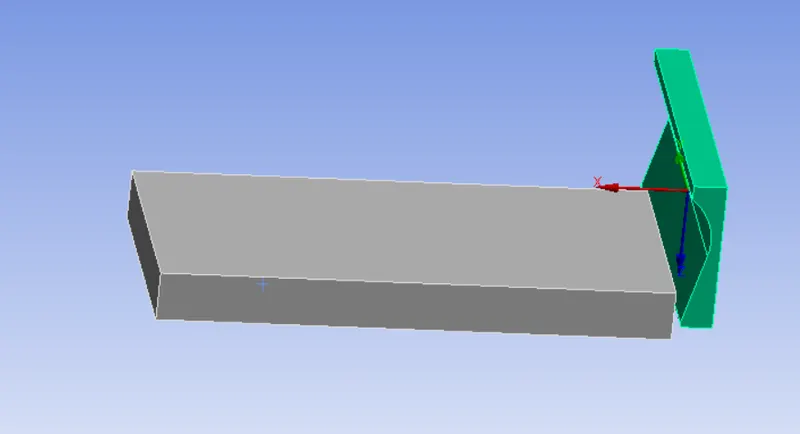
- The auto contacts are given and detected by the Ansys workbench but this not required for the evaluation of the machining with the planar, so it is deleted for this analysis.
Mesh
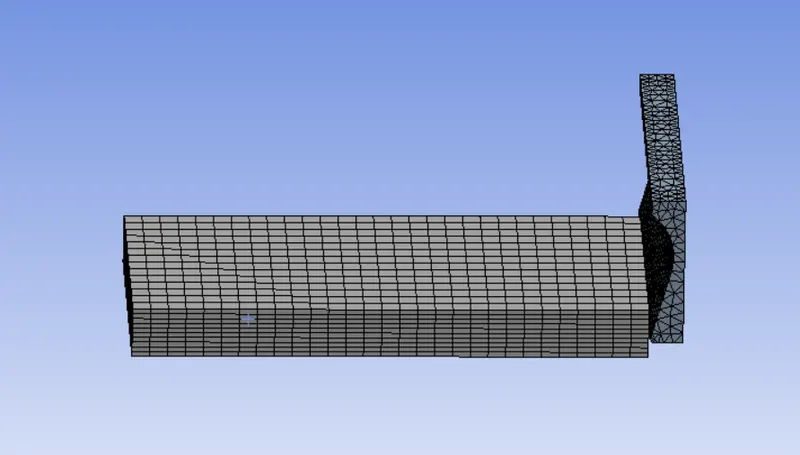
- For the cutting tool, tetra mesh is deployed by selecting the batch conforming method and selecting the method as tetrahedrons.
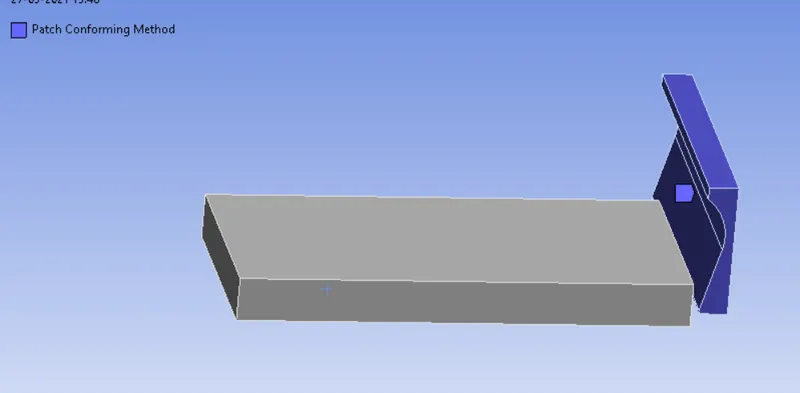
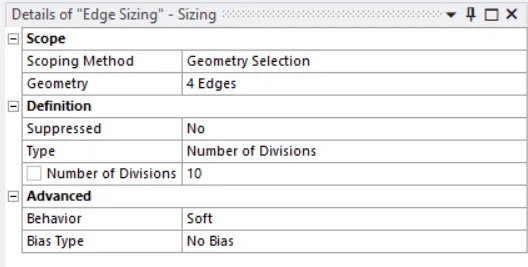
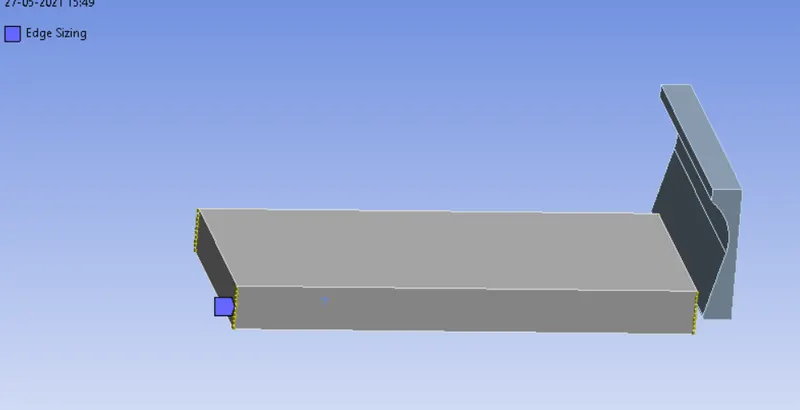
- For the workpiece to deploy the mesh properly a new concept is done with selecting the edges as an edge sizing and types as the number of the division with the division of 10.
- Generated mesh
Analysis settings
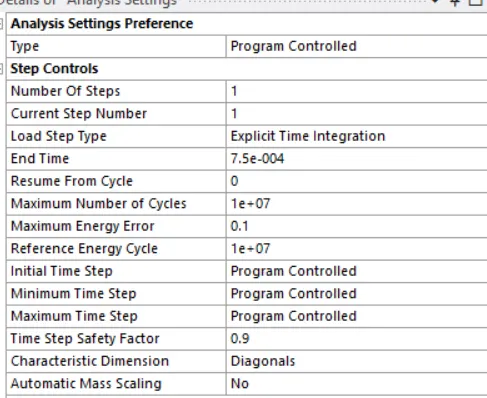
- For analysis settings, the end time is given as 0.00075 with the initial, maximum, and minimum time to be as program-controlled.
- Due to energy error make reference energy cycle as 0.00075
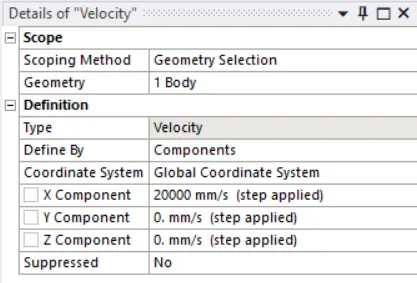
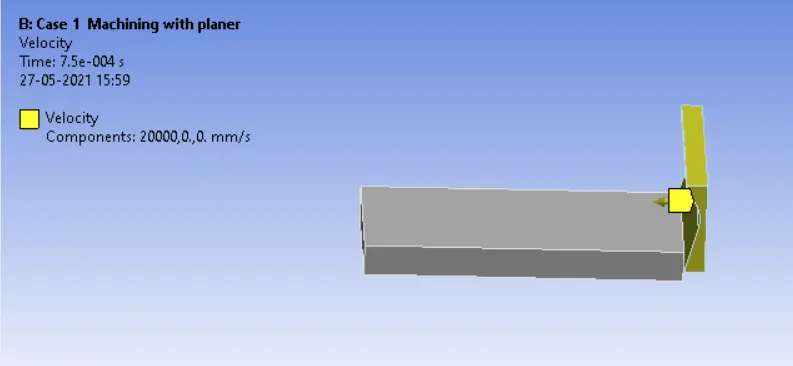
- For Case 1 for the x component the 20000 mm/s and the y and z as a constant.
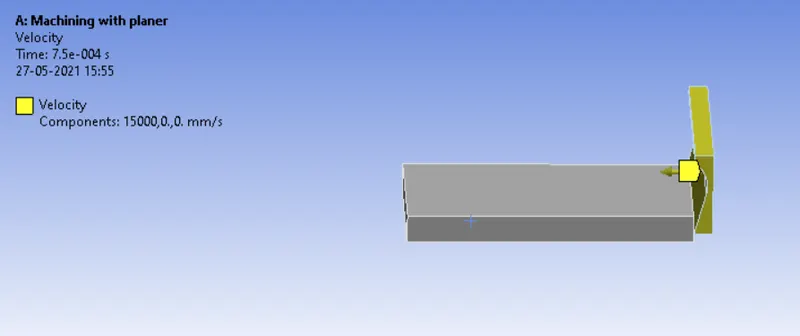
- For case 2 for the x component the 15000 mm/s and the y and z, a constant but while simulation it gave the error of energy is too large so the maximum energy error is 0.15.
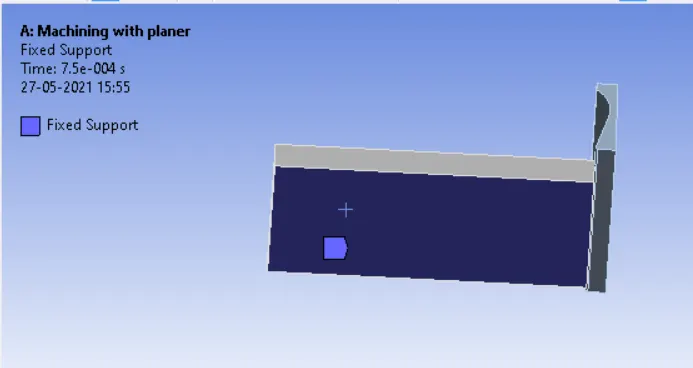
- And the fixed support is given to the work[eice so while simulating it should not move.
RESULTS
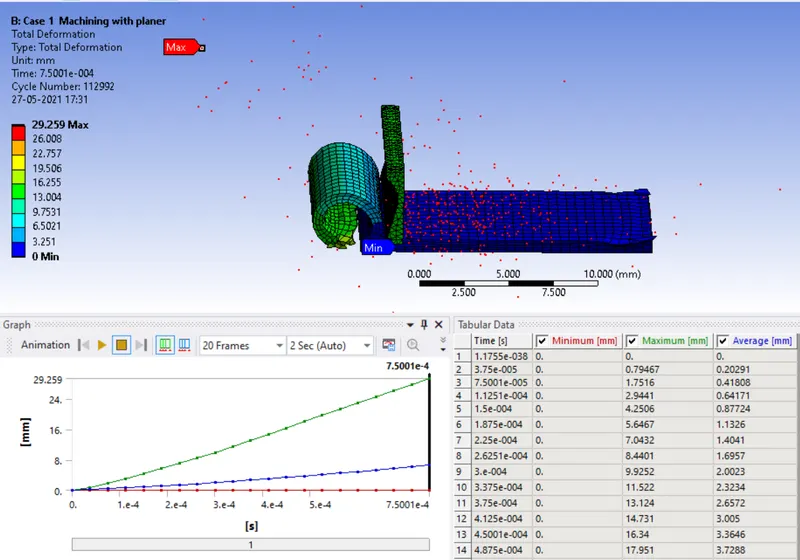
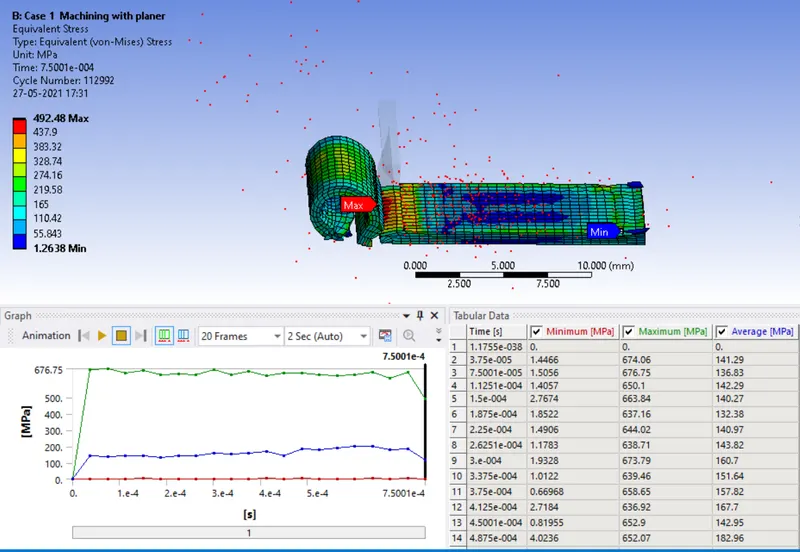
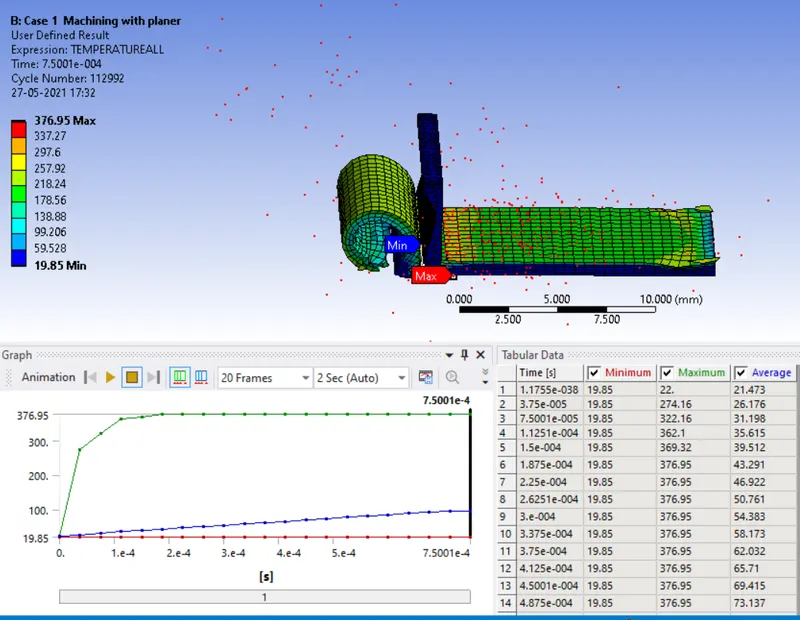
Case 1: Velocity 20000 mm/s
Total deformation
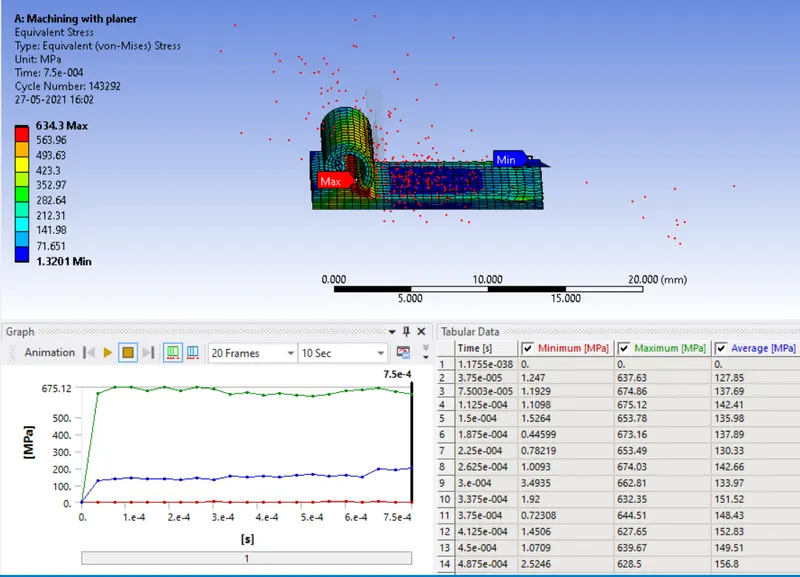
Equivalent von mises stress
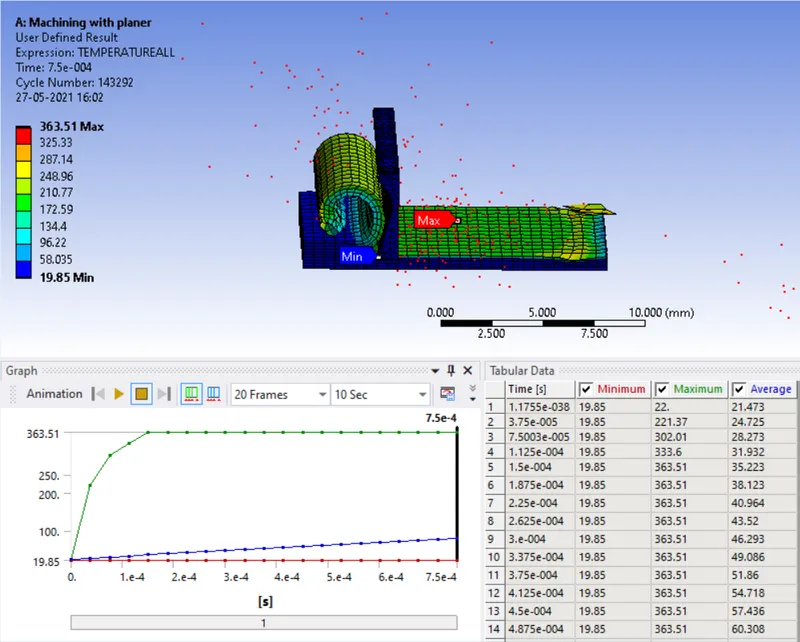
User-defined result temperature
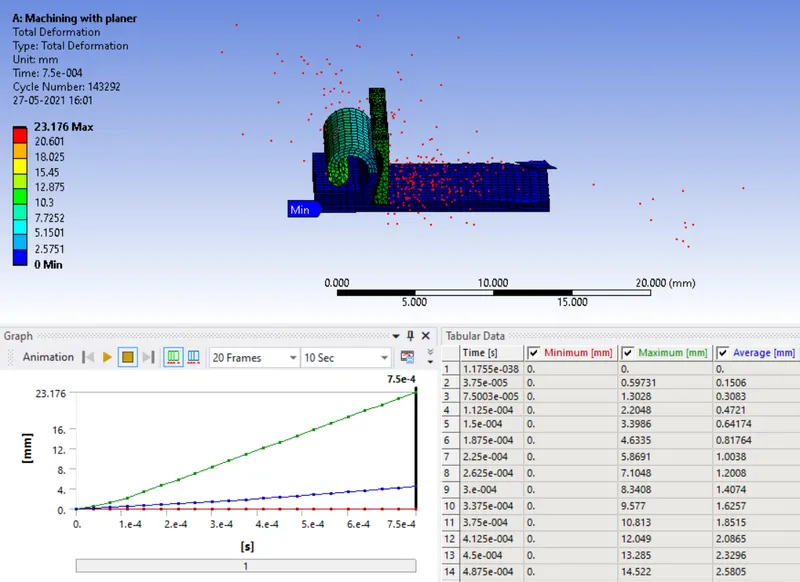
Case 2: Velocity 15000 mm/s
Total deformation
Equivalent von mises stress
User-defined result temperature
CONCLUSION
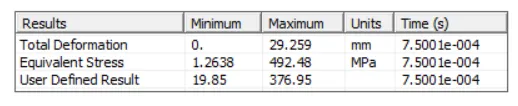
Case 1
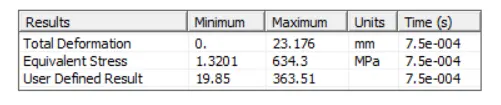
Case 2
- The simulation runs successfully as the observation for both the cases while evaluating the results, the materials fly off as elements are cut off while cutting the planar.
- We can observe that the deformation in case 2 is lower owing to the difference in velocities. The cutting tool traveling at 20,000 mm/sec deforms the workpiece much more than that at 15,000 mm/sec.