Week 9 - Creating connection for Rear door
Aim :
To Create connection for rear door
Spot weld and seam weld needs to be used
Weather strips required on the glass
Component : Rear door
Procedure :
Steps 1 :
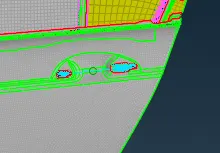
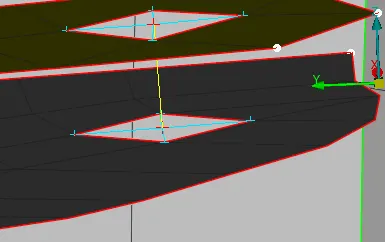
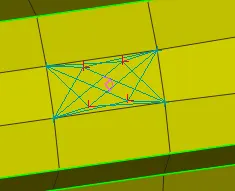
use the Nastran option under elements RBE2
The holes are selected and master nodes is created
Wherever two holes are there after master node created
RBE2 is used and master slave nodes are created
Door Handle is connected using the same
Steps 2 :
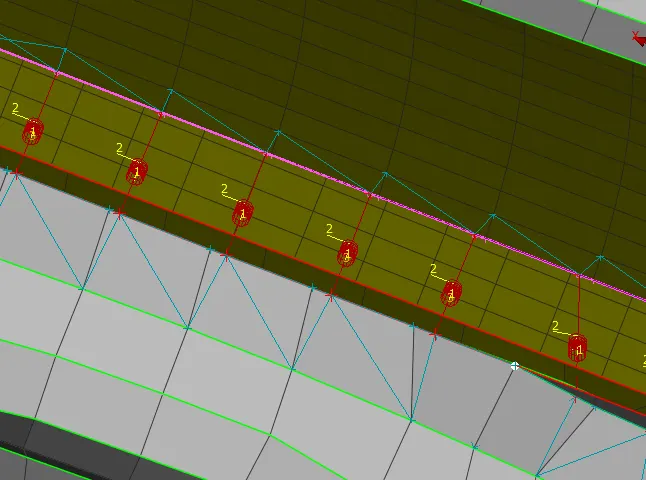
For the Weather strips area near glass curves are selected
Then under connection curves selected spot line is used
After middle click p1 and p2 shell are selecte
Shift and question mark buttons used and under dynamic RBE3 used to create connection
Steps 3
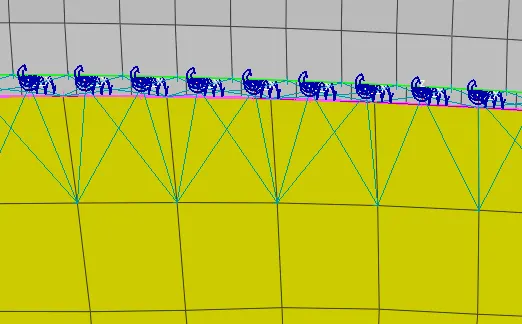
Cbush select the curve on the glass
Use connection manager select the p1 p2 and svalue
PID is created and stiffness is provided
keep all the branches ticked change the search distance
Give the stiffness value enter apply cbush created
Step 4
Spotweld use the points on cog create a centre
Select the points then use connection manager
Use shift questionmark for changing p1 and p2 select the shells
Search distance is entered spotweld is created
Learning outcomes :
RBE2 elements are created
Weather strip is done for the glass
Cbush is created in glass area
spotweld is created for joining
Conclusion :The connections are made for the given front door and the file is attached for reference