Week 9 Challenge
OBJECTIVE: REFLECTING MULTIPLE COMPONENTS INDEPENDENT OF THE USER PROFILE.
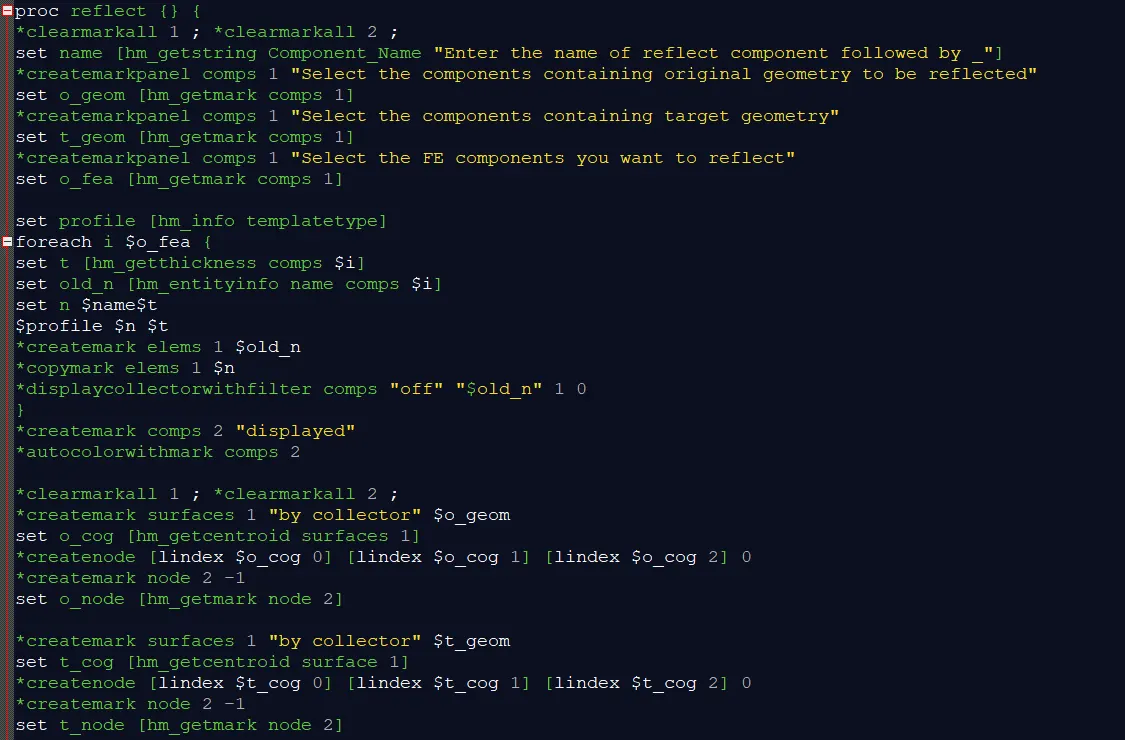
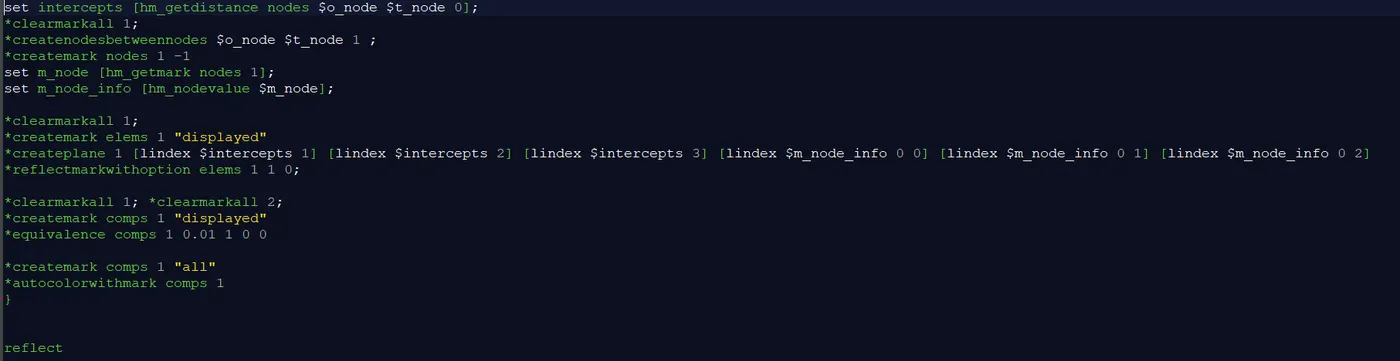
PROBLEM STATEMENT: To create a macro which performs operations like creating collectors, properties, assigning thickness and reflecting the components according to the user profile.
COMMAND EXPLANATION:
- proc lsdyna {n t} {
set c $n
set d $t
*clearmarkall 1
*createmark comps 1 "$c"
if {[hm_marklength comps 1 "$c"]!=0} {
proc box {} {tk_messageBox -message "component already exist" -icon warning -type ok -detail "" -title prompt}
puts [set prompt [box]]
} else {
*createentity comps cardimage=Part name=$c
*createentity props cardimage=SectShll name=$c
*setvalue props name=$c STATUS=1 431=$d
*createmark components 1 "$c"
*propertyupdate components 1 "$c"
}
} - lsdyna is a procedure
- n & t are argument variables
- *createentity command is used to create the entities like components, properties etc.,
- *setvalue command is used to update the existing entity
- In property 431 defines the thickness in ls-dyna profile, 95 in Nastran profile, 111 in Abaqus profile, 416 in Pamcrash profile, 431 in Radioss
- *propertyupdate command is used to update the properties assigned to the mark of entities.

- hm_getstring this command is used to get a string value using a hypermesh panel.
- *createmarkpanel this command provides a panel to add entities to a mark.
- hm_getmark this command is used to return the entity id’s of the passed type on the specified mark.
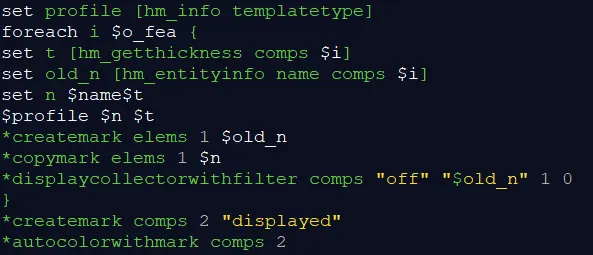
- hm_info templatetype this command is used to query the information about the templatetype which we are using.
- hm_getthickness this command returns the thickness of the specified component, element or property.
- hm_entityinfo this command returns varous information of entities like name, id’s etc,.
- *copymark elements this command is used to copy elements from one collector to another collector.
- *displaycollectorwithfilter comps “off” “$old_n” 1 0 this command is used to change the active state of a collector using the menu filter. Off command is used to turn off all collectors. 1 indicates the elements within components are to be turn on and 0 to turn off. 0 indicates the geometry within components is to be turned off and 1 to turn on.
- *autocolorwithmark this command is used to auto color the components with in the usermark.
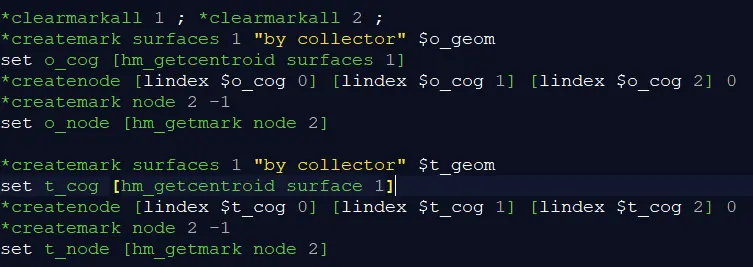
- hm_getcentroid this command is used to get the geometric centroid for selected entities.
- *createnode [lindex $o_cog 0] [lindex $o_cog 1] [lindex $o_cog 2] 0 this command is used to create the temp nodes using co-ordinate values. Lindex gives the coordinate values from the list.
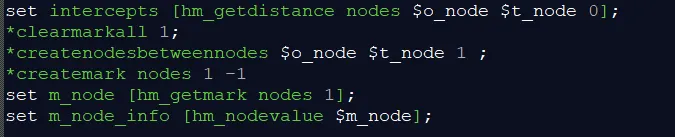
- hm_getdistance nodes $o_node $t_node 0 this command is used to get the distance between two nodes/points relative to the local coordinate system. 0 is the id of local coordinate system. If 0 is used then it is global coordinate system.
- *createmark nodes 1 -1 this command is used to place the nodes on the usermark 1 and -1 retrieve the previous nodes.
- hm_nodevalue this command returns the x y z coordinates of the specified node.

- *createplane 1 this command is used to create plane. 1, 2 &3 are used to represent the x component of the normal of the plane, y component of the normal of the plane and the z component of the normal of the plane. 0,1,2 are the x y z coordinates of the base point of the plane.
- *reflectmarkwithoption elems 1 1 0 this command is used to reflect a selection of entities about a plane. 1 is mark id and 1 is plane id and 0 is to maintain the z-axis of bar elements during reflection
- *equivalence comps 1 0.01 1 0 0 this command is used to equivalence the components with in a tolerance. 1 is usermark, 0.01 is the tolerance, 1 is used to equivalence the found nodes, 0-equivalence at the location of the node with the lowest id, 0-retain the number of the node with the lowest id.
CONCLUSION:
Finally a macro is created which performs operations like creating components, properties, assigns thickness and reflects the components according to the user profile.