Creating Various types of Connectors for the Component using Hypermesh
AIM :
Mesh the given Component with a Mesh size of 5mm and Create a connector and Attach the various parts of the given model.
OBJECTIVE :
Create connector and Attach the various parts of the given model
1. Right_Rail_2 & Front_truss_1:- Seam-Quad(angled+capped+L)
2. Left_Rail_2 & Front_truss_1:- Quad elements
3. Front_truss_2, Front_truss_1 & Right_Rail_1:- Spot weld with 3 Layers and 5 mm Diameter
4. Front_truss_2, Front_truss_1 & Left_Rail_1:- Hexa (Adhesive)
5. Rear_truss_2 & Right_Rail_2:- Bolt Connector
6. Rear_truss_2 & Left_Rail_2:- Bolt Connector
7. Right_Rail_1 & Right_Rail_2:- Spot-weld with Rigid Elements
8. Left_Rail_1 & Left_Rail_2:- Spot-weld with Spring Elements
9. Rest all the component left Join them with suitable connectors
PROCEDURE :
1. Importing the given model by using File-->Import option.
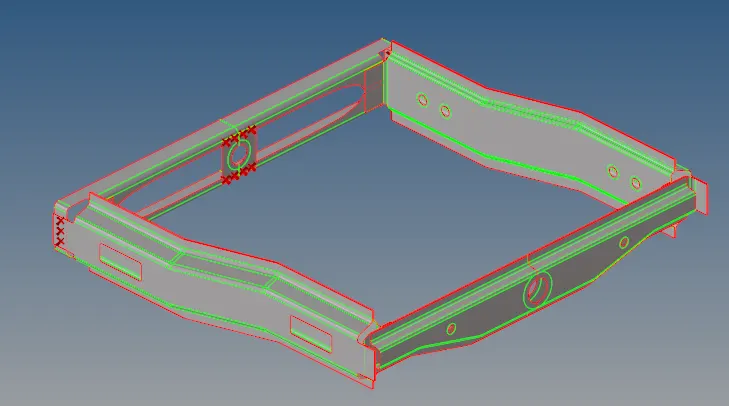
Fig: Imported Model
2. Go to 2D-->automesh option and select all surfaces and set element size as 5mm and click Mesh.
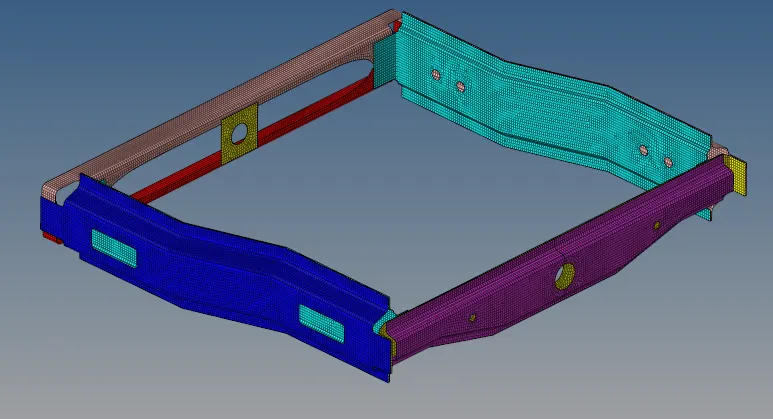
Fig: Meshed Model
Seam-Quad(angled+clapped+L) :
3. Go to 2D-->connectors-->seam option and select type as seam-quad(angled+clapped+L)
4. Select the nodes and components and Set spacing as 5 and tolerance as 20 and click create.
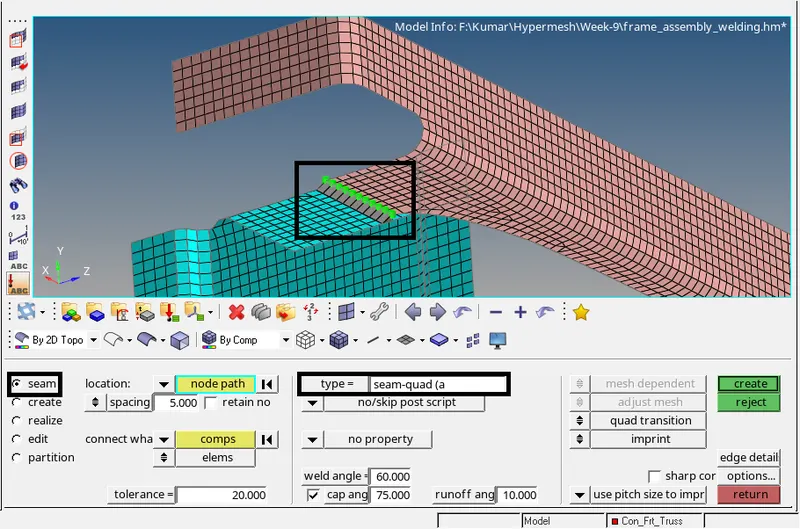
Fig: Seam-Quad(angled+clapped+L) connector
Quad elements:
5. Go to 2D-->connectors-->seam option and select type as quads
6. Select the nodes and components and Set spacing as 5 and tolerance as 20 and click create.
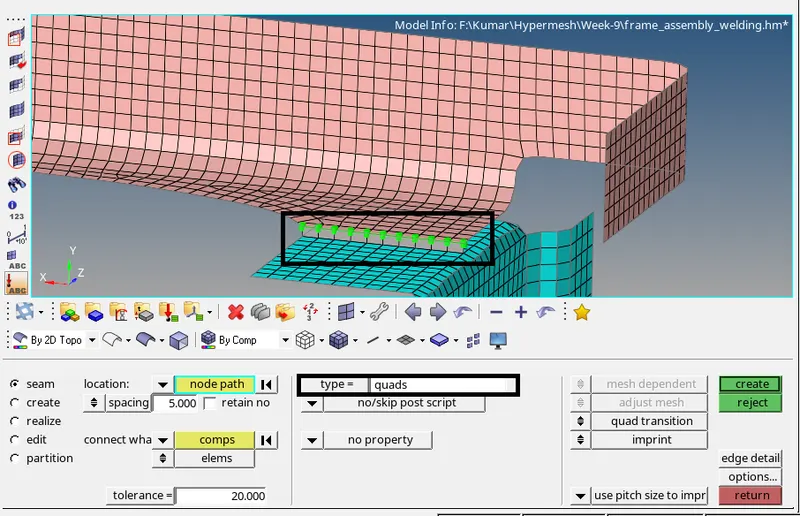
Fig: Quad elements Connector
SpotWeld :
7. Go to 2D-->connectors-->spot option and select type as weld
8. Select the nodes and components and Set spacing as 5, tolerance as 20, set number of layers 3, set diameter as 5, and click create.
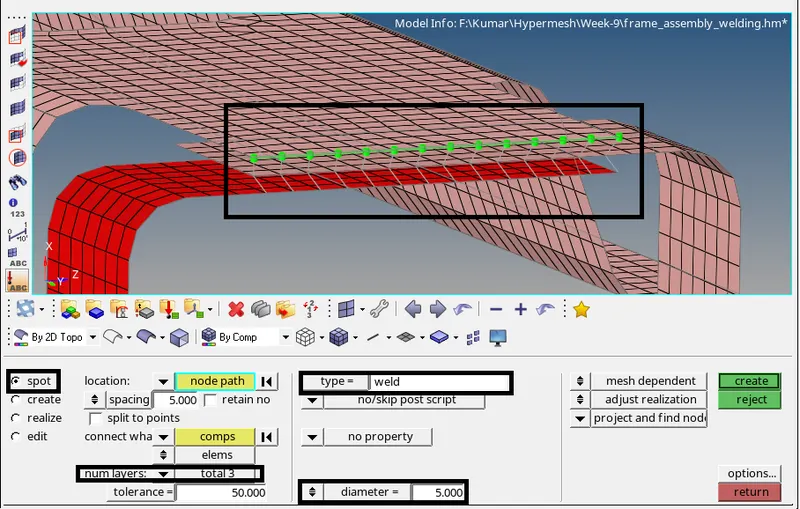
Fig: Spotweld with 3layers and 5mm Diameter
Hexa(Adhesive) :
9. Go to 2D-->connectors-->seam option and select type as Hexa(adhesive)
10. Select the nodes and components and Set spacing as 5, tolerance as 20, width as 5, and click create.
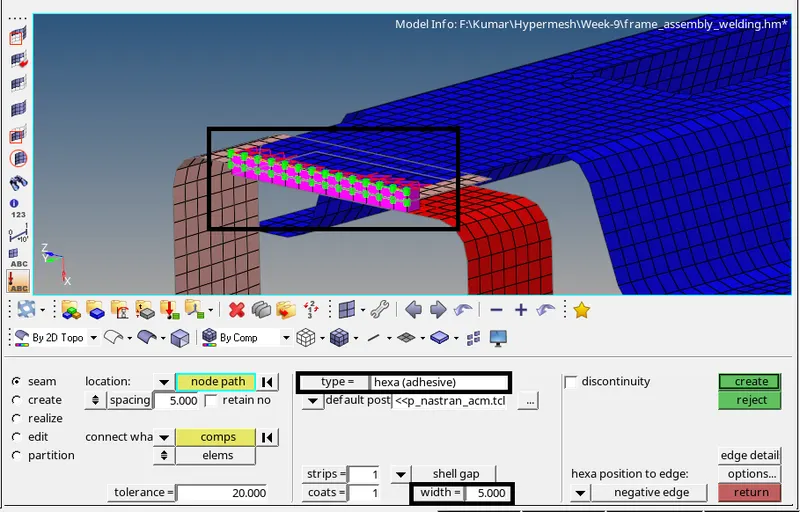
Fig: Seam Hexa(adhesive) connector
Bolt Connector :
9. Go to 2D-->connectors-->bolt option and select type as bolt(general)
10. Select the nodes and components and Set spacing as 5, tolerance as 20, and click create.
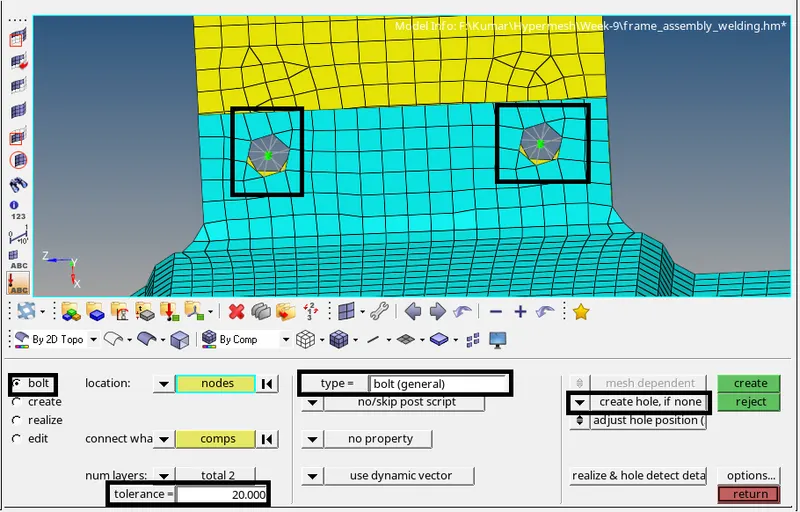
Fig: Bolt connector
Spot-weld with Rigid elements :
9. Go to 2D-->connectors-->spot option and select type as rigid
10. Select the nodes and components and Set spacing as 5, tolerance as 20, and click create.
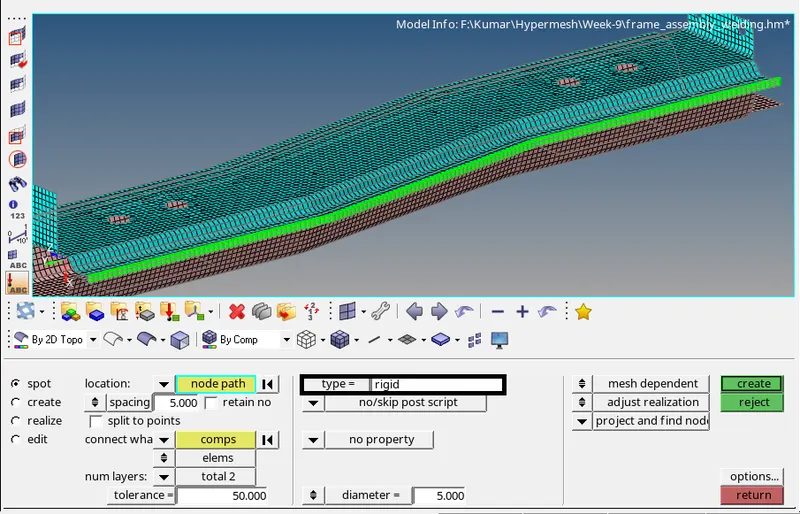
Fig: Spot weld with Rigid Elements
Spot-weld with Spring elements :
9. Go to 2D-->connectors-->spot option and select type as spring
10. Select the nodes and components and Set spacing as 5, tolerance as 20, and click create.
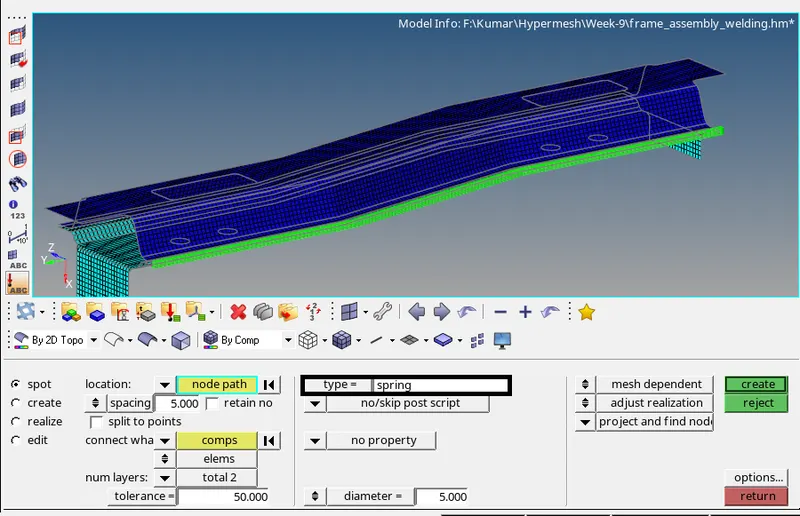
Fig: Spot weld with Spring Elements
Rest all the component left Join them with suitable connectors :
11. Rest all the components left joined them with Spot weld with Rigid & Spring Elements.
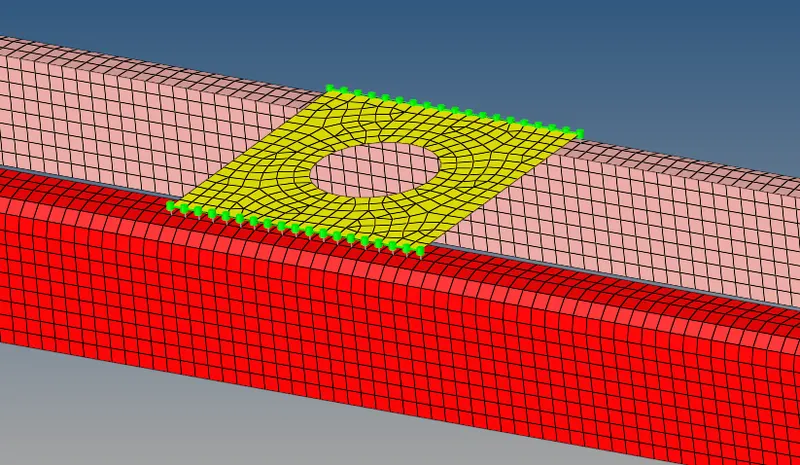
Fig: Spot weld with Rigid Elements
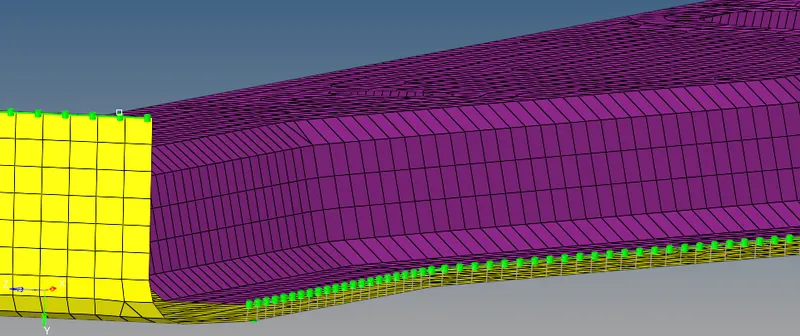
Fig: Spot weld with Spring Elements
RESULT :
Mesh was created in the given component with the size of 5mm and various types of connectors have been created for various parts of the given model.
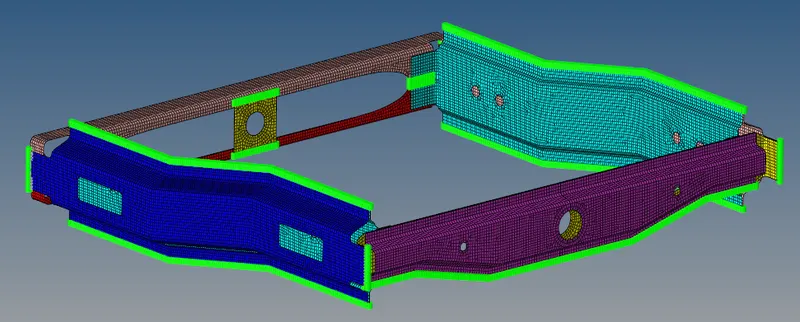
Fig: Various types of Connectors created