Week 9 - Attachment Feature Creation (Ribs & Screw Boss) - Challenge 1
ATTACHMENT FEATURES CREATION
AIM:
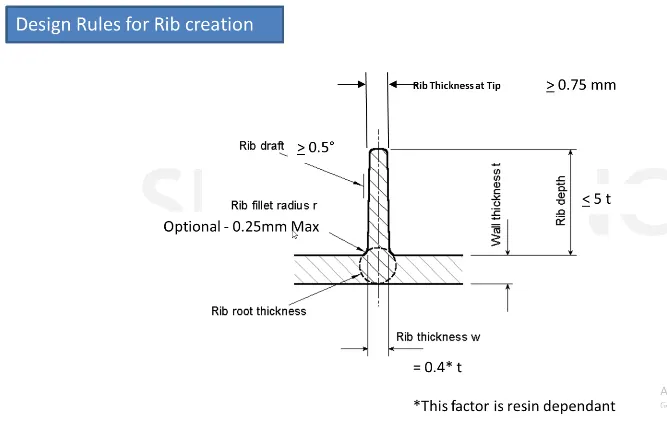
Create the Rib for the door handle considering the design rules as mentioned in the below image.
OBJECTIVE:
- To design door handle from given class A surface.
- Designing Class B and Class C surface.
- Create the Rib for the door handle.
- Perform draft analysis on the final component.
Design procedure:
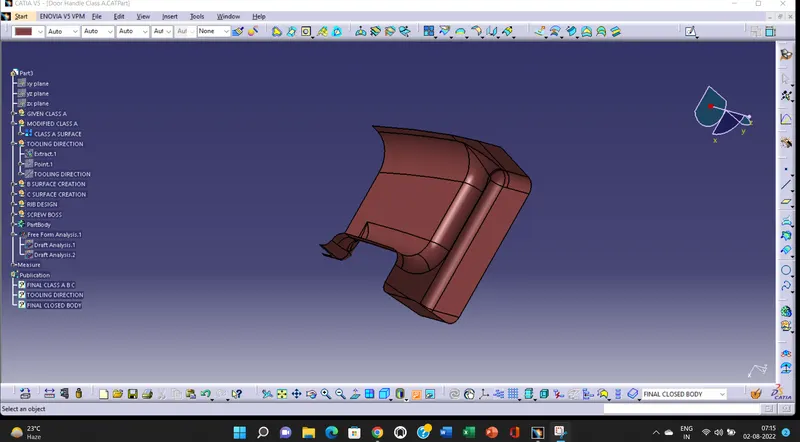
- Checking Class A input for imperfections
The input class A surface is checked for discontinuities and joined together to get complete class A surface as one.
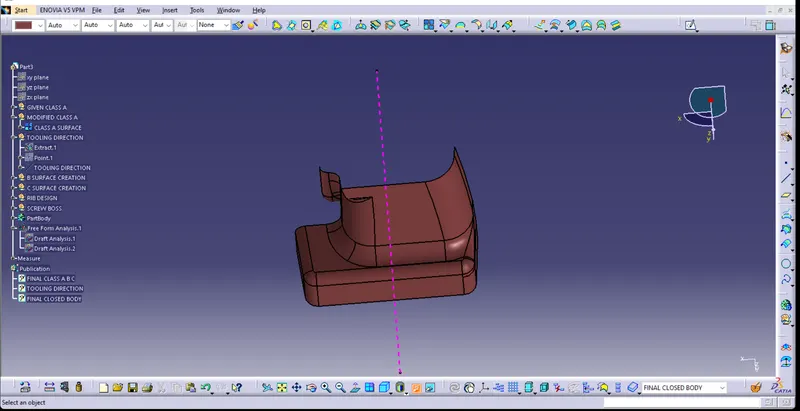
- Tooling axis creation
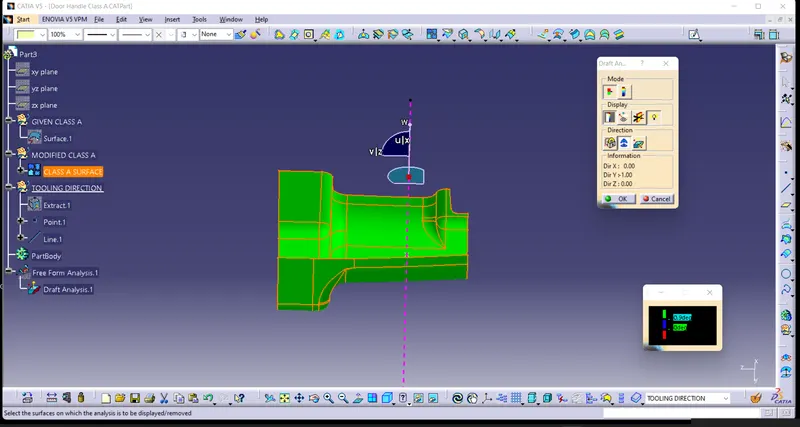
Generally tooling axis is created using bisecting line method. But in the components where it has a bin, then the tooling axis is considered as a line normal to the base surface of bin. Same is done with this component. A line normal to base surface is created and considered as tooling axis.
- Draft analysis of given class A
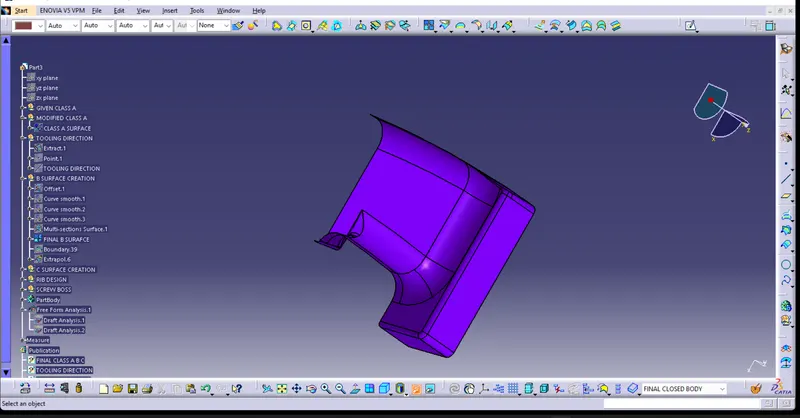
- B surface creation
As usual, B surface is created using standard procedure by extract, untrim, extrapolate and offset commands. B surface of this coin holder is divided as base, side walls, top wall and outer surface. B surfaces of all these sub parts are created and trimmed together to join as single surface.
The offset distance is kept 2.5mm as component thickness is 2.5mm
- Class C surface creation
Class C surface for this component is created using sweep command. All the ends of component surface are facing downwards, so the C surface will be created perpendicular to B surface.
To create C surface, boundary of class A surface and surfaces adjacent to boundary are extracted. Then sweep with reference surface command is used and surface is created at 90 degree.
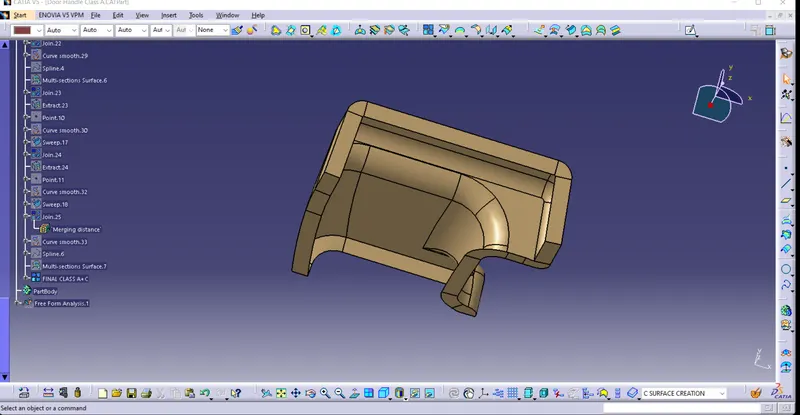
- Creating final closed volume, converting in solid body and draft analysis.
Once all surfaces are created, Class A, B and C surfaces are joined together to get the final closed volume. This closed volume is then converted into solid body using closed volume command in part design work bench.
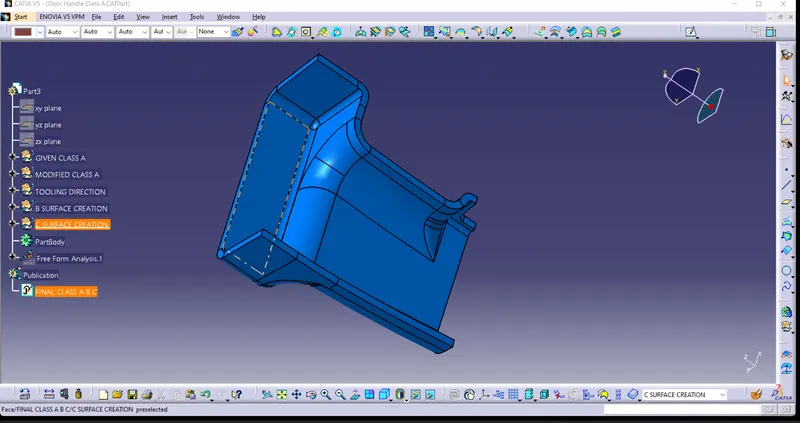
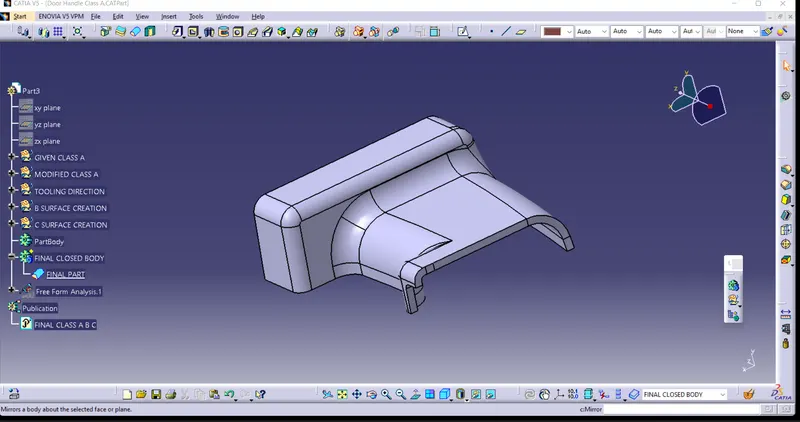
ATTACHMENT FEATURE CREATION
RIB:
One of the ways to strengthen a part is by adding one or more rib to the design. Ribs are thin protrusions that extend perpendicular from a wall or plane to provide added stiffness and strength.
If a wall is too thick on a part it can cause warping and sinkage in parts, often causing the whole design to be rejected Ribs solve this problem by providing additional support for thinner walls.
STEPWISE PROCEDURE FOR B FEATURES CREATION -
- Extract the base surface or the surface on which the ribs are to be generated.
- Create a point at centre and also a line normal to the face.
- Use positioned sketch and sketch a line profile for the rib.
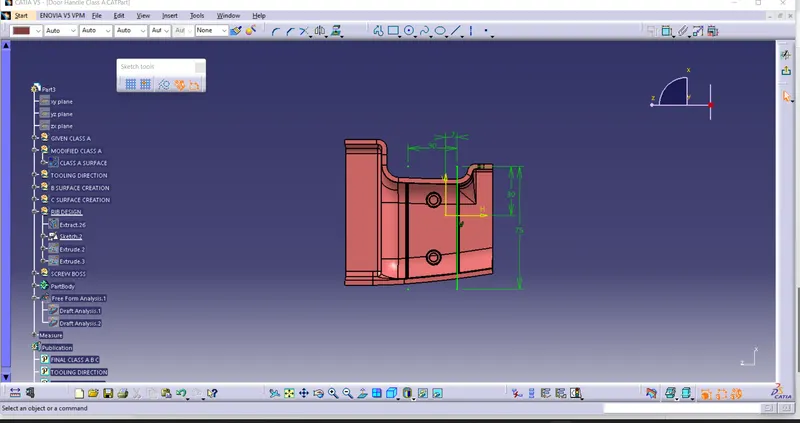
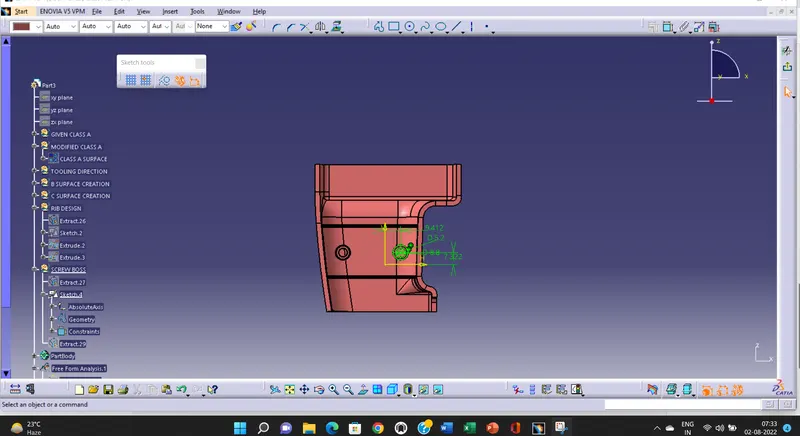
- According to the design rule the height of rib should be 5t, So extrude the sketch with 5×3=15mm length.
- The thickness for rib is calculated as 0.4t, So insert a new body and thicken the extrude by 0.4×3=1.2 mm.
- Then provide 0.5° draft on the rib faces accorging to the design rules.
- Provide the rib fillet radius as 0.25mm which is the maximum.
- Check the rib thickness at tip the minimum value allowed is 0.75mm.
- To check the rib root thickness take the intersect of the body with respect to the XY plane and create a tritangent circle touching the base and the filleted rib portion and measure the values.
- Similarly create another rib at an offset distance of 6mm as 3:1 ratio is to be maintained.
- For the draft analysis go to Insert-Analysis-Feature Draft Analysis and make sure the view mode is on material.
- Inline the compass with the Tooling Axis and lock then click on the Coin Holder solid part we will get the draft analysis the minimum draft required is of 3 degrees.
- When we click on the Coin Holder solid part it will turn green that means the required draft angle is maintained.
- We can change the value of draft angle from the colour scale table and the model will change the colour accordingly.
- We can also analyse the draft at a particular point on the body by moving the mouse cursor on the surface.
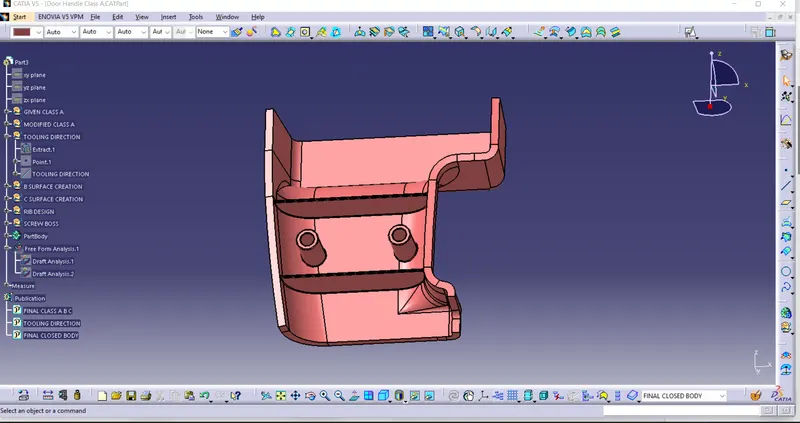
FINAL DRAFT ANALYSIS WITH B SIDE FEATURES -
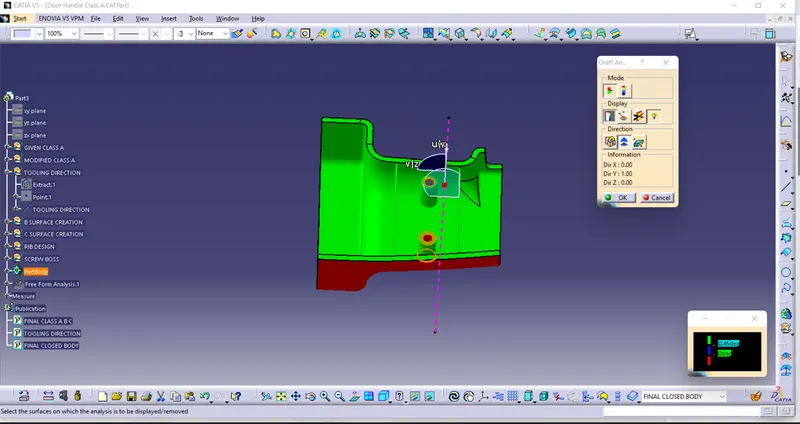
NOTE - CLASS C IS NOT TOOLABLE BECAUSE BY MISTAKE I HAD GIVEN 90 DEGREE IN SWEEP. WE NEED TO PROVIDE 93 DEGREES IN SUCH CASE.
SORRY FOR THIS SIR DO CONSIDER THIS TIME. THIS MISTAKE WILL NOT HAPPEN AGAIN.