Week 9 - Attachment Feature Creation (Ribs & Screw Boss) - Challenge 1
MAIN OBJECTIVE :
Create the rib for the Drill Handle considering the design rules mentioned in the video.
DOOR HANDLE :
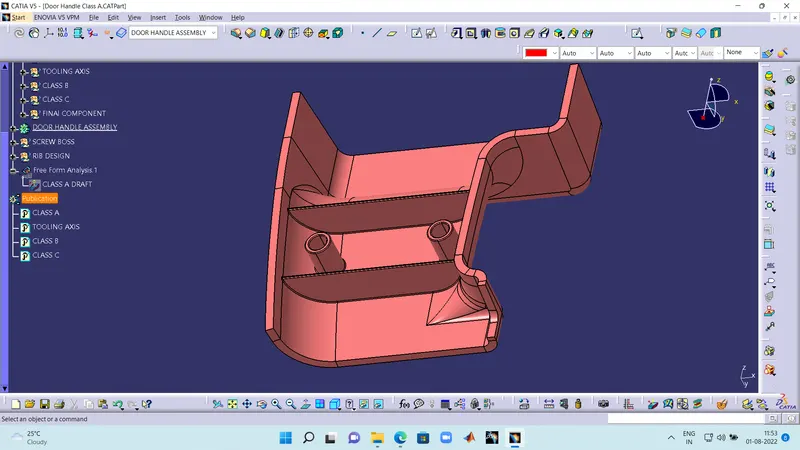
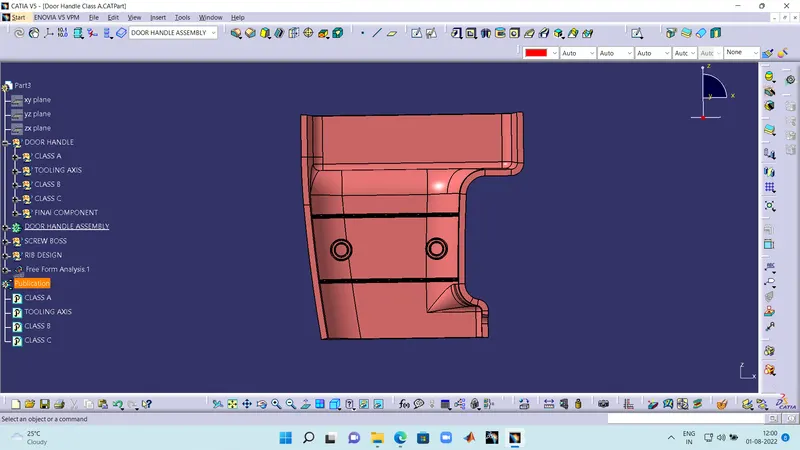
DRAFT ANALYSIS :
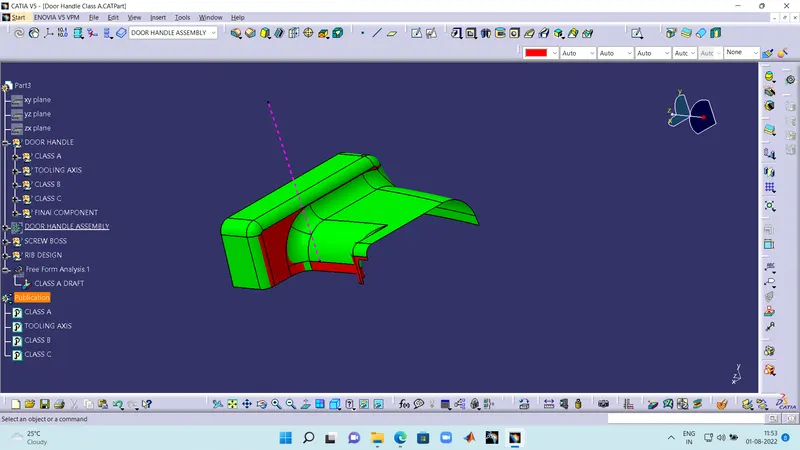
- The top side image is of CLASS A and there are errors as i have no authentication to change the CLASS A. I have created B surface and B side featuers on it.
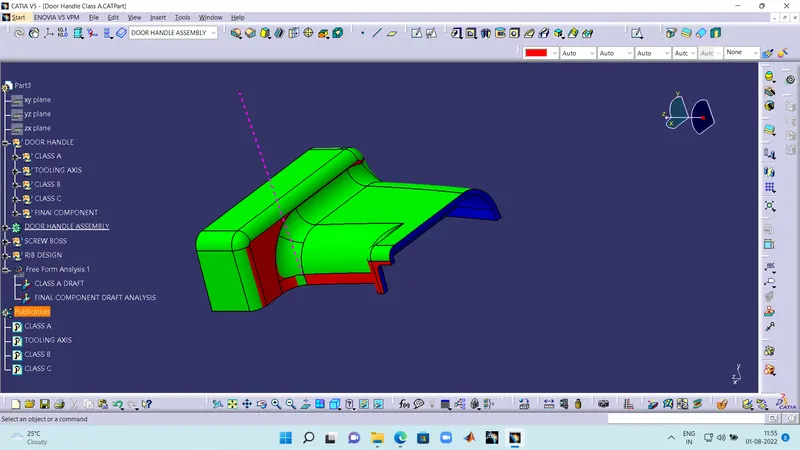
- Draft analysis of final component.
EXPLANATION :
The class A of a cat part was given as the input. The following steps i have followed to find the tooling axis.
- I extracted a surface on class A and created a point using surface to point command.
- I have took a line in x direction with refferance to the point.
- And named it as the tooling axis.
CREATING CLASS B AND CLASS C :
After creating the tooling axis.
- I have offseted the class B and found that there are some surfaces missing on the class B
- So i have used multi section solid to fill in the missing surfaces and complete the class B
- After the creation of class B i have took class A refernace and does a sweep on the edges of class A.
- During joining the sweeps and multi section solids i have found irregular surfaces and i have used trim command to eliminate the irregularity.
- After that i have joined the remaing SWEEPS and made a class C
- Then i have joined class C and class A and trimmed it off with class B to get the final component.
Note : The following (cat.part) was given below.