Week 8 - Universal Joint
Universal Joint Simulation
Objective: To run the Universal Joint simulation using various material on the joint such as stainless steel, structural steel & titanium alloy. Compare the results generated from the above three cases.
Case Setup & Execution:
- Open anys workbench & drop transient analysis from the toolbox.
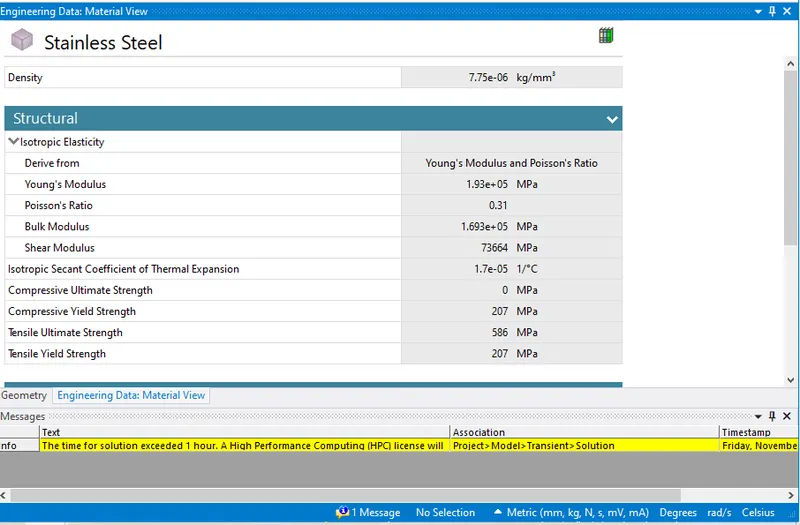
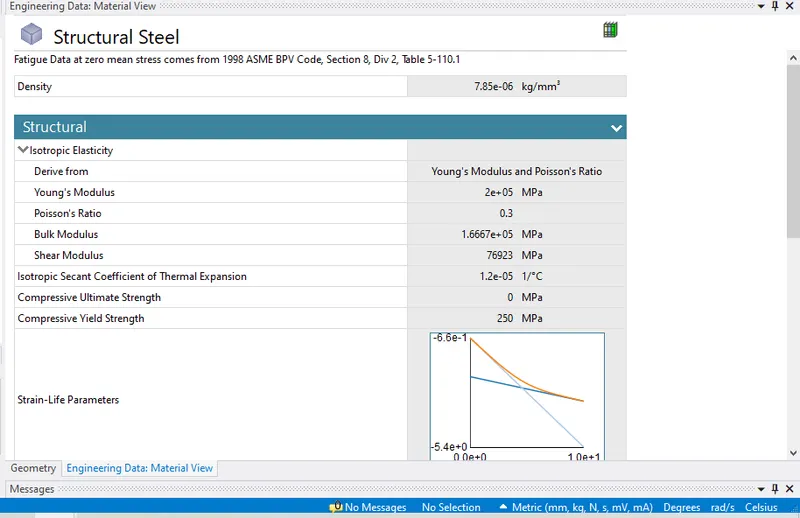
- In transient, Open engineering materials drop the various materials required for simulation from engineering data.
- Next Import the geometry and open the same in space claim .check for all the points and close the space claim.
- Now update the model and click edit to open the same. Click on geometry rename them if required. Provide with various material for the joint with springs as mentioned in challenge guidance.
- Now delete the contacts as we are only looking for transfer of motion between two bodies through the universal joint.
- Next in Joint insert various revolute & fixed joint.
- Body ground fixed joint for spring.
- Body ground revolute joint for both the universal joint.
- Next for the center pin and joint provide a body- body revolute joint with mobile scope included. This is because here transfer of motion is acted between two mating parts.so if we look a total of 11 joints should be created in this simulation.
- Now in analysis setting let the simulation run in 4 steps with having 30 degree of rotation in each step. Let the large deflection be on, weak springs to be program controlled & make yes to all in output controls.
- Next insert a joint with rotation provided. Select the shaft to which the power will be transferred. In tabular format provide rotation in degrees.
- Next in mesh to have an accurate results refine the mesh size to 2mm. Check if the mesh is fine and no abnormalities are found.
- Input the output results required such as equivalent stress, equivalent strain, deformation, probe etc. Hit solve to run the simulation and to generate the results.
Results:
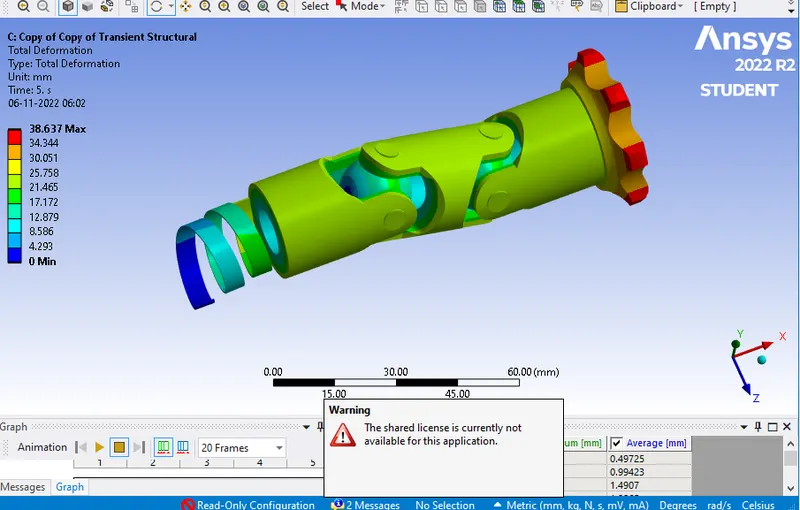
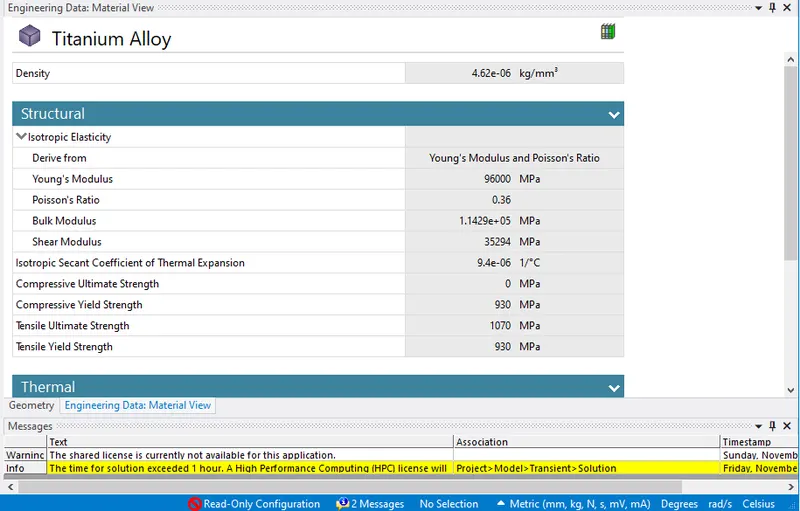
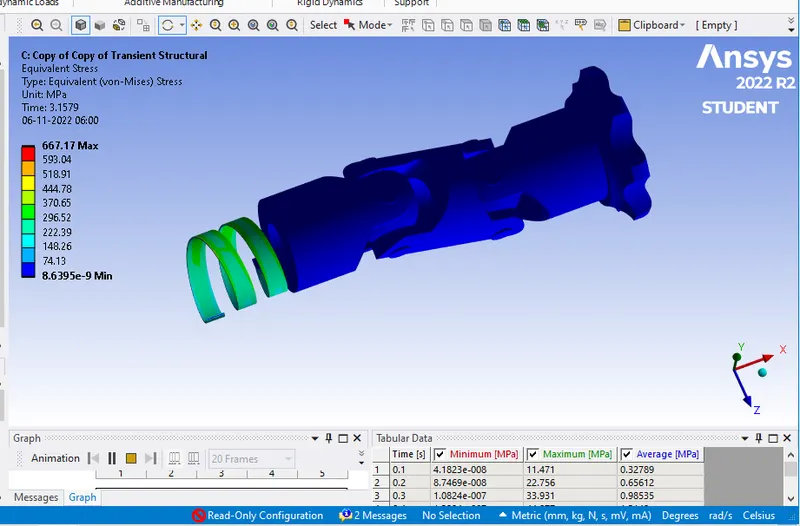
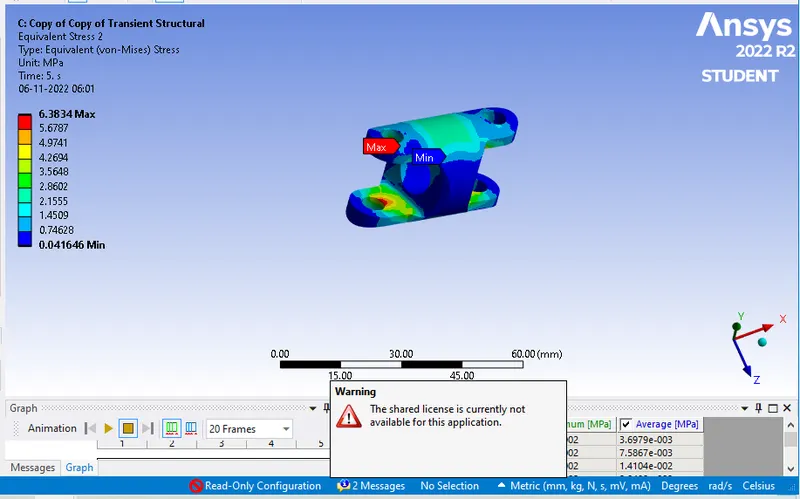
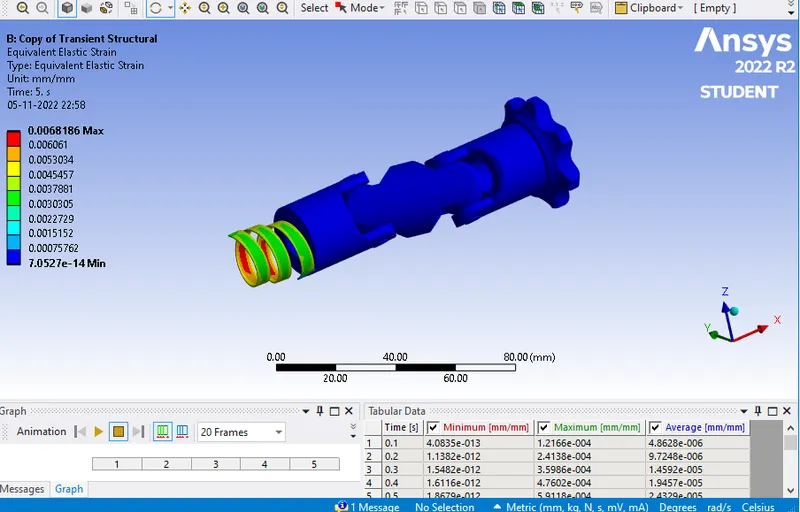
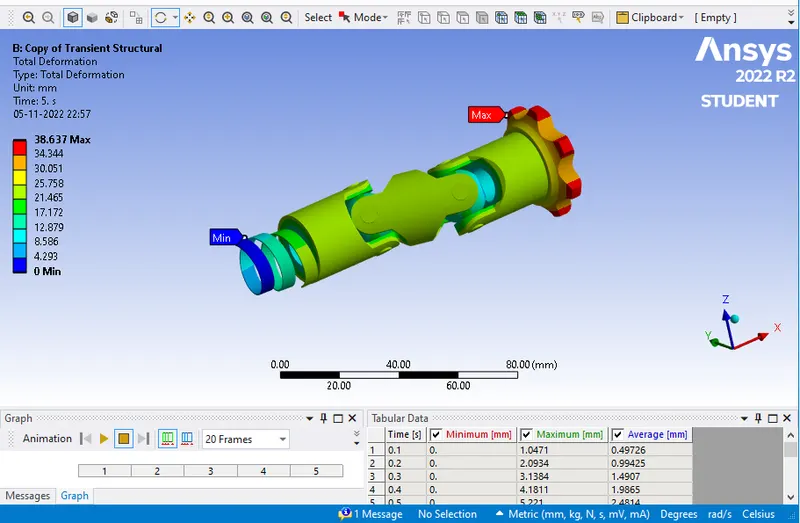
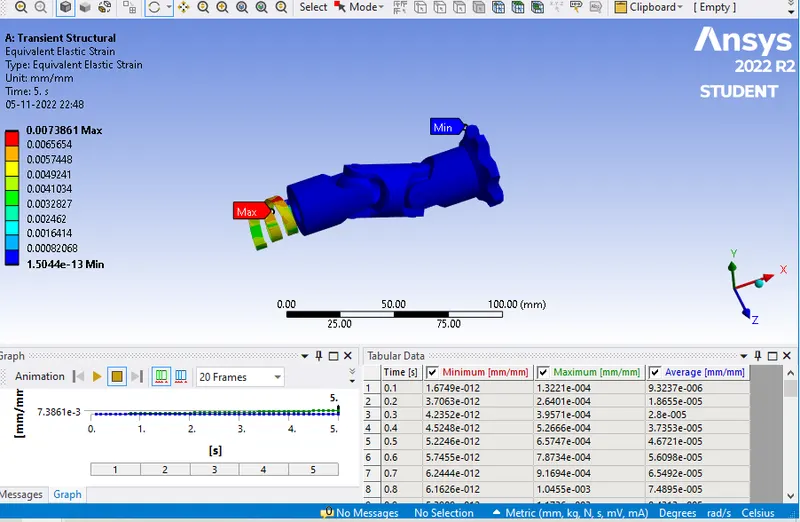
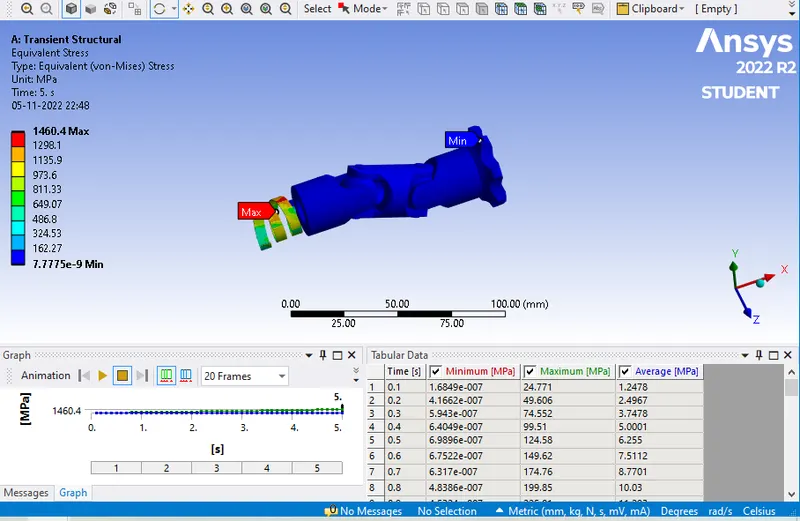
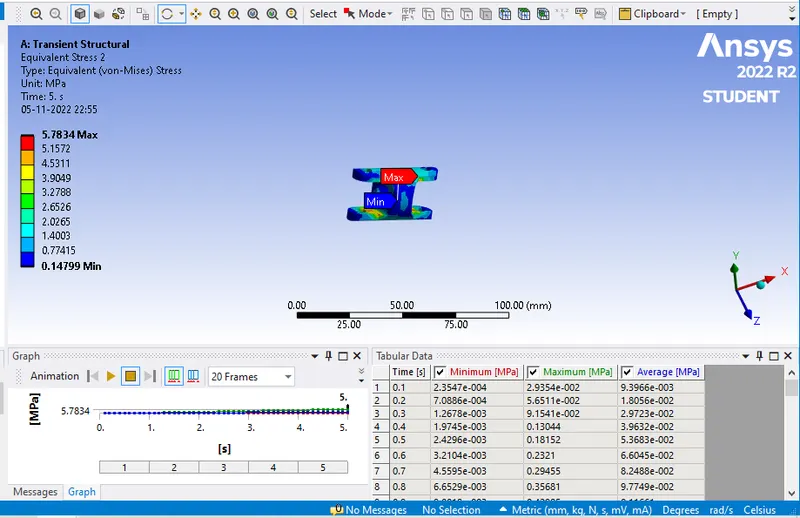
|
SR NO |
Material |
EQUIVALENT STRESS (mpa) |
EQUIVALENT STRAIN (max) |
Equivalent stress (Centre Part)(mpa) |
Total Deformation (mm) |
|
1 |
Structural steel |
1460.4 |
0.007386 |
5.7834 |
38.637 |
|
2 |
Stainless steel |
1313.5 |
0.006818 |
6.4343 |
38.637 |
|
3 |
Titanium alloy |
667.1 |
0.006962 |
6.3834 |
38.637 |
Case 1: In this the material used for universal joint is structural steel. After simulation equivalent stress found was 1460.4 mpa, equivalent strain is 0.007386.Total deformation found is 38.637(mm). Equivalent stress for the center part is 5.7834 (mpa).
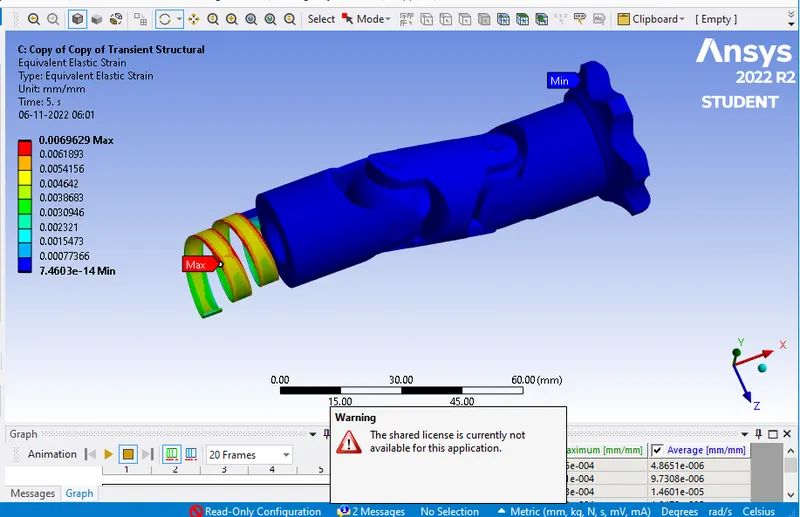
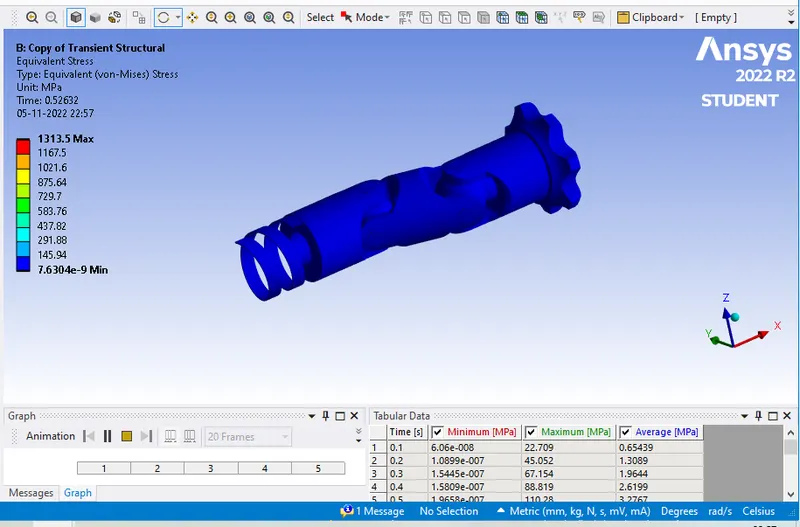
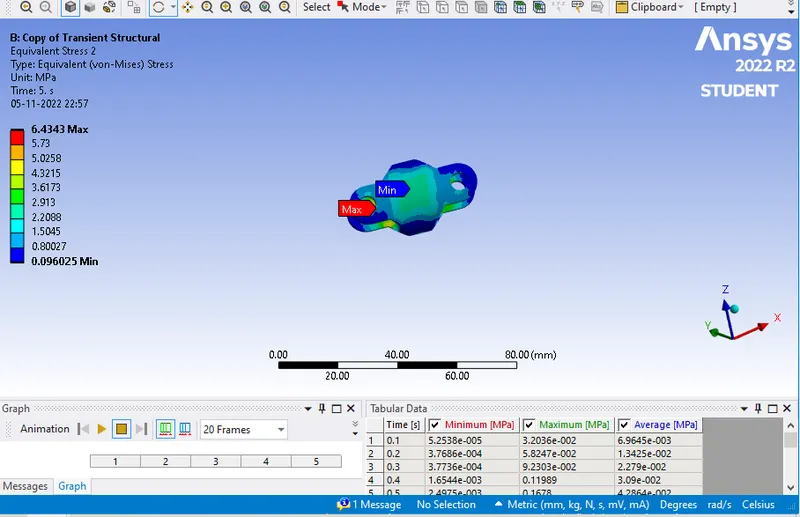
Case 2: In this the material used for universal joint is stainless steel. After simulation equivalent stress found was 1313.5 mpa, equivalent strain is 0.006818.Total deformation found is 38.637(mm). Equivalent stress for the center part is 6.4343(mpa).
Case 3: In this the material used for universal joint is titanium alloy. After simulation equivalent stress found was 667.1 mpa, equivalent strain is 0.006962.Total deformation found is 38.637(mm). Equivalent stress for the center part is 6.3834(mpa).
Conclusion:
We can observe the results generated from three different materials .It can be seen that titanium alloy has generated the least stress value of 667.1 mpa compared to stainless steel and then following structural steel. Titanium alloy material has the least density when compared to other material that why titanium alloy is light in weight and have higher hardness. But when we compare the cost of material titanium alloy is much higher than stainless steel and also it has balanced stress strain when compared between three materials. So considering all these parameters such as cost life and balanced condition stainless steel is the best suitable material compared to other two.
Note - Image file are attached for reference.Simulation file in required format is attached for reference.