Week- 8 - Solid meshing
OBJECTIVES: -
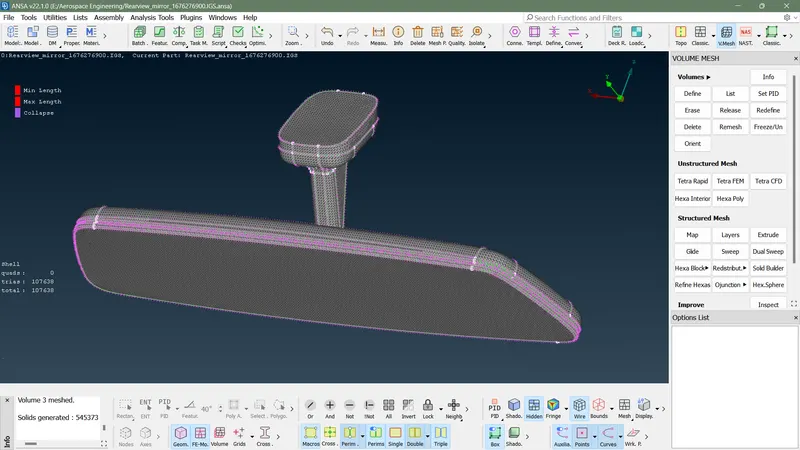
- For the given Rear view mirror component, check for the geometrical errors and mesh the Surfaces with the given 2D element Quality criterias
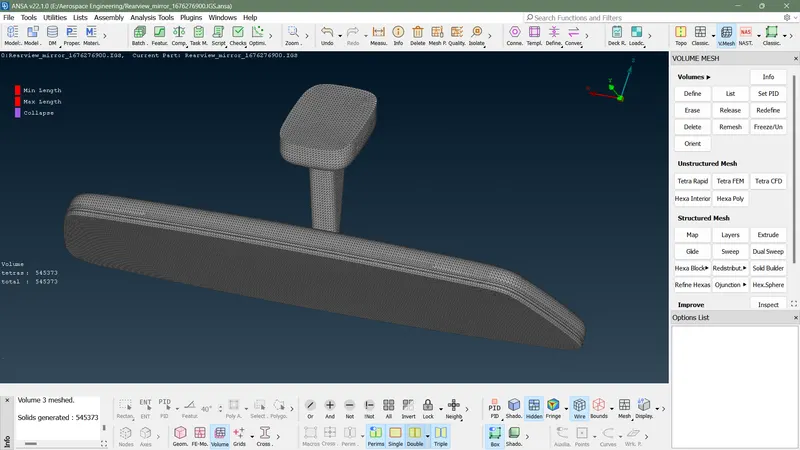
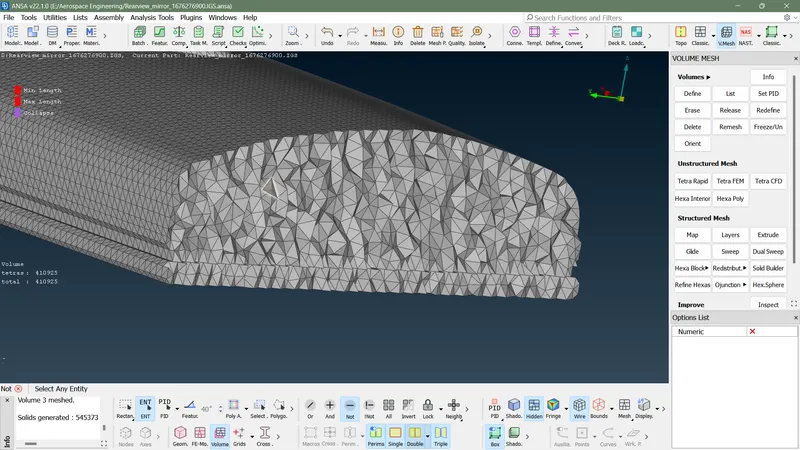
- convert into volume mesh or solid mesh
- check for tet collapse and other quality criteria
PROCEDURE: -
- OPEN ANSA V22
- Import the Rear view geometry
- Input perimeter length and macros length as 1 by selecting entire entity
- Check the geometry
- If it shows error in geometry clean it by using auto fix option remaining error clean manually,delete existing faces, creating new faces or by adjusting cones
- select mesh parameter, input parameter as required.select element type as ortho tria
- select quality parameter , input minimum and maximum length as required
- select batch meshing ,import geometry through model browser,run the batch meshing
- Put a new PID for mid surface created by using SET PID in faces
- Change module form topo to mesh module
- Adjust mesh by using reconstruction and smooth option
- If quality issue raised avoid it by it by using smooth or reconstruction or by using grid adjustment
- Check quality issue and do correction for it
- improve mesh flow
- change shell module to solid or volume module
- dfine the volume properly by selecting shell mesh
- input quality criteria for solid mesh as given in question
- select list option in vloume and select each all parts and right click on it, select remesh
- check for any quality issueses are there
- Finish the Challenges
SHELL MESH GENERATED ON CAD :-
SOLID MESH GENERATRED BY USING TETRA RAPID MESH:-