Week- 8 - Solid meshing
SOLID MESHING: Solid meshing is a 3D meshing where we can use this meshing if the thickness of the component is above 5mm similarly 2D mesh is for a component which has below the 5mm thickness. here we can fill an entire volume with the mesh that's why it is called the volume mesh. volume mesh requires more computational rather than shell mesh.
There are two types of solid mesh:
1.Structured meshing: We are having only the quad elements in mesh there is no elements rather than Hexa elements.
2.Unstructured meshing: We are having mixed of tria elements and ortho tria elements namely called tetra elements.
GEOMETRY CLEANUP:
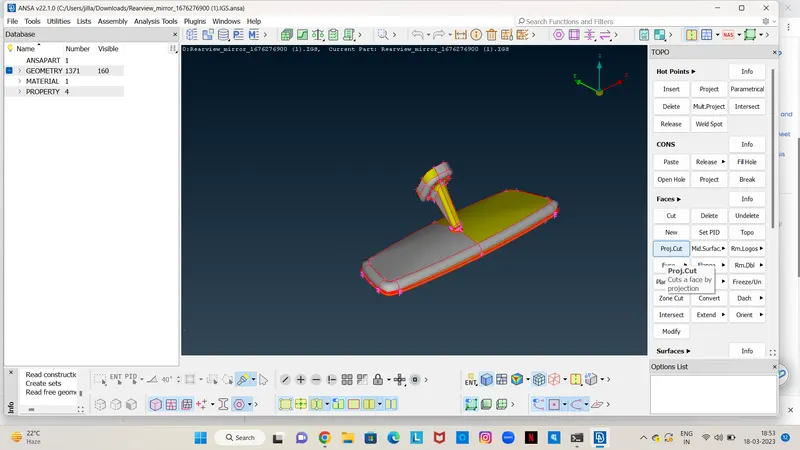
* After importing the model we have to give topo to the entire component to stitch the surfaces.
* Then go to the geometry check and fix the errors which we have in the dialogue box as shown below.
SURFACE MESHING:
*Here we mesh surface using the spot mesh command with the help of both ortho trias and normal trias on the surface. where ortho trias are used in curved surfaces, fillets and normal trias are used on the flat areas.
*Here we can use both ortho and normal trias because of the computational time, ortho trias require more computational time rather than the normal trias.
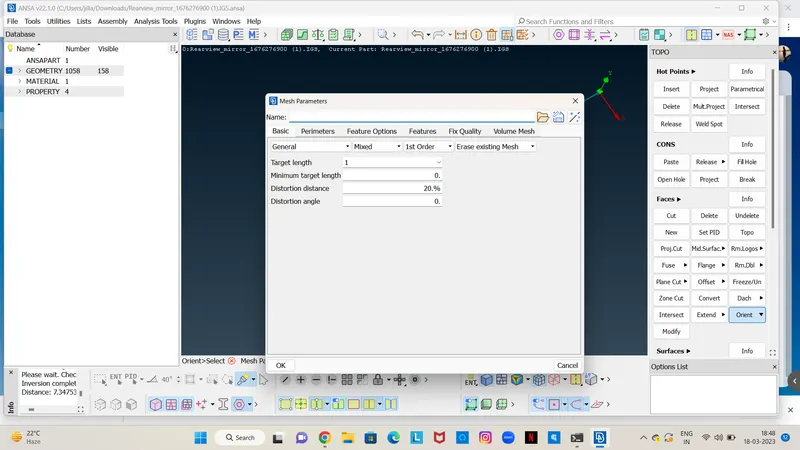
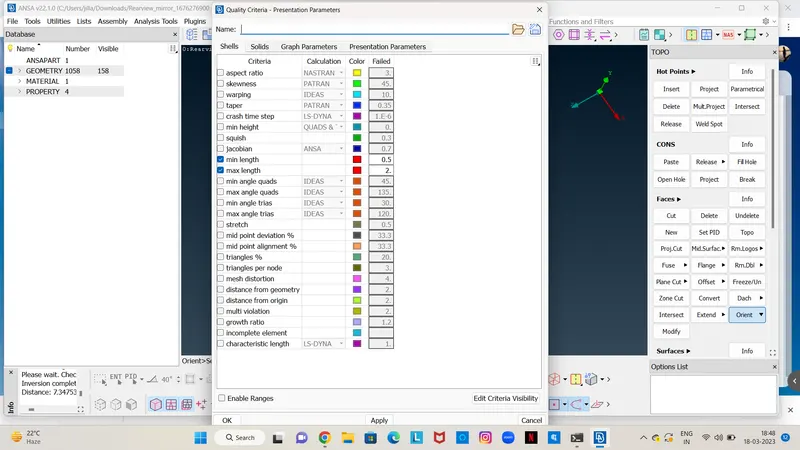
*Before going into the meshing we have to set the quality criteria parameters and Mesh parameters.
*In presentation parameters enable the tick to the % of elements and put the details of demand effect to all details.
*In mesh parameters we should give the target element length, min length and max length as shown below images.
*Meshing is done on individual parts of the given component
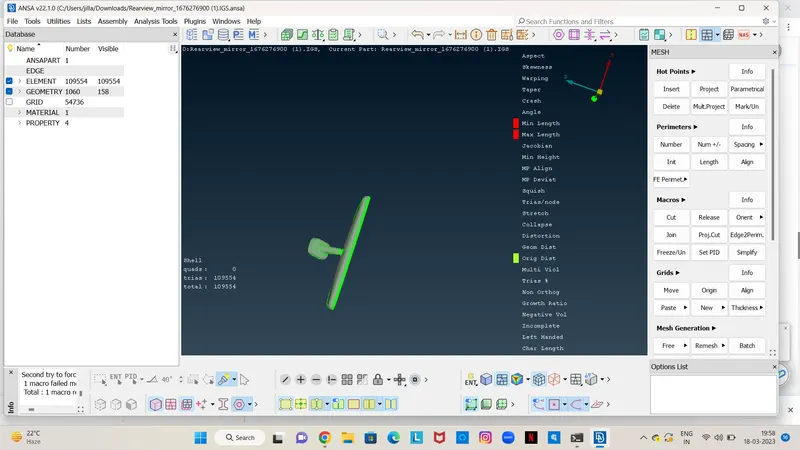
*After the meshing of all the surfaces, we should go with the solid or volume meshing.
VOLUME MESH:
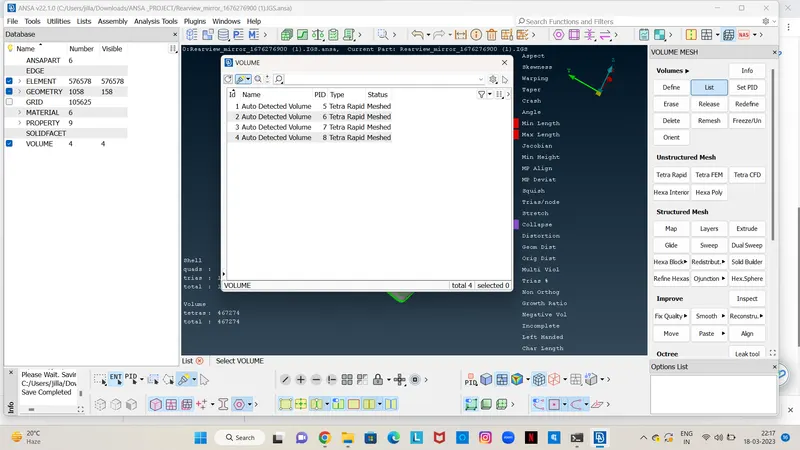
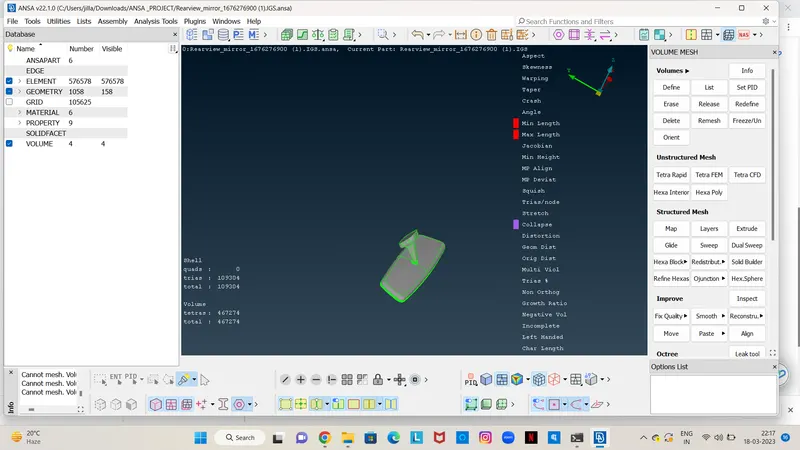
*First we have to define the volume in volumes list after define that we have given the tetra mesh there itself in the dialogue box as shown in the images below.
*When we click on the remesh it will prompt Tetra Rapid or Tetra FEM there we can select based on our requirement.
*There are four different PIDS we can use four other types of mesh based on our requirement.
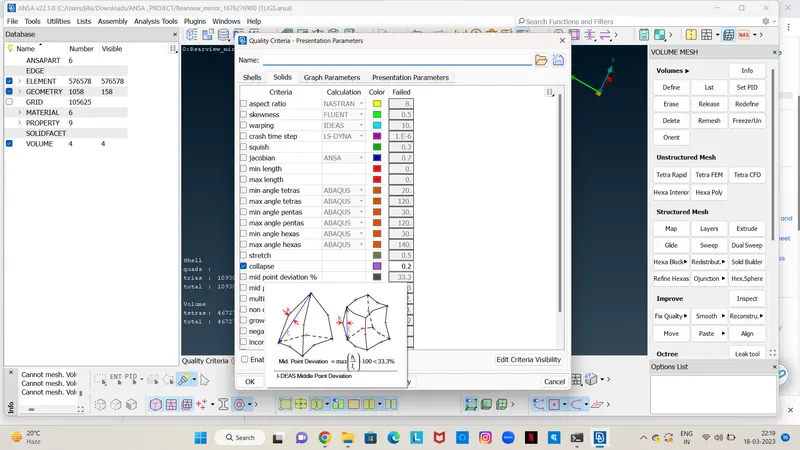
*Before going through the volume mesh we have to enable the Tet collapse in the quality criteria go to solids there we can given Tet collapse value is 0.2.
LEARNING OUTCOMES:
*I understand how to generate the volume mesh or tetrahedral mesh in this challenge.
*I learned where we should use the normal trias and ortho trias.
*Different types of mesh Tetra rapid and Tetra FEM.
*How to fix the Tet collapse issues in the model.
CONCLUSION: The given Rearview mirror component checked for the geometrical issues and meshed with tetrahedral mesh with given quality criteria with no Tet collapse.