Week- 8 - Solid meshing
3D/Solid meshing for Rear view mirror model using ANSA
Aim: To perform preprocessing on components of rear view mirror model using ANSA Software.
Objective:
- To perform geometry cleanup on different component of car rear view mirror model.
- Assigning mesh parameters and quality criteria parameter for 2D and 3D elements.
- To perform shell meshing on different components as per given quality criteria.
- To perform volumetric meshing after defined the closed volume in the model
- To perform tetrahedral meshing on different components as per quality criteria.
Procedure:
1. Importoing the CAD model from the from the desktop page as follow:
Import the model from the file option bar -->new-->select the file from the particular location.
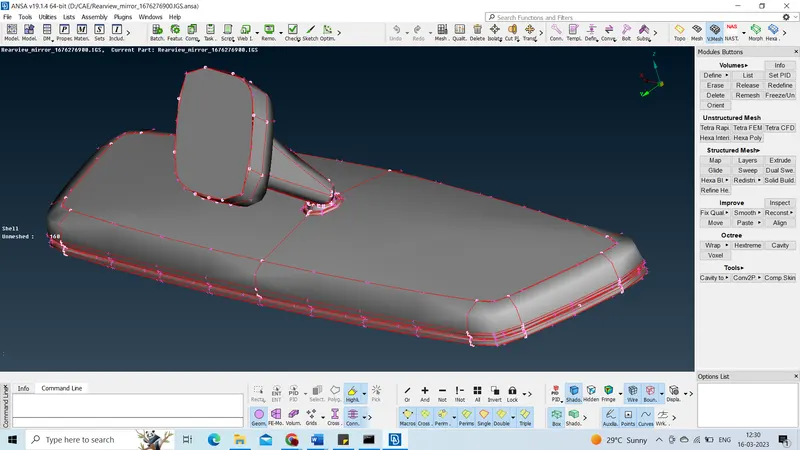
We must "prepare" the component in order to make the meshing process easier. This model needs to be topologically cleaned up. before we can utilise the topo tool from Faces > Topo in the topo deck.
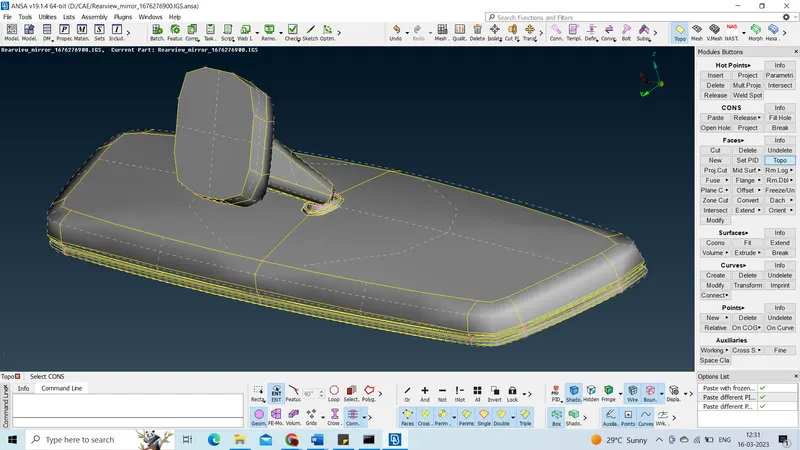
2. after importing the CAD model, first and for most need to check the material. This is done to check the whether the material is defined to model or not. This is done to check whether the material is defined to model or not.
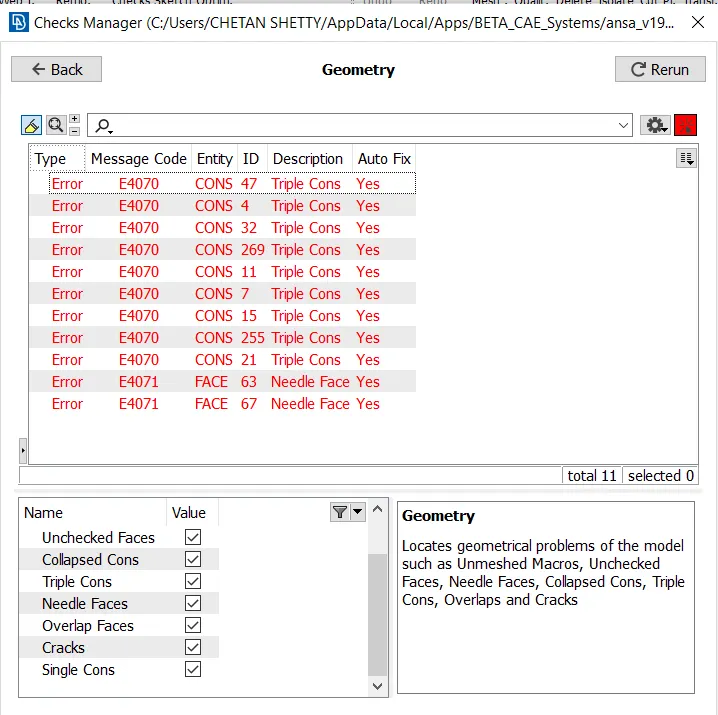
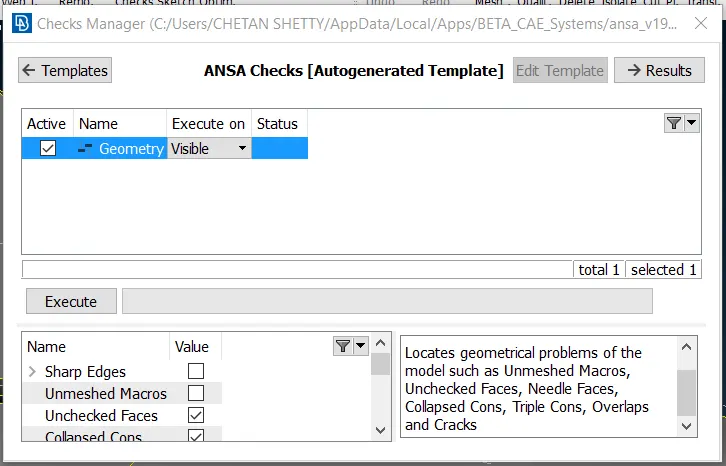
In the similar way find any error in geometry of the particular model as follow. There get a few geometry error, which is need to be fix. The geometry occurs due to cons in structure it may be single cons and triple cons. There are some open surfaces that are generating single cons and it is filled by building surfaces in FACES option.
3. Assigning the mesh parameters:
Before proceed to meshing, we have to assign different mesh parameters such as average Target length, minimum and maximum target length. And we have to keep element type is “Ortho Tria”. According to these parameters our mesh model will get discretize.
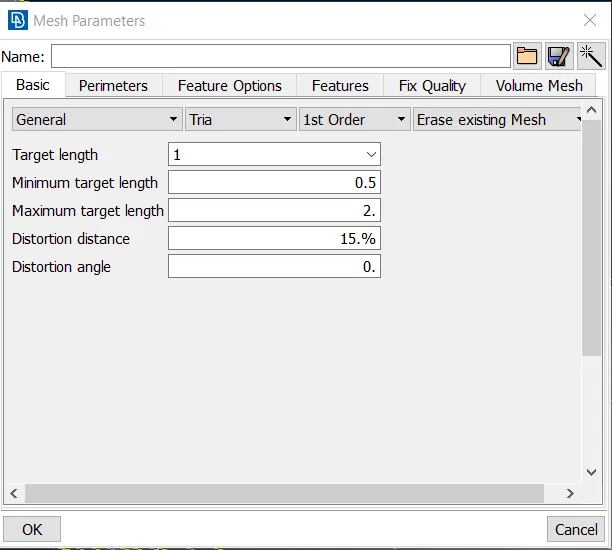
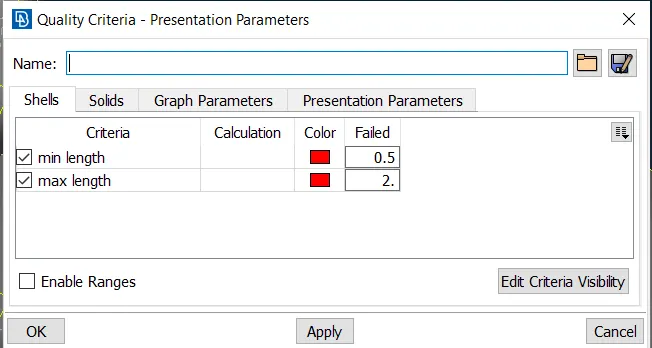
After assigning mesh parameters we have to assign Quality criteria presentation parameters. Quality criteria helps to make understand whether our finite element model will fail or not. For 2D elements we will take care of minimum and maximum length only.
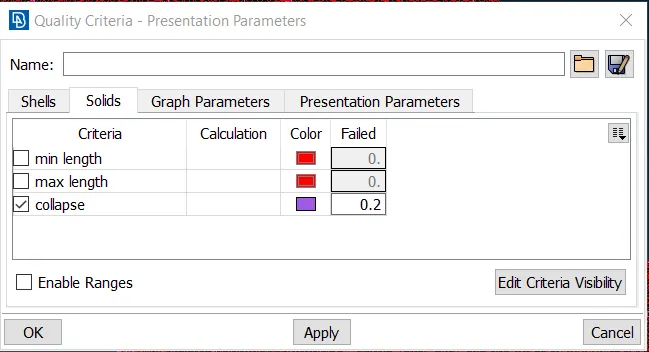
For 3D Tetra elements in case of volume meshing, we will take care of Tet Collapse quality criteria only.
For plane surface have used tria element where as other surface such as curved surface and fillet and all have used ortho tria.
4. For 3D tetera mesh: For 3d meshing, we have to define a volume for the solid surface and after then we will have a mesh with tetra rapid mesh.
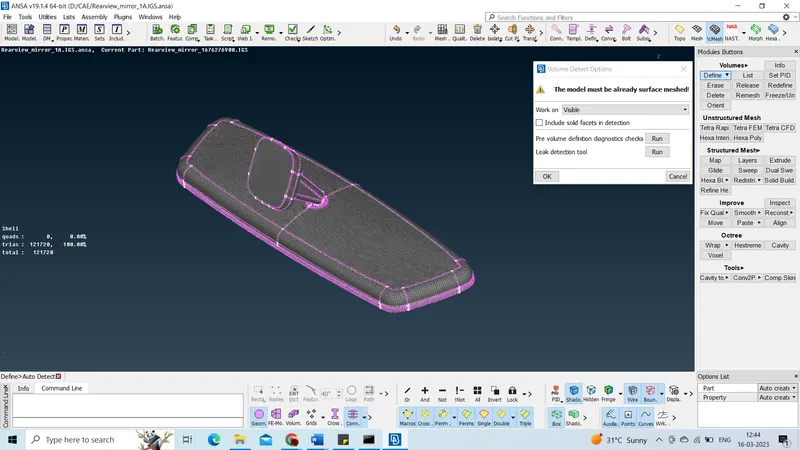
After defining the volume, a new property id has been created. after then by using tetra rapid we will mesh the volume. there should be no tetra collapse on the mesh, we have to eliminate them by using MV free command. we have to make sure that there should be no kinks and dips on the surface.
Final mesh model:
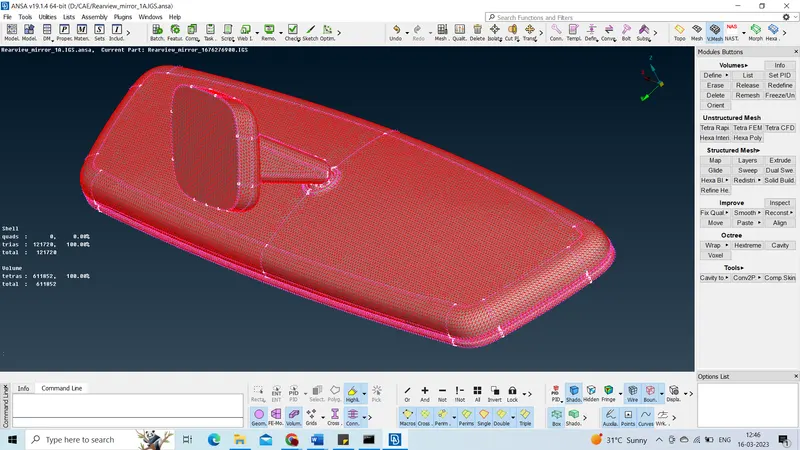
CONCLUSION:
We have obtained a good result in 3D tetrahedral meshing in the rearview mirror and feature capturing is done and used ortho tria elements in the curved and fillet areas.