Week 8 - Simulation of a backward facing step in OpenFOAM
AIM:
To simulate an incompressible-laminar-viscous flow through the backwards-facing step geometry.
Two cases are given:
Case 1 - Simulate the flow without using any grading factor (i.e., GF = 1)
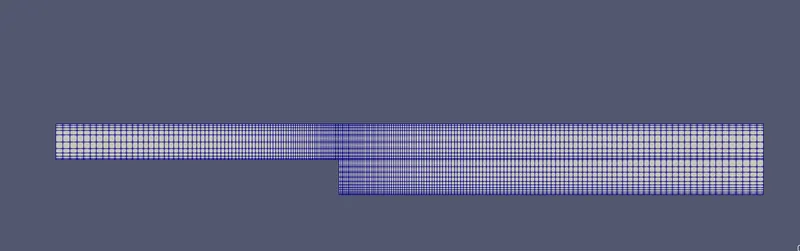
Case 2 - Simulate the flow with a grading factor of 0.2. The cells should be finer near the walls (including the step wall).
Mesh Details:
- Number of cells along the x-direction (longer dimension) = 200
- Number of cells along the longer y-direction = 20;
Boundary condition specification
The domain specifications are provided in the following figure.
NOTE: We copy the original tutorial file to another location in order to edit them to our requirement and never mess up the original files of OpenFOAM.
Opening Ubuntu and performing operations in terminal:
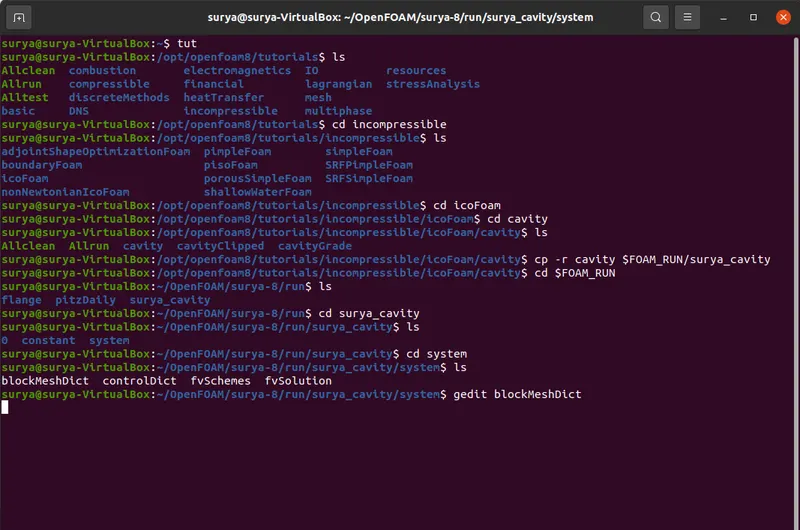
I will explain the commands which I have used as shown in Figure,
tut - To open the OpenFOAM tutorial so that I can find the files related to the problem at hand.
ls - It is just to list out the files present in the current directory i.e., where I am currently in the terminal.
cd incompressible - It is used to open the file.
cp -r XXX $FOAM_RUN/YYY - It is used to copy all the files inside the XXX folder and rename them as YYY in the FOAM_RUN location.
gedit - It is used to open the file so that we can edit it.
Case 1:
BlockMeshDict:
NOTE: Unable to copy the code. So, I am pasting the images of my code.
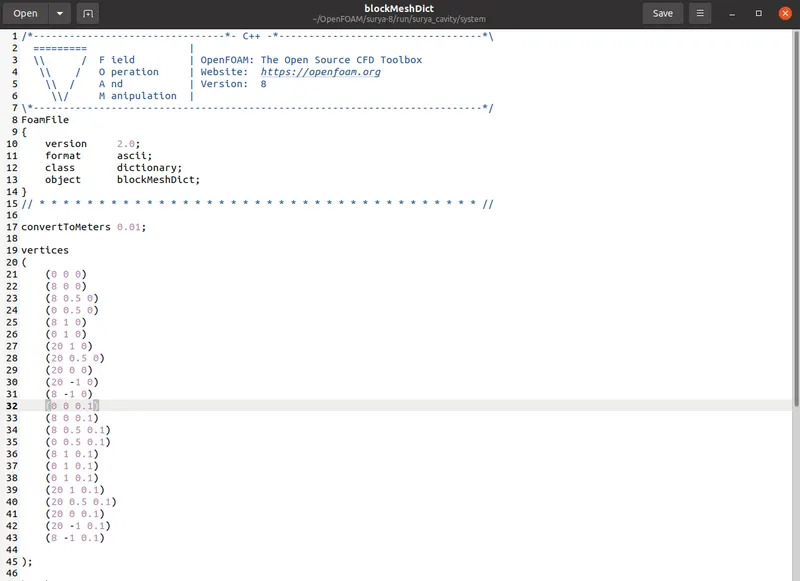
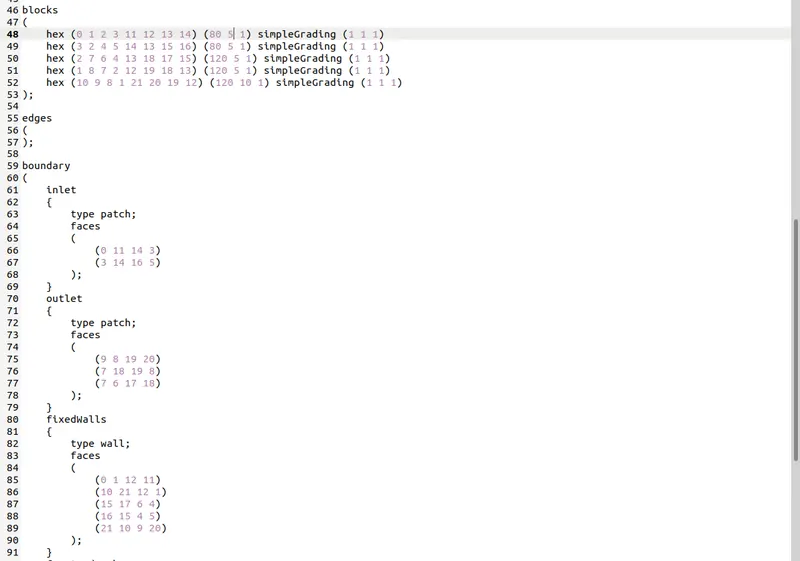
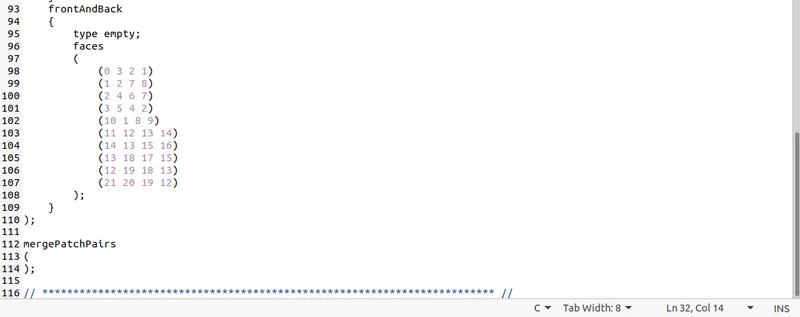
Note: Meshing in blocks{} are selected such that mesh is uniform and total grids satisfies the given requirement (200,20)
Velocity:
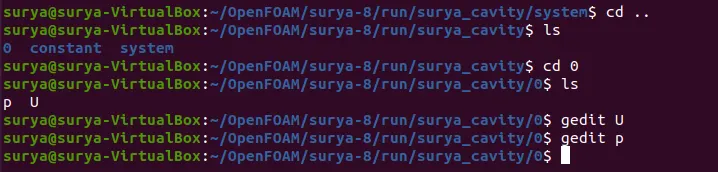
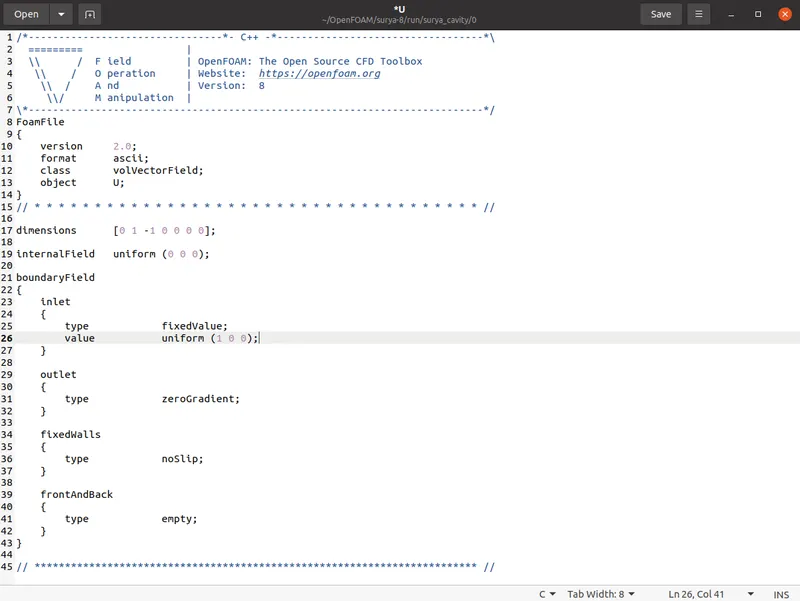
Pressure: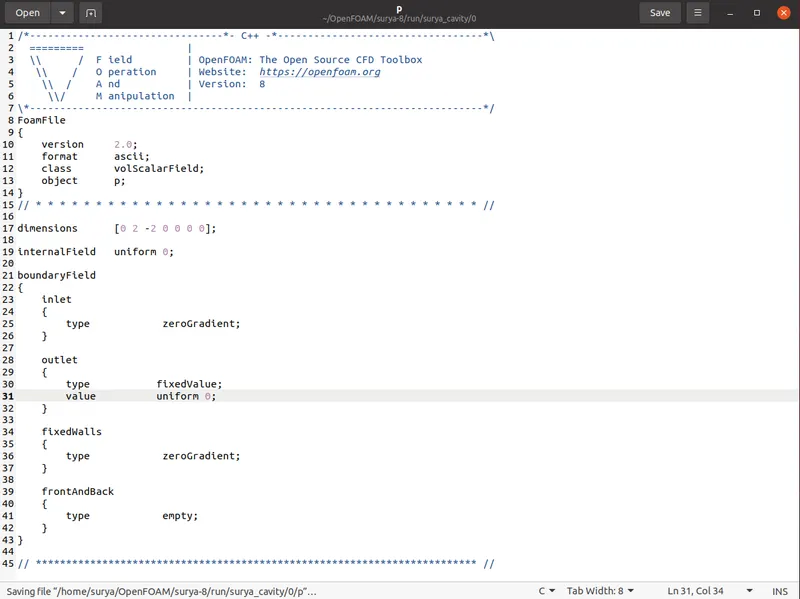
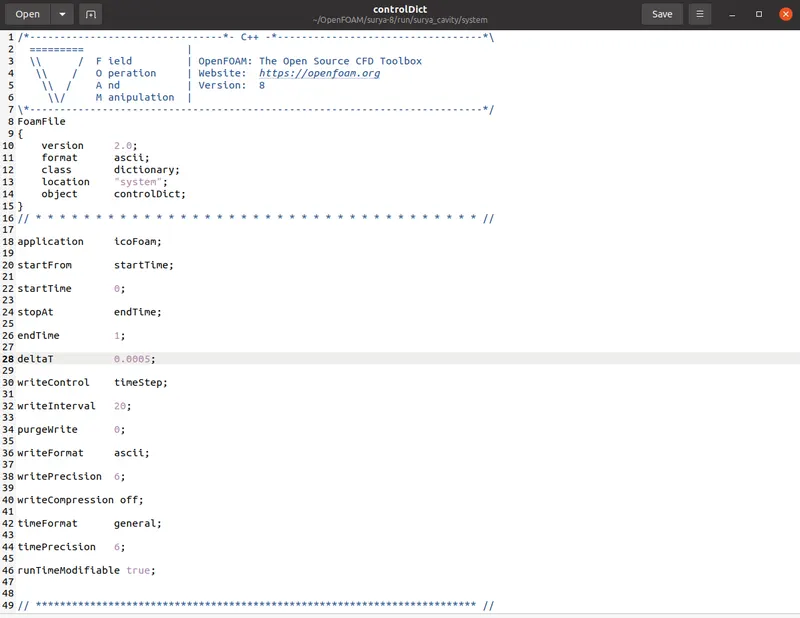
controlDict:

Solving:
Running blockMesh
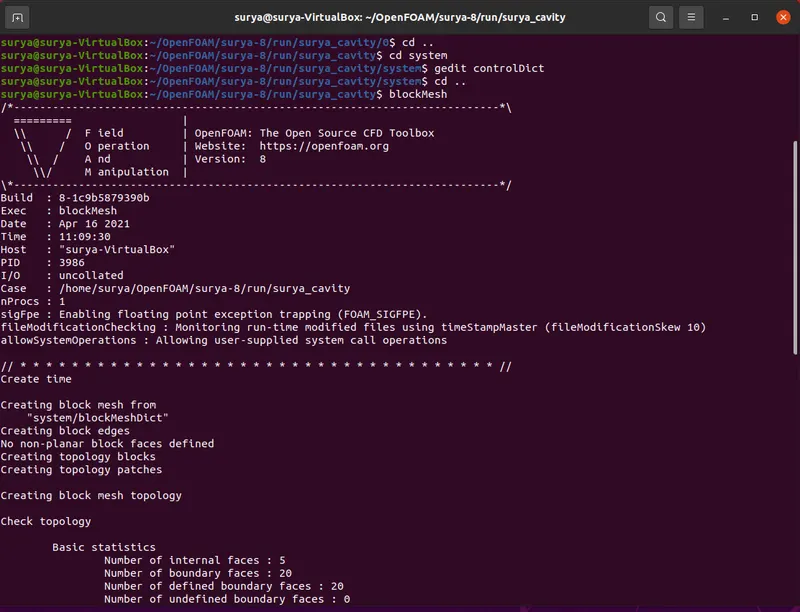
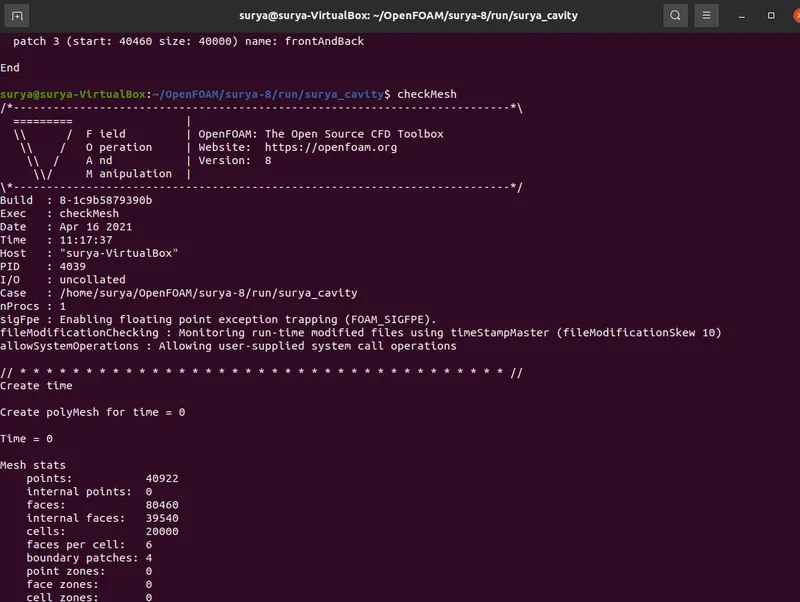
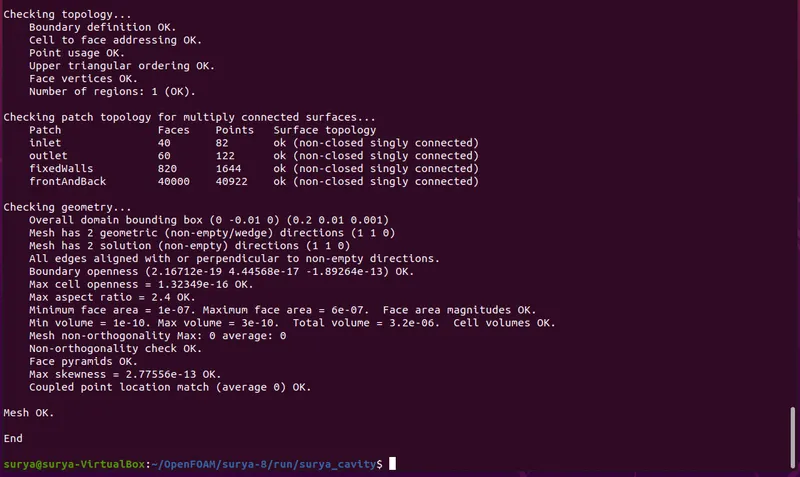
Checking the mesh
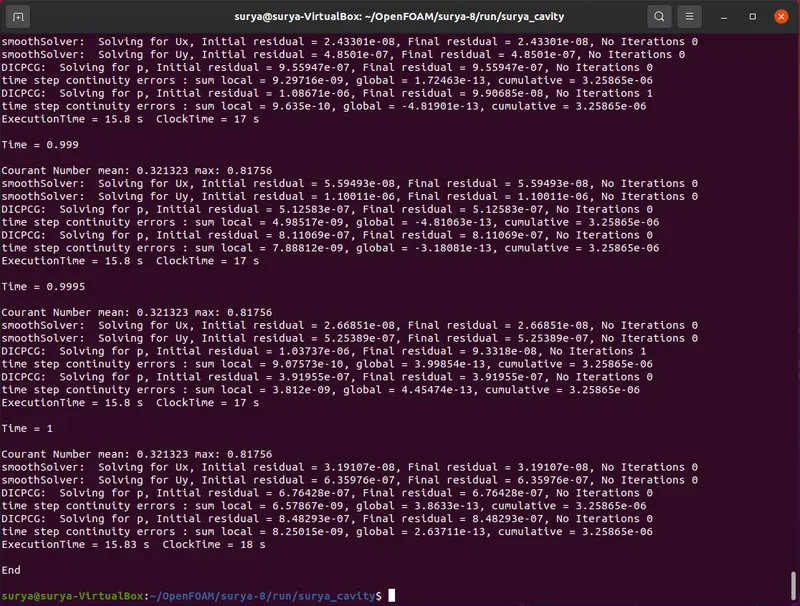
After running "icoFoam". The current problem will be solved.
Now, opening 'paraFoam'.
Results:
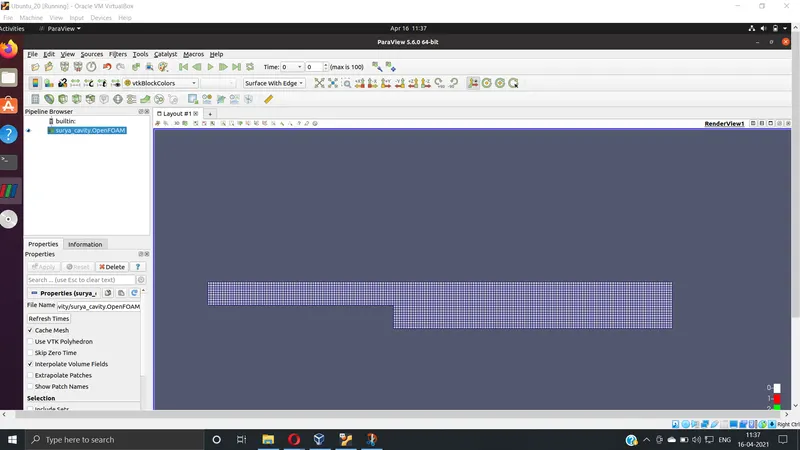
mesh
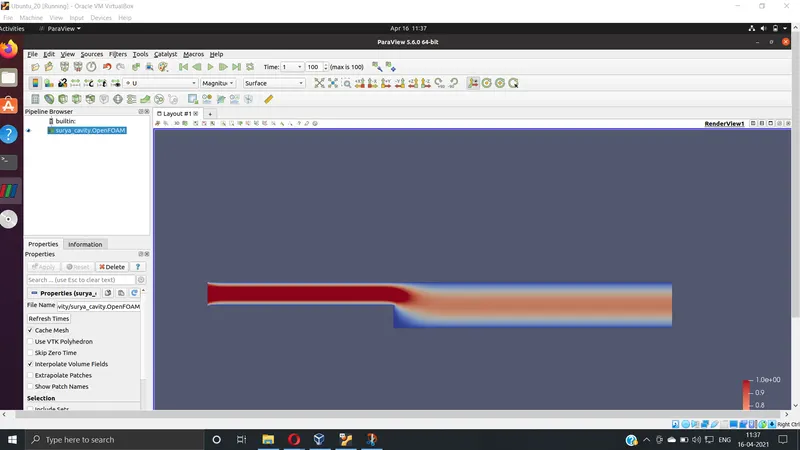
Velocity Profile
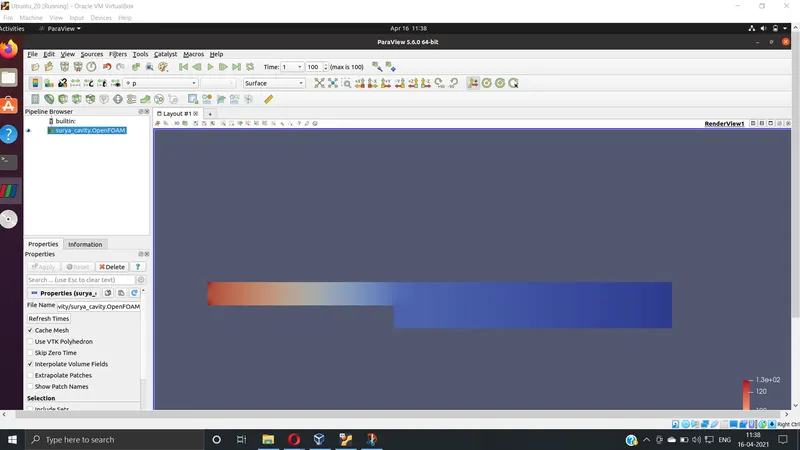
Pressure Profile
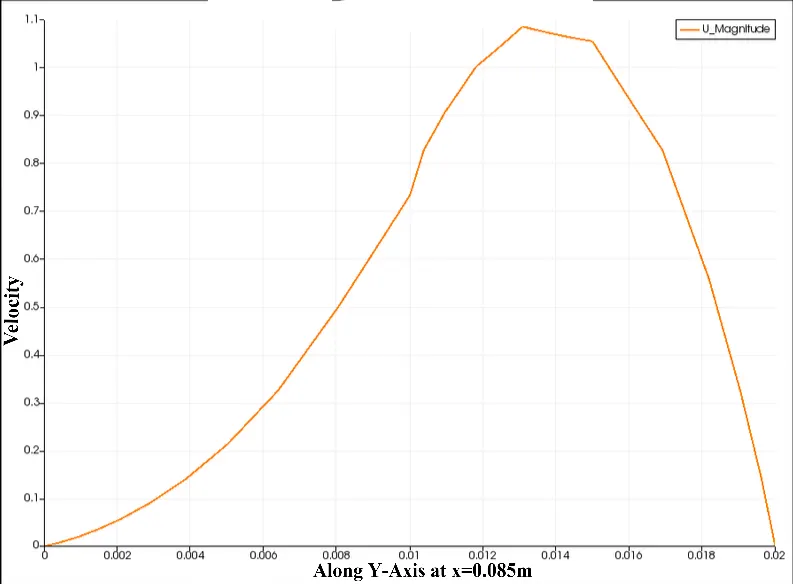
Velocity at 0.085:
Case 2:
With a grading factor of 0.2,
only the blockMeshDict file will change.
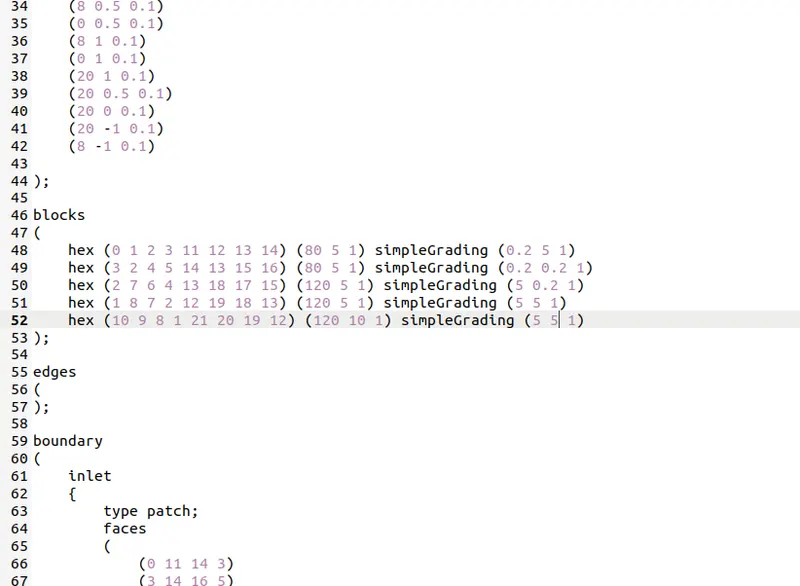
Solving:
Following the same steps as in the previous case.
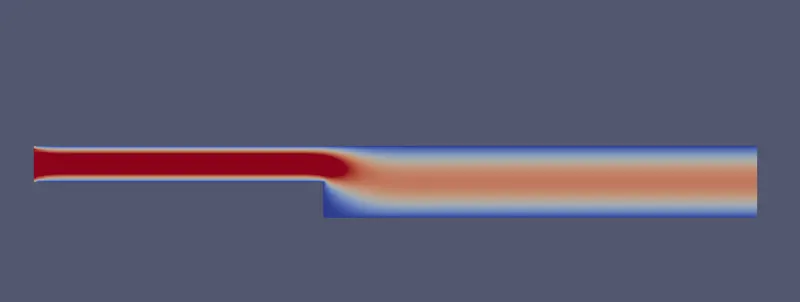
Results:
Mesh
Velocity Profile
Pressure Profile

Velocity at 0.085:
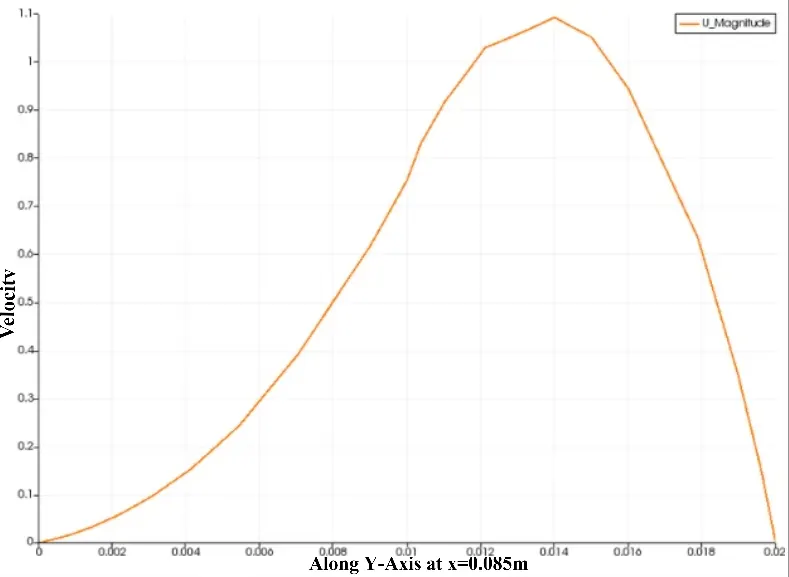
Conclusion:
We can see that as we made mesh finer near the wall the solution is smoother. This can be viewed in the velocity profiles at x= 0.085. Whereas we can't see this difference with the naked eye in a normal velocity profile
Now, why the Grading/Growth factor is essential for meshing:
simpleGrading: The simple description specifies uniform expansions in the local x1, x2 and x3 directions respectively with only 3 expansion ratios, e.g.
simpleGrading (1 2 3)
The grading factor is the ratio of the size of the end cell to the size of starting cell. This helps in getting more detailing at some positions as per the grading factor.
It is primarily needed to get better results where the properties might change drastically. For example, near the walls, we need to make the mesh finer to capture the boundary influence on the solution. Whereas, the results far away from the boundary might not have a drastic change.