Week_8_Plastic Model_1
Aim / Objective :
To extract midsurface for the given geometry
Mesh the plastic component with proper flow
To obtain the quality parameters with meshing
Assign thickness to the component
Component : B pillar
Element quality criteria :
S.N Quality Criteria Value
1 Target Element Length 5
2 Aspect Ratio 3
3 Skewness 45
4 Warping 30
5 Taper 0.5
6 Min. Length 3 mm
7 Max. Length 7 mm
8 Min angle Quad 45
9 Max angle Quad 135
10 Min angle Tria 30
11 Max angle Tria 110
12 Tria % 15
Procedure :
Steps 1 :
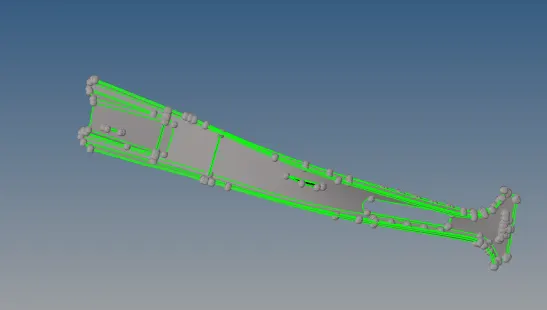
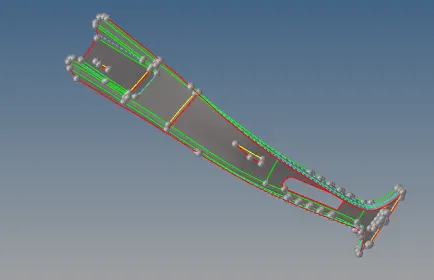
Import the geometry in hypermesh then deleted the solids by clicking the delete option
Then after surface extracted checked for the thickness
Under geom surface edit offset was used to extract the midsurface by giving half thickness value
Then checked for the surface for the reamining components to take midsurface
Steps 2 :
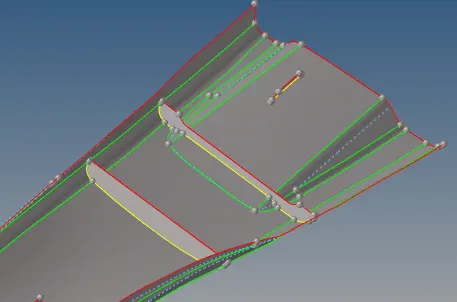
Then under geom midsurface used final edit tools result in current component
Selected the two sides to take the midsurface and extracted them
To attach to the base surface geom surface edit extend was used
Lines to extend over target surface was selected to extend them
This was repeated multiple times for the remaning component
Steps 3 :
For the component were midsurface was not easy to select the two sides
Under tool mask option was taken to take the midsurface and repeated the process
when the midsurface was completely extracted then feature lines were checked
Those failing for less than minimum were toggled geom quick edit
Steps 4 :
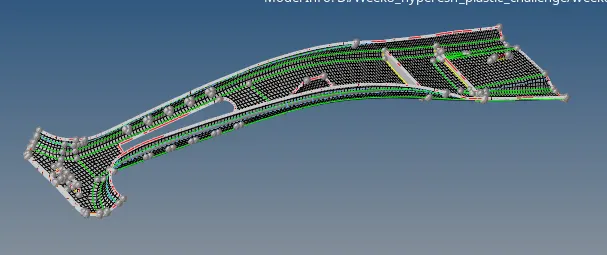
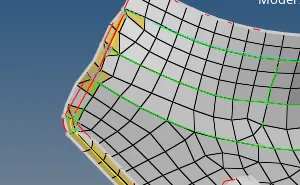
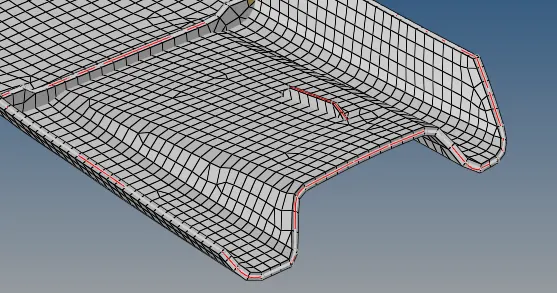
2D automesh was used to mesh by small parts and continue through out
Rebuid mesh was used where there elements failing
Some of the feature line needs to be captured on rib area
So on rib area elements fail could not avoided as features line captured
Remaining parts were rebuid to clear elements failure
Steps 5
Edges were cleared using replace points where required
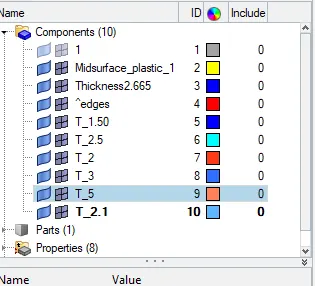
Thickness was assigned to all component separately
Component and property created for different thickness for all parts
Thickness assigned to base by measuring parent and ribs throughout
Saved the file for submission
Learning outcomes :
Geometry cleaning the solid to surface component
Midsurface extraction for diffferent component varying thickness
Meshing throughout with proper flow quality criteria obtained
Thickness assigned by creating property to all component
Result :
The component midsurface extracted and meshed to obtain quality parameter and the file is attached for reference