Week - 8 - Morphing
Morphing
Aim:
To use the basic morphing Techniques and perform morphing on the given models and change the model geometry using any numerical input and without any involvement of CAD Design.
Procedures:
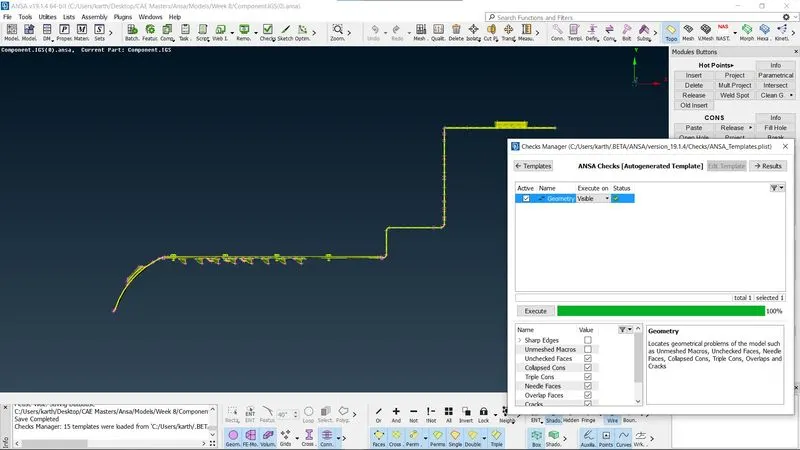
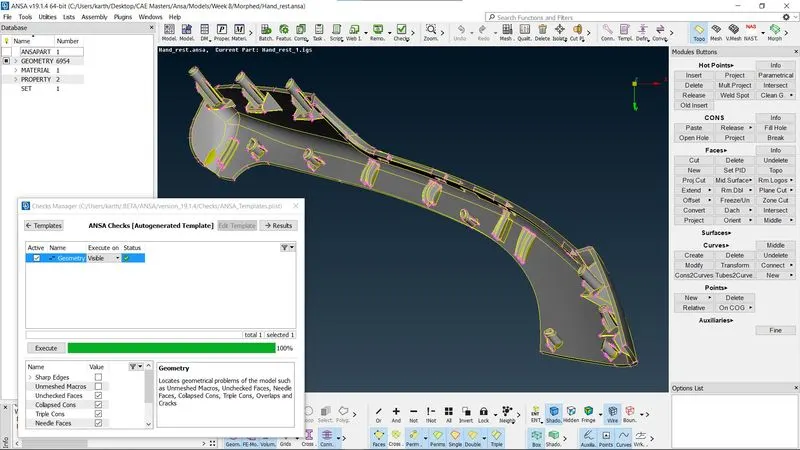
1.Geometry Checks
The model is checked for geometry errors using “Check’s Manager > Geometry” command, in case of geometry errors such as missing cons or missing surfaces that can be corrected using fix option in the checks manager or it can be done manually using various commands in the Topo module.
2.Topology
After the model’s geometry is corrected for all errors, the topology is performed for broken faces using “Faces>Topo” command in the topology module. Once the geometry is found to be 100 % good then the mid surface generation process is followed.
3.Mid-Surface and Meshing
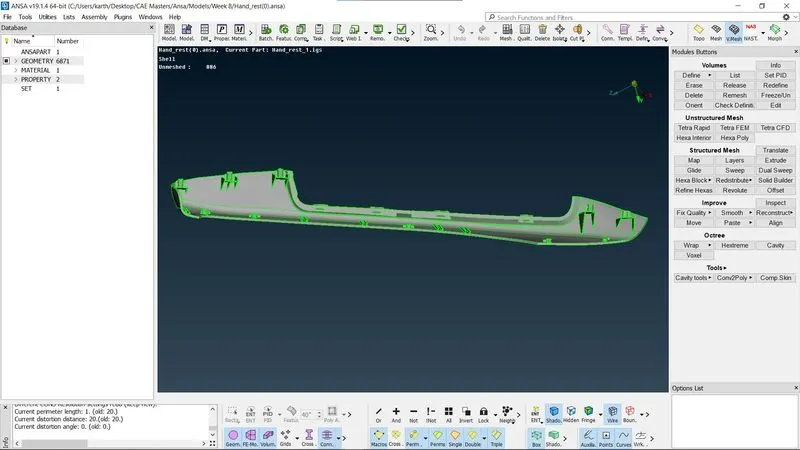
Casting method is to take Mid surface and 2D Meshing Such as follows, For Mid Surface creation and mesh generation the command “Too > Faces > Mid.Surf > Casting > Thickness, element size and element Type > Visible” command is used.
4.Morphing
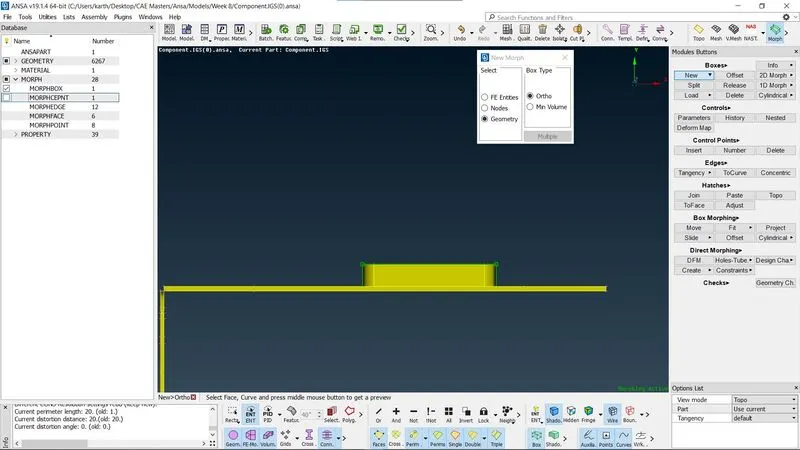
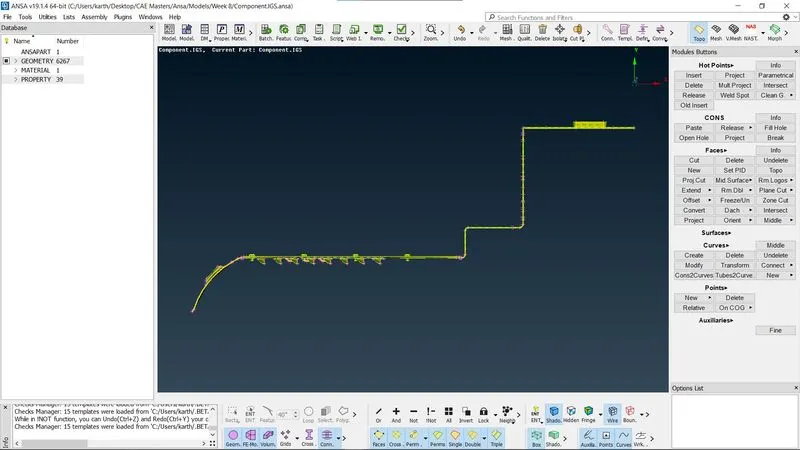
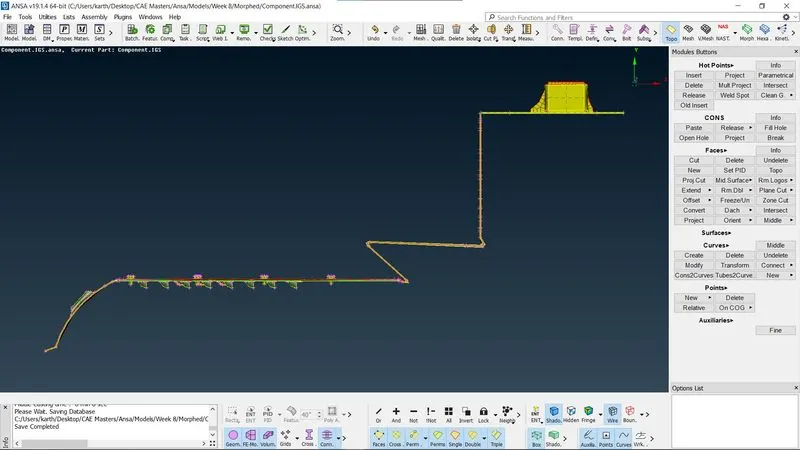
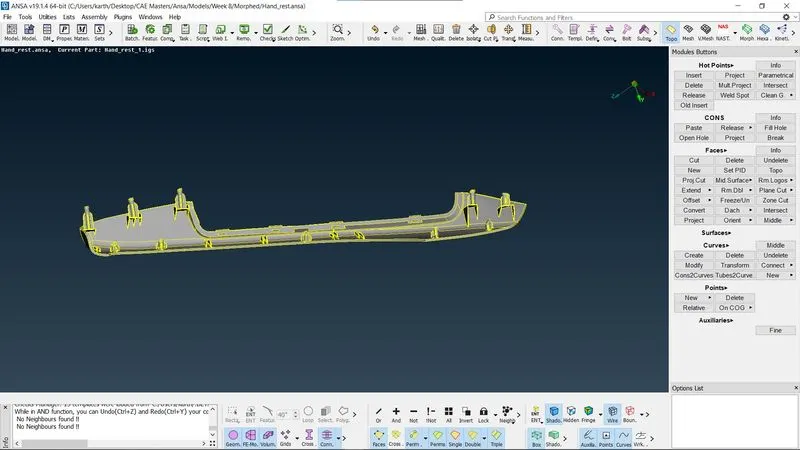
In ANSA tool bar the module is switched to Morph module and under Morph “Boxes>New>Ortho (Box Type)>Select (Geometry)” command will be available and using it we can create a box around the geometry which is in need to be morphed and by using “Box Morphing > Move” command the top corner nodes of the morph box is selected and translated towards X, Y and Z axis for manual movement or certain numerical input.
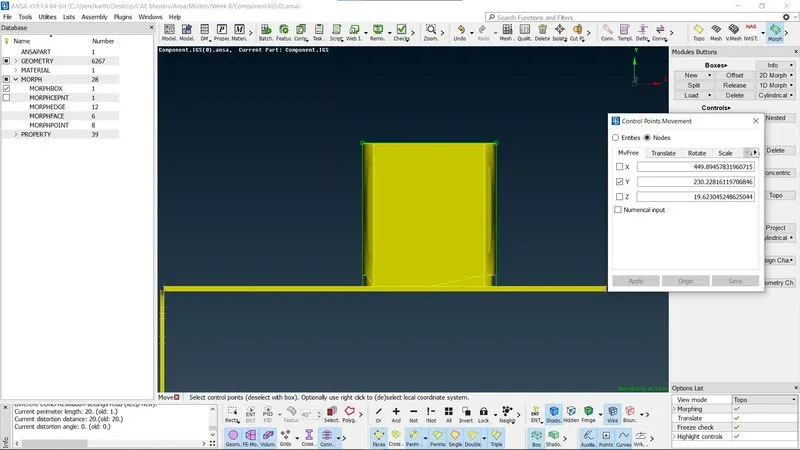
Post morphing the morphing boxes can be deleted.
Morphing Applications:
Morphing is applied to change the model definition in the means of geometry or alignment with respect to the Vehicle Coordinate system without working on the CAD model and also avoiding load of work that concerns the designing. Morphing can also be used on the meshed FE, its is not necessary to have Geometry model. Morphing helps to the create different models with one model as a base geometry.
Model 1
Model 2
Learning Outcomes:
In this challenge Morphing is learned along with all it’s basic functions and how it can benefit pre-processing methods.
Conclusion:
Morphing of the two given models is completed and mid surface is created for the models assigned thickness following that the mid-surface is meshed.