Week - 8 - Morphing
Morphing
In general, morphing is a technique for transforming an object from its current shape to a target shape. In order to design and manufacture the new products with less time and cost, the factories want to remodel based on the older products, which makes the feature-preserved morphing parameterization technology become a new subject and attract increasing attention. With morphing, changing shape across multiple operating conditions to improve performance or enable new functions to the vehicle or body to which it is attached or comprises has become easy and faster too.
There are 4 morphing techniques used by ANSA to efficiently re-shape both FE and geometry-based models.
- Domain (Box) Morphing
- Direct Morphing
- Parametric Morphing
- Geometry Morphing
Domain (Box) Morphing
Domain or Box Morphing is performed via boxes that are created around a particular part or assembly that the user intends to morph. The movement of the Morphing boxes control points defines the morphing operations on the entities inside the Morph box. This type of Morphing can be applied to both FE and Geometry based models.
Direct Morphing
ANSA’s Direct morphing features gives the user the ability to efficiently modify a part locally without having to create Morphing boxes. This method is extremely useful in creating local modifications on single parts. Creation of depressions, surface fitting certain FE part features to new target geometry, moving selected features along the contour of a surface, and also the ability to freeze (rigid) elements during the morphing process are some of the direct morphing abilities.
Parametric Morphing
The desired morphing actions can be saved as parameters that can be accessed in batch mode. Users can enforce desired shape changes by changing numerical input value for the appropriate parameter. This method of morphing is highly utilized for coupling of the morphing operations to an external optimizer. The scripting capability can be used in conjunction with ANSA’s parametric morphing functionality to deliver faster DOE models.
Geometry Morphing
ANSA brings to the CAE world its ‘one – of – kind’ tool for CAD geometry morphing. This pioneering concept allows the user to utilize the inventory of all the familiar FE morphing functions to perform equivalent operations in a CAD environment on geometric entities.
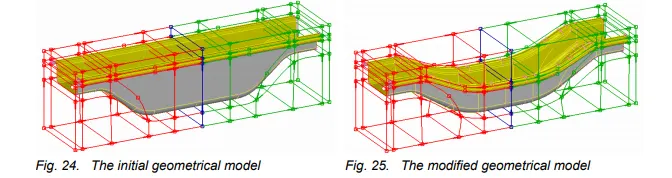
- Morphing is performed in many fields such as computer animation, structural design, aircraft/automobile external shape design, mechanical component design, etc.
- For shape morphing in the packing process, the task is to find a shape that is optimal for some specified objectives while keeping its volume constant or increasing it. Based on different solid modeling representations, the generally used morphing methods include parameterization-based morphing,
- Morphing aircraft are able to change their body shape for various flying performances. Such changes can be either an incremental change to facilitate flight control or a significant change to adapt to a new mission. The key to successful morphing is the scale of geometric wing change to match a particular performance requirement.
- The feature-preserved morphing method is useful for panel design under complex rigid constraints, abbreviated
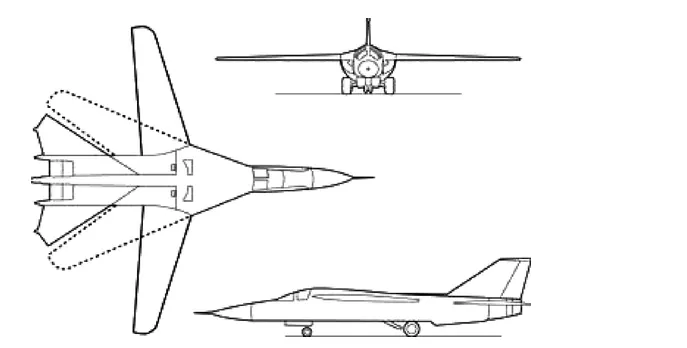
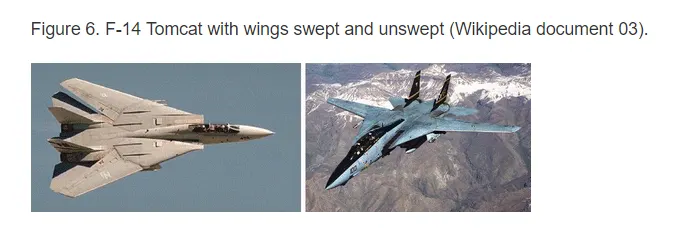
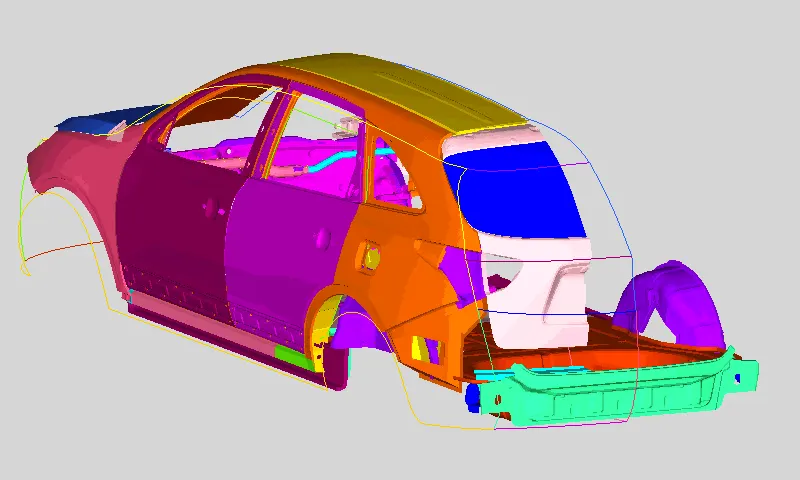
- Component and full system-level FE/CFD models (such as automotive vehicle crash, NVH, and durability models) can be morphed to fit target design features such as styling lines, sections, proportions, etc. precisely.
-
Typical automotive morphing scenarios such as morphing to match styling, upper body to carry over under body matching, morphing sedan to a station wagon or SUV, etc. can be executed rapidly.
Specialized morphing such as fillet radius change, section change, pattern replication, etc. is also available.
Aim:
- Practice all the Morphing techniques on a hand rest pannel and sheet metal component.
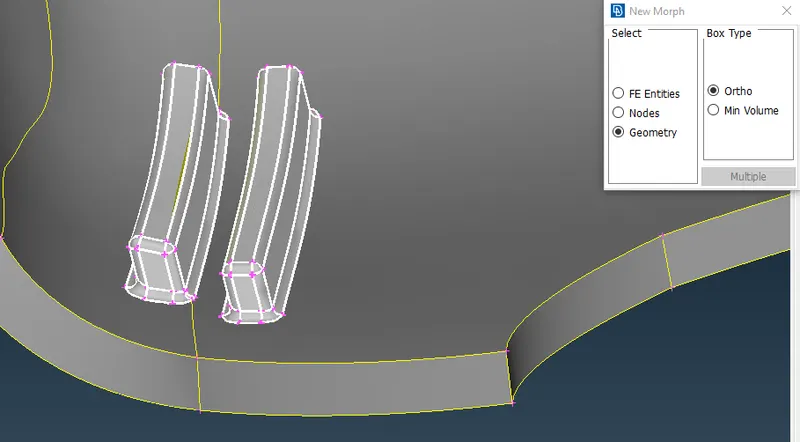
- Increase the Height of the Dog houses and Ribs.
Methodology:
We have two models on which the morphing has to be done so we start with the first sheet metal component.
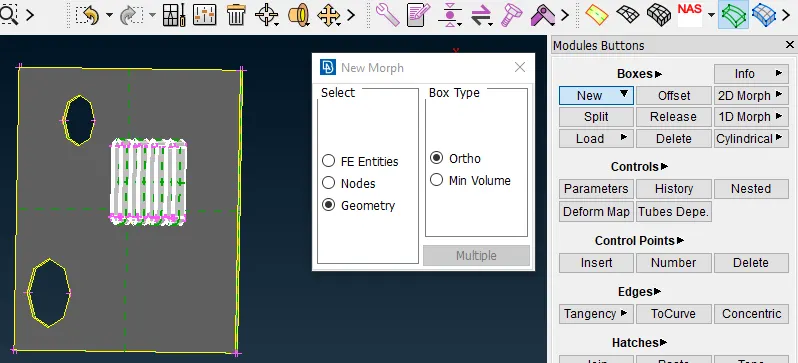
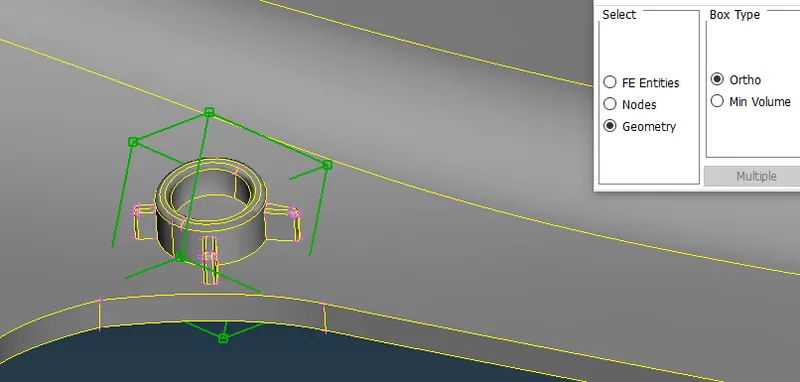
- Go to morphing module select Boxes> New and then select Geometry with Ortho Box type.
- Now we will select the geometry area on which it has to be performed.
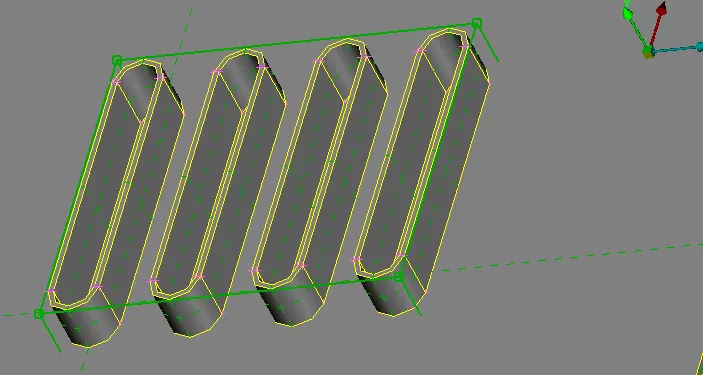
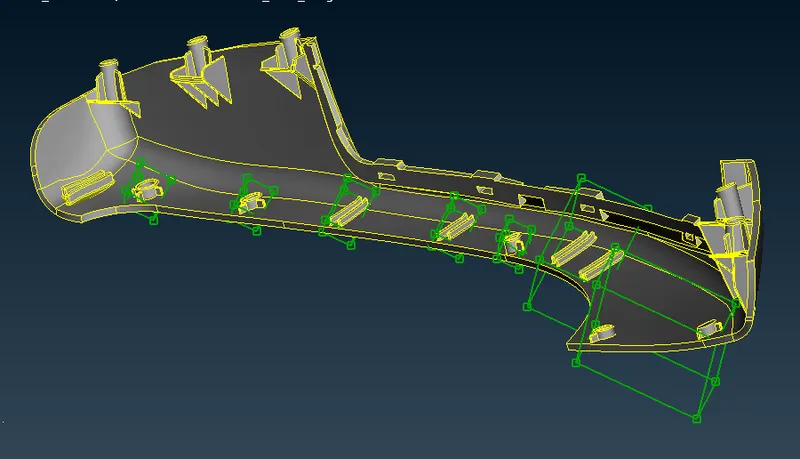
- A green box will be generated there, after the middle click as shown below.
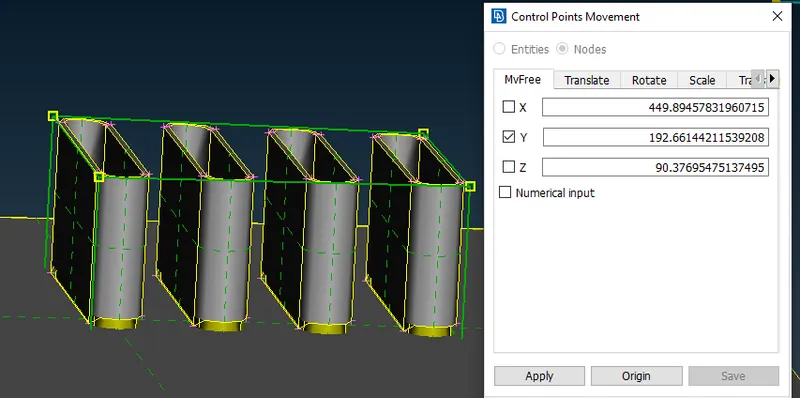
- This box has control grids through which it can be moved using the Move option and we can constrain its movement in any direction.
- There is another way of giving manual length perimeter as well.
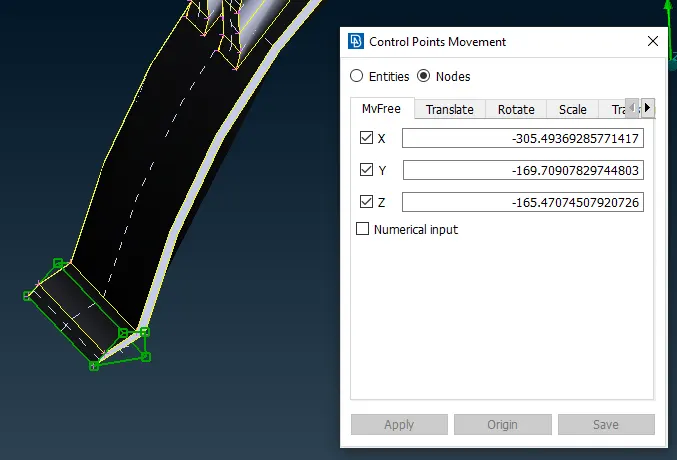
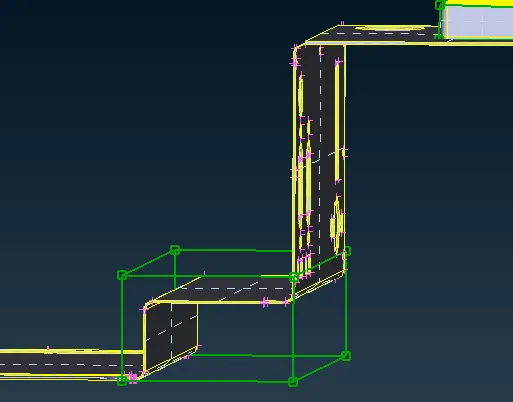
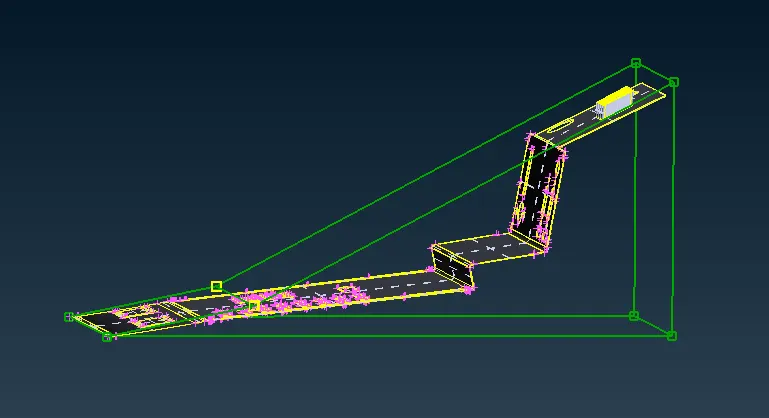
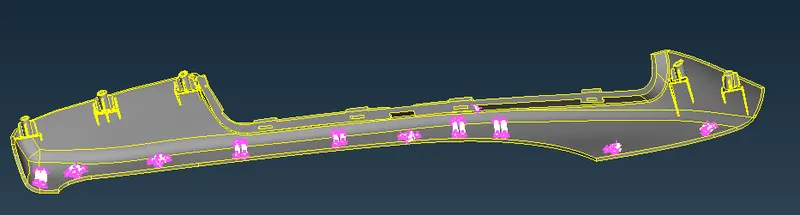
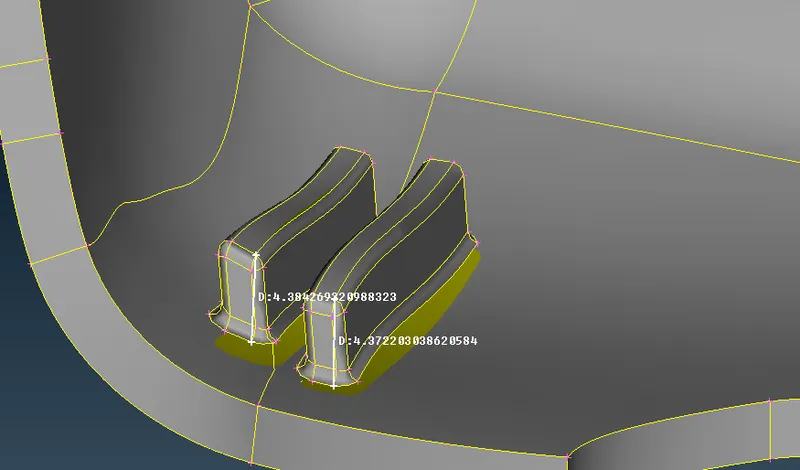
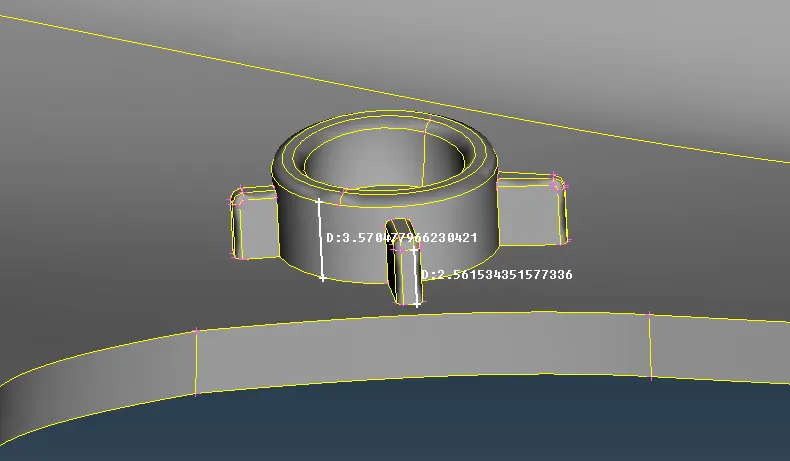
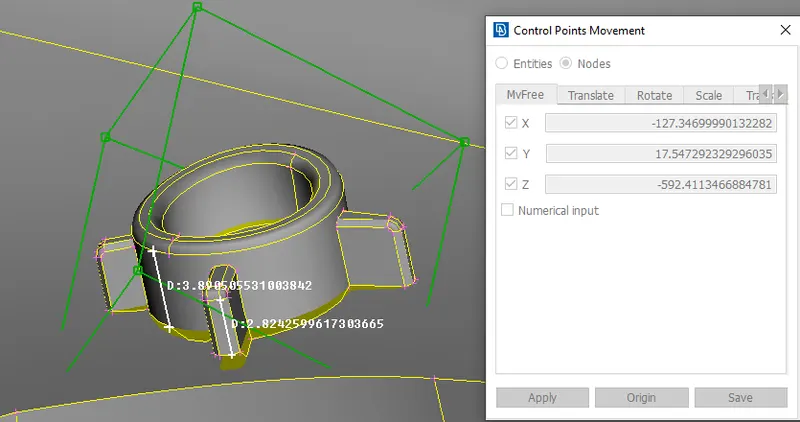
- Second Model- On this, we have to increase the height of the dog house features.
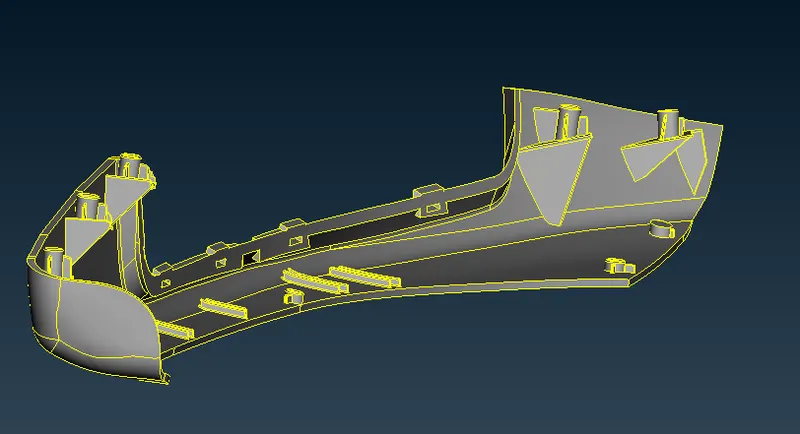
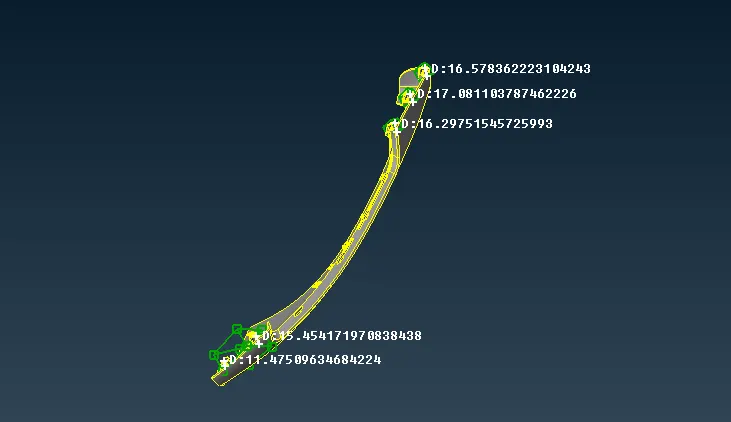
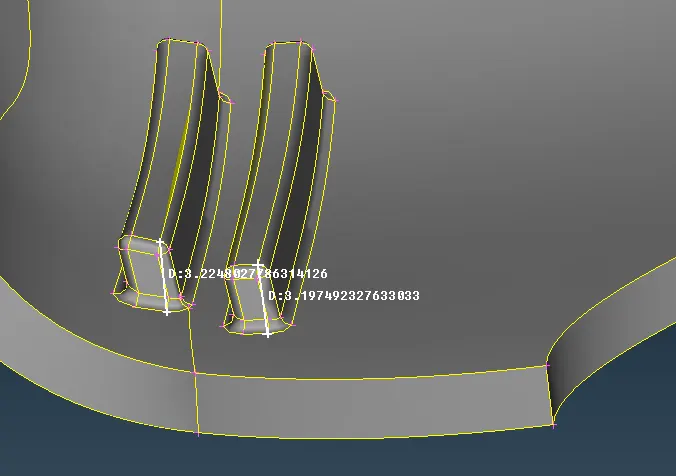
- Here is the initial length of few features before performing morphing.
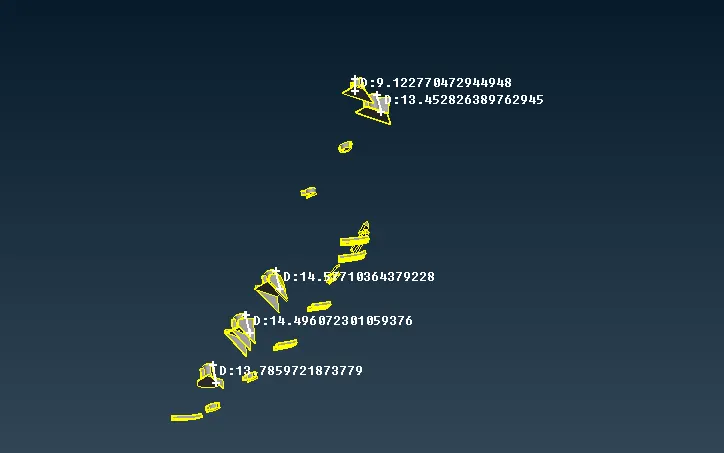
- Selected green box, now by moving the nodes we can make the increase in heights as needed.
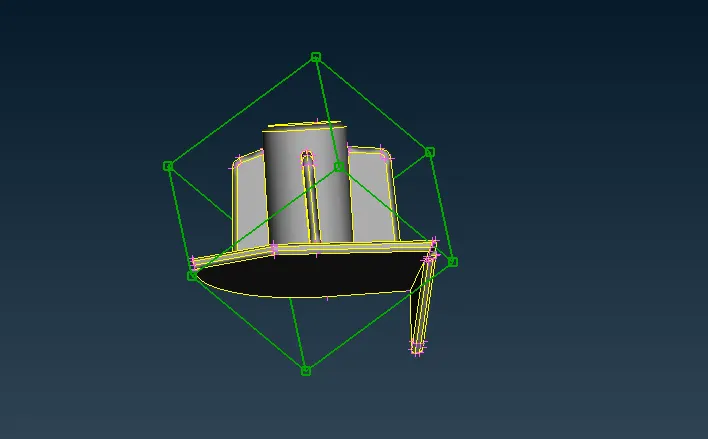
- After morphing, those features have got a new increased height.
Learning Outcome:
- We have learned the use of Morphing in various industries and its capabilities in various product designs.
- Now we have a basic understanding and idea of using this morphing module in ANSA to make changes in features.
Conclusion:
We have successfully morphed features of a hand rest pannel and sheet metal component as per the requirement.
Links:
https://www.tandfonline.com/doi/full/10.1080/19373261003607972