Week - 8 - Morphing
Aim-
1) Practice all the Morphing techniques that were shown in the video for Model-1.
2) Perform morphing for the Model-2 and Increase the Height of the Dog houses and Ribs. (Refer Red annotations in the below image to understand what are Dog houses and Ribs)
Given Data-
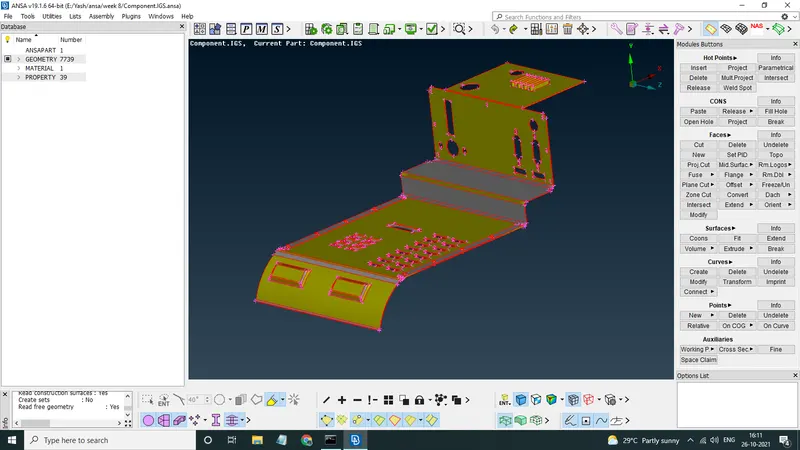
1st CAD
2nd CAD
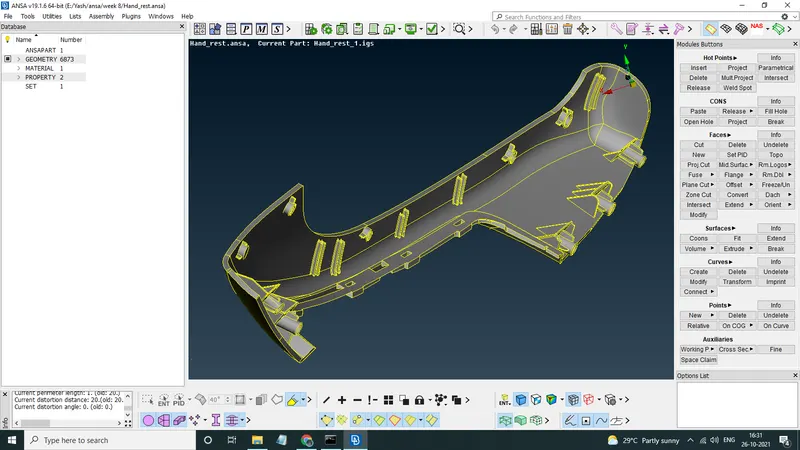
Methodology-
1.For the first CAD TOPO, Geomerty Check
2. Morphing According To Video
3.Morphing On 2nd CAD
1.For the first CAD TOPO, Geomerty Check
For the first CAD as usual we performed A quick TOPO then a Geomerty Check, most of the errors were able to clear by FIX , Few of the Triple cons aroud one hole were fixed by using TOPO>>CONS RELEASE & TOPO>>FACES>>TOPO.
2. Morphing According To Video
Now we go to Morphing Deck>>boxes>>new>>ortho>>geometry and select the following features
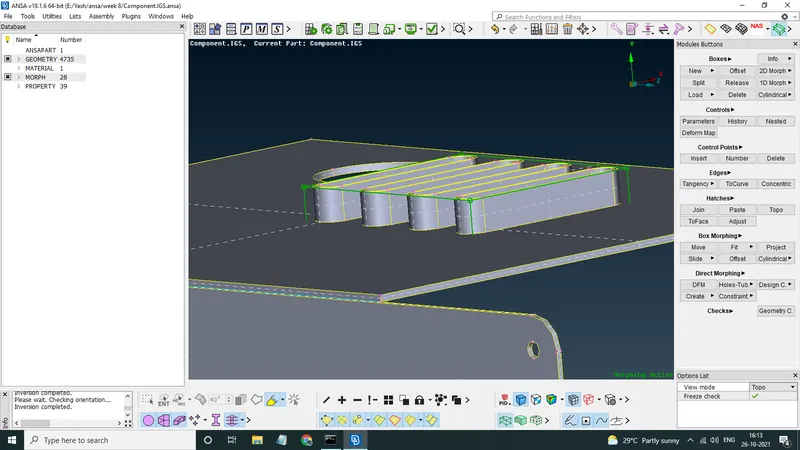
now our ortho box is created, to manupulate this we go to MORPHING DECK>>BOX MORPHING>>MOVE this command just works like MV FREE , here select the box nodes that we want to move , for this perticular case we increased the height of the seleceted part.
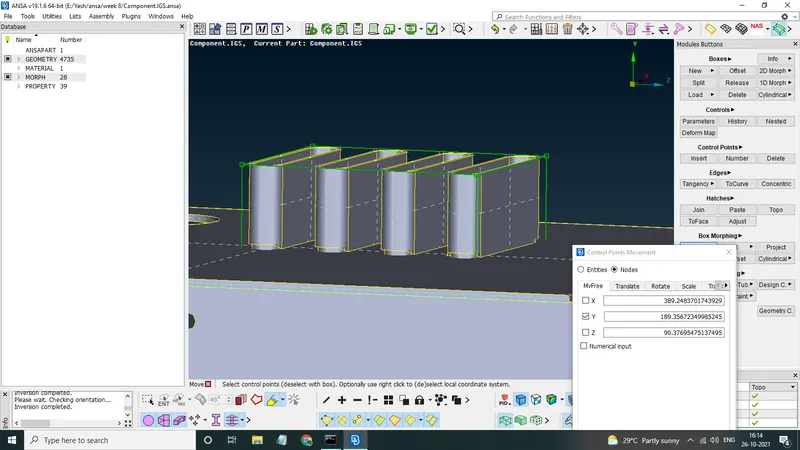
now performing other changes that were in the video
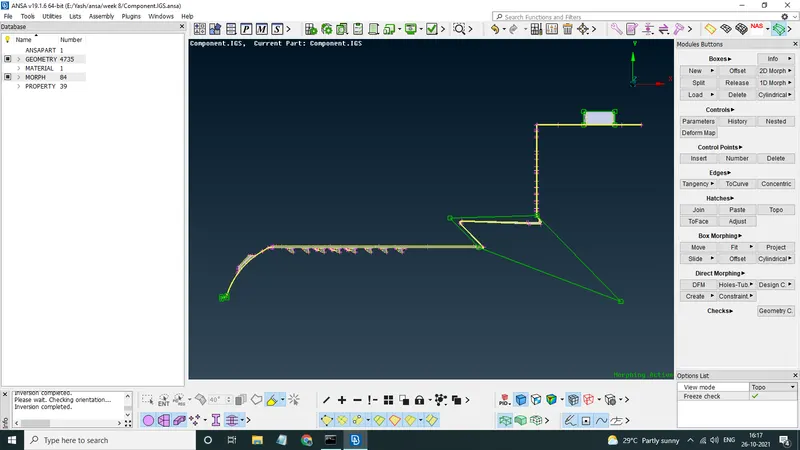
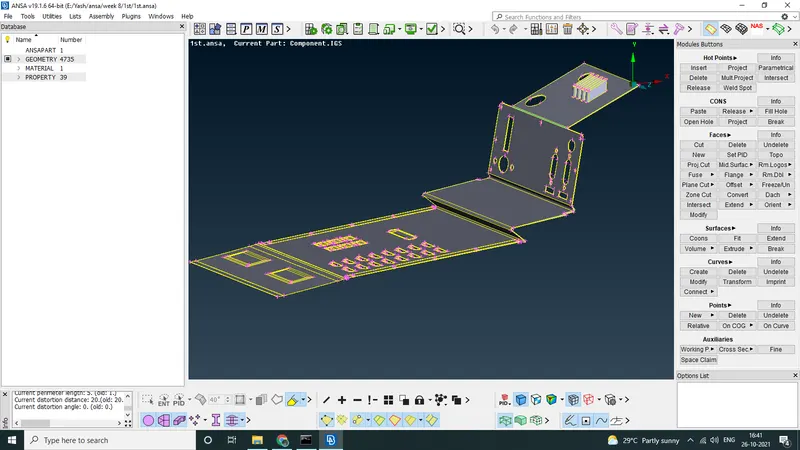
3.Morphing On 2nd CAD
Here in this cad we are only instructed to increase the eheight oh the dog house and ribs asssosciated with it, so first we defined the ortho boxes for all of them.
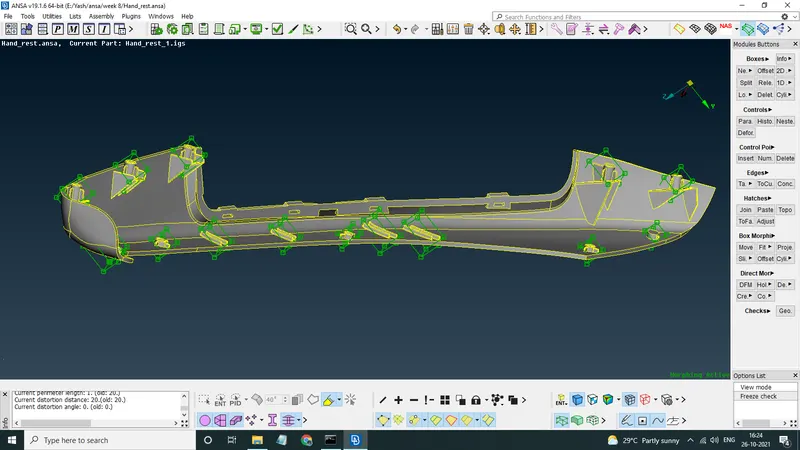
now by selecting the top node of every ortho box we use MOVE command on all of them and middle click for confirmation.
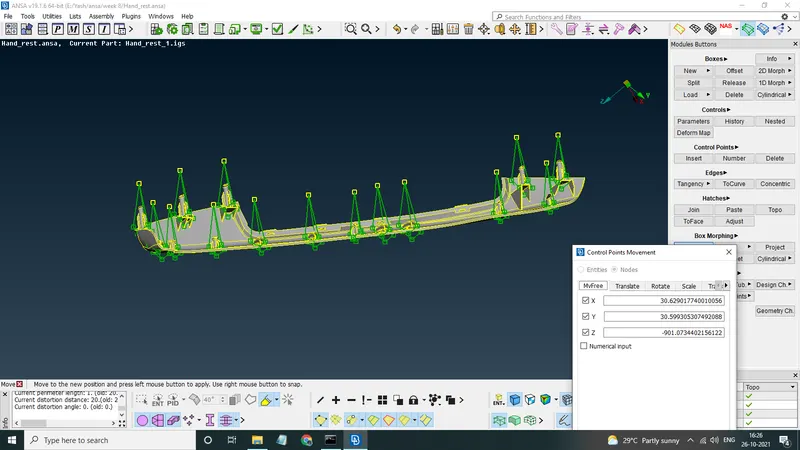
if we want to furthur modify, we can use MORPHING>>BOXES>>SPLIT this command splits the ortho boxes so that we can furthur modify the component.
Conclusion-
Morphing- Its the process of changing the design of a component without any numerical inputs, Morphing used in this Challenge is called as Ortho Morphing/Boxed Morphing/FREE-FREE Morphing.
Basically its an ideation process where one can modify the existing design according to his concepts. in automotive industry there are several examples of morphing like TATA tiago & Tigor, Maruti Suzuki Swift & Swift Desire, Hyundai i10 % Xcent, Honda Brio & Amaze.