Week 8 - Challenge 6 - Core & Cavity Design
Design Methodology with images:
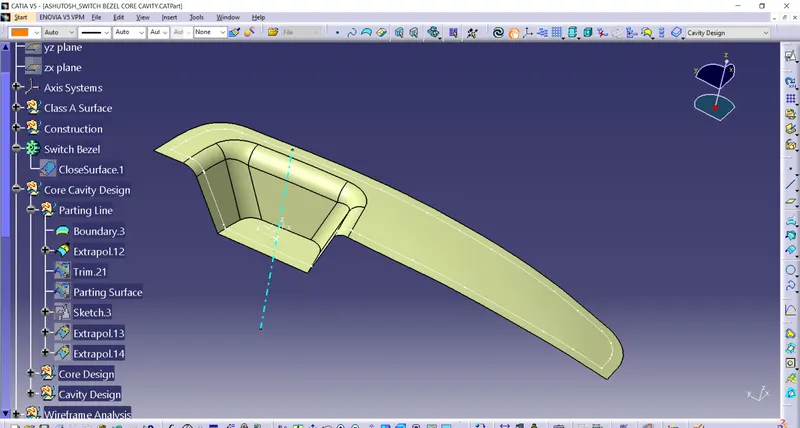
Procedure for Parting Surface:
- Extract the Class A surface boundary lines with boundary option.
- Extrapolate the Class A surface by 15mm.
- Trim the extrapolated surface with Class C & B surfaces respectively.
Procedure for design Core:
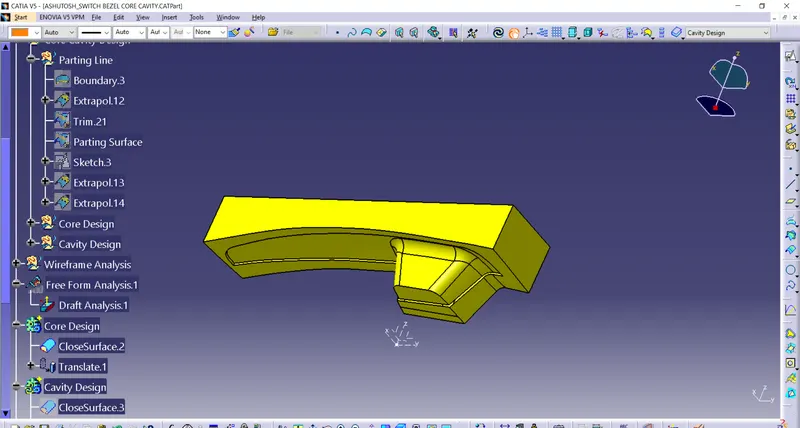
- Open the new sketch in XY plane.
- Create a rectangle and constraints it.
- Extrude the sketch on both sides.
- Trim the parting surface with the above surface of the rectangle.
- Fill the open surface with the Fill option.
- Join the filled surface with the trimmed surface.
Procedure for design Cavity:
- Trim the extrude surface with b surface.
- Fill the open surface with the Fill option.
- Join the filled surface with the trimmed surface.
- Now open the Part body.
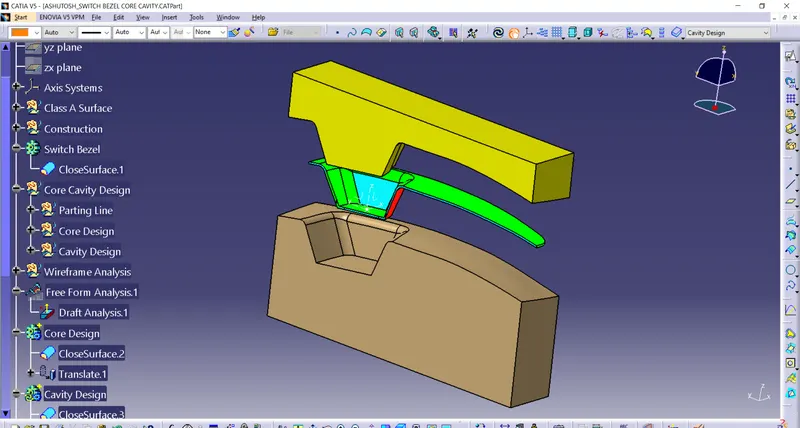
- Create two bodies separately and create closed surfaces.
- Intersect with the perpendicular plane and unhide the tooling axis.
- Translate the bodies in required directions.
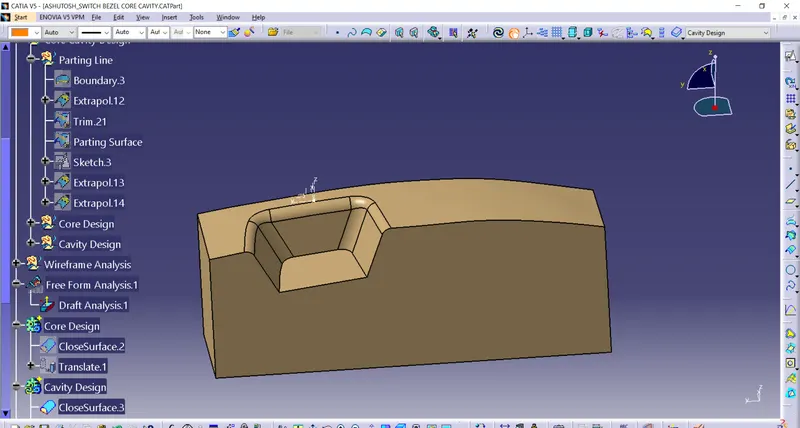
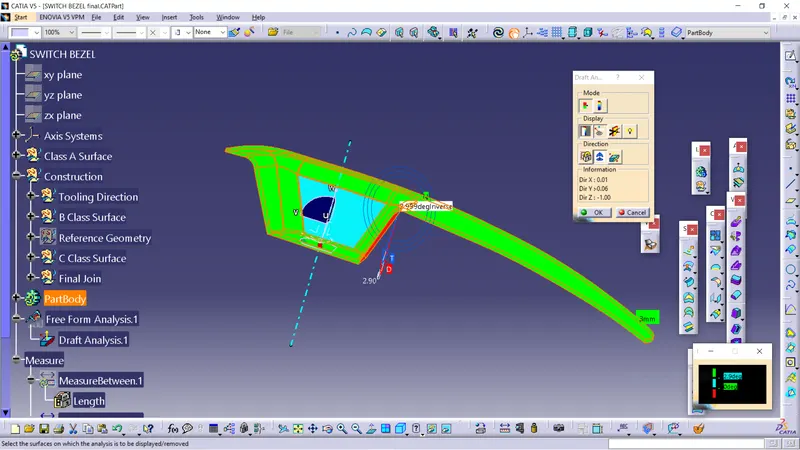
Procedure for Draft Analysis
Draft Analysis:
- Go to the Insert menu and select the Analysis option.
- Select Feature Draft Analysis.
- Select the Material option and select the surface.
- Drag the compass and place on tooling axis.
- Make sure that the top surface is in green colour as draft angle should not exceed 3deg.
- Click on Okay after confirm the model.