Week 8 - Challenge 1 - Draft Analysis on a Fan Cover
Aim:
To create the tooling axis for the given Fan cover model meeting the requirements of the draft angle and perform the Draft analysis on the model.
Procedure:
To create an dummy axis create a point on the centre of the fan cover. After creating the point draw the line.After creating the line, create the axis along the centre point. After creating that click on intersection for the first element select the xz axis and for second element click on the fan cover. After that a line creates centre to the fan cover.
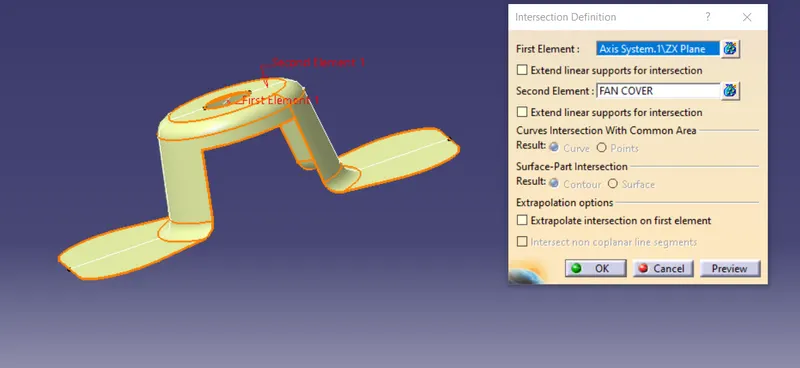
Now the line creates on the centre after that for an axis along x direction click on the line option change the line type to point to point. Select the points on the line which is created at the centre.
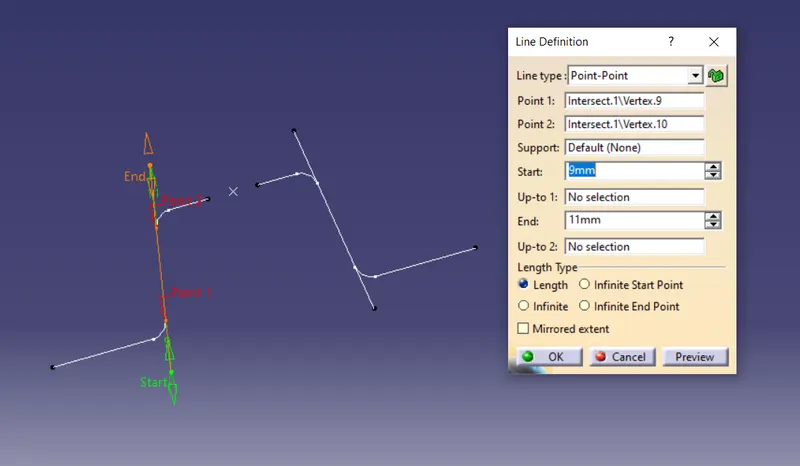
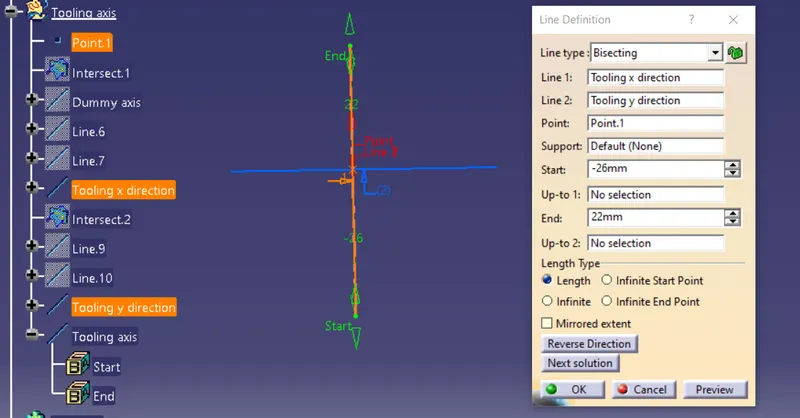
After creating the line on the both sides again click on the line option and change the line type to bisecting and select the two line created and click on the line as in the image. Now the tooling along the x axis is created.
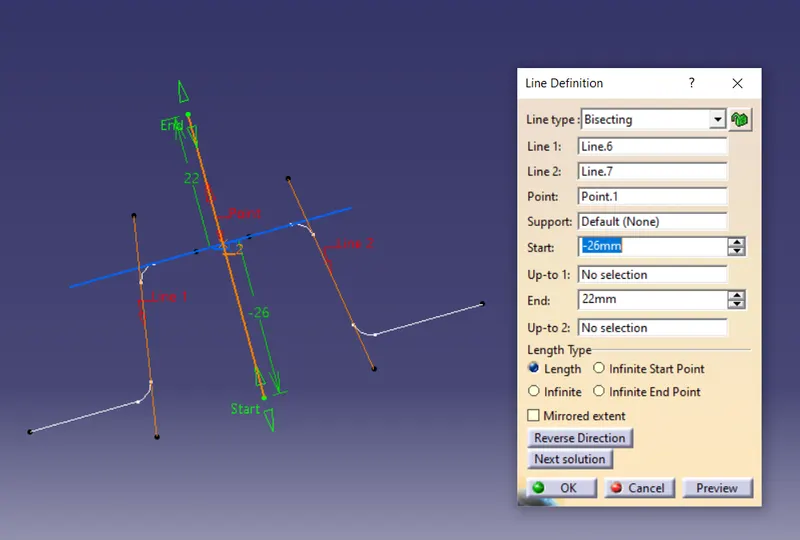
The same procedure is performed as such above.
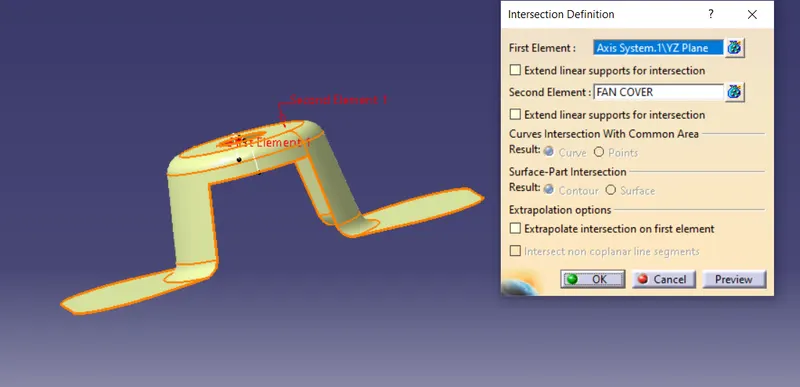
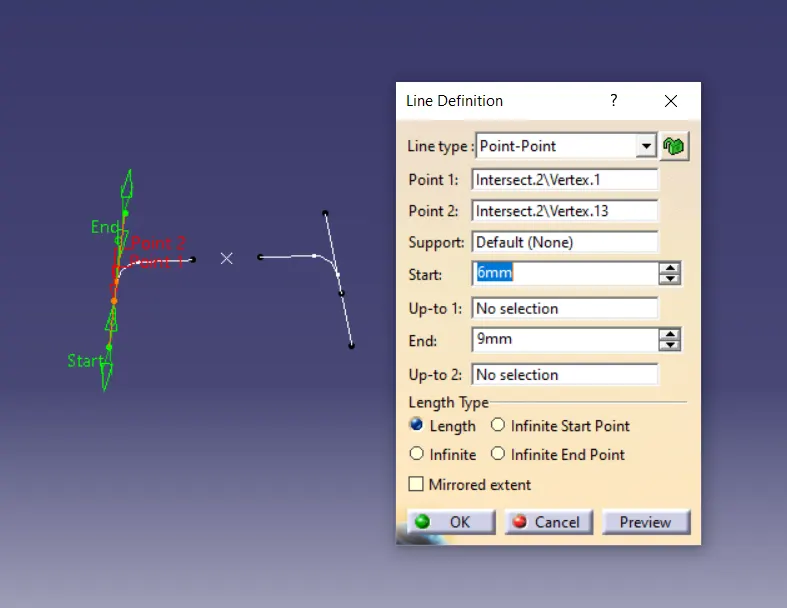
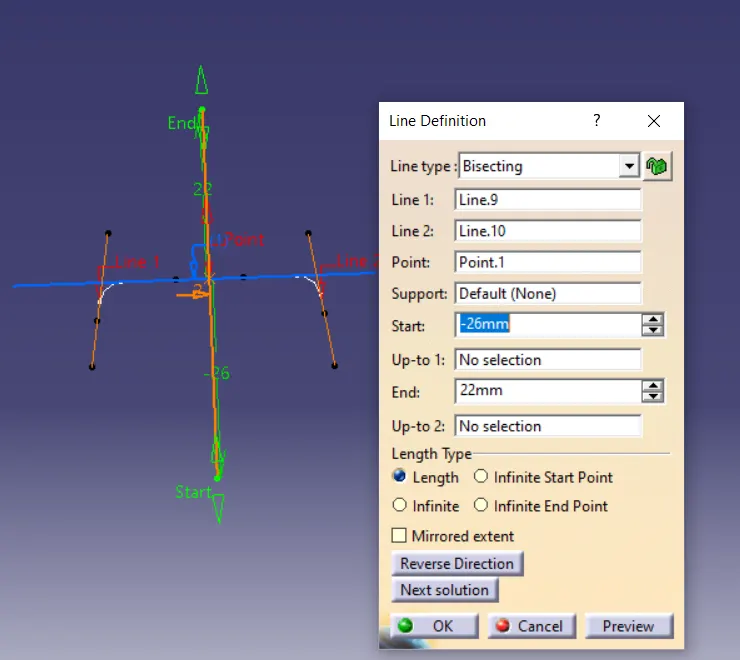
Now the line of x axis and y axis is bisected together.
Click on the compass option in draft Analysis and an compass is created drag the compass on thNow performed the operation.
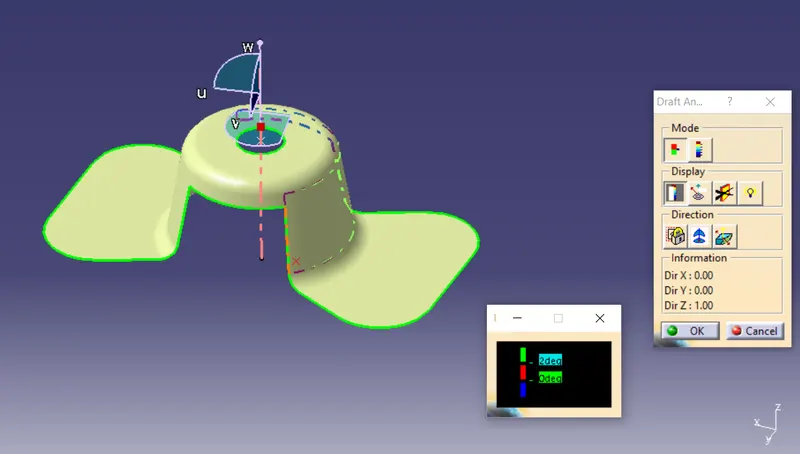
The Final output:
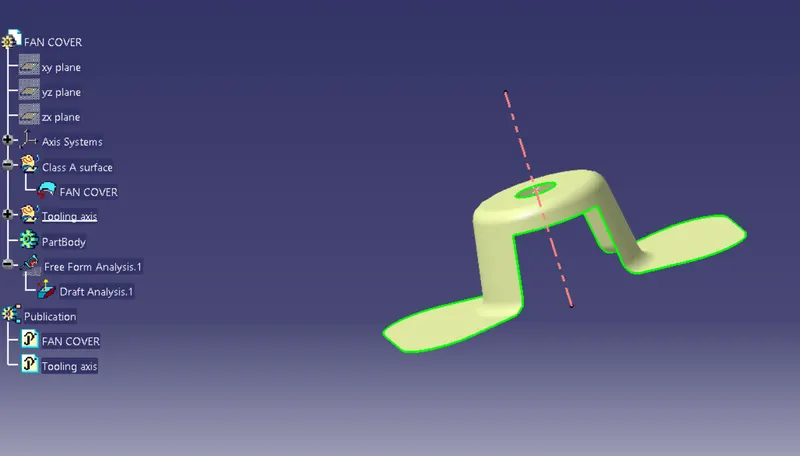
Result:
From this tooling axis created along the fan cover and performed the operation.