Week 8 - Challenge 1 - Base Bracket Design
TOLLING AXIS CREATION:
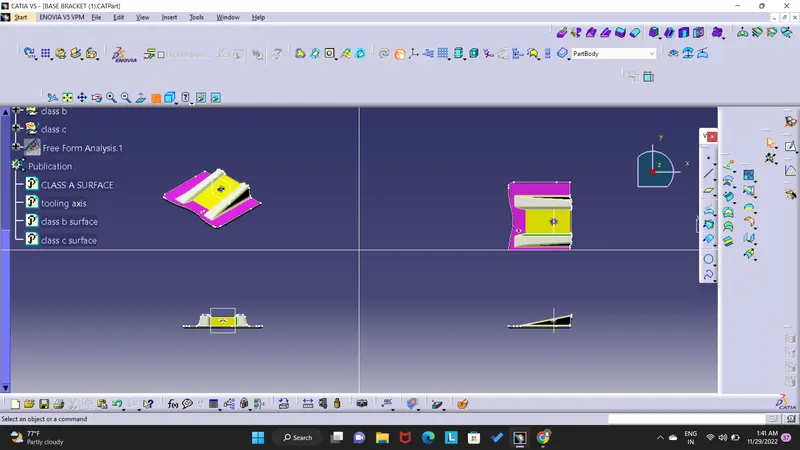
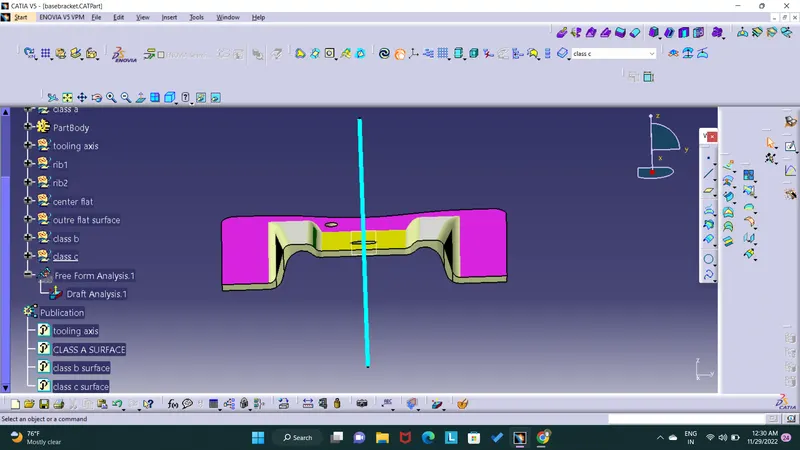
the tooling direction is basically the direction that the mold pulls apart , the mold is built in two separate pieces basically you have a cavity side and you have core side the core pulls apart frome the cavity and thats the tooling direction .
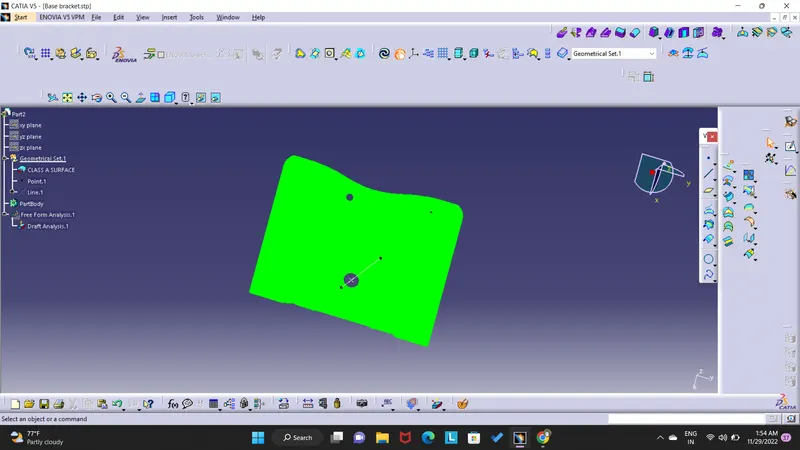
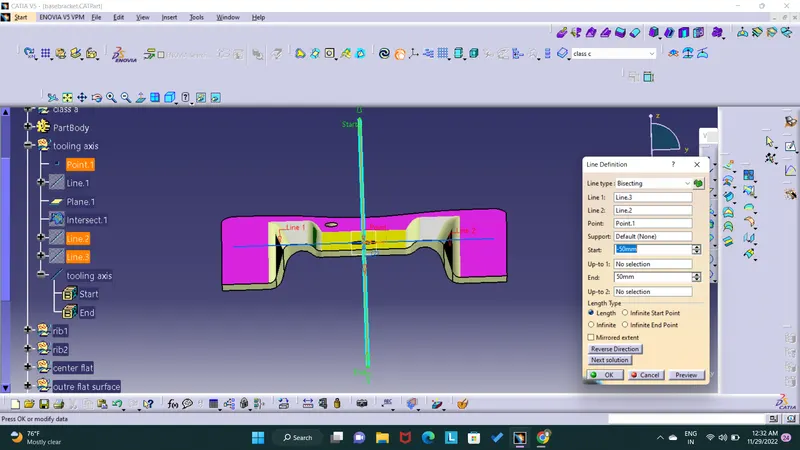
hear i select a yz plain to create tooling axis ,because that posission only sutable for creating tooling axis , another two possision the componant parts are not clear , so i select yz plain . after selection of plain the component have two holes the two holes are in same direction select the any one of the hole make a center point of the circle and draw the line using point direction and finally i draw the line z direction . this line is known as dummy tooling axis after using intersection command to diveid the component equally after creating using bisiting line to draw the proper prependicular line this prependicular line is known as tooling axis .
CREATING DRAFT ANALYSIS :
draft angle is used to remove the part eassily from the dies .
the analysis allows the user to easily analyze a part for proper draft angle . a draft angle describres the amount of taper for mold or cast parts perpendicular to the parting line.
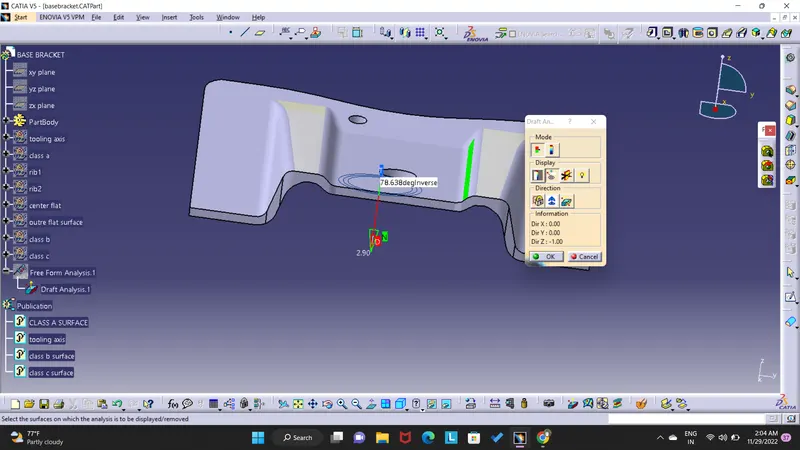
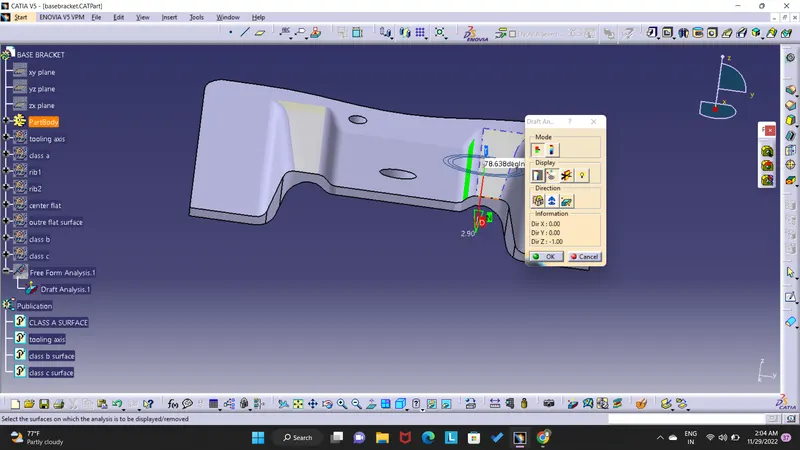
first create the line the line shoud be draw from the cg point using point and diirection option from the line command ,and change the view mode to customize view parameters and select the material option from mesh.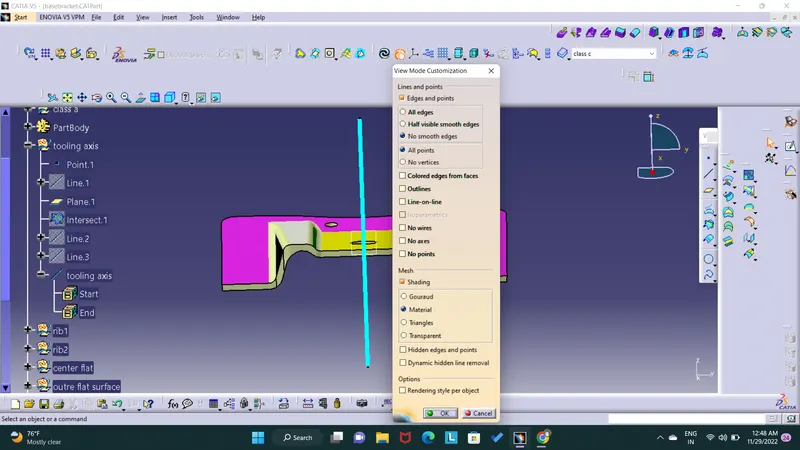
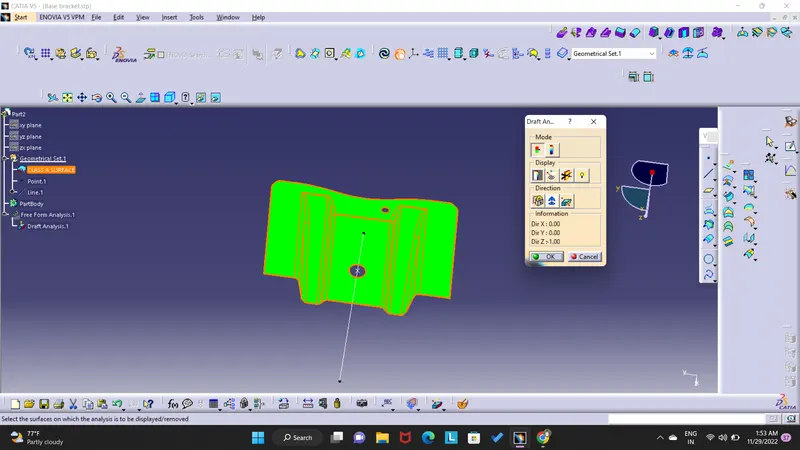
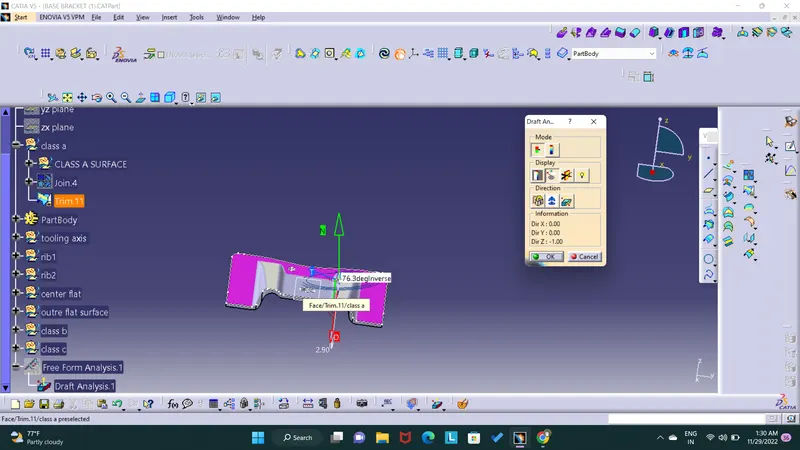
and go to insert and analysis and select draft analysis option and the draft analysis dialog box with colour scale appears on the screen there's two mode avalabile fiest one is quick analysis mode and full analysis mode present hear i select the full analysis mode , change the value of green according to the draft angle provide to the part . here the draft angle is 3degrees. and drag the compass and place it over to the line , after place it click any where on the part the apperance of the component will change afterwards and after getting green colour on the component try to adjust the compass using the knob and adjust the direction of the compass to get green on the entire part region.
after all region are ok lock the compass and lock its current orientation .
display option :
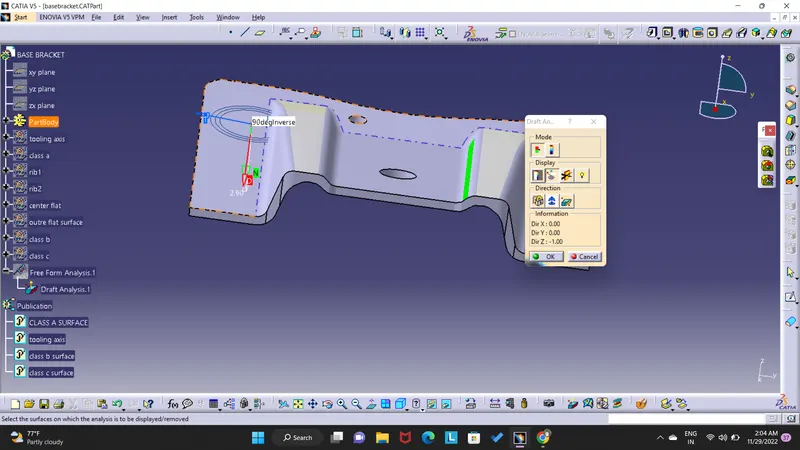
the first option is show or hide the colour scale this option is used to change the draft angle value according to the type of component used .
the second option is highilight the second ecact draft angle of that face , and 3&4 options are used to change the view type to get a clear highlight of the draft analysis result.
end....