BlockMesh Drill down challenge
BlockMesh Drilldown
Boundary condition specification
Follow the specifications that are provided in the following figure.
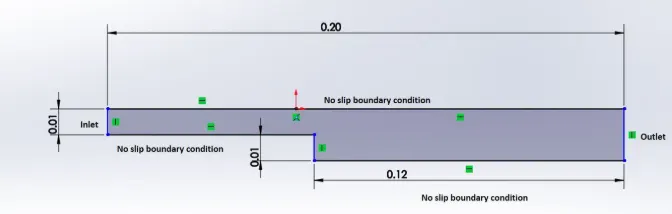
Mesh specification
- Number of cells along the x direction (longer dimension) = 200
- Number of cells along the y direction = 20 (For ease)
- Grading factor near all walls. (0.2,0.5,0.8)
BlockMesh
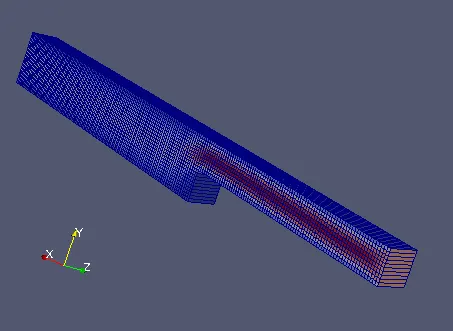
BlockMeshDict file :
/*--------------------------------*- C++ -*----------------------------------*
| =========                 |                                                 |
| \      /  F ield         | OpenFOAM: The Open Source CFD Toolbox           |
|  \    /   O peration     | Version:  5                                     |
|   \  /    A nd           | Web:      www.OpenFOAM.org                      |
|    \/     M anipulation  |                                                 |
*---------------------------------------------------------------------------*/
FoamFile
{
    version     2.0;
    format      ascii;
    class       dictionary;
    object      blockMeshDict;
}
// * * * * * * * * * * * * * * * * * * * * * * * * * * * * * * * * * * * * * //

convertToMeters 1;         //InMeters

vertices
(
    (0 0 0)                //0
    (0.08 0 0)             //1
    (0.08 0.005 0)         //2
    (0 0.005 0)            //3
    (0 0 0.01)             //4
    (0.08 0 0.01)          //5
    (0.08 0.005 0.01)      //6
    (0 0.005 0.01)         //7
    (0 0.01 0)             //8
    (0.08 0.01 0)          //9
    (0 0.01 0.01)         //10
    (0.08 0.01 0.01)      //11
    (0.08 -0.01 0)        //12
    (0.20 -0.01 0)        //13
    (0.20 -0.005 0)       //14
    (0.08 -0.005 0)       //15
    (0.08 -0.01 0.01)     //16
    (0.20 -0.01 0.01)     //17
    (0.20 -0.005 0.01)    //18
    (0.08 -0.005 0.01)    //19
    (0.20 0 0)            //20
    (0.20 0 0.01)         //21
    (0.20 0.005 0)        //22
    (0.20 0.005 0.01)     //23
    (0.20 0.01 0)         //24
    (0.20 0.01 0.01)      //25

);

blocks
(
    hex (0 1 2 3 4 5 6 7) (80 5 1)   simpleGrading (1 1 1)
    hex (3 2 9 8 7 6 11 10) (80 5 1) simpleGrading (1 1 1)
    hex (2 22 24 9 6 23 25 11) (120 5 1) simpleGrading (1 1 1)
    hex (1 20 22 2 5 21 23 6) (120 5 1) simpleGrading (1 1 1)
    hex (15 14 20 1 19 18 21 5) (120 5 1) simpleGrading (1 1 1)
    hex (12 13 14 15 16 17 18 19) (120 5 1) simpleGrading (1 1 1)
);

edges
(
);

boundary
(
    inlet
    {
        type patch;
        faces
        (
            (0 4 7 3)
            (3 7 10 8)
        );
    }

    outlet
    {
        type patch;
        faces
        (
            (24 25 23 22)
            (22 23 21 20)
            (20 21 18 14)
            (14 18 17 13)
        );
    }
    fixedWall
    {
        type wall;
        faces
        (
            (9 8 10 11)
            (24 9 11 25)
            (0 1 5 4)
            (12 13 17 16)
            (1 15 19 5)
            (15 12 16 19)
        );
    }
    frontAndBack
    {
        type empty;
        faces
        (
            (4 5 6 7)
            (7 6 11 10)
            (6 23 25 11)
            (5 21 23 6)
            (19 18 21 5)
            (16 17 18 19)
            (3 2 1 0)
            (8 9 2 3)
            (9 24 22 2)
            (2 22 20 1)
            (1 20 14 15)
            (15 14 13 12)
        );
    }
);

mergePatchPairs
(
);

// ************************************************************************* //
ControlDict file :
/*--------------------------------*- C++ -*----------------------------------*
| =========                 |                                                 |
| \      /  F ield         | OpenFOAM: The Open Source CFD Toolbox           |
|  \    /   O peration     | Version:  5                                     |
|   \  /    A nd           | Web:      www.OpenFOAM.org                      |
|    \/     M anipulation  |                                                 |
*---------------------------------------------------------------------------*/
FoamFile
{
    version     2.0;
    format      ascii;
    class       dictionary;
    location    "system";
    object      controlDict;
}
// * * * * * * * * * * * * * * * * * * * * * * * * * * * * * * * * * * * * * //

application     icoFoam;

startFrom       startTime;

startTime       0;

stopAt          endTime;

endTime         0.5;

deltaT          0.0001;

writeControl    timeStep;

writeInterval   20;

purgeWrite      0;

writeFormat     ascii;

writePrecision  6;

writeCompression off;

timeFormat      general;

timePrecision   6;

runTimeModifiable true;


// ************************************************************************* //
Velocity file :
/*--------------------------------*- C++ -*----------------------------------*
| =========                 |                                                 |
| \      /  F ield         | OpenFOAM: The Open Source CFD Toolbox           |
|  \    /   O peration     | Version:  5                                     |
|   \  /    A nd           | Web:      www.OpenFOAM.org                      |
|    \/     M anipulation  |                                                 |
*---------------------------------------------------------------------------*/
FoamFile
{
    version     2.0;
    format      ascii;
    class       volVectorField;
    object      U;
}
// * * * * * * * * * * * * * * * * * * * * * * * * * * * * * * * * * * * * * //

dimensions      [0 1 -1 0 0 0 0];

internalField   uniform (0 0 0);

boundaryField
{
    inlet
    {
        type            fixedValue;
        value           uniform (1 0 0);
    }

    outlet
    {
        type            zeroGradient;
    }

    fixedWall
    {
        type            noSlip;
    }

    frontAndBack
    {
        type            empty;
    }
}

// ************************************************************************* //
Pressure file :
/*--------------------------------*- C++ -*----------------------------------*
| =========                 |                                                 |
| \      /  F ield         | OpenFOAM: The Open Source CFD Toolbox           |
|  \    /   O peration     | Version:  5                                     |
|   \  /    A nd           | Web:      www.OpenFOAM.org                      |
|    \/     M anipulation  |                                                 |
*---------------------------------------------------------------------------*/
FoamFile
{
    version     2.0;
    format      ascii;
    class       volScalarField;
    object      p;
}
// * * * * * * * * * * * * * * * * * * * * * * * * * * * * * * * * * * * * * //

dimensions      [0 2 -2 0 0 0 0];

internalField   uniform 0;

boundaryField
{
    inlet
    {
        type            zeroGradient;
    }

    outlet
    {
        type            fixedValue;
        value           uniform 0;
    }

    fixedWall
    {
        type            zeroGradient;
    }

    frontAndBack
    {
        type            empty;
    }
}

// ************************************************************************* //
Procedure :
- Open the Terminal and type "tut" to open the tutorials.
- Change directory to "incompressible" by typing "cd incompressible"
- Inside the incompressible, "cd icoFoam" and then "cavity".
- Inside the cavity, there is an another cavity folder.
- Copy this cavity folder to run folder by typing "cp -r cavity/ $FOAM_RUN/cavity".
- Now change directory to run folder by typing "cd $FOAM_RUN".
- Inside this, there is a 'cavity' folder. "ls cavity"
- Inside this 'cavity' folder, there are subfolders "0","constant","system"
- There are velocity and pressure files in the "0" subfolder.
- blockMeshDict and controlDict file in the "system" subfolder.
- Edited those files as per the requirement by using "gedit" command and save it.
- The scalling, Vertices, number of cells, grading, wall types edited in the blockMeshDict file.
- The time step is edited in the controlDict file. Time step value is 0.0001 to make sure that Courant number does not exceed more than one.
- Boundary conditions are edited in the velocity(1m/s at inlet) and pressure files.
- Now change directory to cavity folder and make sure that there are three subfolders "0","constant","system". Check it by typing "ls cavity" in terminal.
- Then create a block by typing "blockMesh" in terminal. Make sure it is created successfully.
- Now check the mesh by typing "checkMesh". Make sure there is no error.
- Then run the files by using "icoFoam" solver.
- For post processing, type "paraFoam" in the terminal window.
- Enable the properties.
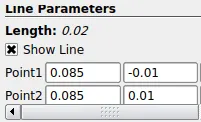
- Create a line at 0.085 m distance from inlet by using "plot over line".
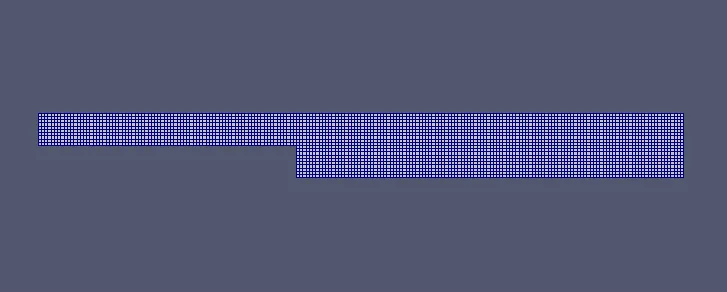
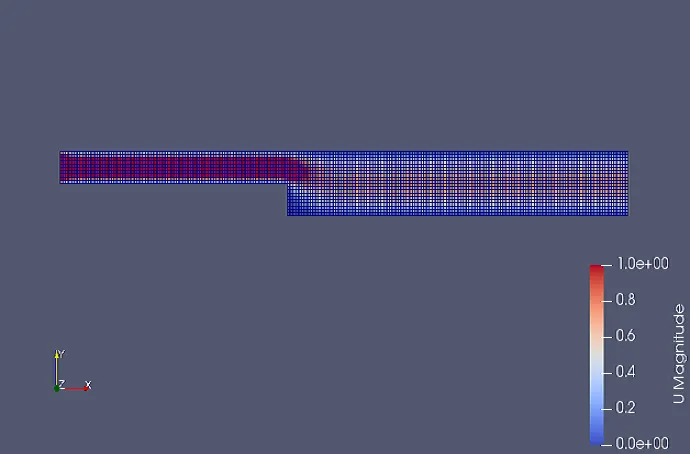
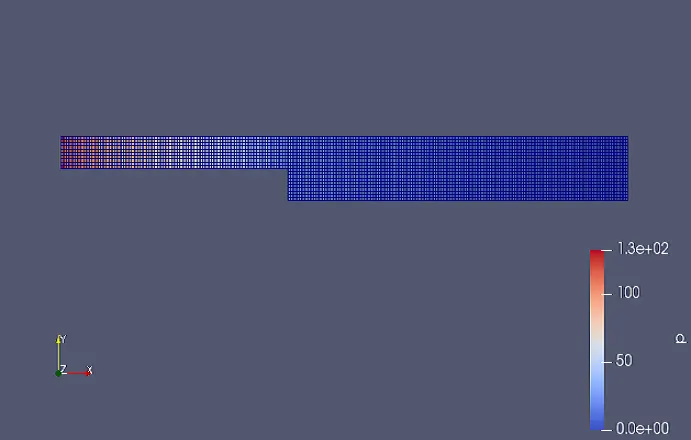
#Mesh without Grading :
Velocity Contour:
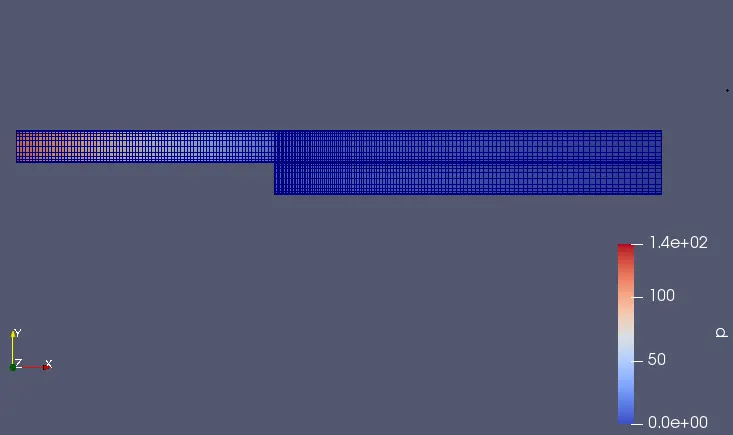
Pressure Contour:
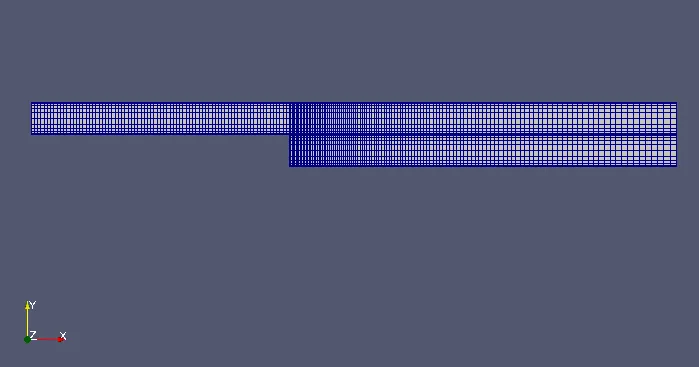
#BlockMeshDict for Grading factor 0.2 :
hex (0 1 2 3 4 5 6 7) (80 5 1)   simpleGrading (1 5 1)
hex (3 2 9 8 7 6 11 10) (80 5 1) simpleGrading (1 0.2 1)
hex (2 22 24 9 6 23 25 11) (120 5 1) simpleGrading (5 0.2 1)
hex (1 20 22 2 5 21 23 6) (120 5 1) simpleGrading (5 5 1)
hex (15 14 20 1 19 18 21 5) (120 5 1) simpleGrading (5 0.2 1)
hex (12 13 14 15 16 17 18 19) (120 5 1) simpleGrading (5 5 1)
Note : Only this portion is required to edit.
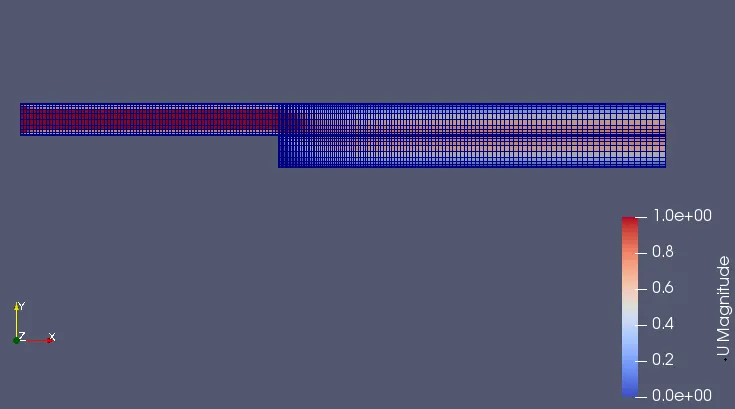
Mesh with Grading factor 0.2 :
Velocity Contour:
Pressure Contour:
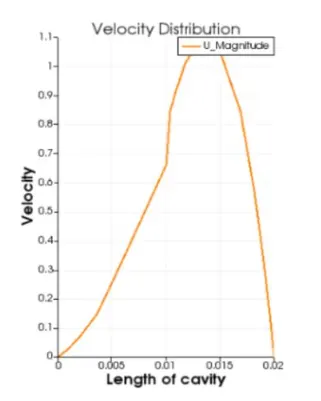
Velocity Profile at distance of 0.085m from Inlet :
#BlockMeshDict for Grading factor 0.5 :
hex (0 1 2 3 4 5 6 7) (80 5 1)   simpleGrading (1 2 1)
hex (3 2 9 8 7 6 11 10) (80 5 1) simpleGrading (1 0.5 1)
hex (2 22 24 9 6 23 25 11) (120 5 1) simpleGrading (2 0.5 1)
hex (1 20 22 2 5 21 23 6) (120 5 1) simpleGrading (2 2 1)
hex (15 14 20 1 19 18 21 5) (120 5 1) simpleGrading (2 0.5 1)
hex (12 13 14 15 16 17 18 19) (120 5 1) simpleGrading (2 2 1)
Note : Only this portion is required to edit.
Mesh with Grading factor 0.5 :
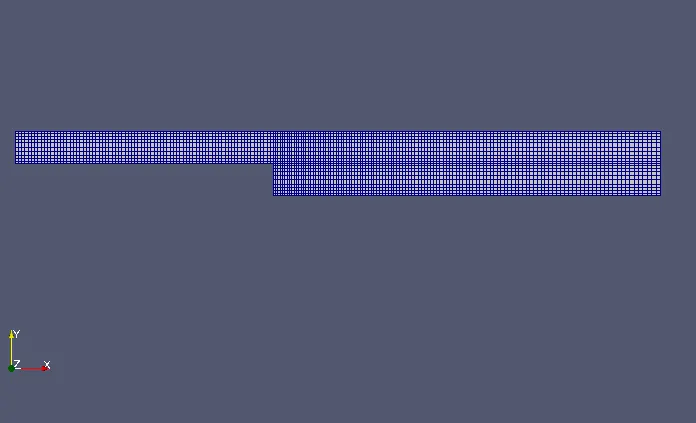
Velocity Contour:
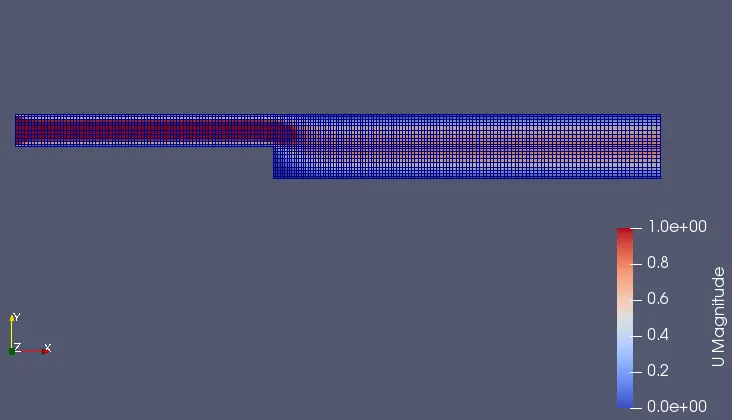
Pressure Contour:
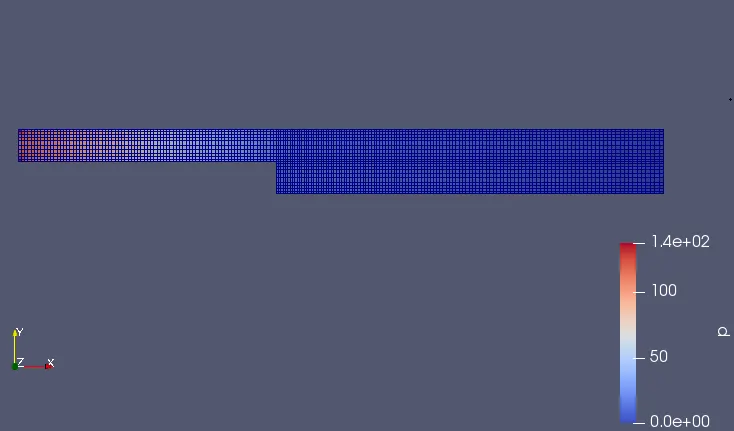
Velocity Profile at distance of 0.085m from Inlet :
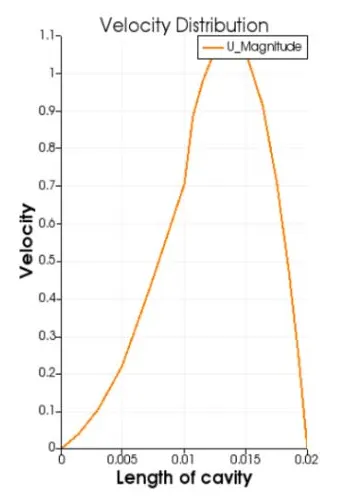
#BlockMeshDict for Grading factor 0.8 :
hex (0 1 2 3 4 5 6 7) (80 5 1)   simpleGrading (1 1.25 1)
hex (3 2 9 8 7 6 11 10) (80 5 1) simpleGrading (1 0.8 1)
hex (2 22 24 9 6 23 25 11) (120 5 1) simpleGrading (1.25 0.8 1)
hex (1 20 22 2 5 21 23 6) (120 5 1) simpleGrading (1.25 1.25 1)
hex (15 14 20 1 19 18 21 5) (120 5 1) simpleGrading (1.25 0.8 1)
hex (12 13 14 15 16 17 18 19) (120 5 1) simpleGrading (1.25 1.25 1)
Note : Only this portion is required to edit.
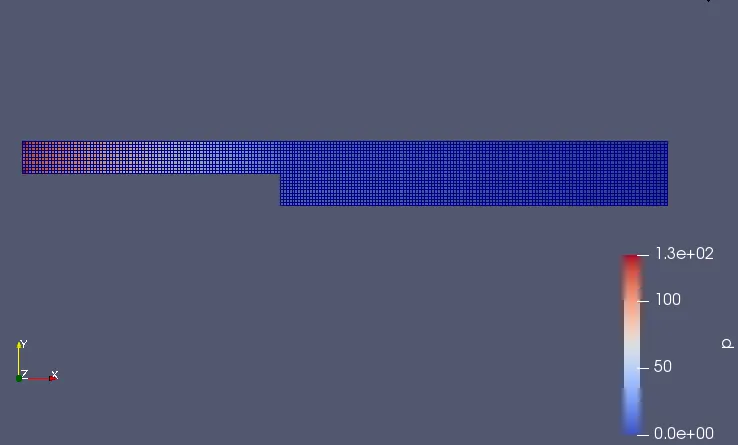
Mesh with Grading factor 0.8 :
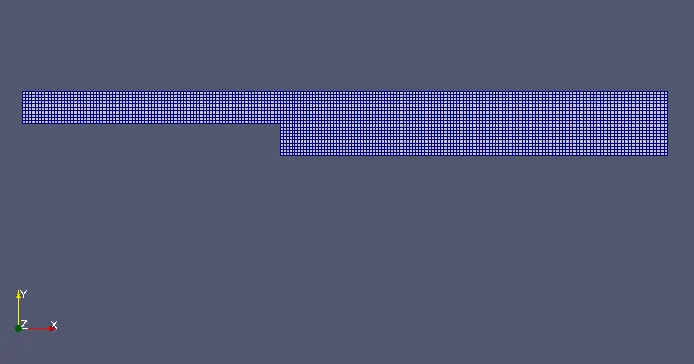
Velocity Contour:
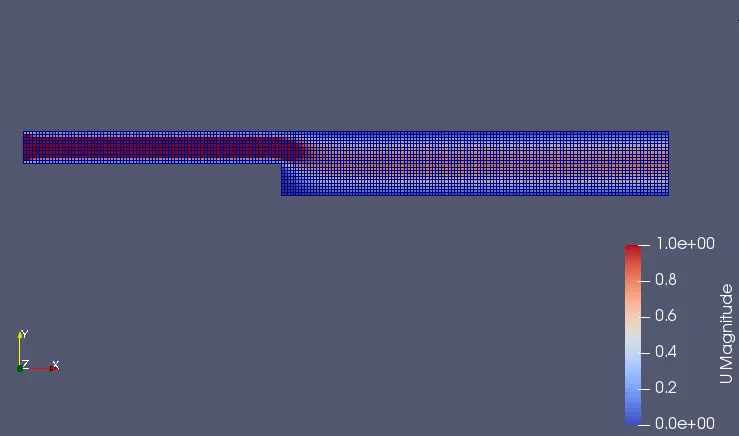
Pressure Contour:
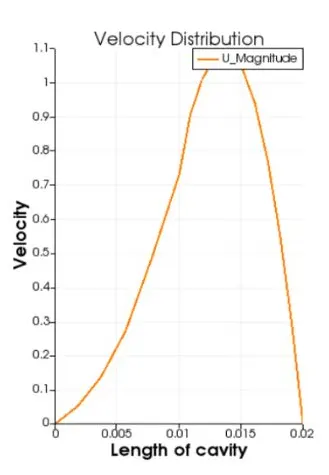
Velocity Profile at distance of 0.085m from Inlet :
Conclusion :
(1) The magnitude of velocity at a distance of 0.085 m from inlet is almost 1.1 m/s for all the three grading factors.
(2) The velocity is maximum someware near at the step region.
(3) The velocity keeps increasing upto its peak value and then starts to decrease along the length of the cavity.
(4) The CFL number decreases as the grading factor decreases from 0.8 to 0.2
(5) Finer(0.2) mesh at wall region gives better accuracy in flow capturing than coarse(0.5 & 0.8) mesh.