Basic Morphing Techniques using ANSA
AIM
To practice all the Morphing techniques that were shown in the video for the given component & to write a report on Morphing and its use cases in various industries.
MORPHING
- Morphing is a design change terminology or used to change the design or shape of any component without any numerical inputs.
- We can try morphing in both FE model & Cad model.
- Morphing techniques will be also used for design optimization.
- It is used mostly on the Version 2 products. The input from the original models will be morphed to change the design & performance of the product slightly compare to the V1.
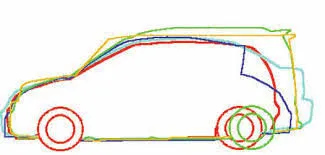
Figure 1
Domain (Box) Morphing
Domain or Box Morphing is preformed via boxes that are created around a particular part or assembly that the user intends to morph. The movement of the Morphing boxes control points defines the morphing operations on the entities inside the Morph box. This type of Morphing can be applied to both FE and Geometry based models.
Figure 2 - Box Morphing
Direct Morphing
ANSA’s Direct morphing features gives the user the ability to efficiently modify a part locally without having to create Morphing boxes. This method is extremely useful in creating local modifications on single parts. Creation of depressions, surface fitting certain FE part features to new target geometry, moving selected features along the contour of a surface and also the ability to freeze (rigid) elements during the morphing process are some of the direct morphing abilities.
Parametric Morphing
The desired morphing actions can be saved as parameters which can be accessed in batch mode. Users can enforce desired shape changes by changing numerical input value for the appropriate parameter. This method of morphing is highly utilized for coupling of the morphing operations to an external optimizer. The scripting capability can be used in conjunction with ANSA’s parametric morphing functionality to deliver faster DOE models.
Figure 3 - Parametric Morphing
Geometry Morphing
ANSA brings to the CAE world its ‘one – of – a kind’ tool for CAD geometry morphing. This pioneering concept allows the user to utilize the inventory of all the familiar FE morphing functions to perform equivalent operations in a CAD environment on geometric entities.
Figure 4 - Geometry Morphing
PROCEDURE FOR MORPHING
- Go to Morph tab. Morphing active will be seen/noticed right below the window after entering into Morph tab.
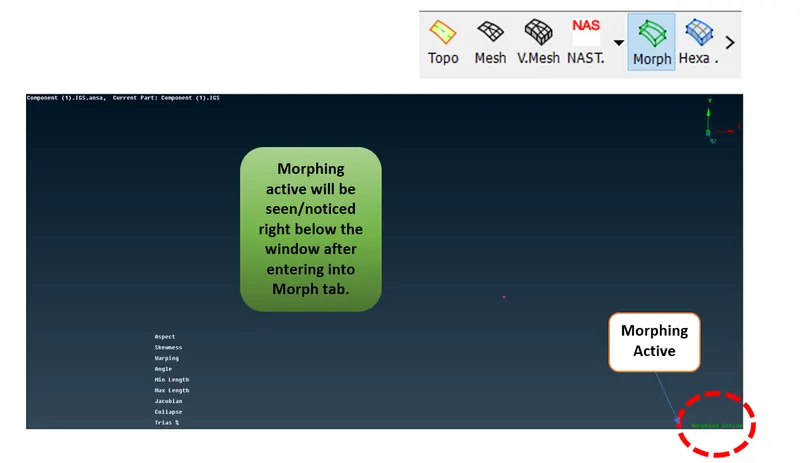
Figure 5 - Steps for morphing (1)
- To change the design - Create/Select box
- Go to Boxes ---> New ---> Select the macros or features which has to be subjected to change in design --> Middle click on mouse.
- Now as shown in the below figure, Around the slected macros green box will be generated with nodes at the corner of the box.
- These nodes can be convereted to more nodes by split option under Boxes tab.
- To get more accurancy in design change split optionis used.
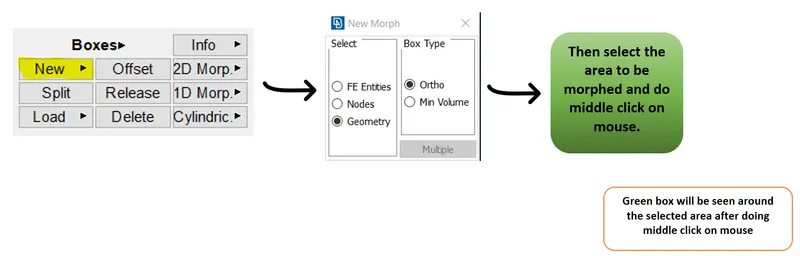
Figure 6 - Steps for morphing (2)
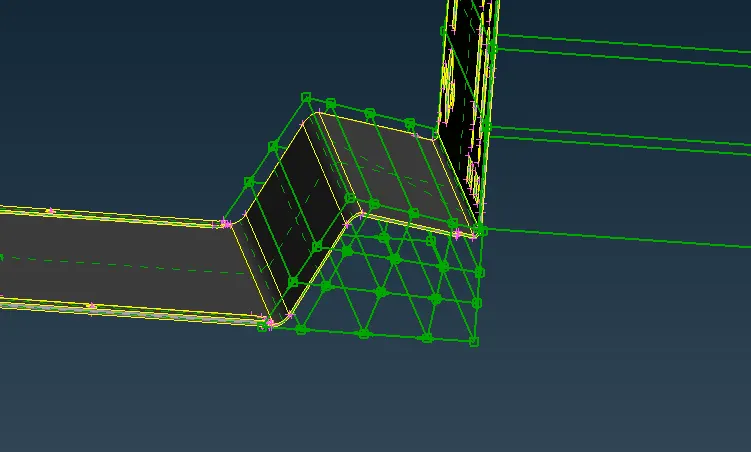
Figure 7 - Split
- To change the design - Move/change
- Go to Box Morphing ---> Move --> Select the necessary nodes ---> Right click on centre of the box to get co-ordinate system ----> Select the axis to be moved ---> Middle click on mouse ---> Then drag to move towards selected axis.
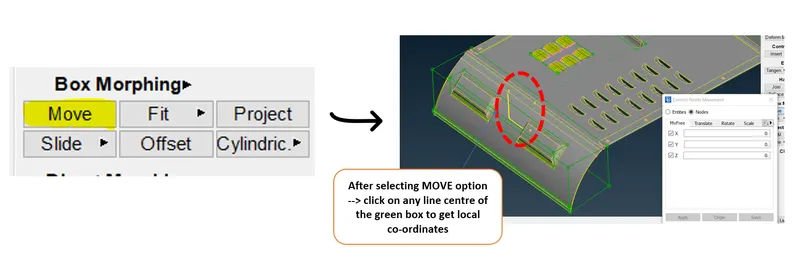
Figure 8 - Steps for morphing (3)
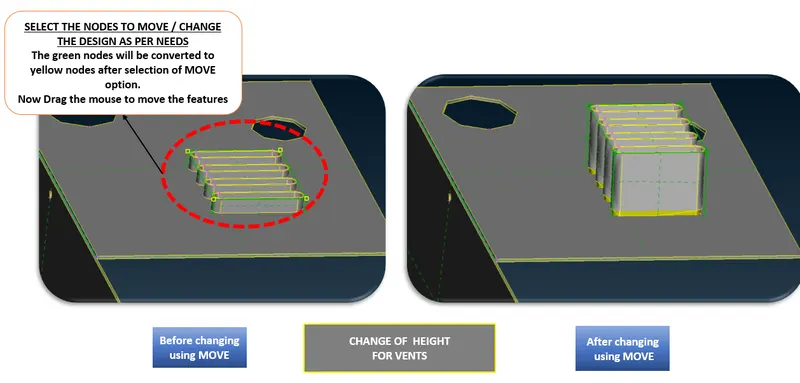
Figure 9 - Steps for morphing (4)
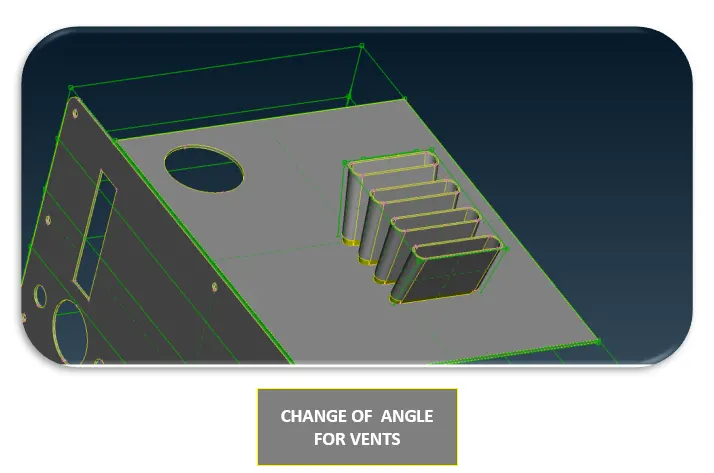
Figure 10 - Change of angle for vents
PICTURES OF SOME BEFORE AND AFTER CHANGES USING MORPHING TECHNIQUES
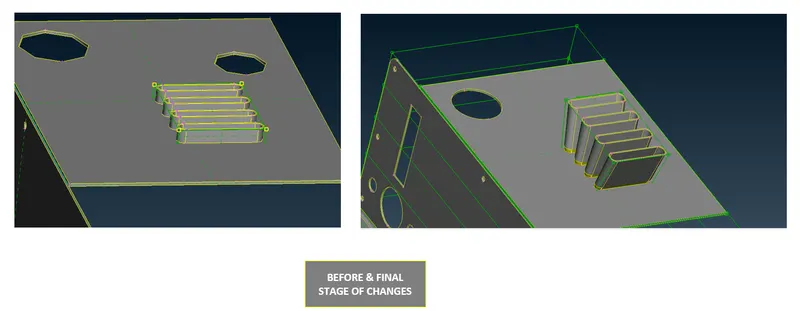
Figure 11
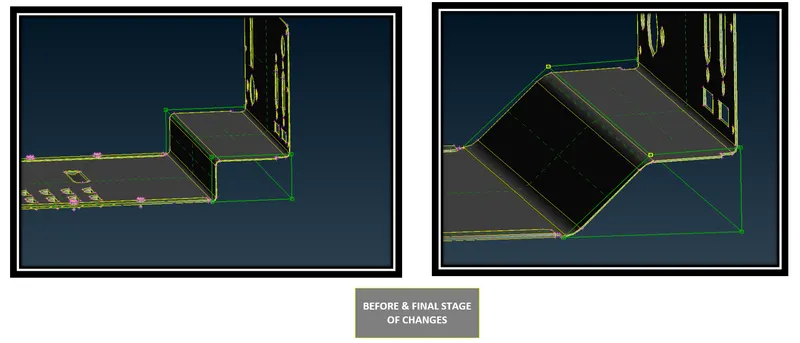
Figure 12
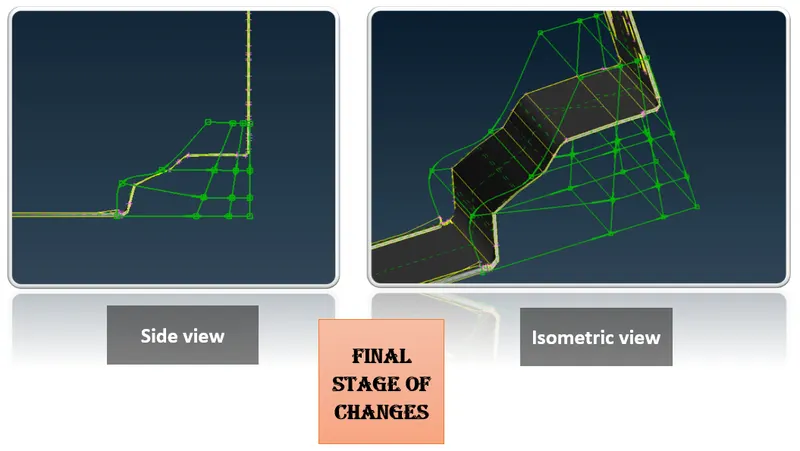
Figure 13
MORPHING & ITS USE CASES IN VARIOUS INDUSTRY
- Mostly all industries will be using morphing techniques to launch of its next upgraded version of product/model.
- In common morphing techniques are used to improve the design in design optimization phase.
- In Aerospace Industry -
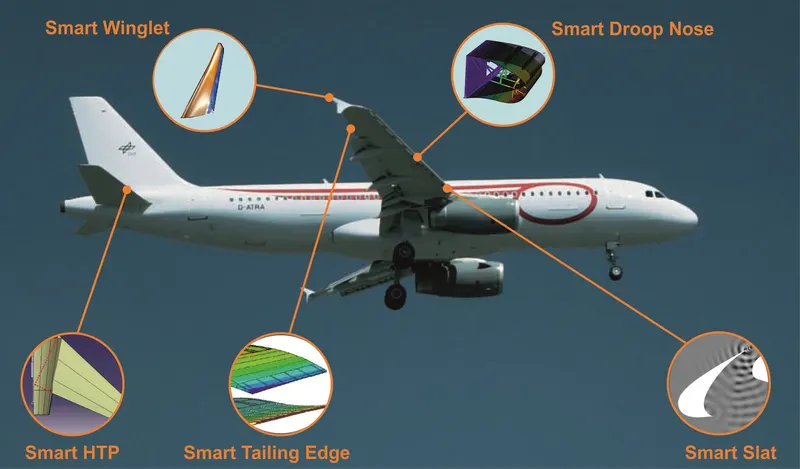
Figure 14
- The above shown parts will be tend to morphing techniques.
- In Automotive Industry -
- Morphing techniques are used to convert the hatch back type passenger vehicles to sedan type passenger vehicles. So here, the Geometry morphing techniques would be used.
- Example: Cars like,
- Honda brio (Hatch back) --> Honda Amaze (Sedan type)
- Ford Figo (Hatch back) ---> Ford Figo (Sedan type)
- Swift (Hatch back) ---> Swifte Desire (Sedan type)
- Hyundai i10 (Hatch back) ---> Hyundai Xcent (Sedan type)
- Some SUV vehicle to Pickup trucks.
- In two wheeler segment, Yamaha FZ & Fazer V1 ---> Yamaha FZ & Fazer ----> Yamaha FZ & Fazer V3
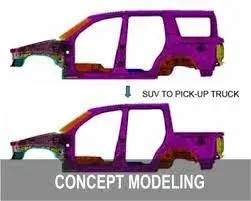
Figure 15 - SUV --> PICKUP TRUCK
CONCLUSION
Hence, the Morphing techniques that were shown in the video for the given sheet metal component had been practiced & the detailed report on Morphing and its use cases in various industries had been explained.
REFERENCE
- BETA CAE Systems
- Skill - Lync Course work