Week 7 State of charge estimation
1) Simulate the 3 test cases from harness dashboard and write a detailed report on the results.
First in order to start the challenge we have to download the zip file from the link given and the link is also been attached for reference purpose below.
Once you downoad the zip file first extract the zip file to a particular folder and then choose Battery_System_R2022a to extract to a folder.
After this process we can get the access to the harness dashboard by following the upcoming steps.
Open the MATLAB file and then click on open in the home tab and then browse to the dowloaded folder and select it and then select Battery_System_R2022a.
After this select Test-System-BMS_ClosedLoop_Harness_Dashboard model file and click on the open option.
After this process MATLAB will ask a question where you have to select the option Open 'Project and Model'.
After this the project and the nodel will be opend in the MATLAB.
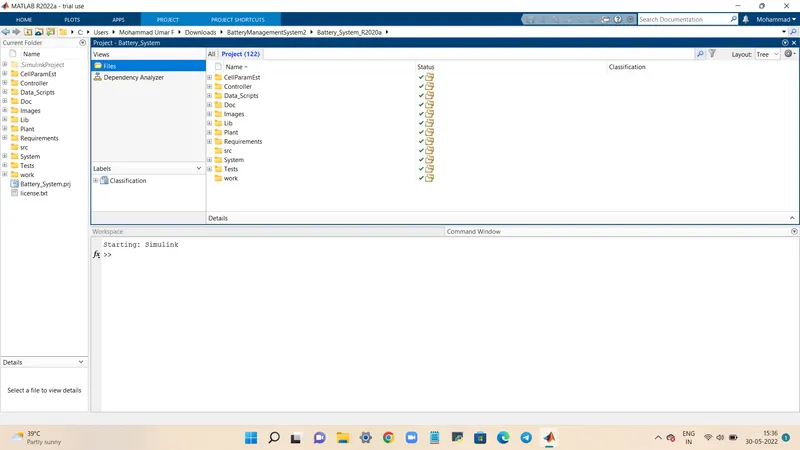
Likewise the BMS_ClosedLoop_Harness_Dashboard file is also open in the MATLAB SIMULINK workspace.
TEST CASE 1:
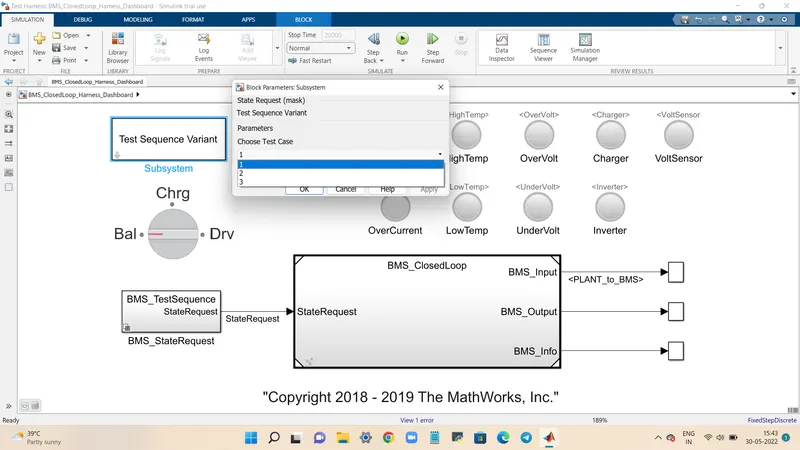
Test case 1 is selected by following simple steps shown in the image below.
We can aslo see the Test sequence in BMS_StateRequest>BMS_TestSequence where we can see the test case we have selected with a tick mark on it.
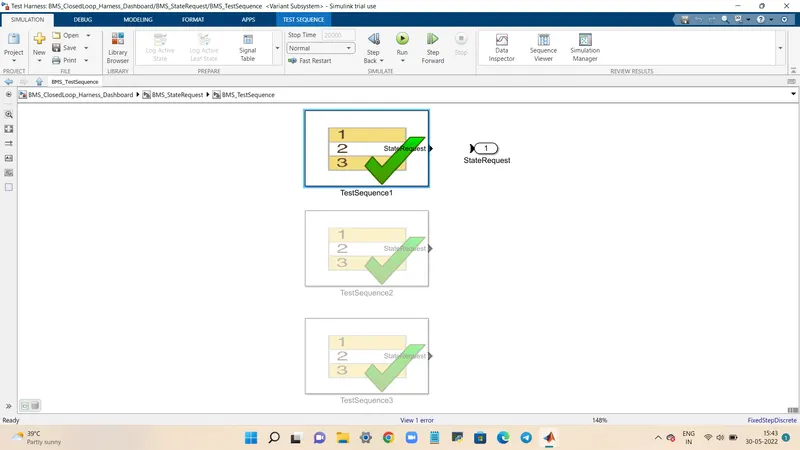
In order to see the test condition we have to open the Test Sequence1 and a new window will open as ahown in the image given below.
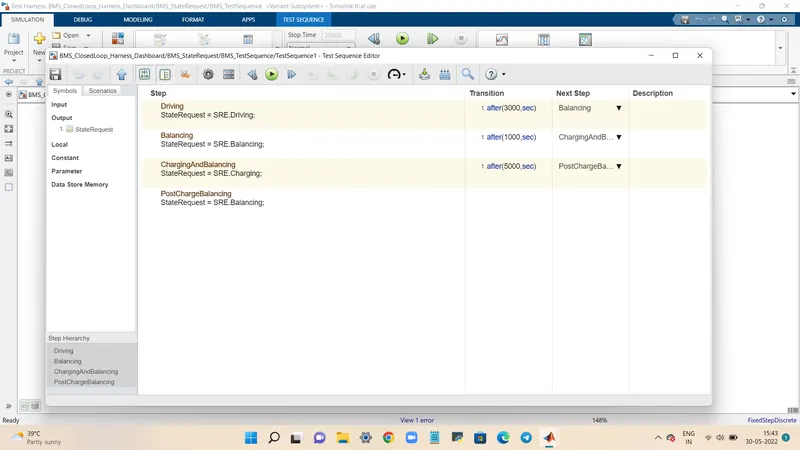
The Test Sequence Editor window shows the test sequences.
Driving is done fro first 3000s.
After driving balancing occurs fro the next 1000s.
After balancing charging and balancing occurs for next 5000s.
Finally post charge balancing occurs after 9000s till 20000s.
If the lamp indication were green for all that means the model is fault free after simulation.
TEST CASE 2:
Test Case 2 is done by following similar steps as followed fro the test case 1 with slight changes in it.
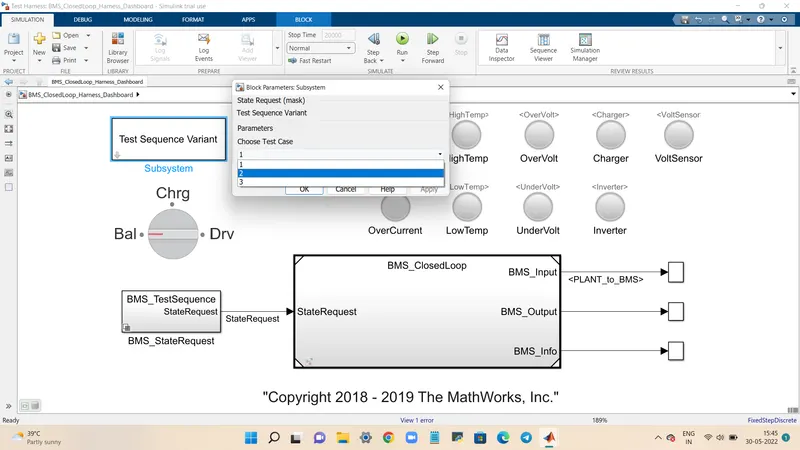
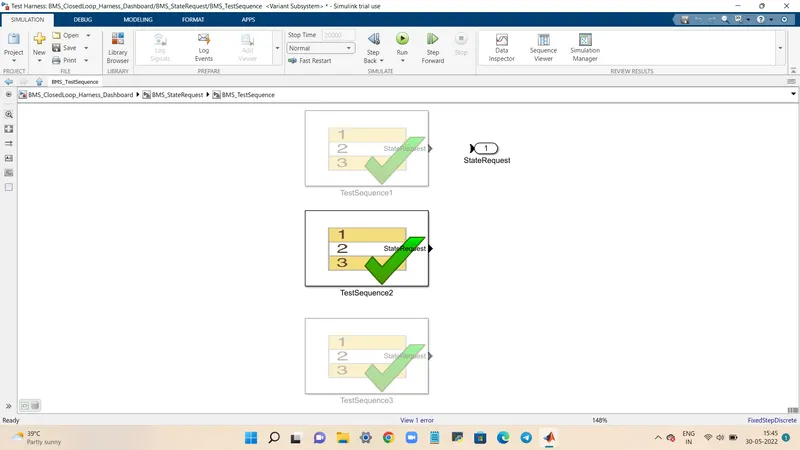
We can aslo see the Test sequence in BMS_StateRequest>BMS_TestSequence where we can see the test case we have selected with a tick mark on it.
After this the editor window is opened similarly as did before.
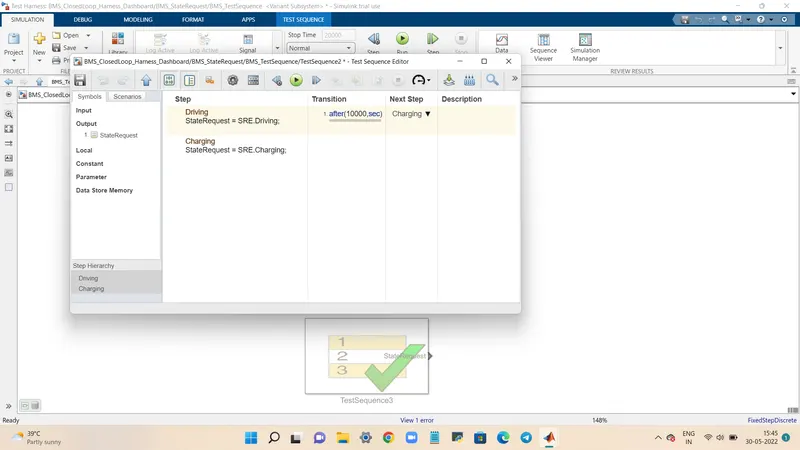
The editor window shows,
Driving is done for 10000s.
After this charging is done for the next 20000s.
TEST CASE 3:
Test case 3 is done by following the same method followed before with slight changes in it.
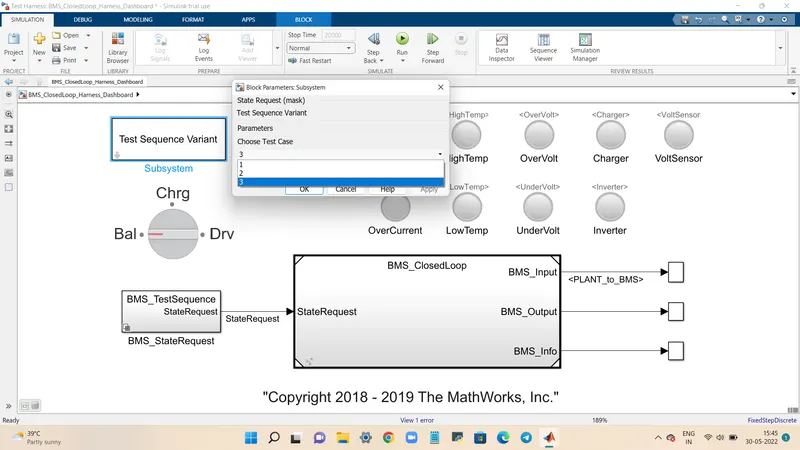
We can aslo see the Test sequence in BMS_StateRequest>BMS_TestSequence where we can see the test case we have selected with a tick mark on it.
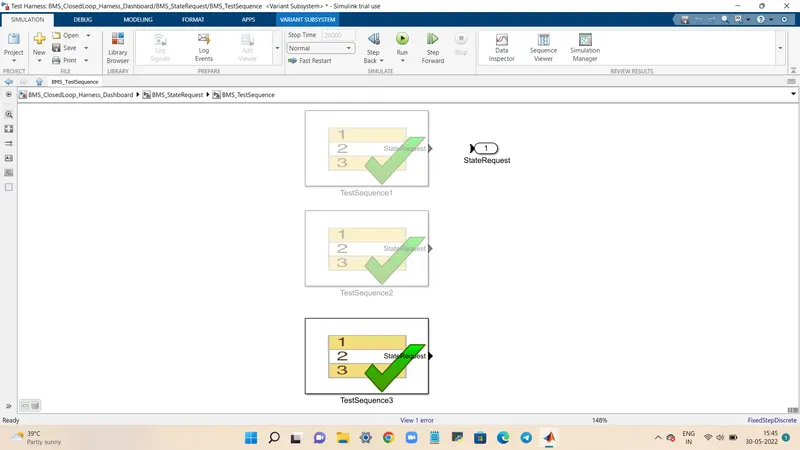
After this the editor window is opened similarly as did before.
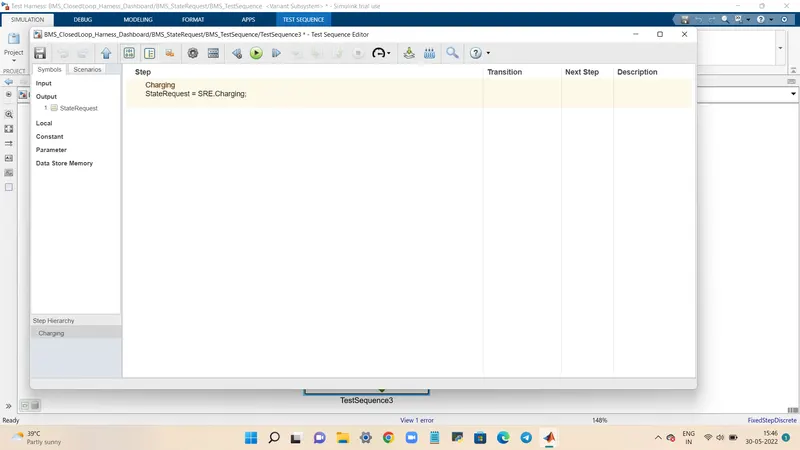
The editor window shows,
Charging is done for entire 20000s that is for the entire simulation time charging is only done.
2) What is coulomb counting? Refer to the above model and explain how BMS implements coulomb counting for SOC estimation ?
Coulomb ciunting is a methid that measures the discharging current of a bettery and then integrates the discharging current over time in order to estimate the SOC.
SOC is calculated by using the following equation,
SOC(t)=SOC(t-1)=(I(t)/Qn).delta(t)
SOC estimation by using the battery model,
For coulomb counting we must open the BMS_ClosedLoop>MBS ECU and then open SOC_Estimation block.
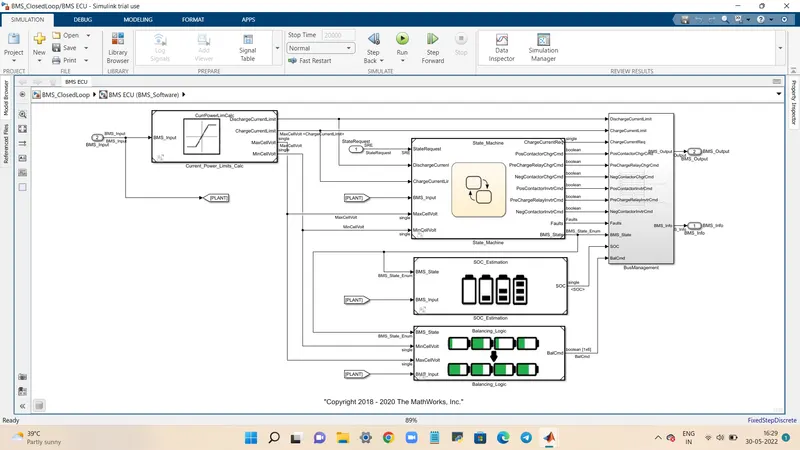
For SOC estimation there are three mothods respectively and they are as follows,
Coulomb counting
Unscented Kalman Filter
Extended kalman Filter
When we open the coulomb countignmethod we can see several blocks such as gain, product, discrete etc....
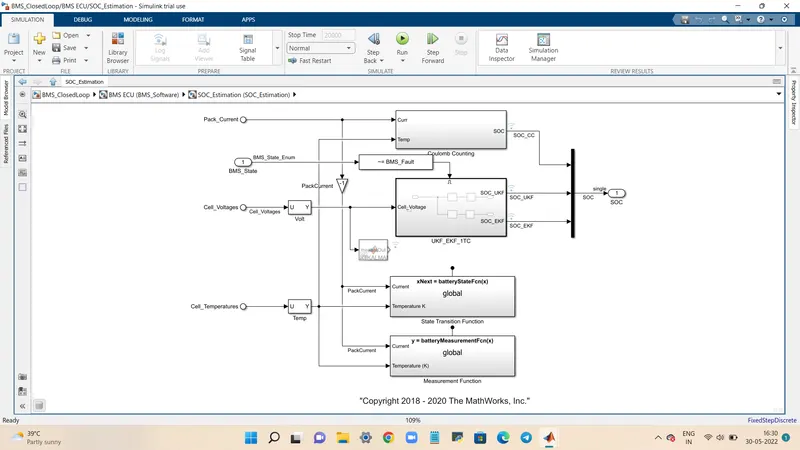
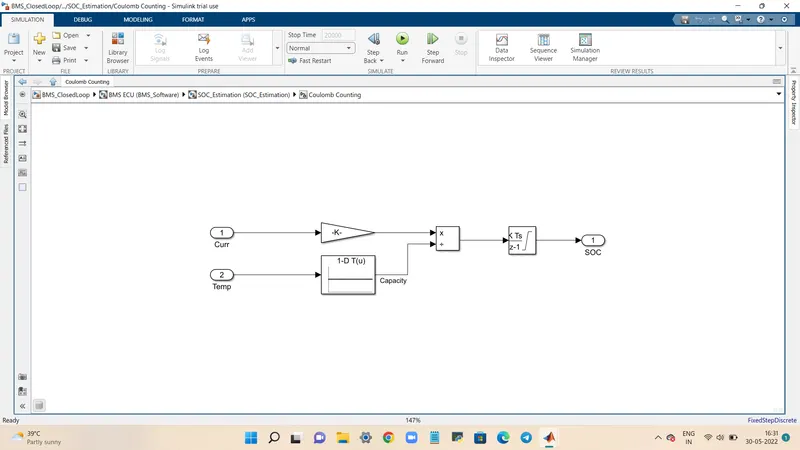
The discharge current from the battery is given to gain to convert A to Ah respectively.
That current is the divided by the capacity du to the change in temperature and then it is integrated with the gain value.
Comparing with all the three methods the Coulomb Counting method is simple.