Week 7- Meshing of Backdoor Challenge
Aim / Objective :
To extract midsurface of Back door component
And to mesh with the given quality parameteres
To get a good mesh flow throught the component
Component : Back door
Quality parameters :
Target Element size - 5 Units
S.N Quality Criteria Value
1 Aspect Ratio 5
2 Skewness 45
3 Warping 15
4 Taper 0.5
5 Min. Length 3 Units
6 Max. Length 7 Units
7 Min angle Quad 45
8 Max angle Quad 135
9 Min angle Tria 30
10 Max angle Tria 110
11 Tria % 15
Procedure :
Steps 1 :
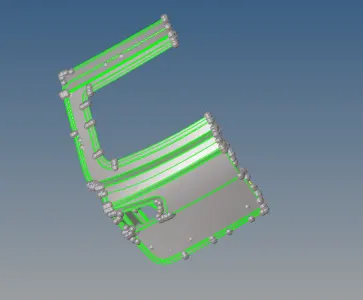
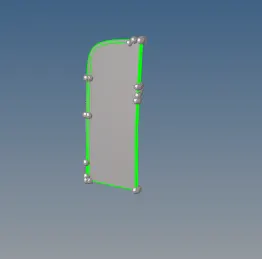
The back door is organized into few parts for easier process
Geometry Surface edit with self intersecting was used to separate the parts from middle
Outer part is A inner part B and the Bottom is c part with extra components
Under tool organize option dest componentusing surface and by face the Extras moved
These extra component belongs to A B and C so they were assigned properly
Its done to get a proper midsurface for proper meshflow
Steps 2
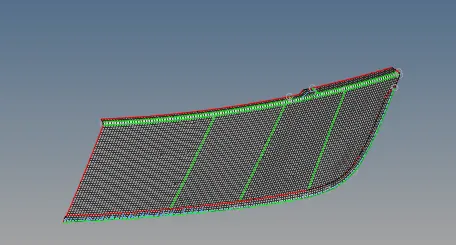
The midsurface was taken for the Bottom C part by using surface edit offset commands
The thickness was measured and entered half value with negative sign vector normal used
Midsurface was extracted then surface was cleaned by using toggle lines in geom quick edit
The lines less than 3mm and was divided for proper meshing
quality criteria was added in preference criteria file settings
Meshing was done using automesh in 2d giving element size
Rebuild surface by geometry used where the mesh was not proper
Steps 3
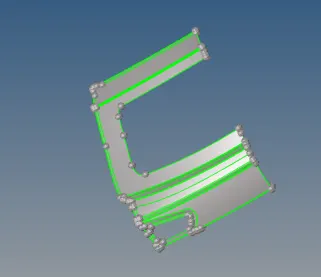
Manual offset is used to extract midsurface for the B part of the component
Then the midsurface was cleaned for minimum length capturing for proper mesh flow
Hemming regions midline was created and unwanted lines were toggle under geom quick edit
Then surface was meshed small regions was divided and obtained meshflow
Failing elements were warpage and minimum length they were used tool translate to clear
Minimum length was replaced using replace nodes and rebuild options were done
These steps were repeated till proper mesh flow was captured
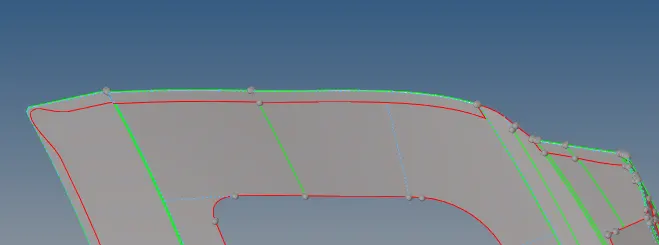
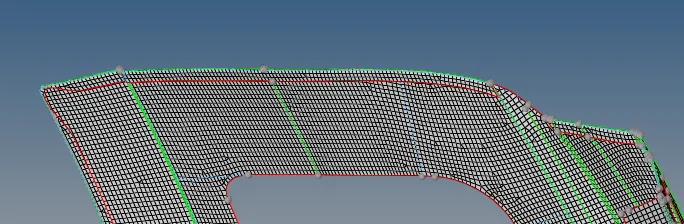
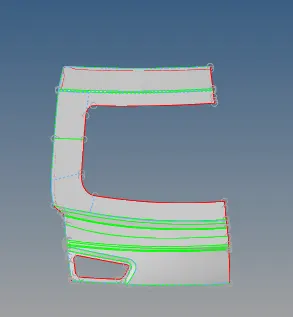
Steps 4
Manual offset is used to extract midsurface for the A part of the component
Midsurface was cleaned and divided to small sections for the proper mesh flow
Region having unwanted hot points wer deleted using geom quick edit add remove point
The centre line were captured wherever minimum length was going to fail for proper meshflow
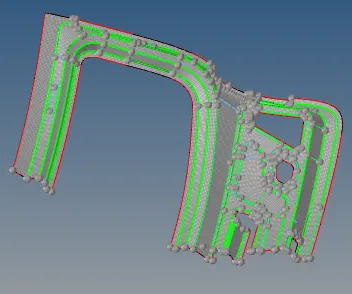
Sections were meshed using 2D automesh entire componenet for meshing
Rebuild option is used for failing element or the steps previously used were repeated
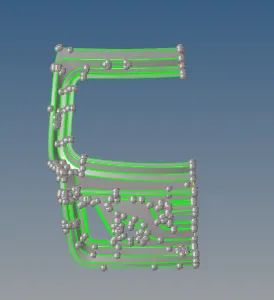
Steps 5
Under 2d element cleanup was used to clear the warpage issues in some areas
2d edit elements were used to trias to combine quads so trias will be less
Smooth option is used for the flow of mesh to be good in some regions
Thus obtained the quality criteria with proper mesh flow
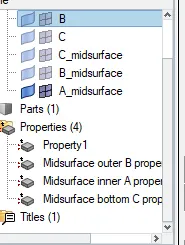
Thickness was asigned to all midsurface
Learning outcomes :
Learned to separate inner outer and middle region for proper midsurface
Manual method midsurface was extracted for all parts
A B and C parts midsurface was meshed separately for proper flow
Separate property was created pshell and thickness was asigned to midsurfaces
Quality criteria obtained with proper mesh flow
Result :
Thus the backdoor of a car midsurface taken and meshed as per quality parameter and the file is attached for reference